Android MDM Solution
Secure, manage, and monitor Android smartphones, tablets, kiosks, rugged devices, Android TVs, and other enterprise devices with Quantem Android MDM Solution. Simplify Android device management through automated enrollment, policy enforcement, application management, and remote support from one centralized dashboard.
Android MDM Solution for Every Ownership Model
Support every ownership model with an Android device management solution built for modern businesses.
Bring Your Own Device
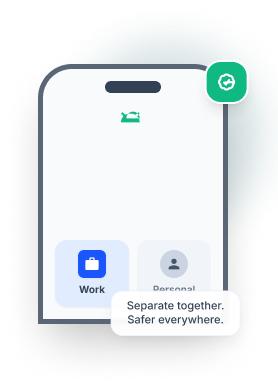
Support secure BYOD by managing employee-owned Android devices while keeping business and personal data completely separate.
.png)
Separate work and personal data with Android Work Profile
Protect corporate data without affecting personal privacy
Enforce security policies on work applications only
Android COPE
Balance business security and employee privacy on company-owned Android devices designed for both work and personal use.
Keep business and personal profiles separated
Apply corporate policies to work data only
Allow personal apps without compromising security
.png)
Company-Owned Devices
Manage corporate-owned Android devices with centralized control throughout their entire lifecycle.
Enforce security policies across every device
Deploy applications and configurations remotely
Monitor and manage devices from one dashboard
.png)
Dedicated Devices
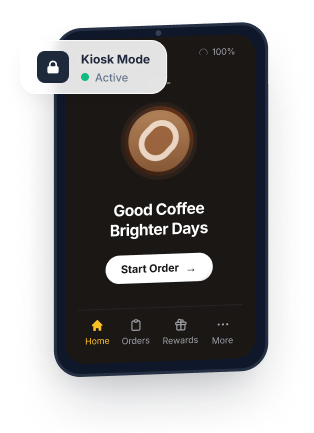
Convert Android devices into dedicated business devices for kiosks, POS systems, digital signage, and frontline operations.
Lock devices into single-app or multi-app kiosk mode
Restrict access to unauthorized apps and settings
Deliver consistent and secure business experiences
.png)
Complete Lifecycle Management for Android Devices
Manage every stage of the device lifecycle with an Android MDM solution designed to simplify deployment, improve security, and reduce administrative effort.

Enrollment
Enroll Android devices quickly using automated, zero-touch, and bulk enrollment methods. Eliminate manual setup while preparing devices for immediate business use.

Provisioning
Configure applications, security policies, Wi-Fi settings, and restrictions during initial setup. Ensure devices are fully configured before they reach end users.
.png)
Deployment
Assign Android devices to employees, departments, frontline teams, or dedicated business use. Simplify large-scale rollouts with centralized deployment workflows.

Management
Monitor device health, manage applications, enforce security policies, and troubleshoot issues remotely. Maintain complete visibility across every managed Android device.
.png)
Retirement
Retire Android devices securely by removing business data, applications, and organizational access. Prepare devices for reassignment, resale, or disposal without risking sensitive information.
Manage Every Android Device from One Platform
Simplify device management with an Android MDM tool with Quantem MDM solution built to secure and manage every type of Android deployment from one centralized console
.png)
Smartphones & Tablets
.png)
Interactive Kiosks
.png)
POS Systems
.png)
Interactive Flat Panel Displays (IFPDs)
.png)
Digital Signage
.png)
Android TVs
.png)
Rugged Devices
Manage Every Android Device with One Android MDM Solution
Simplify Android device management, strengthen security, and manage every Android deployment from one centralized platform.
Flexible Android Device Enrollment for Every Deployment
Simplify large-scale onboarding with Android device enrollment methods designed for every business deployment. The Quantem Android MDM solution supports secure, automated enrollment to reduce setup time and eliminate manual configuration.

Zero-Touch Enrollment
Provision Android Enterprise devices automatically as soon as they'repowered on for the first time. Deliver fully configured devices to employeeswithout requiring IT intervention.
.png)
QR Code Enrollment
Enroll Android devices in just a few steps by scanning a QR code.Automatically apply applications, policies, and security settings duringdevice setup.
.png)
Samsung Knox Mobile Enrollment (KME)
Streamline Samsung device deployment using Knox Mobile Enrollment.Automatically enroll devices with pre-configured policies and applicationsbefore users even sign in.
.png)
EMM Token Enrollment (AFW#)
Enroll company-owned Android devices using Android Enterprise enrollmenttokens after unboxing or factory reset. Quickly configure devices withconsistent policies and security settings.
Single-App Kiosk Mode
Lock devices to a single business application for dedicated use cases such as POS systems, self-service kiosks, digital signage, and visitor check-in. Prevent users from accessing unauthorized apps, settings, or device functions.
Multi-App Kiosk Mode
Provide controlled access to multiple approved applications while blocking everything else. Enable employees to switch between essential business apps without compromising security or productivity.
.png)
Frequently asked questions
01. What is Android MDM?
.png)
02. Why do businesses need an Android mobile device management tool?
03. Which Android devices can be managed with Android MDM software?
04. What is Android Enterprise, and how does it work with Android MDM?
05. Can Android MDM software support kiosk mode?
06. How does an Android MDM solution improve device security?
07. Can an Android MDM solution support BYOD programs?
08. What should businesses look for when choosing the right Android MDM solution?