BEST MDM FOR ANDROID DEVICES

Android MDM Solution

Secure, manage, and monitor Android smartphones, tablets, kiosks, rugged devices, Android TVs, and other enterprise devices with Quantem Android MDM Solution.
Simplify Android device management  through automated enrollment, policy enforcement, application management, and remote support from one centralized dashboard.

Android MDM Solution for Every Ownership Model

Support every ownership model with an Android device management solution built for modern businesses.

Bring YourOwn Device

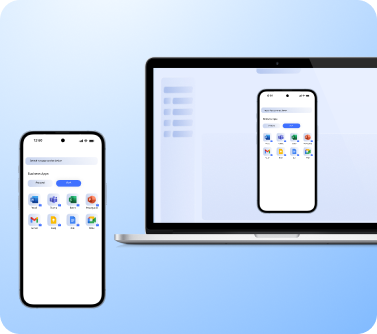
Support secure BYOD by managing employee-owned Android devices while keeping business and personal data completely separate.
Separate work and personal data with Android Work Profile
Protect corporate data without affecting personal privacy
Enforce security policies on work applications only

Android COPE

Balance business security and employee privacy on company-owned Android devices designed for both work and personal use.
Keep business and personal profiles separated
Apply corporate policies to work data only
Allow personal apps without compromising security

Company-Owned Devices

Manage corporate-owned Android devices with centralized control throughout their entire lifecycle.
Enforce security policies across every device
Deploy applications and configurations remotely
Monitor and manage devices from one dashboard

Dedicated Devices

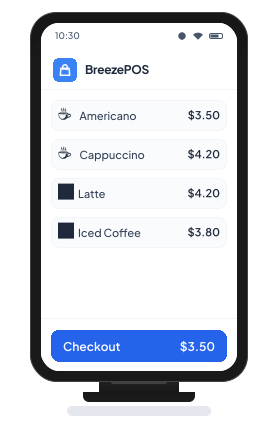
Convert Android devices into dedicated business devices for kiosks, POS systems, digital signage, and frontline operations.
Lock devices into single-app or multi-app kiosk mode
Restrict access to unauthorized apps and settings
Deliver consistent and secure business experiences

Complete Lifecycle Management
for Android Devices

Manage every stage of the device lifecycle with an Android MDM solution designed to simplify deployment, improve security, and reduce administrative effort.
Step 1

Enrollment

Enroll Android devices quickly using automated, zero-touch, and bulk enrollment methods. Eliminate manual setup while preparing devices for immediate business use.
Step 2

Provisioning

Configure applications, security policies, Wi-Fi settings, and restrictions during initial setup. Ensure devices are fully configured before they reach end users.
Step 3

Deployment

Assign Android devices to employees, departments, frontline teams, or dedicated business use. Simplify large-scale rollouts with centralized deployment workflows.
Step 4

Management

Monitor device health, manage applications, enforce security policies, and troubleshoot issues remotely. Maintain complete visibility across every managed Android device.
Step 5

Retirement

Retire Android devices securely by removing business data, applications, and organizational access. Prepare devices for reassignment, resale, or disposal without risking sensitive information.
DEVICES SUPPORTED

Manage Every Android Device from One Platform

Simplify device management with an Android MDM tool with Quantem MDM solution built to secure and manage every type of Android deployment from one centralized console

Smartphones & Tablets

Interactive Kiosks

POS Systems

Rugged Devices

Digital Signage

Android TVs

Interactive Flat Panel Displays
(IFPDs)

Manage Every Android Device with One Android MDM Solution

Simplify Android device management, strengthen security, and manage every Android deployment from one centralized platform.

Flexible Android Device Enrollment for Every Deployment

Simplify large-scale onboarding with Android device enrollment methods designed for every business deployment. The Quantem Android MDM solution supports secure, automated enrollment to reduce setup time and eliminate manual configuration.

Zero-Touch Enrollment

Provision Android Enterprise devices automatically as soon as they're powered on for the first time. Deliver fully configured devices to employees without requiring IT intervention.

QR Code Enrollment

Enroll Android devices in just a few steps by scanning a QR code. Automatically apply applications, policies, and security settings during device setup.

Samsung Knox Mobile Enrollment (KME)

Streamline Samsung device deployment using Knox Mobile Enrollment. Automatically enroll devices with pre-configured policies and applications before users even sign in.

EMM Token Enrollment (AFW#)

Enroll company-owned Android devices using Android Enterprise enrollment tokens after unboxing or factory reset. Quickly configure devices with consistent policies and security settings.

Complete Device Control with Android Kiosk Mode

Lock Android devices into kiosk mode to restrict access to approved applications and create secure, purpose-built business devices with Android MDM solution.

Single-App Kiosk Mode

Lock devices to a single business application for dedicated use cases such as POS systems, self-service kiosks, digital signage, and visitor check-in. Prevent users from accessing unauthorized apps, settings, or device functions.

Multi-App Kiosk Mode

Provide controlled access to multiple approved applications while blocking everything else. Enable employees to switch between essential business apps without compromising security or productivity.

Everything You Need for Centralized Android Device Management

Deploy and Manage Android Apps with Ease

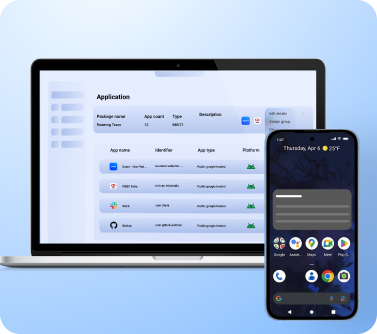
Simplify application management with the Quantem Android MDM solution by remotely deploying, updating, and managing business applications across every Android device. Keep users productive while ensuring only approved applications are available.
Deploy Managed Google Play, private apps, PWAs, and enterprise APKs remotely.
Schedule silent app installations and automatic updates without user intervention.
Restrict unauthorized applications and configure app-specific permissions and settings.

Automate Android OS Updates

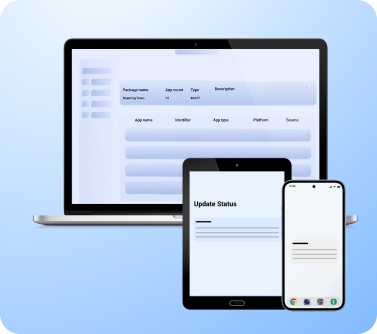
Keep every Android device secure and compliant with automated operating system updates using the Quantem Android MDM solution. Gain complete visibility into available updates and control when they are deployed across your device fleet.
Monitor available Android OS updates from one centralized dashboard.
Schedule update deployment and configure sync intervals remotely.
Control update policies to minimize downtime and maintain compli ance.

Resolve Issues Faster with Remote Troubleshooting

Eliminate costly device downtime with remote troubleshooting capabilities built into Android MDM solution. Monitor, diagnose, and resolve Android device issues remotely to keep employees productive wherever they work
Cast Android device screens remotely for faster issue diagnosis.
Take secure remote control of supported Android devices.
Troubleshoot device issues without requiring onsite IT support.

Secure Content Distribution Made Simple

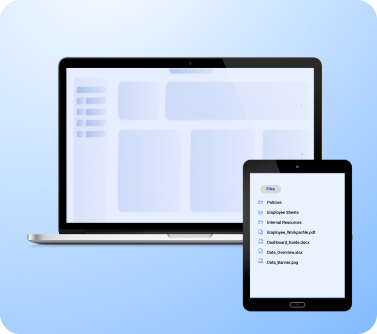
Securely distribute business content to Android devices with built-in Content Management. Publish documents, presentations, videos, and digital signage content remotely from one centralized platform.
Securely distribute documents, media, and business content remotely.
Turn Android devices into centrally managed digital signage displays.
Schedule and update content across devices without user intervention.

Real-Time Location Tracking & Geofencing

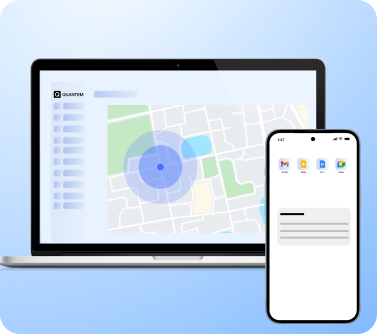
Strengthen device visibility with location tracking, geofencing, and Android MDM capabilities designed for mobile workforces. Monitor Android devices in real time while enforcing location-based policies.
Track Android device locations from a centralized dashboard.
Create geofences around offices, warehouses, and business locations.
Receive alerts when devices enter or leave designated areas.
ANDROID MDM KEY FEATURES

Enterprise Features for Complete Android Device Management

Manage, secure, and control every Android device with advanced capabilities designed to simplify administration, strengthen security, and improve operational efficiency through the Quantem Android MDM solution.

Unified Dashboard

Manage devices, applications, policies, and content from one intuitive dashboard. Gain complete visibility into your device inventory with real-time analytics and actionable insights.

Custom Branding

Personalize Android devices with your company's branding to deliver a consistent experience across your workforce. Customize logos, wallpapers, and device interfaces with ease.

Groups & Subgroups

Organize devices by teams, departments, locations, or business functions for simplified administration. Apply policies, applications, and restrictions consistently across every device group.

Network & Wi-Fi Configuration

Configure Wi-Fi networks, hotspot settings, VPNs, and roaming policies remotely. Ensure devices automatically connect to trusted business networks wherever they operate.

Automated Workflows

Automate repetitive administrative tasks, policy enforcement, and routine device actions. Reduce manual effort while improving consistency across every managed device.

Granular Policies

Control hardware features, password requirements, screenshots, USB access, Bluetooth, and other device settings. Build security policies that match your organization's requirements.

Factory Reset Protection

Prevent unauthorized factory resets and protect Android devices from misuse. Ensure only authorized users can reactivate managed devices.

Certificate Management

Deploy digital certificates remotely to authenticate enterprise Wi-Fi, VPN, and secure network connections. Strengthen authentication without manual configuration.

Browser Management

Control browser settings and block access to non-business websites. Create a secure browsing experience that supports productivity and reduces security risks.

Broadcast Messages

Send instant announcements, emergency notifications, and operational updates to every managed Android device. Track message delivery and acknowledgments from one dashboard.

Analytics & Reporting

Monitor device health, application usage, compliance, and operational trends with detailed reports. Gain actionable insights to improve Android fleet management.

Remote Wipe

Protect sensitive business information by remotely wiping lost, stolen, or compromised Android devices. Remove corporate data instantly while preventing unauthorized access.

Why Choose Quantem Android MDM?

Simplify Android device management with a secure, scalable,
and easy-to-use platform built for modern businesses.

Ease of Use

Get started in minutes with an intuitive interface designed for IT administrators and business users alike. Manage Windows devices effortlessly with simple controls, detailed reports, and proactive support whenever needed.

Pay as You Grow

Access enterprise-grade Windows device management with transparent pricing that scales alongside your business. Pay only for what you need while expanding your Windows device fleet with confidence.

Reliable Performance

Keep business-critical Windows devices running efficiently across every location. Maintain uninterrupted operations through reliable device management and proactive monitoring.

Compliance Ready

Protect business data with enterprise-grade security and centralized policy enforcement. Quantem supports SOC 2, GDPR, and CCPA compliance to help organizations stay audit-ready.

Seamless Integrations

Access enterprise-grade Android MDM with flexible and transparent pricing that scales with your business. Pay only for what you need while expanding your Android device fleet with confidence.

Complimentary Premium Support

Whether deploying your first Android device fleet or migrating from another platform, our experts are always available. Benefit from free consultations, product demonstrations, and 24/7 support whenever you need assistance.

Explore Quantem Android MDM Solution Today

Secure, manage, and monitor every Android device with an enterprise-ready Android MDM solution built to scale with your business.

Android MDM Solution Built for Every Industry

Support every business with an Android MDM platform designed to simplify device management across diverse industries.

Logistics & Fleet

Track rugged devices, fleet tablets, and staff Android devices in real time. Improve fleet visibility while supporting drivers, warehouse teams, and field staff from one platform.

Retail & POS

Manage POS systems, tablets, kiosks, and handheld devices from one dashboard. Keep checkout operations running smoothly while minimizing downtime across every retail location.

Education

Manage classroom tablets, student devices, and IFPDs with centralized policies. Lock Android devices into kiosk mode to create focused learning environments while simplifying IT management.

Healthcare

Manage hospital tablets, staff smartphones, digital signage, and patient-facing kiosks from one dashboard. Protect sensitive healthcare data with centralized security policies and remote management.

Hospitality

Manage guest in-room tablets, digital signage, Android TVs, and front-desk devices from one platform. Deliver consistent guest experiences while simplifying device management across every property.

NGOs & Nonprofits

Deploy and manage Android devices used by field teams and volunteers across multiple locations. Remotely configure devices, distribute applications, and maintain security from anywhere.

Need More Than Android?

Expand device management beyond Android with unified support
for additional operating systems from the Quantem MDM.

Frequently Asked Questions (FAQs)

What is Android MDM?
Why do businesses need an Android mobile device management tool?
Which Android devices can be managed with Android MDM software?
What is Android Enterprise, and how does it work with Android MDM?
Can Android MDM software support kiosk mode?
How does an Android MDM solution improve device security?
Can an Android MDM solution support BYOD programs?
What should businesses look for when choosing the right Android MDM solution?