What is Unified Endpoint Management? - UEM Explained
Managing one type of device is relatively straightforward. Managing a workplace filled with Windows laptops, Android phones, iPhones, Macs, tablets, and other endpoints is a different challenge altogether.
Every device can have its own operating system, configuration requirements, security settings, and management tools. As organizations add more endpoints, IT teams can end up switching between multiple consoles just to keep devices configured and secure.
Unified Endpoint Management (UEM) brings these management tasks together. It gives IT teams a central place to manage different endpoints, apply policies, distribute applications, monitor device status, and respond to security issues.
So, what is unified endpoint management, and how does it actually work? Let's break down UEM, its features, benefits, evolution from MDM, and the best practices for putting it into practice.
What is Unified Endpoint Management (UEM)?
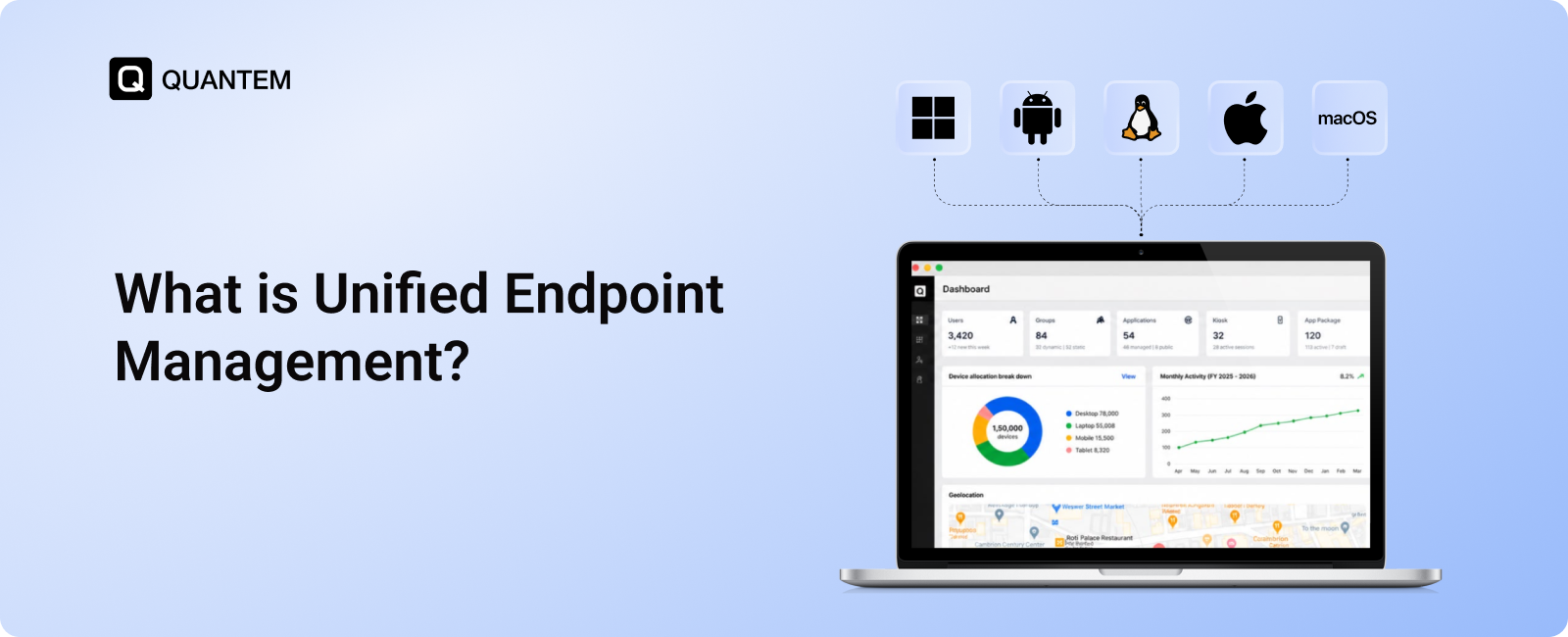
Unified Endpoint Management (UEM) is an approach that brings the management and security of an organization's different endpoints into one centralized platform. Instead of handling smartphones, tablets, laptops, desktops, and other connected devices through separate management systems, IT teams can manage them through a unified console.
A UEM platform can help administrators handle tasks such as device enrollment, application deployment, policy enforcement, remote troubleshooting, security controls, and device lifecycle management. This gives IT teams a common way to manage endpoints across different operating systems and locations.
UEM can cover a broad range of endpoints, including Android, iOS, Windows, macOS, Linux, wearables, and IoT devices. The exact devices and capabilities supported depend on the UEM platform.
How Does UEM Work?
UEM creates a central management layer between IT administrators and the organization's endpoints. Once devices are enrolled, administrators can use the UEM console to configure policies, deploy applications, manage security settings, monitor device status, and perform administrative actions remotely.
A typical UEM workflow looks like this:
1. Enroll the Devices
Devices first need to be registered with the UEM platform before they can be managed. Depending on the platform and operating system, organizations can use automated enrollment options such as Android Zero Touch Enrollment, Apple Automated Device Enrollment (ADE), Windows Autopilot, or Samsung Knox to reduce manual setup.
2. Configure Apps and Access
After enrollment, devices can receive the applications, certificates, configurations, and access settings required for their users. IT teams can also control which applications are permitted and apply restrictions around corporate data and file sharing.
3. Apply Security Policies
Administrators can establish requirements for passwords, authentication, encryption, device restrictions, and other security controls. These policies can then be applied consistently across managed endpoints instead of configuring each device separately.
4. Secure Network Connections
UEM can distribute approved Wi-Fi and VPN configurations based on device or user requirements. IT teams can also deploy Wi-Fi certificates so managed devices can connect to trusted networks without requiring users to manually configure them.
5. Monitor and Report
A UEM dashboard provides visibility into device health, compliance status, application activity, and other endpoint information. IT teams can use this data for reporting, audits, alerts, and ongoing device management.
6. Respond to Potential Threats
UEM platforms can identify certain unusual device activity and trigger alerts or configured responses. This allows IT teams to investigate potential security issues and take action through centralized management.
7. Protect Lost or Retired Devices
If an endpoint is lost, stolen, or being retired, administrators can use supported remote actions such as locking, resetting, or wiping the device to help protect organizational data.
You're right. The previous version kept the same historical progression, headings, and explanation pattern as the source. For this section, we can retain the factual evolution but make the narrative much more original.
From MDM to UEM: The Evolution of Endpoint Management
The way organizations manage devices has changed alongside the workplace itself. What started as a need to control company smartphones gradually expanded into managing applications, protecting business data on personal devices, and eventually bringing different endpoint types under one management framework.
MDM: Managing the Device
The first major step was Mobile Device Management (MDM). As smartphones and tablets became common workplace tools, IT teams needed a way to configure these devices, enforce security settings, and manage them remotely.
MDM primarily addressed the question: How can we keep business mobile devices under control?
MAM: Focusing on Business Apps
The growth of BYOD changed that requirement. Employees were increasingly using their own smartphones for work, but organizations couldn't necessarily manage those devices in the same way as corporate-owned hardware.
Mobile Application Management (MAM) shifted the focus toward business applications and corporate data. This allowed organizations to protect work resources without requiring the same level of control over an employee's personal device.
EMM: Bringing Mobile Management Together
As device and application management became increasingly connected, Enterprise Mobility Management (EMM) combined capabilities from MDM and MAM. Organizations could manage devices while also controlling business applications and data in a more coordinated way.
UEM: Managing the Wider Endpoint Environment
The endpoint landscape continued to expand beyond smartphones and tablets. Employees now use desktops, laptops, mobile devices, and other connected endpoints across different operating systems and locations.
This created the need for a broader management model. UEM extends the centralized approach beyond mobile devices, allowing organizations to manage a wider range of endpoints through a unified platform.
Key Features of Unified Endpoint Management (UEM)
A UEM platform brings several endpoint management functions into one place. Instead of treating device security, applications, updates, and monitoring as separate tasks, IT teams can manage these areas through a centralized system.
Device Enrollment and Provisioning
UEM simplifies the process of getting new endpoints ready for use. Devices can be enrolled remotely or in bulk, with configurations and required settings applied based on the organization's deployment model.
Cross-Platform Management
UEM allows IT teams to manage endpoints running different operating systems through a unified interface. Depending on the platform, this can include Android, iOS, Windows, macOS, Linux, wearables, and IoT devices.
Policy and Configuration Management
Administrators can create policies for security, connectivity, passwords, encryption, device restrictions, and OS updates. These configurations can be applied consistently across managed endpoints.
Application Management
UEM gives IT teams control over the applications used on managed devices. They can deploy required apps, manage application access and permissions, and control how business applications are used.
Content Management and Data Protection
Organizations can use UEM capabilities such as data separation, secure file sharing, containerization, and data loss prevention to help protect business information across managed and personal devices.
Patch and OS Management
UEM can simplify the distribution of operating system and software updates. IT teams can schedule updates, apply critical patches, or defer deployments when an update needs additional testing.
Remote Troubleshooting and Control
When users encounter device issues, IT teams can diagnose and resolve supported problems remotely. This can reduce the need for users to bring devices to an IT desk or wait for on-site assistance.
Real-Time Monitoring and Reporting
A centralized dashboard provides visibility into device status, application activity, compliance, and other endpoint data. IT teams can use this information to monitor their environment and generate reports.
Location Tracking and Geofencing
For organizations managing field devices or mobile assets, UEM can provide device location visibility and support geofencing. Administrators can define geographical boundaries and apply relevant policies when devices enter or leave those areas.
What are the Business Benefits of Using UEM?
A growing endpoint environment creates more work for IT teams when devices, applications, security policies, and updates are managed separately. Unified Endpoint Management (UEM) brings these functions together, helping organizations manage their endpoints more efficiently while maintaining security and visibility.
1. Support Remote and Hybrid Work
UEM helps IT teams manage devices used outside the corporate network, including endpoints used by remote and hybrid employees. It can also support BYOD environments by giving organizations centralized control over applicable work-related settings and resources.
2. Strengthen Endpoint Security
Security policies can be applied consistently across managed endpoints. UEM can support controls such as encryption, remote wipe, threat detection, and patch management to help protect devices and organizational data.
3. Simplify IT Administration
IT teams can manage applications, configurations, policies, updates, and compliance-related tasks from a centralized console. Bringing these functions together can reduce repetitive work and simplify day-to-day endpoint administration.
4. Manage Multiple Devices and Operating Systems
Organizations often have a mix of smartphones, tablets, laptops, desktops, and other endpoints. UEM provides a unified way to manage supported devices across operating systems, reducing the need to handle each platform through a separate management workflow.
5. Support Compliance and Governance
UEM provides policy enforcement, monitoring, auditing, and reporting capabilities that can help organizations maintain consistent endpoint controls. These capabilities can support requirements associated with frameworks and regulations such as GDPR, HIPAA, and ISO standards, depending on the organization's specific compliance needs.
6. Scale Endpoint Management
Adding more employees and devices shouldn't require IT teams to manage every endpoint manually. UEM allows administrators to deploy policies, configurations, applications, and updates across larger device fleets, helping endpoint management scale with organizational growth.
7. Improve Endpoint Visibility
A centralized dashboard gives IT teams visibility into device health, application activity, usage, and compliance status. This makes it easier to identify endpoint issues, monitor the environment, and make informed management decisions.
8. Respond Faster to Security Changes
Security requirements can change quickly when new vulnerabilities or threats emerge. UEM enables IT teams to distribute relevant policies, configurations, and security updates across managed endpoints from a central platform, helping them respond more efficiently.
9. Extend Device Lifecycles
UEM provides information about device health and usage while supporting remote management and troubleshooting. By identifying issues earlier and resolving some problems remotely, organizations can make better use of existing hardware and avoid unnecessary replacements.
10. Minimize Downtime and Productivity Loss
Endpoint problems can interrupt employee workflows, especially when devices require physical support. Remote troubleshooting, proactive monitoring, automated updates, and centralized management can help IT teams resolve issues faster and keep devices available for work.
Best Practices for Implementing a UEM Solution
Implementing UEM is more than choosing a platform and enrolling devices. Organizations need to consider their endpoint environment, deployment model, business requirements, existing infrastructure, and long-term management needs. The following practices can help create a more effective UEM deployment.
1. Choose a UEM Platform That Fits Your Environment
Start by evaluating the devices, operating systems, workforce size, locations, security requirements, and compliance needs your organization has. The UEM platform should also provide the scalability and management capabilities you'll need as the endpoint environment grows.
2. Select the Right Deployment Model
Decide whether an on-premises, cloud-based, or supported hybrid approach fits your organization. On-premises deployment may provide greater control for organizations with strict data requirements, while cloud-based UEM can simplify deployment and support geographically distributed teams.
3. Define Your UEM Use Cases and Goals
Identify the problems you want UEM to solve before configuring policies. Your priorities could include BYOD management, remote device administration, application control, endpoint security, compliance, or managing devices across multiple locations. Clear objectives make it easier to determine which UEM capabilities and policies are actually required.
4. Start With a Controlled Rollout
Avoid deploying new policies across the entire organization immediately. Begin with a smaller group of users and representative device types, then use the pilot to identify compatibility issues, policy conflicts, enrollment problems, or user-experience concerns before expanding the deployment.
5. Establish Consistent Policies Across Endpoints
Create a consistent management framework for supported mobile devices, desktops, laptops, and other endpoints. Policies should cover areas such as security, applications, access, configurations, and updates while still accounting for the differences between operating systems and device types.
6. Check Integration With Your Existing IT Environment
Before implementation, verify that the UEM platform works with the systems your organization already relies on. This can include identity providers, business applications, security tools, directory services, and other IT infrastructure. Strong integration can reduce management gaps and help IT teams maintain visibility across their environment.
7. Prepare IT Teams and Users for the Change
UEM changes how devices are enrolled, configured, supported, and managed. Provide IT administrators with the training they need to operate the platform and troubleshoot common issues. Users should also understand relevant device policies and what to expect during enrollment or configuration.
8. Continuously Monitor and Optimize the Deployment
UEM should not be treated as a set-and-forget solution. Regularly review device data, compliance reports, alerts, policies, application requirements, and endpoint performance. Update configurations as business requirements, security needs, and the device environment change.
UEM Use Cases Across Industries
UEM can support organizations where employees, customers, students, or field teams rely on multiple types of managed endpoints. The specific requirements vary by industry, but centralized device management can help organizations maintain consistent policies, applications, and security controls across their environments.
Retail
Retail organizations use tablets, point-of-sale devices, digital kiosks, and other endpoints across stores and locations. UEM can help IT teams manage these devices remotely, deploy required applications and content, configure kiosk policies, and troubleshoot devices without needing to visit each location.
Education
Schools, colleges, and universities often manage large numbers of student and staff laptops and tablets. UEM can help school administrators control applications and content, manage device configurations, and support shared-device environments while maintaining appropriate access controls.
Healthcare
Healthcare organizations rely on connected endpoints across clinical and administrative workflows. UEM can help centralize healthcare device management, enforce security policies, and provide role-based access controls for devices used to access sensitive healthcare applications and information.
Hospitality
Hotels, resorts, and other hospitality businesses use tablets, kiosks, point-of-service devices, and other endpoints across different operational areas. UEM can help administrators maintain consistent configurations, manage business applications, and remotely support devices deployed across properties.
Logistics and Transportation
Logistics companies often manage rugged devices and mobile endpoints used by drivers, warehouse teams, and field workers. UEM can provide centralized management, location visibility, geofencing, bulk enrollment, application deployment, and remote troubleshooting for distributed device fleets.
Banking and Financial Services
Financial institutions manage endpoints that require strong security controls and consistent policy enforcement. UEM can support corporate-owned and personally enabled device environments, distribute required updates and policies, provide centralized monitoring, and help organizations maintain controls aligned with requirements such as PCI DSS.
Manage All Endpoints with Quantem UEM
As organizations add more devices, operating systems, and remote endpoints, managing everything through separate tools can become difficult. A unified endpoint management platform gives IT teams one place to manage devices, applications, policies, security settings, and endpoint activity.
Quantem UEM helps organizations bring these management tasks together through a centralized console. IT teams can manage supported endpoints, enforce policies, deploy applications, monitor device status, and perform remote management tasks without relying on separate workflows for every device type.
With centralized endpoint management, organizations can build a more consistent approach to securing and managing their device environment while adapting to changing business requirements.
Take Control of Your Entire Endpoint Environment with Quantem UEM
1. What is Unified Endpoint Management (UEM)?
Unified Endpoint Management (UEM) is a centralized approach to managing and securing different endpoints devices through a single platform. It can help IT teams manage devices, applications, configurations, security policies, updates, and endpoint activity across supported operating systems.
2. How is UEM different from MDM and EMM?
MDM primarily focuses on managing mobile devices, while Mobile Application Management (MAM) focuses on controlling business applications and data. Enterprise Mobility Management (EMM) brings capabilities such as MDM and MAM together, while UEM tools extends centralized management across a broader range of endpoints, including mobile devices, desktops, laptops, and other connected devices.
3. How does Unified Endpoint Management work?
UEM connects managed endpoints to a centralized management platform. After devices are enrolled, IT administrators can use the UEM console to configure policies, deploy applications, manage security settings, monitor device status, distribute updates, and perform supported remote actions.
4. What devices and operating systems can UEM manage?
The devices and operating systems supported by UEM depend on the platform. A UEM solution may support Android, iOS, Windows, macOS, Linux, wearables, IoT devices, and other endpoints. Organizations should verify the specific platforms and capabilities supported by their chosen UEM solution.
5. What is the difference between cloud-based and on-premises UEM?
Cloud-based UEM is hosted by the provider and can simplify deployment and management for distributed organizations. On-premises UEM is hosted within an organization's own infrastructure and may provide greater control over data and system management. The appropriate model depends on the organization's infrastructure, security, operational, and data requirements.
6. Why do businesses need UEM tools?
Businesses use UEM to simplify the management of increasingly diverse endpoint environments. A centralized platform can help IT teams enforce security policies, manage applications, monitor devices, support remote and hybrid work, and maintain consistent endpoint controls as the organization grows.
7. Can UEM be used for BYOD?
Yes. Unified Endpoint Management software can support BYOD programs by applying appropriate controls to work-related applications, data, and device settings while maintaining a separation between business and personal resources. The exact level of management depends on the UEM platform, operating system, and BYOD configuration.
8. Is a Unified Endpoint Management solution similar to security solutions?
Not exactly. Unified endpoint management tools focus on managing devices, apps, policies, and configurations, while security teams may use solutions such as endpoint detection and response (EDR) to detect and respond to threats. UEM and security solutions often work together.



Get the latest blogs directly delivered to your mail fly arrow