Windows MDM Solution
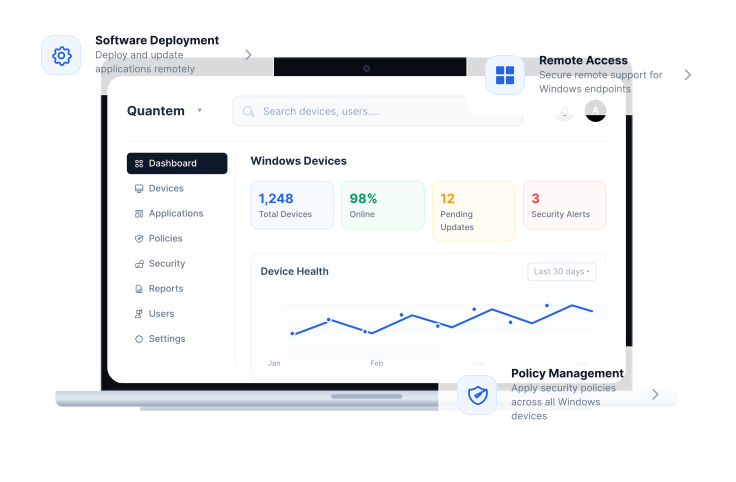
Secure, manage, and monitor Windows desktops and laptops with Quantem Windows MDM solution. Simplify Windows device management with centralized deployment, security, application management, and remote support from one intuitive dashboard.

Simplify Windows Device Lifecycle Management
Manage every stage of the device lifecycle with a Windows MDM solution designed to simplify deployment, strengthen security, and reduce administrative effort.
01
Enrollment
Enroll Windows devices quickly using automated and bulk enrollment methods. Eliminate manual setup while preparing devices for immediate business use.
02
Provisioning
Configure applications, security policies, Wi-Fi settings, and device configurations during setup. Ensure every Windows device is ready before it reaches employees.
03
Deployment
Assign Windows devices to employees, departments, shared workstations, or dedicated business use. Simplify large-scale rollouts with centralized deployment workflows.
04
Management
Monitor device health, manage applications, enforce security policies, and troubleshoot issues remotely. Maintain complete visibility across every managed Windows device.
05
Retirement
Retire Windows devices securely by removing business data, applications, and organizational access. Prepare devices for reassignment or disposal without exposing sensitive information.

Supported Devices
One Windows MDM Solution for Every Windows Device
Manage every Windows device from a single platform with a Windows MDM solution built for modern businesses and distributed workforces.


Windows Device Management Capabilities
Advanced Features for Enterprise Windows Device Management
Manage, secure, and control Windows devices with enterprise-grade capabilities built into the Windows MDM solution.
Unified Dashboard
Manage Windows devices, applications, policies, and reports from one intuitive dashboard. Gain complete visibility into your device inventory with real-time insights.
Groups and Subgroups
Organize Windows devices by departments, locations, or business units for simplified administration. Apply policies and configurations consistently across every device group.
Network & Wi-Fi Configuration
Configure Wi-Fi, VPN, and network settings remotely to provide secure access to corporate resources. Ensure users stay connected wherever they work.
Automated Workflows
Automate repetitive IT tasks, policy enforcement, and routine administrative actions. Reduce manual effort while maintaining consistent device configurations.
Granular Policies
Control password policies, hardware access, screenshots, USB devices, and security settings remotely. Build Windows security policies that align with your organizational requirements.
Kiosk Mode
Lock Windows devices into single-app or multi-app kiosk mode for POS systems, digital signage, and dedicated business use. Deliver secure and consistent user experiences with restricted device access.
Certificate Management
Deploy digital certificates remotely to authenticate enterprise Wi-Fi, VPN, and secure network connections. Strengthen security without manual configuration.
Browser Configuration
Configure Microsoft Edge and Google Chrome with centralized browser policies. Manage bookmarks, startup pages, extensions, cookies, and browsing restrictions remotely.
Remote Script Execution
Execute PowerShell scripts remotely to automate routine administrative tasks and simplify Windows device management. Improve efficiency with centralized script deployment.
Analytics & Reporting
Monitor device health, application usage, compliance, and operational trends with detailed reports. Gain actionable insights into your Windows device fleet.
Remote Wipe
Protect sensitive business information by remotely wiping lost or stolen Windows devices. Remove corporate data instantly while preventing unauthorized access.
BitLocker Encryption
Enable and manage BitLocker encryption remotely to protect business data stored on Windows devices. Enforce encryption policies while maintaining centralized compliance.
One Platform for All Your Windows Device Management Needs
Secure, deploy, and manage Windows devices from one centralized platform built for modern IT teams.
Flexible Windows Device Enrollment for Every Business
Simplify onboarding with Windows device enrollment methods supported by Qunatem MDM solution for Windows. Automate enrollment to reduce setup time and prepare Windows devices for immediate business use.
Windows Autopilot
Provision Windows devices automatically without manual configuration. Deliver pre-configured devices directly to employees with Windows Autopilot.
User-Based Enrollment
Enroll devices quickly by integrating Microsoft Entra ID or Google Workspace accounts. Simplify provisioning while applying business policies automatically.
Windows Application Management Made Simple
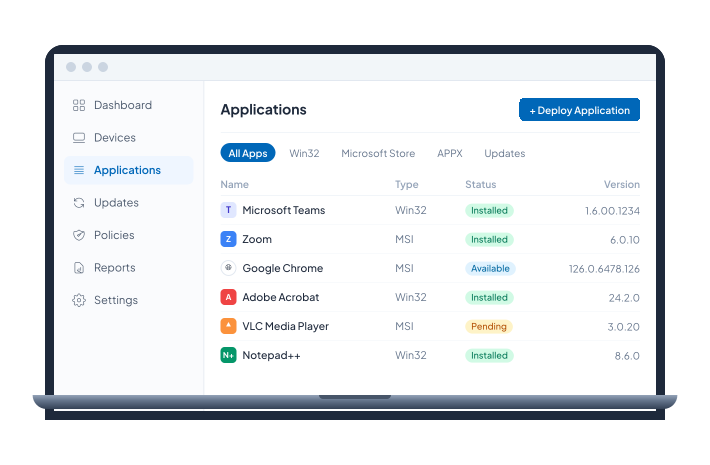
Simplify application management with Windows MDM software by deploying, updating, and managing business applications from one centralized dashboard. Ensure employees always have access to the right applications while reducing administrative effort.
- Deploy Win32, APPX, Microsoft Store, and enterprise applications remotely.
- Schedule silent application installations, updates, and removals.
- Allow approved apps while blocking unauthorized applications.


Secure Web Browsing for Windows Devices
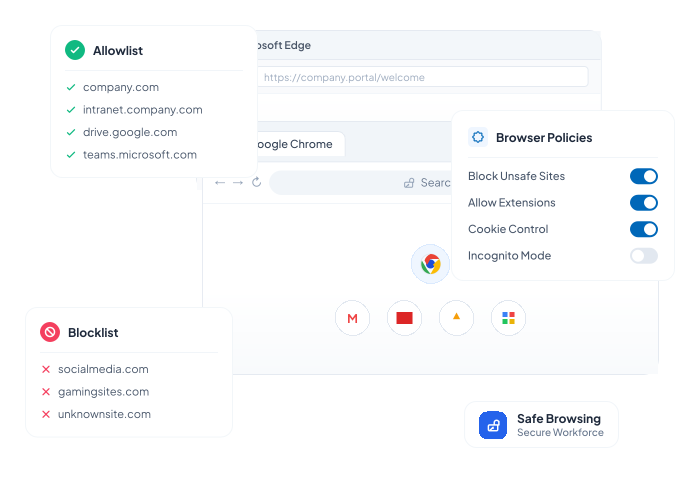
Strengthen browser security with the Windows MDM solution by centrally managing Microsoft Edge and Google Chrome policies. Protect users from unsafe websites while delivering a secure and consistent browsing experience.
- Configure browser policies, bookmarks, and extensions remotely.
- Allowlist trusted websites and block unauthorized domains.
- Manage cookie settings and browser privacy policies centrally.
Automate Windows Patch Management
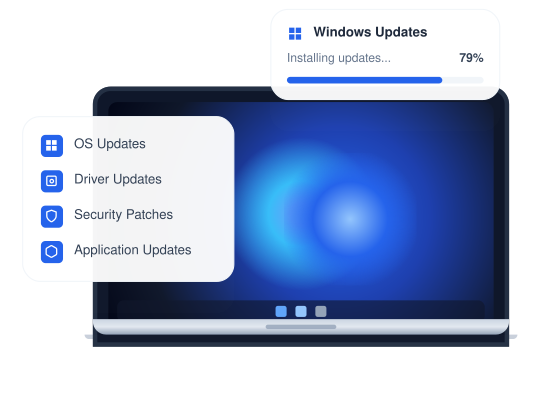
Keep Windows devices secure and compliant with automated operating system updates through the Windows MDM solution. Deploy security patches remotely while maintaining complete visibility into update status across every managed device.
- Automate Windows OS, software, and driver updates.
- Schedule patch deployments during maintenance windows.
- Track patch compliance with centralized reporting.

Simplify Enterprise IT with Quantem MDM for Windows Desktops and Laptops
Automate deployment, strengthen security, and manage Windows devices from one centralized platform.

Simplify Windows Third-Party App Patching
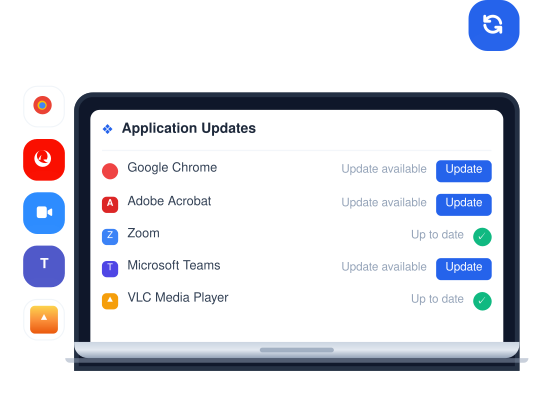
Protect business applications from known vulnerabilities with Windows third-party app patching built into Windows MDM. Automatically deploy application updates while minimizing disruption to end users.
- Schedule third-party application updates automatically.
- Configure update intervals to suit business requirements.
- Monitor application patch status through centralized reporting.
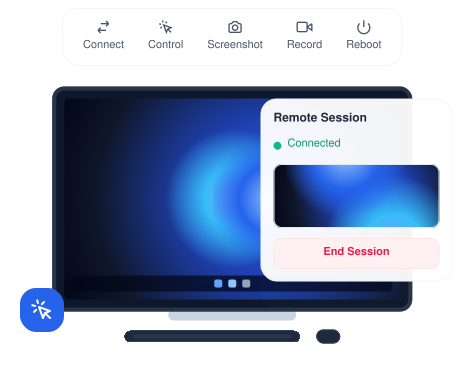
Resolve Windows Device Issues with Remote Control
Reduce downtime with remote troubleshooting capabilities built into MDM for Windows. Securely access Windows devices remotely to diagnose and resolve issues without requiring onsite IT support.
- Remotely access and control Windows devices.
- Capture screenshots and record support sessions.
- Resolve issues quickly to minimize user downtime.


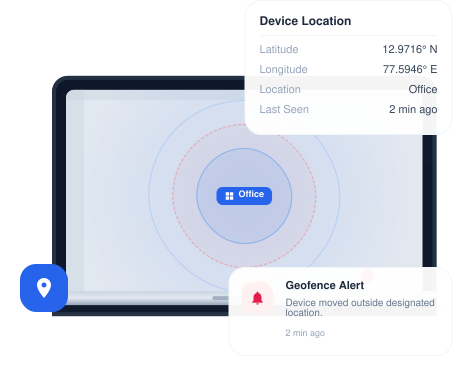
Real-Time Location Tracking & Geofencing
Improve device visibility with location tracking, geofencing, and windows mobile device management. Monitor Windows devices in real time and receive alerts when devices move beyond designated locations.
- Track Windows device locations from one dashboard.
- Create geofences around offices and business locations.
- Receive alerts for unauthorized device movement.
Why Choose Quantem Windows MDM?
Simplify Windows device management with a secure, scalable, and easy-to-use platform built for modern businesses.
Ease of Use
Get started in minutes with an intuitive interface designed for IT administrators and business users alike. Manage Windows devices effortlessly with simple controls, detailed reports, and proactive support whenever needed.
Pay as You Grow
Access enterprise-grade Windows device management with transparent pricing that scales alongside your business. Pay only for what you need while expanding your Windows device fleet with confidence.
Reliable Performance
Keep business-critical Windows devices running efficiently across every location. Maintain uninterrupted operations through reliable device management and proactive monitoring.
Seamless Integrations
Connect with HR systems, ITSM platforms, communication tools like Slack, and security solutions. Extend Windows device management across your existing technology ecosystem with ease.
Compliance Ready
Protect business data with enterprise-grade security and centralized policy enforcement. Quantem supports SOC 2, GDPR, and CCPA compliance to help organizations remain audit-ready.
Complimentary Premium Support
Whether deploying your first Windows device fleet or migrating from another platform, our experts are always available. Benefit from free consultations, product demonstrations, and 24/7 support whenever you need assistance.
Modernize IT with Quantem Windows MDM Software
Frequently Asked Questions (FAQs)
Windows MDM (Windows Mobile Device Management) is a solution that enables organizations to remotely manage, monitor, and secure Windows laptops, desktops, tablets, POS systems, and other Windows devices from a centralized dashboard.
Windows device management helps organizations deploy devices, enforce security policies, manage applications, automate updates, and troubleshoot issues remotely. It reduces IT workload while keeping Windows devices secure, compliant, and productive.
Windows MDM software supports Windows laptops, desktops, tablets, POS systems, digital signage, and other business devices along with Windows 10 OS. It enables centralized management for both company-owned and employee-owned Windows devices.
Windows Autopilot works with Windows MDM solution to automate device enrollment, apply security policies, deploy business applications, and configure devices before employees start using them.
Yes. Windows MDM solution automates Windows OS updates, security patches, driver updates, and software deployments. It also helps organizations maintain compliance while reducing manual patch management.
Windows MDM improves security by enforcing password policies, managing BitLocker encryption, configuring security settings, remotely wiping lost devices, and continuously monitoring device compliance.
Yes. Windows MDM enables IT teams to remotely deploy applications, configure devices, troubleshoot issues, and enforce security policies. This helps organizations manage Windows devices consistently across office, remote, and hybrid work environments.
When evaluating Windows MDM software, look for features such as Windows Autopilot, patch management, app management, BitLocker integration, remote troubleshooting, security policy enforcement, software deployment, and centralized reporting.
Windows MDM and Unified Endpoint Management (UEM) are similar but not the same. Windows MDM focuses on managing Windows devices, while UEM provides centralized management for multiple operating systems, including Windows, Android, Apple, Linux, and other enterprise endpoints from a single platform.