
Patch Management Software for Secure & Compliant Devices
Eliminate manual patching and reduce security risks with Quantem's automated patch management solution. Detect, deploy, and monitor operating system and third-party application updates from one centralized dashboard to keep every device secure, compliant, and up to date.
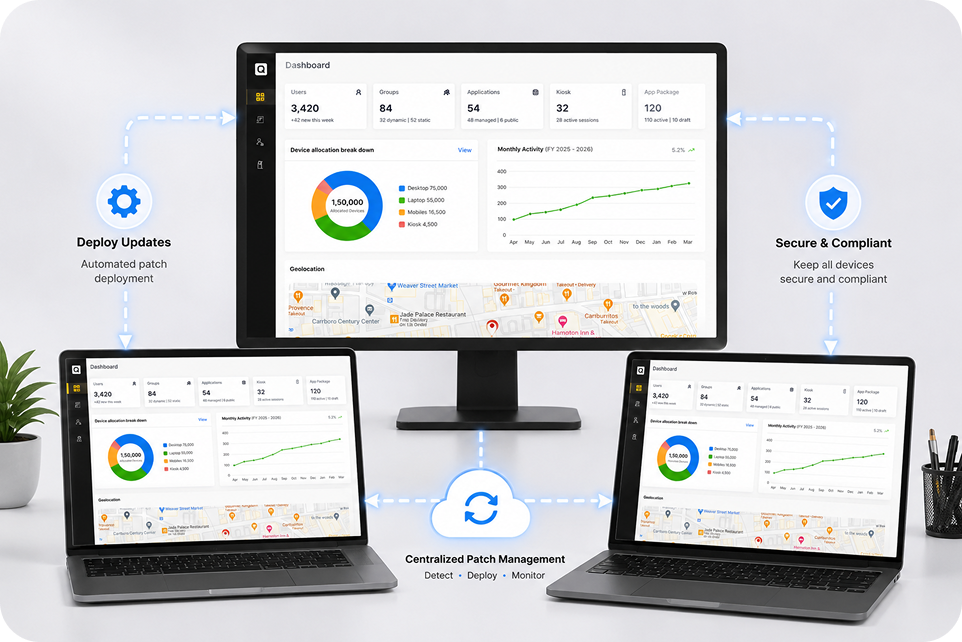
Why Do Businesses Need Automated Patch Management Software?
Cyber threats evolve constantly, making automated patch management software essential for reducing vulnerabilities, applying critical updates, and protecting every device from cyberattacks.

Close Security Gaps Before They're Exploited
Unpatched systems remain one of the leading causes of cyberattacks and security breaches. Automated patch management helps businesses deploy critical updates and security fixes before vulnerabilities can be exploited.

Keep Business Operations Uninterrupted
Delaying critical updates often forces emergency maintenance that disrupts employees and business operations. Automated patch deployment allows organizations to keep systems secure while minimizing downtime.

Reduce IT Workload with Automation
Managing patch management across hundreds of devices manually consumes valuable IT resources. Automation helps teams prioritize critical updates while reducing repetitive administrative work.

Simplify Compliance and Audit Readiness
Many compliance standards require organizations to deploy security fixes within defined timelines. Automated patch management helps businesses stay compliant by applying updates consistently and maintaining detailed audit records.

Improve Device Performance and Reliability
Outdated software can reduce system stability and create unnecessary support requests. Regularly applying patches and critical updates helps maintain reliable device performance across the organization.

Gain Complete Visibility Across Every Device
Without centralized visibility, it's difficult to identify unpatched systems and prioritize remediation. Automated patch management tools help IT teams monitor update status and reduce security risks.
Cross-Platform Patch Management for Every Operating System
Manage operating system and application updates with an automated patch management tool with cross-platform support, helping IT teams secure every endpoint from one console.
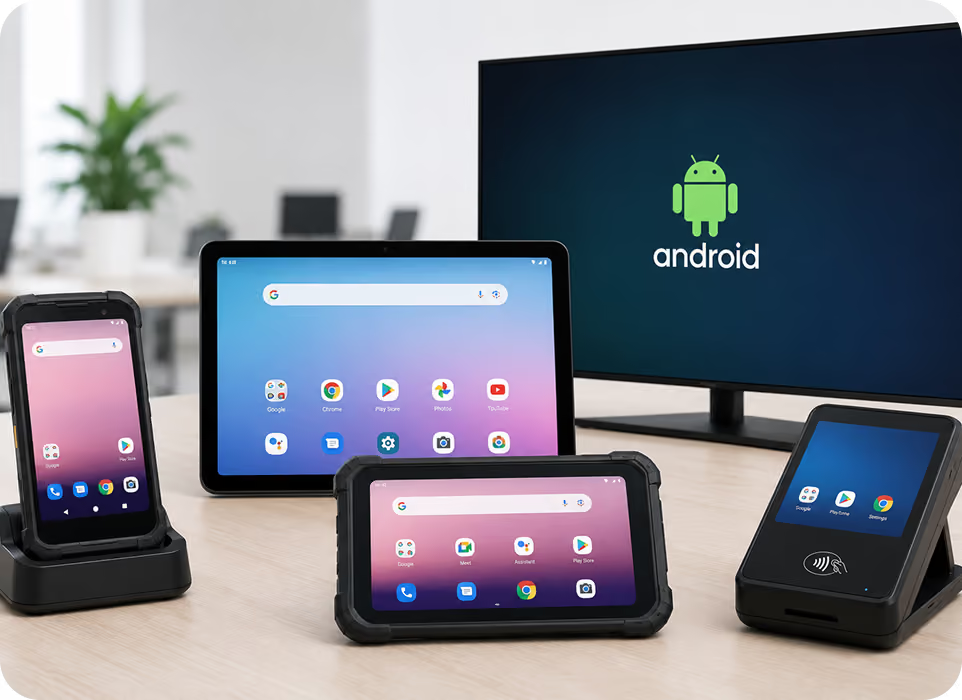
Android Device Management
Secure Android phones, tablets, kiosks, and smart TVs used by staff, volunteers, and field teams. Maintain consistent security policies while supporting productivity across every location.
- Support Android Enterprise device enrollment.
- Enable single and multi-app kiosk mode.
- Manage Play Store and private apps.
- Enforce device restrictions and security policies.
- Prevent misuse with Factory Reset Protection.
Windows Device Management
Manage Windows laptops and desktops used across nonprofit offices and outreach programs. Secure organizational data while simplifying day-to-day device administration.
- Simplify onboarding with Windows Autopilot.
- Deploy Microsoft Store and enterprise apps.
- Protect data with BitLocker encryption.
- Configure advanced device security policies.
- Monitor devices from a central dashboard.
.avif)
macOS Patch Management
Keep macOS devices protected with automated operating system updates and centralized policy management. Ensure Apple devices remain secure without manual intervention.
- Deploy macOS updates remotely.
- Schedule operating system upgrades.
- Configure update policies centrally.
- Monitor patch deployment progress.
- Maintain macOS security compliance.
.avif)
iOS Patch Management
Deploy iOS updates across managed devices while maintaining complete control over update timing. Reduce vulnerabilities without interrupting users.
- Deploy iOS security updates remotely.
- Schedule update installations automatically.
- Configure update restrictions.
- Monitor update compliance.
- Maintain secure iOS devices.
.avif)
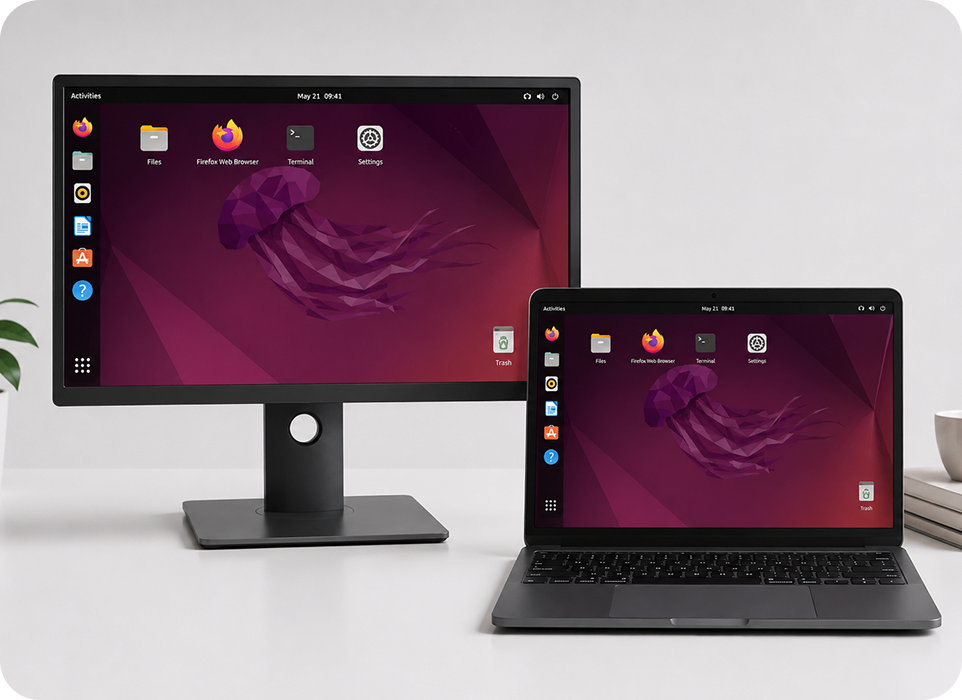
Linux Patch Management
Simplify Linux patch deployment with centralized automation and policy-based updates. Keep Linux servers and endpoints secure across distributed environments.
- Automate Linux security updates.
- Schedule package deployments.
- Configure maintenance windows.
- Track Linux patch compliance.
- Monitor deployment reports.
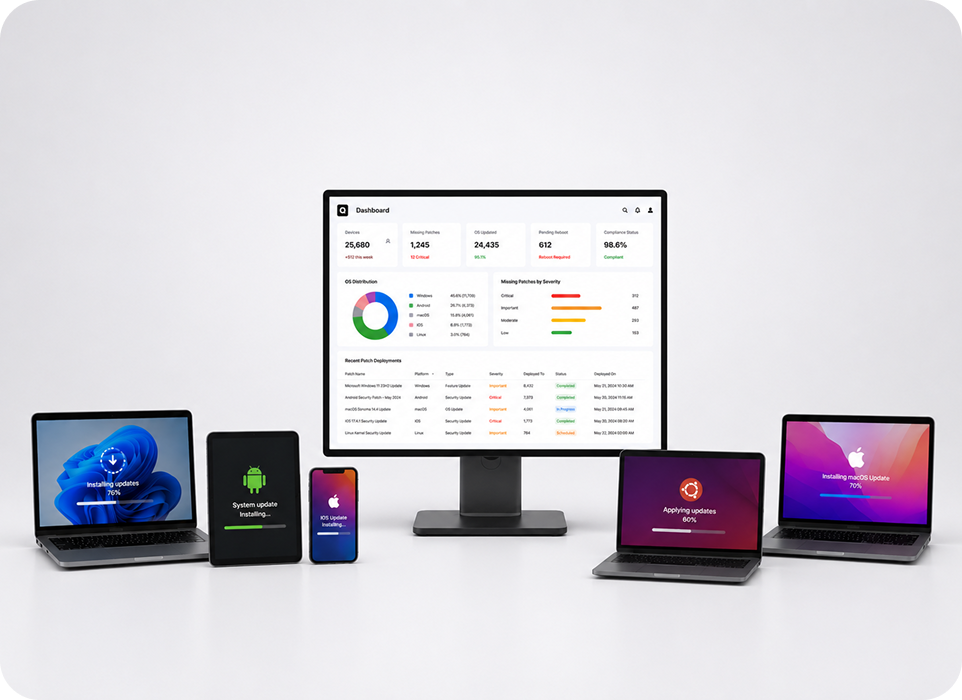
Secure Every Device with Quantem Patch Management Solution
Automate patch deployment across Android, Windows, macOS, iOS, and Linux from one centralized dashboard.
Patch Management Process
How Quantem Patch Management Tool Works?
Quantem's automated patch management solution simplifies the entire patching lifecycle, from policy creation to deployment and compliance monitoring, without manual effort.

Define Patch Policies
Configure patching policies based on your business requirements, operating systems, and applications. Set deployment schedules, active hours, reboot preferences, and approval rules from one centralized dashboard.

Automate Patch Deployment
Automatically deploy approved operating system and third-party application patches across managed endpoints. Deliver updates silently in the background while minimizing disruption for end users.

Monitor & Stay Compliant
Track deployment progress, verify successful installations, and identify devices requiring attention. Maintain complete visibility into patch compliance with real-time reports and centralized dashboards.
Patch Management Features
Powerful Features of Quantem Patch Management Software
Streamline your patching process with intelligent automation, centralized visibility, and flexible controls built for modern enterprise environments.

Custom Patch Policies
Create patching policies tailored to your business needs and deployment strategy. Configure active hours, update deferrals, reboot behavior, and automated installations with complete flexibility.

Proactive Threat Protection
Deploy operating system and third-party application patches as soon as they're available. Reduce security risks by closing known vulnerabilities before they can be exploited.

Granular Update Scheduling
Choose which updates to deploy and exactly when they should be installed. Schedule deployments around business hours to minimize user disruption.

Real-Time Patch Tracking
Monitor installed, pending, and failed patches from one centralized dashboard. Gain complete visibility into patch status with real-time reporting and compliance insights.

Pre-Deployment Testing
Validate updates on pilot devices before rolling them out across production environments. Reduce deployment risks and prevent unexpected compatibility issues.

Audit-Ready Compliance
Generate detailed patch reports, deployment histories, and compliance summaries from one platform. Simplify security audits with centralized logging and reporting.

Flexible Reboot Scheduling
Control restart behavior with configurable reboot policies designed around your business needs. Notify users, delay restarts, or schedule reboots during maintenance windows.

Patch Rollback
Quickly uninstall problematic patches and restore device stability when needed. Minimize business disruptions while maintaining operational continuity.
Deploy Updates at Scale with Quantem Patch Management Solution
Automate software updates, strengthen compliance, and reduce IT effort.
Automate OS and Patch Updates at Scale
Automate OS and patch updates across Windows, Android, macOS, iOS, and Linux devices from one centralized dashboard while maintaining security and compliance.
- Detect missing operating system patches and security updates automatically.
- Configure active hours, reboot policies, and update deferrals.
- Deploy security, feature, and driver updates with complete control.
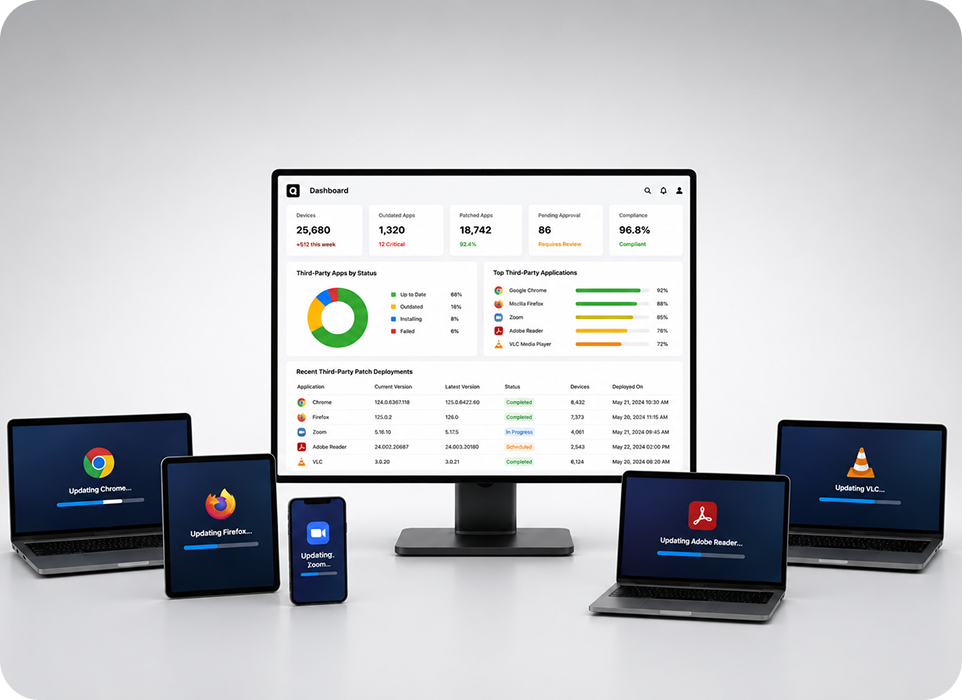
Simplify Third-Party Patch Management
Automate third-party app patch management for business applications from one centralized platform to reduce security risks and manual IT effort.
- Detect outdated third-party applications and missing patches automatically.
- Schedule patch deployments with flexible approval workflows.
- Monitor patch status and compliance through centralized reporting.
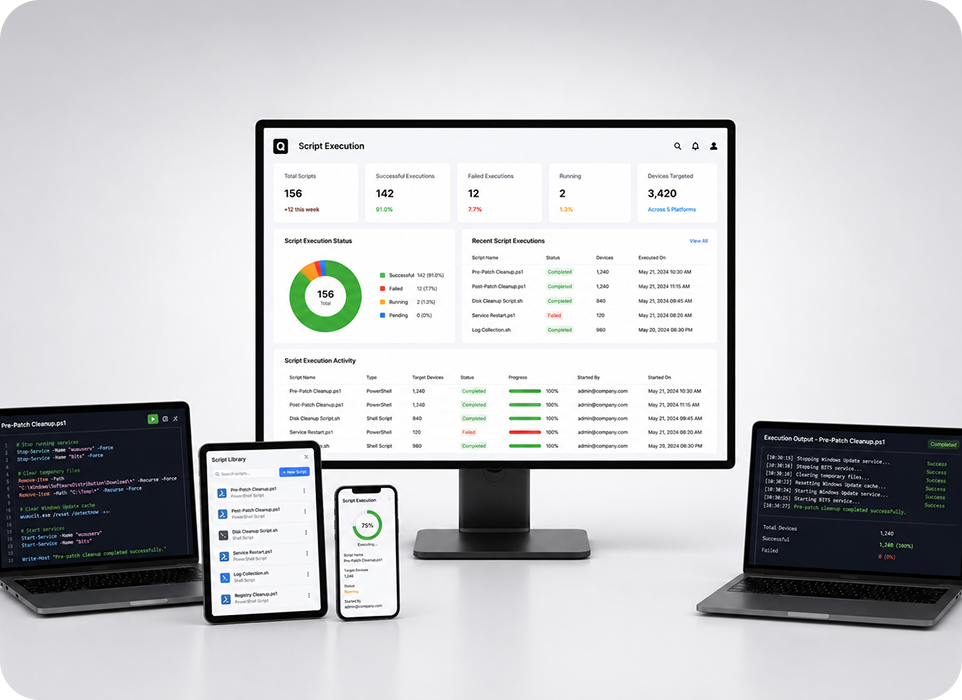
One-Click Remote Script Execution
Execute scripts remotely across managed devices to automate patch-related maintenance, simplify remediation, and prepare systems for seamless patch deployment.
- Execute pre- and post-patch scripts remotely.
- Automate routine maintenance and remediation tasks.
- Resolve patch-related issues without manual intervention.
Why Choose Quantem Patch Management Software?
Simplify patch management with a secure, scalable, and easy-to-use platform designed to automate software updates and strengthen endpoint security.

Ease of Use
Get started in minutes with an intuitive interface designed for IT administrators of all experience levels. Simplify patch deployment with easy controls, detailed reports, and proactive support whenever needed.

Flexible Pricing
Access enterprise-grade patch management with transparent pricing designed to scale with your business. Pay only for what you need while expanding your infrastructure with complete confidence.

Reliable Performance
Deploy operating system and application patches with confidence while minimizing business disruptions. Maintain system stability through reliable patch automation, continuous monitoring, and consistent update performance.

Seamless Integrations
Integrate with MDM and security solutions to simplify patch deployment across your IT ecosystem. Extend existing workflows with centralized patch management and minimal administrative effort.

Compliance Ready
Strengthen security and simplify compliance through centralized patch management and reporting. Quantem supports SOC 2, GDPR, and CCPA compliance to help organizations remain audit-ready.

Complimentary Premium Support
Whether deploying your first patch policy or migrating from another platform, our experts are always available. Benefit from free consultations, product demonstrations, and 24/7 support whenever you need assistance.