
Mobile Application Management (MAM) Software
Securely deploy, manage, and protect business applications with Quantem Mobile Application Management (MAM) software. Distribute apps, automate updates, configure application policies, and secure work apps across Android, iOS, Windows, macOS, Linux, and enterprise applications from one centralized platform.
%20Software%204%20(1).svg)
Why Enterprises Need Mobile Application Management Solution?
Secure and manage work apps across every device while simplifying application deployment, policy enforcement, and enterprise mobility.
.svg)
Stop Shadow IT
Employees often use unauthorized or unapproved work apps across corporate and personal devices. Without centralized Mobile Application Management, shadow IT can lead to uncontrolled app usage and limited visibility across the organization.
.svg)
Improve Application Security
Business applications often contain sensitive corporate information that requires continuous protection. Mobile Application Management secures work apps with application policies, controlled access, and enterprise-grade security features.

Compliance Requirements
Organizations must meet regulatory requirements such as GDPR, HIPAA, and SOC 2 while protecting business applications and data. Mobile Application Management helps enforce application policies, maintain audit trails, and reduce compliance risks.
.svg)
Reduce IT Workload
Managing hundreds of applications across teams can quickly overwhelm IT administrators. A centralized Mobile Application Management platform simplifies app deployment, updates, and lifecycle management while reducing manual administration.
Zero-Touch App Installation Across Multiple Operating System
Deploy business applications silently across Android, Apple, Windows, and Linux devices without user intervention while maintaining complete control over the lifecycle.
Android Play Store Apps
Deploy public and private Android applications through Managed Google Play with just a few clicks. Configure app settings, silently install applications, and remotely manage updates across all Android Enterprise devices.
.svg)
Apple App Store Apps
Distribute iOS and macOS applications through Apple Business Manager and the Apple Volume Purchase Program (VPP). Simplify application deployment while ensuring employees always receive approved business apps.
.svg)
Microsoft Store & Office 365 Apps
Deploy Microsoft Store, Office 365, Win32, MSIX, MSI, EXE, and UWP applications from a centralized platform. Schedule silent installations, create custom deployment packages, and manage application updates without disrupting employees.
Create a Custom Enterprise App Catalog
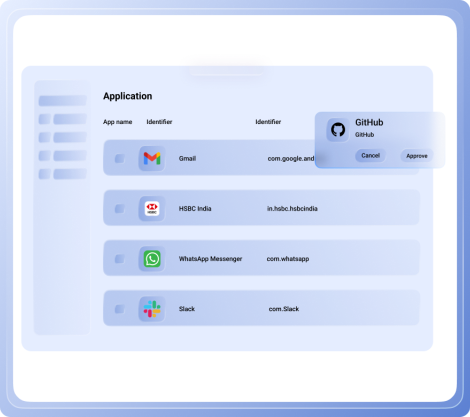
Give employees a centralized app catalog where they can easily discover and install approved business applications. Simplify application access while maintaining complete control over which apps are available across Android and iOS devices.
.png)
Publish a branded enterprise app catalog.
Allow users to install approved applications on demand.
Organize apps by department, role, or business function.
Reduce IT requests for application installations.
Support Android and iOS enterprise app catalogs.
Simplify Private Enterprise App Deployment
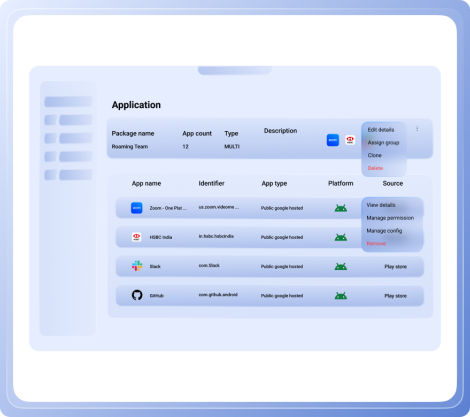
Deploy, update, and manage private enterprise applications from a centralized platform without relying on public app stores. Support multiple application formats while keeping every version secure, organized, and easy to distribute.
Deploy private and in-house enterprise applications.
Support APK, IPA, MSIX, MSI, EXE, PKG, DMG, and other formats.
Roll back application versions when needed.
Host applications using internal or external repositories.
Manage the complete enterprise app lifecycle.
Key Features of Mobile Application Management Software
Simplify enterprise app deployment, security, and lifecycle management with Mobile Application Management capabilities built for modern businesses.

Application Deployment
Deploy business applications across managed devices without requiring manual installation by employees. Install or uninstall applications remotely from a centralized dashboard while maintaining complete administrative control.
.svg)
Schedule App Installations
Automate application deployments by scheduling installations during maintenance windows or non-business hours. Minimize user disruption while ensuring every managed device receives the required applications.
.svg)
Real-Time Application Visibility
Monitor application deployment status, installation progress, and version details across every managed device. Access real-time insights to troubleshoot issues and maintain application consistency.
.svg)
Automate App Updates
Keep every managed application up to date by silently deploying new versions from a centralized platform. Eliminate version fragmentation while improving application security and user productivity.
.svg)
Remove Unwanted Applications
Remotely uninstall unauthorized or outdated applications from managed devices whenever required. Reduce security risks while keeping devices optimized for business use.
.svg)
Application Usage Reports
Track application usage, screen time, and data consumption to better understand how business applications are being used. Use actionable insights to optimize licensing, improve productivity, and streamline application management.
.svg)
BYOD Application Management
Secure business applications on employee-owned devices without managing personal data. Separate work and personal applications to support secure BYOD deployments while protecting employee privacy.
.svg)
Staggered App Deployment
Roll out applications gradually across selected users, groups, or departments before organization-wide deployment. Validate application performance and reduce business disruption during major releases.
Role-Specific App Permissions
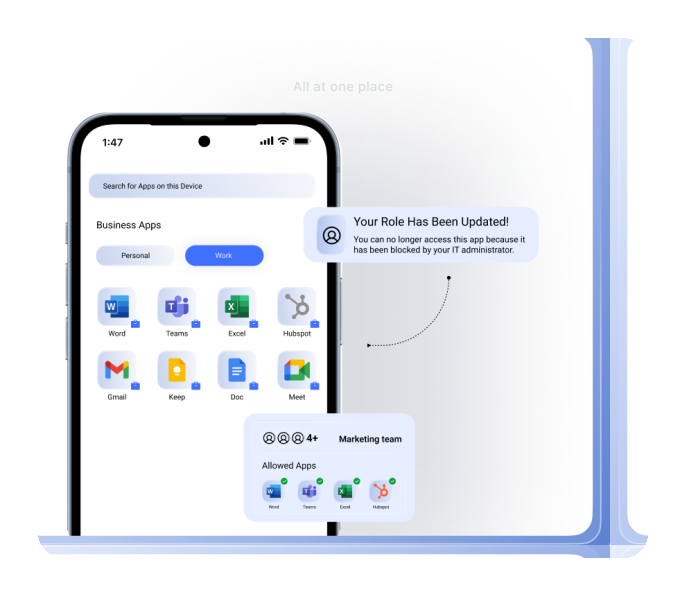
Configure business applications to match different users, departments, and business workflows without requiring manual setup. Apply managed app configurations remotely to deliver a consistent and secure user experience across every device.
• Configure apps remotely with managed app configurations.
• Create role-based application settings.
• Automatically assign app permissions by user or group.
• Standardize app configurations across devices.
• Simplify enterprise application deployment.
Software Metering for Smarter Decisions
Monitor application usage, performance, and resource consumption to make informed software decisions. Gain valuable insights that help optimize licensing, improve productivity, and eliminate unused business applications.
• Monitor application screen time.
• Track app usage across devices.
• View application data consumption.
• Optimize software licensing costs.
• Identify underutilized business applications.
App Patching & Updates
Keep business applications secure and up to date by silently deploying updates across managed devices. Schedule updates during maintenance windows to reduce disruptions while ensuring every user runs the latest approved application version.
• Push silent application updates remotely.
• Enforce minimum application versions.
• Schedule updates during maintenance windows.
• Reduce version fragmentation across devices.
• Improve security with timely application patches.
Mobile Application Management Software for Every Enterprise
Built for every business and designed to simplify secure application management across industries, teams, and business-critical workflows.
.svg)
Transport & Logistics
Equip drivers and field teams with securely managed mobile devices for route planning, proof of delivery, and workforce communication. Track devices remotely, enforce security policies, and keep operations running efficiently across every delivery route.
.svg)
Retail
Manage POS tablets, employee smartphones, and customer-facing devices from a centralized platform. Protect business applications, simplify store operations, and maintain consistent security across every retail location.
.svg)
Education
Secure classroom devices, support BYOD programs, and simplify access to learning applications for students and educators. Manage shared devices centrally while protecting institutional data and improving the digital learning experience.
.svg)
Healthcare
Protect patient information while securely managing mobile devices used by healthcare professionals. Enforce compliance policies, restrict access to clinical applications, and support secure mobile workflows across healthcare facilities.
.svg)
Hospitality
Deliver secure guest and staff experiences by managing check-in devices, service tablets, and employee smartphones from one platform. Restrict devices to approved hospitality applications while maintaining a consistent user experience.
.svg)
Banking & Finance
Protect banking and financial applications with centralized policy enforcement and secure application management. Restrict unauthorized access to sensitive business apps while supporting regulatory compliance.
Why Choose Quantem Mobile Application Management Software?
Simplify application deployment, security, and lifecycle management with Mobile Application Management software built for growing enterprises.

Pay as You Grow
Whether you manage dozens or thousands of devices, Quantem scales with your business without unnecessary complexity. Flexible licensing ensures predictable pricing, so you only pay for the devices and capabilities you need.
.svg)
Boost Employee Productivity
Provide employees with instant access to pre-approved business applications without relying on manual installations or IT support. Reduce onboarding time while keeping teams productive from day one.
.svg)
Compliance Ready
Protect business applications and corporate data with enterprise-grade security and compliance controls. Quantem is SOC 2, GDPR, and CCPA compliant, giving organizations confidence in how business data is protected.
Frequently Asked Questions (FAQs)
01. What is Mobile Application Management (MAM) software?
02. How does Mobile Application Management work?
03. How is Mobile Application Management different from Mobile Device Management (MDM)?
04. What are the main benefits of Mobile Application Management software?
05. Can Quantem manage private and enterprise applications?
06.Does Mobile Application Management support BYOD devices?
07. What types of applications can be managed with Mobile App Management solution?
08.How does Mobile Application Management tools improve app security?
09. Do Enterprise Mobility Management (EMM) and Unified Endpoint Management (UEM) solutions include Mobile Application Management?