
Android COPE MDM for a Secure Workforce
Give your employees the freedom to use company-owned devices for personal activities without compromising business security. Android COPE MDM keeps corporate data protected while ensuring employees' personal apps, files, and information remain completely private.
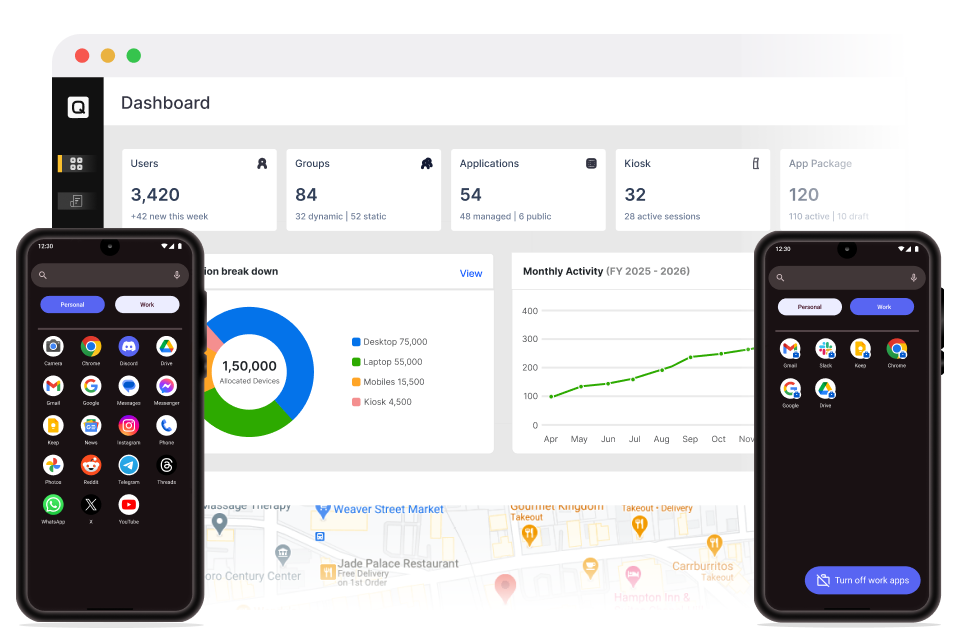
What is Corporate-Owned, Personally Enabled (COPE)?

Corporate-Owned, Personally Enabled (COPE) is an Android Enterprise deployment model that allows employees to use company-owned Android devices for both work and personal use. COPE device management separates business and personal data through a secure Work Profile, giving IT full control over corporate resources while protecting employee privacy.
- Protect corporate data without accessing employees' personal apps, files, or messages.
- Deploy, manage, and update every Android COPE device remotely.
- Enforce enterprise security policies while maintaining employee privacy.
- Deliver secure access to business apps through Android Enterprise Work Profile.
- Simplify compliance with centralized Android COPE management.
Challenges Businesses Face with Unmanaged Android COPE Devices
Without Android Enterprise COPE MDM, organizations struggle to secure company-owned devices while maintaining employee privacy and consistent security policies.

No Separation Between Work and Personal Data
Without proper management, work and personal data exist on the same device without clear boundaries. This increases the risk of accidental data exposure while making it difficult to protect corporate information without affecting employee privacy.

Inconsistent Security Policies
IT teams cannot consistently enforce password requirements, encryption, screen lock settings, or other security policies. As a result, devices become vulnerable to unauthorized access and security threats.

Uncontrolled App Installations
Employees may install unauthorized or potentially harmful applications that introduce security risks or expose corporate data. IT teams also lose visibility into application usage across managed devices.

Increased Risk of Data Loss
Lost, stolen, or compromised devices can expose sensitive business information when remote management capabilities are unavailable. IT administrators cannot remotely lock devices, wipe work data, or revoke corporate access.

Time-Consuming Manual Device Management
Manually enrolling devices, deploying applications, configuring policies, and troubleshooting issues consumes valuable IT resources. These tasks become increasingly difficult as the number of devices grows.

Limited Visibility and Compliance
Without centralized management, IT teams lack visibility into device health, compliance status, installed applications, and Android OS versions. This makes it harder to meet internal security policies and regulatory requirements.
How Android COPE Works?
Android COPE MDM uses Android Enterprise containerization to create separate work and personal profiles on the same company-owned device. IT administrators manage only the work profile, while employees retain complete control and privacy over their personal profile.
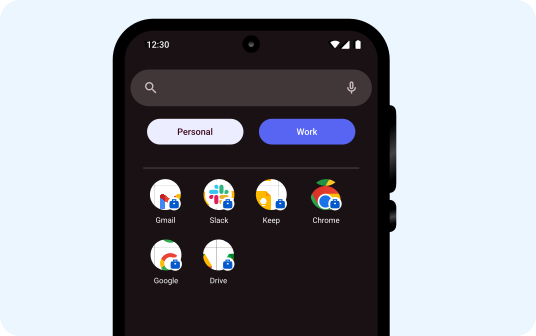
Work Profile
The Work Profile is fully managed by IT administrators and contains all business applications, accounts, and corporate data. IT can deploy apps, enforce security policies, configure settings, and remotely wipe only work data whenever necessary.
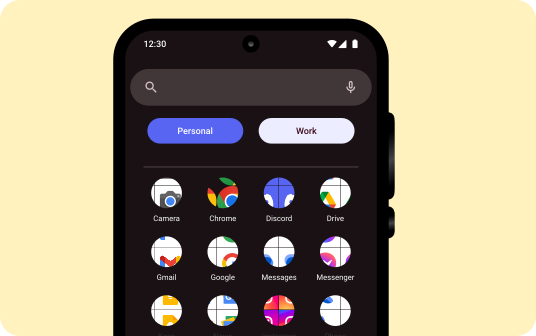
Personal Profile
The Personal Profile belongs entirely to the employee and stores personal apps, photos, messages, and files. IT administrators cannot view or access personal information, ensuring complete privacy while employees enjoy personal use of their company-owned devices.
Secure Corporate Data Without Compromising Employee Privacy
Give employees the flexibility to use one device for work and personal tasks while maintaining complete control over corporate data with Android COPE MDM.
Business Benefits of Android MDM COPE
Strengthen COPE security by protecting corporate data, simplifying IT operations, and giving employees the flexibility to use company-owned devices without compromising privacy.

Strengthen Enterprise Security
Protect business data with centralized policy enforcement, encrypted Android Enterprise Work Profiles, and advanced security controls. Remotely lock devices, wipe only work data, and enforce consistent security policies across every Android COPE device.

Respect Employee Privacy
Keep work and personal data completely separate using Android Enterprise Work Profile. Employees can confidently use company-owned devices for personal activities, knowing IT cannot access their personal apps, files, or messages.

Improve IT Efficiency
Automate device enrollment, application deployment, policy enforcement, and routine management tasks from a centralized console. Reduce manual IT effort while simplifying Android COPE device lifecycle management.

Boost Workforce Productivity
Provide secure access to business applications, email, and corporate resources from anywhere. Resolve device issues faster with remote troubleshooting to minimize downtime and keep employees productive.

Simplify Compliance
Enforce consistent security policies, monitor device compliance, and generate audit-ready reports from a single platform. Maintain compliance with internal security standards and industry regulations without additional administrative overhead.

Reduce Operational Costs
Lower IT support costs by automating repetitive device management tasks and minimizing security incidents. Reduce hands-on maintenance while improving operational efficiency across your Android device fleet.
Quantem MDM Key Features for Android COPE Management
Everything you need to secure, manage, and optimize Android COPE devices from enrollment to retirement.

Granular Security Policies
Enforce work profile and device-level passwords, install enterprise certificates, block screenshots in work apps, restrict additional Google accounts, and disable Bluetooth sharing to protect corporate data.

Configure Personal Usage Schedules
Define when employees can use the personal profile and control how long the work profile can remain disabled. Balance employee flexibility with organizational security requirements.

Restrict Data Sharing Between Profiles
Prevent work data from being copied, shared, or transferred to personal applications. Keep business information isolated while allowing employees to use personal apps without compromising security.

Communication & Device Settings
Control outgoing calls and SMS, restrict Bluetooth data transfers, and limit data storage to trusted networks. Apply consistent communication policies across every managed device.

Network & Security Settings
Restrict changes to mobile network settings, manage tethering permissions, and control Wi-Fi access. Ensure secure enterprise connectivity across your Android COPE deployment.

USB Device Management
Control USB connectivity, MTP access, and USB debugging to prevent unauthorized data transfers. Strengthen endpoint security without impacting business productivity.

Location Tracking & Geofencing
Track device locations in real time, create geofences, and automate policy enforcement based on device location. Improve operational visibility while protecting company-owned devices.

Instantly Factory Reset Lost Devices
Remotely factory reset lost or stolen Android COPE devices to prevent unauthorized access to corporate information. Maintain control over business devices even when they are no longer in your possession.

Compliance Monitoring & Analytics
Monitor compliance status, security posture, application usage, and Android OS versions from a centralized dashboard. Generate detailed reports to simplify audits and maintain regulatory compliance.
Ready from Day 1 with Android Zero-Touch Enrollment
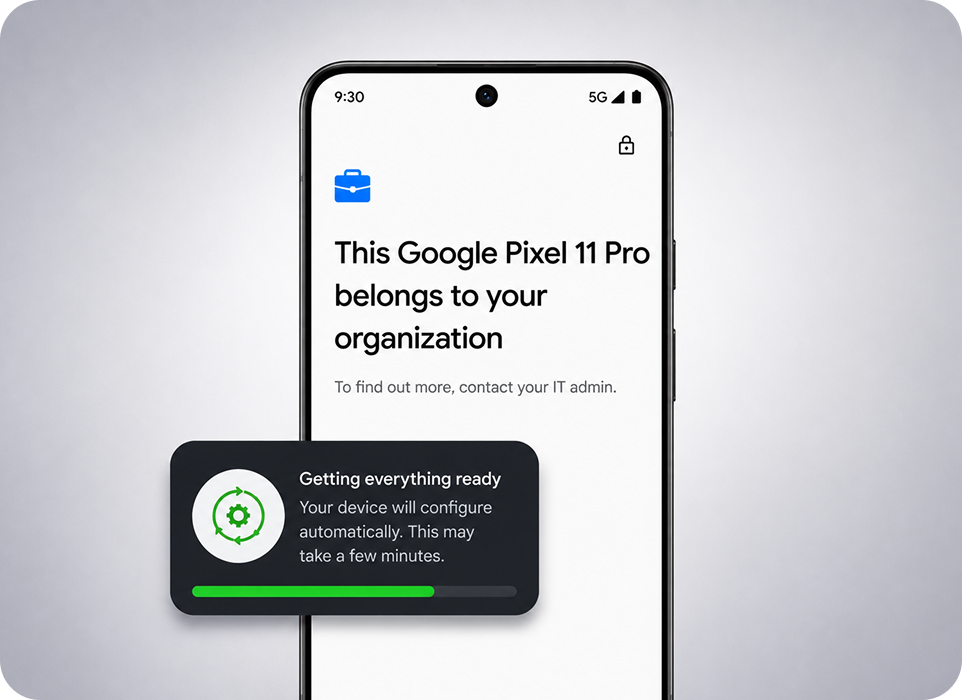
Deploy Android COPE devices at scale with Android Zero-Touch Enrollment. Automatically create a secure Work Profile, apply security policies, and configure devices the moment employees power them on.
- Enroll Android COPE devices automatically without manual configuration.
- Pre-configure apps, policies, Wi-Fi settings, and certificates before delivery.
- Automatically create a secure Android Enterprise Work Profile during setup.
- Re-enroll devices after factory resets to maintain security and compliance.
- Deliver a consistent, ready-to-use experience for every employee.
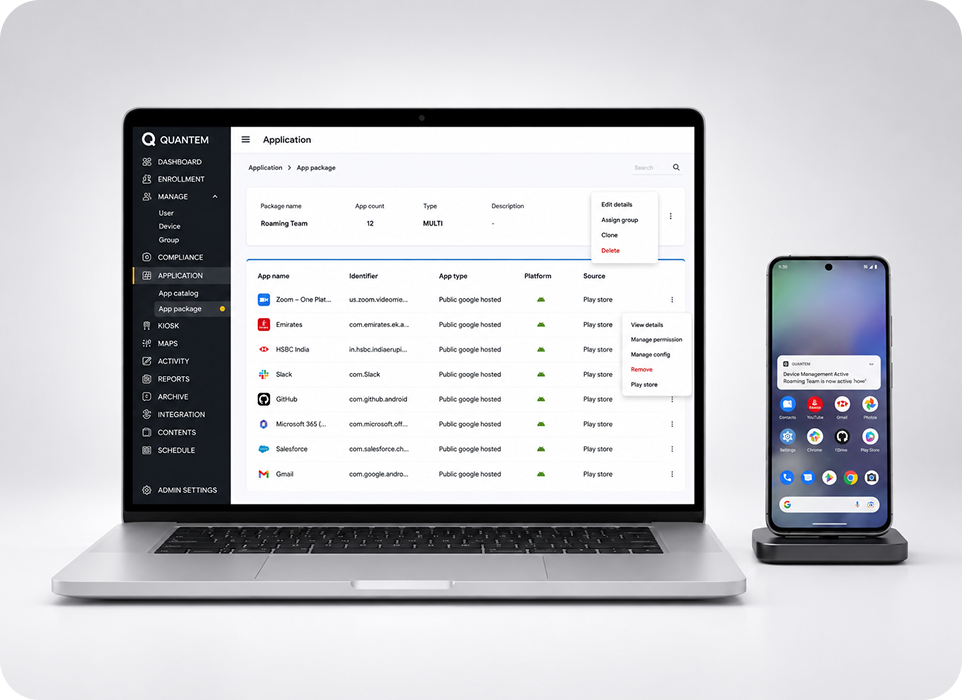
Seamless Application Management for Android COPE Devices
Deploy, update, and manage business applications remotely without disrupting employees. Install apps from Managed Google Play or your enterprise app catalog while keeping every Android COPE device productive and secure.
- Deploy public and private Android applications remotely.
- Silently install, update, or remove business apps without user interaction.
- Configure managed app settings and permissions automatically.
- Control application versions to maintain security and compatibility.
- Publish approved business apps through your enterprise app catalog.
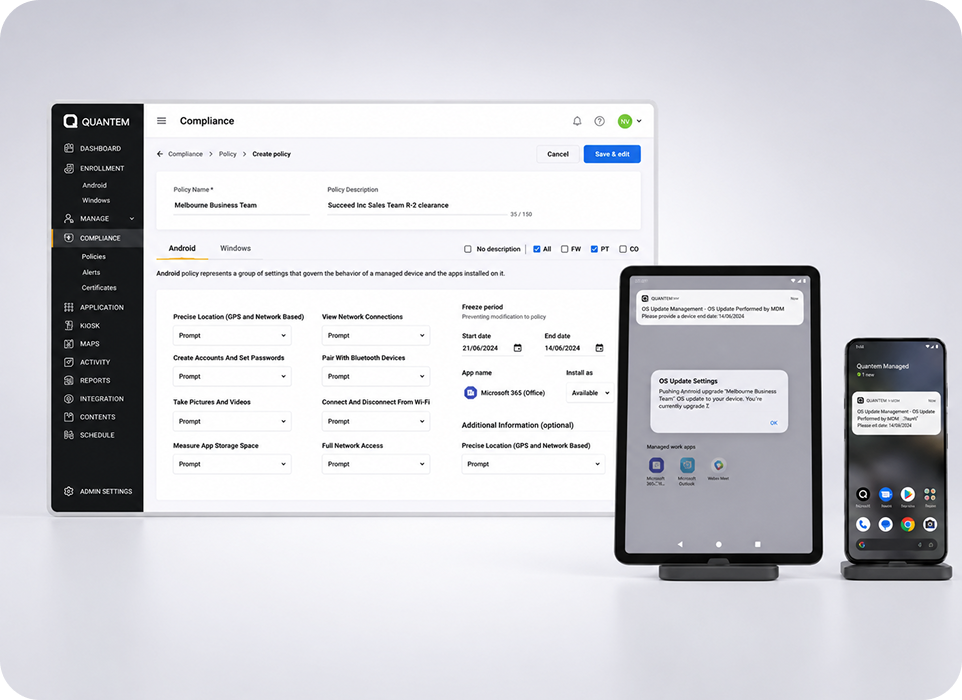
Keep Android Devices Updated with OS Update Management
Take full control of Android OS updates without disrupting business operations. Schedule, postpone, or automate updates to keep devices secure, compliant, and running on approved Android versions.
- Schedule updates during maintenance windows to reduce downtime.
- Postpone OS updates until applications are fully validated.
- Automatically deploy Android security patches across managed devices.
- Configure freeze periods to delay feature updates when required.
- Maintain visibility into update status and deployment progress.
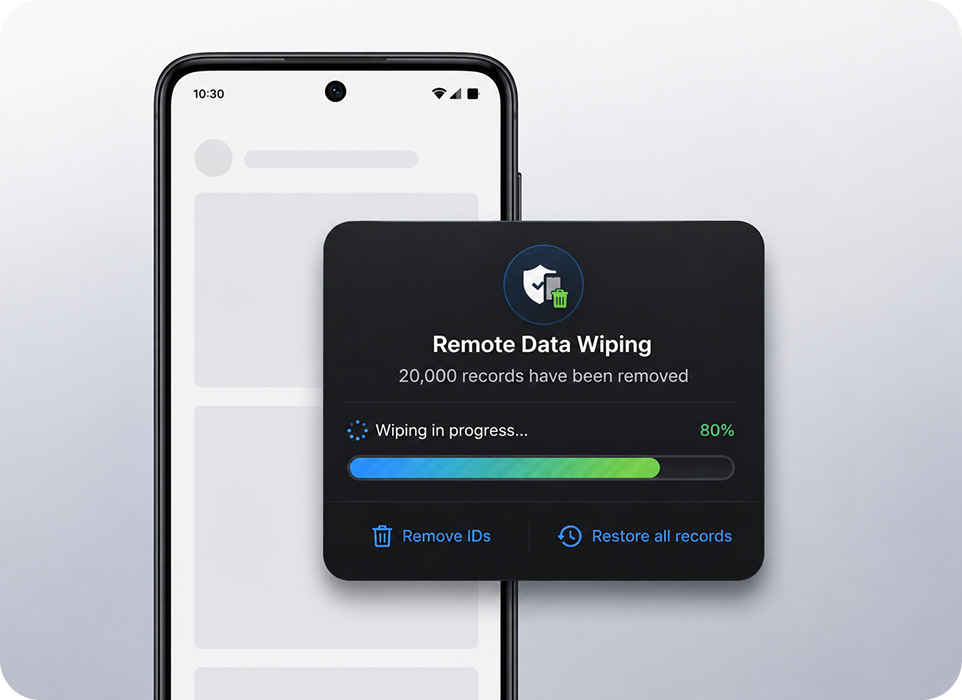
Protect Every Device with Powerful Remote Actions
Respond instantly to lost, stolen, or compromised devices with remote security actions. Protect corporate data while maintaining complete control over every Android COPE device from anywhere.
- Remotely lock devices to prevent unauthorized access
- Wipe only the Work Profile while preserving employees' personal data.
- Perform a full device wipe or factory reset when required.
- Enable Factory Reset Protection (FRP) to prevent unauthorized reuse.
- Restart, reboot, or perform other remote actions without physical access.
Why Choose Quantem MDM for Android COPE Management?
Manage Android COPE devices confidently with a secure, scalable, and easy-to-use MDM platform built for modern enterprises.

Ease of Use
Get started in minutes with an intuitive interface designed for both IT administrators and business users. Simplify Android COPE management with easy policy deployment, detailed reporting, and responsive support.

Pay as You Grow
Scale your deployment without unnecessary costs. Flexible pricing lets you pay only for the devices you manage while supporting your organization's growth.

Compliance Ready
Stay compliant with enterprise security and privacy requirements. Quantem helps organizations meet SOC 2, GDPR, and CCPA standards while protecting corporate data across Android COPE devices.
Empower Your Workforce with Secure Android COPE MDM
Protect corporate data, respect employee privacy, and simplify Android COPE management with a secure MDM solution built for modern enterprises.