AOSP Device Management: A Guide to Managing Non-GMS Android Devices
Not all Android devices come with Google Mobile Services (GMS). Many business devices, including rugged handhelds, barcode scanners, and POS terminals, run on customized Android builds based on the Android Open Source Project (AOSP).
While these devices offer greater flexibility, managing them isn't as straightforward as managing standard Android devices. Without GMS, conventional Android Enterprise enrollment, app deployment, and management workflows may not work.
This is where AOSP device management comes in. Businesses need an MDM solution that can manage non-GMS Android devices through compatible enrollment methods, OEM integrations, and device-level controls.
What is the Android Open Source Project (AOSP)?
The Android Open Source Project (AOSP) is Google's open-source codebase for the Android operating system. It provides the core components required to build an Android OS but doesn't include Google's proprietary applications and services, such as Google Play Store, Gmail, Google Maps, and Google Play Services.
Device manufacturers can use AOSP to develop customized Android operating systems by modifying the interface, adding hardware-specific features, and integrating their own applications.
For example, a manufacturer can build an AOSP-based operating system for a barcode scanner with built-in scanning functionality and preinstalled inventory management software.
In short, AOSP provides the Android foundation, while manufacturers decide how to build and customize the device experience around it.
What is the Relationship Between AOSP, Android Phones, and Google?
AOSP is the foundation of Android, but it doesn't automatically make a device part of Google's Android ecosystem. That depends on whether the manufacturer meets Google's compatibility requirements and obtains the necessary licenses to include its proprietary services.
Google's Android Compatibility Program (ACP) defines the requirements devices must meet to be considered compatible with Android. Compatible devices can qualify for Google Mobile Services (GMS) licensing, which provides access to Google Play and other proprietary Google services.
This creates two broad categories of Android devices:
1. GMS-certified Android devices: These devices meet Google's compatibility requirements and have access to licensed Google services, including Google Play Store and Google Play Services. Compatible devices can also support standard Android Enterprise management capabilities.
2. Non-GMS Android devices: These devices run Android based on AOSP but don't include Google's proprietary services. Manufacturers can customize the operating system and use alternative application distribution and device management methods.
Manufacturers such as Zebra, Honeywell, Sunmi, and Urovo offer specialized Android hardware for business environments, with device configurations and Google service availability varying by model.
For IT teams, the distinction matters because running Android doesn't necessarily mean a device supports Google's standard management infrastructure. Before deploying an MDM solution, organizations must check whether their devices support GMS, Android Enterprise, and the required OEM management integrations.
Where are AOSP Devices Commonly Used?
AOSP devices are widely used in industries that rely on specialized Android hardware for day-to-day operations. Some common use cases include:
- Logistics and Warehousing: Rugged handhelds and barcode scanners for inventory tracking, package scanning, and shipment management.
- Healthcare: Customized Android tablets and handheld devices for accessing electronic health records (EHRs), patient registration, and clinical workflows.
- Retail: POS terminals, self-checkout kiosks, and digital signage displays for managing transactions and customer-facing services.
- Education: Android tablets for digital learning, classroom activities, and examination management.
- Manufacturing: Industrial handhelds and Android terminals for equipment monitoring, production tracking, and quality inspections.
- Public Sector: Dedicated Android devices for field inspections, data collection, and government operations.
These deployments often require devices to run specific business applications with limited access to other features. This makes centralized device management important for maintaining consistent configurations, controlling application usage, and securing devices across locations.
What are the Key Benefits of AOSP Devices?
AOSP gives manufacturers more control over the operating system, hardware integration, and software environment. This makes it particularly useful for businesses that rely on purpose-built Android devices.
1. Lower hardware costs: Manufacturers can build devices around specific business requirements without including unnecessary software and hardware components. This can make AOSP-based devices a cost-effective option for large-scale deployments.
2. Custom OS development: Manufacturers can modify the Android source code, customize system applications, and build firmware tailored to their hardware. This is useful for devices with specialized functions, such as barcode scanning and industrial operations.
3. No dependency on GMS: AOSP devices can operate without Google Mobile Services. Businesses can distribute applications through private app stores, APK files, or proprietary application ecosystems.
4. Greater control over device functionality: Manufacturers can remove unnecessary system applications, restrict certain features, and configure the operating system for dedicated business use.
5. Hardware-specific integrations: AOSP supports customization at the operating system level, allowing manufacturers to integrate components such as barcode scanners, payment modules, NFC readers, and physical trigger buttons.
What's the Difference Between AOSP and Stock Android?
AOSP and Stock Android are often used interchangeably, but they aren't the same. AOSP is the open-source foundation of Android, while Stock Android refers to a relatively clean Android experience that includes Google's proprietary services on compatible devices.
Here's how they differ:
Most conventional Android MDM workflows use Android Enterprise APIs and Google services for enrollment, application distribution, and policy enforcement.
AOSP devices without GMS may not support these workflows. IT administrators need an MDM solution that can work with the device's available management interfaces and OEM-specific capabilities.
It's also important to note that AOSP doesn't automatically mean a device is incompatible with Android Enterprise. Support depends on the device implementation and the management capabilities provided by its manufacturer.
Why Does AOSP Device Enrollment Work Differently?
Enrolling a standard Android device is relatively straightforward when it supports Android Enterprise. IT administrators can use methods such as Zero-touch Enrollment, QR code provisioning, and enrollment tokens to configure devices in bulk.
However, these workflows aren't universally available on AOSP devices. Without GMS and the required Android Enterprise components, businesses may need alternative ways to enroll their devices into an MDM platform.
Some common AOSP device enrollment methods include:
1. QR Code-Based Enrollment
Administrators can generate enrollment QR codes that contain the required configuration details. Scanning the code initiates the enrollment process and connects the device to the MDM platform. The exact workflow depends on the MDM agent and device support.
2. Manual APK Installation
The MDM agent can be installed directly on the device using an APK file. Once installed and configured, the agent communicates with the MDM server to receive supported policies and management commands.
3. ADB or USB-Based Enrollment
Android Debug Bridge (ADB) allows administrators to communicate with Android devices through a connected computer. For supported devices, ADB or USB-based provisioning can help install the management agent and configure Device Owner privileges.
4. OEM-Based Enrollment
Some manufacturers provide proprietary APIs, SDKs, or preinstalled management agents that allow MDM platforms to communicate with their devices. These integrations can enable additional management capabilities based on the OEM's implementation.
Unlike standard Android Enterprise provisioning, AOSP enrollment often requires device-specific configurations. Organizations should verify the supported enrollment methods before purchasing hardware or planning large-scale deployments.
Why Do Traditional MDM Solutions Fall Short With Non-GMS Devices?
Most Android MDM solutions are designed around standard Android Enterprise capabilities. They rely on Google's services and APIs for device enrollment, application management, and policy enforcement.
When businesses deploy AOSP devices without GMS, these dependencies can create management gaps. The MDM agent may install successfully, but that doesn't guarantee access to every management feature.
Here are five common challenges IT teams encounter when managing non-GMS Android devices.
1. Limited Enrollment Options
Traditional MDM platforms often rely on Android Enterprise provisioning methods, such as Zero-touch Enrollment and DPC-based setup. These methods aren't universally supported on AOSP devices. IT administrators may have to install management agents manually, configure devices through ADB, or work with OEM-specific provisioning tools. This makes large-scale deployments more time-consuming, particularly when devices are distributed across multiple locations.
2. Application Deployment Challenges
Without Google Play and Managed Google Play, businesses cannot rely on Google's standard application distribution workflow. IT teams need alternative ways to distribute APK files, install updates, and manage application versions across devices. Without centralized app management, administrators may have to handle installations and updates individually, increasing the chances of outdated applications and inconsistent configurations.
3. Restricted Policy Enforcement
Not every device restriction available on a standard Android Enterprise device is supported on an AOSP build. Policies related to password requirements, USB access, factory resets, Wi-Fi configuration, and application installation depend on the device's available APIs and management permissions. An MDM solution without the necessary OEM integrations may not be able to enforce these restrictions, leaving administrators with limited control over device configurations.
4. Limited Device Monitoring
Device inventory and health monitoring can also become challenging. Depending on the available management interfaces, an MDM platform may not receive information about battery status, installed applications, operating system versions, network connectivity, or device compliance. This makes it difficult for IT teams to identify devices that need attention, track software versions, and maintain consistent configurations across their fleet.
5. Remote Troubleshooting Limitations
Remote support is another area where conventional MDM solutions may fall short. Features such as remote screen viewing, remote control, device reboot, and remote wipe depend on the management agent, firmware permissions, and OEM integrations. If these capabilities aren't supported, IT administrators may have to rely on on-site technicians to diagnose and resolve device issues. For businesses managing hundreds or thousands of devices across warehouses, retail stores, or field locations, this can increase support time and operational costs.
The takeaway: Managing non-GMS devices requires more than an MDM agent that can simply be installed on Android. Organizations need an MDM platform with compatible enrollment workflows, application management, device-level controls, and OEM integrations to manage their AOSP fleet effectively.
Key Features to Look for in an AOSP-Friendly MDM Solution
Not every Android MDM solution supports AOSP devices. Before choosing a platform, IT teams should evaluate whether it can manage their specific device models and provide the necessary controls without depending on Google services.
Here are some important capabilities to look for:
1. Multi-OEM Compatibility
AOSP devices come from different manufacturers, each with its own hardware configurations, firmware, and management interfaces. An MDM solution should support multiple OEMs and provide integrations for their proprietary APIs and SDKs. This is particularly important for businesses using devices from manufacturers such as Zebra, Honeywell, Sunmi, and Urovo.
2. Flexible Enrollment Options
Since standard Android Enterprise provisioning methods may not work on non-GMS devices, look for alternative enrollment options, including:
- QR code-based enrollment
- Bulk device provisioning
- ADB or USB-based enrollment
- Manual MDM agent installation
- OEM-specific enrollment integrations
These options help simplify device onboarding and reduce manual configuration.
3. Kiosk Mode and Device Lockdown
AOSP devices are commonly used for dedicated business functions. Kiosk mode helps restrict devices to approved applications and prevents users from accessing unnecessary system features. Look for single-app and multi-app kiosk modes, along with controls to restrict system settings, navigation, notifications, and other device functionality.
4. Application and Content Management
Without Google Play, businesses need alternative methods to distribute and manage applications.
An AOSP-compatible MDM should support:
- Remote APK installation and updates
- Application allowlisting and blocklisting
- Application version management
- Remote file distribution
- Restrictions on unauthorized application installations
This allows IT administrators to maintain control over the applications available on managed devices.
5. Remote Troubleshooting
When devices are deployed across multiple locations, IT teams need ways to diagnose and resolve issues remotely. Look for capabilities such as remote screen viewing, remote control, device reboot, remote lock, and wipe. Location tracking can also help organizations monitor the whereabouts of supported devices. These capabilities can reduce physical intervention and make it easier to support distributed device fleets.
6. Device Monitoring and Reporting
An MDM platform should provide visibility into device inventory, operating system versions, battery status, installed applications, and other available device information. Centralized monitoring and reporting help administrators identify outdated devices, investigate configuration issues, and track the status of their AOSP fleet.
Important: AOSP management capabilities vary by OEM, firmware, Android version, and enrollment permissions. Always verify feature compatibility with the actual devices you plan to deploy.
Benefits of Proper AOSP Device Management
AOSP gives businesses flexibility in choosing and customizing Android hardware. However, managing these devices individually can create unnecessary administrative work. An MDM solution helps IT teams centralize device administration and maintain control over their deployments.
Here are some key benefits:
1. Centralized Device Administration
IT administrators can manage multiple AOSP devices from a single dashboard instead of configuring each device individually. They can organize devices into groups, apply configurations, and manage devices across different departments and locations.
2. Faster Device Provisioning
Bulk enrollment and repeatable provisioning workflows reduce the time required to prepare new devices. Organizations can configure supported devices with the required management agent, applications, and settings before deploying them to employees.
3. Consistent Application Management
Administrators can distribute APK files, manage application versions, and restrict unauthorized installations remotely. This helps maintain consistent application configurations across the device fleet without depending on Google Play.
4. Better Control Over Device Usage
Kiosk mode, application restrictions, and device policies help organizations ensure that devices are used for their intended business purposes. For example, a warehouse scanner can be restricted to inventory applications, while a retail POS terminal can be locked to approved payment software.
5. Reduced IT Support Effort
Remote monitoring and troubleshooting allow IT teams to investigate device issues without physically accessing every endpoint. Supported remote actions, such as rebooting, locking, or controlling a device, can help resolve common problems faster.
6. Improved Device Security
Organizations can enforce available security restrictions, control application installations, manage device configurations, and monitor operating system versions. Centralized administration also makes it easier to identify devices that aren't following established security policies.
7. Better Visibility Across Device Fleets
Device inventory and monitoring provide administrators with information about managed endpoints, including their status, configuration, and available health metrics. This helps IT teams identify issues and maintain better oversight of distributed AOSP deployments.
How Does Quantem Solve the AOSP Management Problem?
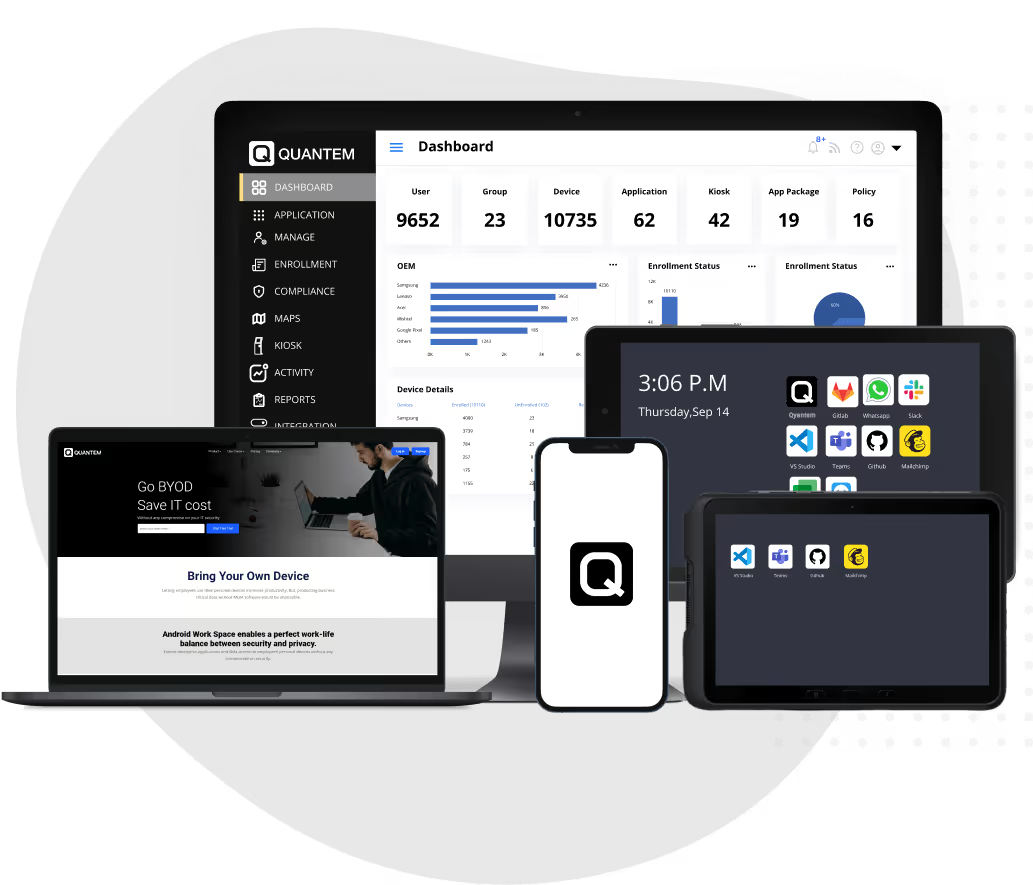
Managing AOSP devices requires an MDM solution that doesn't depend entirely on Google's management infrastructure. Quantem supports GMS and non-GMS Android devices, helping IT teams manage compatible AOSP devices through a centralized platform.
Here's how Quantem addresses the key management requirements:
- Agent-Based Device Management: Quantem uses a lightweight management agent to communicate with supported AOSP devices. This enables device management without relying entirely on Android Enterprise APIs.
- Multi-OEM Support: Quantem supports AOSP devices from manufacturers such as Sunmi, Urovo, and Zebra through OEM integrations and SDK-based capabilities. This allows businesses to manage specialized Android hardware across different deployments.
- Flexible Enrollment Options: Quantem offers alternative enrollment methods for supported non-GMS devices, including QR code-based provisioning, IMEI-based device whitelisting, and device preconfiguration. These options simplify onboarding without depending on Google Zero-touch Enrollment.
- Application and Content Management: IT administrators can upload and distribute APK files, manage application installations, block unknown application sources, and schedule application updates. This helps businesses maintain control over the applications installed across their AOSP fleet.
- Remote Cast and Control: Quantem's Remote Cast and Control capabilities allow IT administrators to remotely view and interact with supported AOSP devices. This helps troubleshoot device issues, assist employees, and reduce the need for physical access.
- Kiosk Mode and Device Restrictions: Quantem allows administrators to configure supported devices in single-app or multi-app kiosk mode. They can restrict access to selected applications, disable the status bar, and control device navigation to maintain a dedicated-use environment.
With these capabilities, Quantem helps businesses manage supported AOSP devices without depending on the standard Google-based Android management workflow.
Quantem: An AOSP-Ready Android MDM Solution
AOSP devices give businesses greater flexibility in hardware selection and OS customization. But without the right management platform, handling enrollment, application deployment, and device security can become complicated.
Quantem brings these management capabilities together in one platform. With support for compatible GMS and non-GMS Android devices, IT administrators can manage their device fleets through centralized enrollment, application management, kiosk policies, and remote troubleshooting.
Whether you are deploying rugged handhelds across warehouses, POS terminals across retail stores, or customized Android tablets across business locations, Quantem helps simplify device administration.
Explore Quantem's AOSP Device Management Capabilities
FAQ
1. What are AOSP devices?
AOSP devices are Android devices built using the Android Open Source Project. They may operate without Google Mobile Services (GMS), Google Play Store, and other proprietary Google applications.
2. Who develops AOSP?
Google maintains and publishes the Android Open Source Project. Since its source code is open-source, device manufacturers and developers can modify it to create customized Android operating systems.
3. What is the difference between AOSP and Stock Android?
AOSP is the open-source foundation of Android, whereas Stock Android is a relatively standard Android experience that generally includes Google's proprietary applications and services on certified devices. AOSP doesn't include GMS or Google Play by default.
4. Can AOSP devices work without Google Mobile Services?
Yes. AOSP devices can run without GMS. However, applications that depend on Google Play Services or proprietary Google APIs may require alternative integrations or may not function correctly.
5. Can you install apps on AOSP devices without Google Play?
Yes. Applications can be installed through APK files, private app stores, ADB, OEM tools, or a compatible MDM solution. Silent installation depends on the device's management privileges and available system permissions.
6. Can an MDM remotely manage AOSP devices?
Yes, provided the MDM solution supports the device's firmware and management interfaces. Capabilities such as remote screen viewing, control, reboot, and wipe depend on OEM integrations, Android versions, and enrollment permissions.
7. Does AOSP enrollment require a factory reset?
Not always. Certain Device Owner enrollment workflows require a factory reset or setup-time provisioning. Other methods, such as supported ADB or USB-based enrollment, may work without resetting the device.
8. Can Quantem MDM manage AOSP and non-GMS devices?
Yes. Quantem MDM supports AOSP and non-GMS device management through methods such as USB-based Device Owner enrollment. Available management features depend on the device model, firmware, and enrollment configuration.



Get the latest blogs directly delivered to your mail fly arrow