What is a Custom OS? An IT Admin's Guide to Managing Custom Android Devices
Not every business needs an Android device that works like a regular smartphone. A retail kiosk needs a different setup than a warehouse scanner. A healthcare tablet may need specific applications and restricted device functions, while a logistics handheld needs to prioritize scanning, navigation, and connectivity.
This is where a custom OS (operating system) comes in. Built on Android's open-source foundation, a custom Android OS allows manufacturers and developers to modify the operating system to meet specific hardware requirements, business workflows, and operational needs.
Businesses can remove unnecessary applications, customize the user interface, control system features, and optimize devices for dedicated tasks. However, deploying these devices across multiple locations introduces another challenge: keeping them configured, secure, and manageable.
That's where Mobile Device Management (MDM) comes in. An Android MDM solution helps IT teams manage compatible custom Android devices remotely, enforce policies, distribute applications, and monitor device activity from a centralized console.
In this blog, we will explain what a custom OS is, how it differs from stock Android, why businesses use custom Android devices, and how MDM makes managing these devices easier at scale.
What is a Custom OS for Android?
A custom OS for Android is a modified version of the Android operating system, usually built using the Android Open Source Project (AOSP) as its foundation. It changes or replaces parts of the original Android software to meet specific requirements.
A custom operating system can be configured for a particular device, environment, or business purpose. Developers can modify the interface, remove unwanted applications, add device-specific features, and control how the hardware and software work together.
For example, a business deploying Android-based barcode scanners in warehouses may need an operating system optimized for scanning applications, wireless connectivity, and uninterrupted device operation. A custom Android OS can be built to support these requirements without including features that employees don't need.
Custom Android operating systems generally fall into two broad categories:
- Custom ROMs: Modified Android builds created by independent developers, communities, or organizations. They may introduce interface changes, additional features, performance adjustments, or greater control over system settings.
- Enterprise-grade custom OS builds: Android-based operating systems developed or modified for specific business environments. They are typically designed around dedicated workflows, hardware requirements, application compatibility, and long-term device support.
It is important to understand that not every customized Android interface qualifies as a custom OS. Manufacturers such as Samsung and Google customize Android for their devices, but these manufacturer-provided versions are generally considered OEM Android software rather than independently developed custom ROMs.
How is a Custom OS Different From a Stock OS?
A stock OS is the operating system that comes preinstalled on a device by its manufacturer. It is designed to support general device functions, provide a familiar user experience, and work with the manufacturer's hardware and software ecosystem.
A custom OS, on the other hand, modifies the underlying Android system to meet specific requirements. These changes can include removing preinstalled applications, adjusting system settings, changing the user interface, and adding features for specialized use cases.
The key difference is the level of customization and control. Stock Android software is generally built for a broad audience, while a custom OS can be tailored to a particular device, workflow, or business environment.
Here's how they compare:
What are the Key Features of a Custom Operating System?
A custom OS gives developers greater control over how an Android device looks, behaves, and uses its hardware resources. Here are five common features:
1. Root Access and System-Level Control: Some custom Android OS builds provide root access, allowing users to modify system files, settings, and restricted functions. However, root access isn't available in every build and can introduce security risks.
2. Deep OS Customization: A custom OS allows developers to modify the interface, navigation, default applications, and system behavior to meet specific requirements. Businesses can create a simplified interface that gives employees access to only the features they need.
3. Performance Tuning and Resource Optimization: Developers can optimize system processes, remove unnecessary background services, and configure resource usage for specific workloads. This can help devices perform better for dedicated tasks, depending on the quality of the build and hardware.
4. Bloatware Removal: Custom OS builds can remove or disable preinstalled applications and services that aren't required for business operations. This creates a cleaner operating environment with fewer unnecessary applications.
5. Enhanced Privacy and Security Controls: A custom OS can introduce additional restrictions, control system permissions, and limit access to selected device functions. However, its security depends on the quality of the build, regular security updates, and ongoing maintenance.
Why Do Businesses Use Custom Android Devices?
Businesses use custom Android devices when standard device configurations don't fully support their operational requirements. A custom Android OS allows them to tailor the device experience around specific workflows, applications, and business needs.
Here are four common reasons businesses choose custom Android devices:
1. Branding and User Interface Customization
Businesses can customize the device interface with their branding, preferred layouts, and application shortcuts. This creates a consistent user experience across devices and makes it easier for employees to access work-related functions.
2. Greater Control Over Security and Privacy
A custom OS can restrict access to unnecessary system functions, control application permissions, and limit features that aren't required for business use. These configurations help businesses create a more controlled device environment, provided the OS is properly maintained and secured.
3. Performance Optimization for Specific Workloads
Businesses can use custom Android builds optimized for the hardware and applications involved in their daily operations. For example, warehouse devices can prioritize barcode scanning and connectivity, while retail POS devices can be configured around payment and transaction workflows.
4. Preloaded Applications and Business Workflows
A custom OS can come with business-specific applications and configurations already installed. This reduces the setup required before deployment and helps employees start using devices for their assigned tasks sooner.
What are the Challenges of Managing Custom Android OS Devices?
Custom Android devices offer greater flexibility, but managing them across a business fleet can be challenging. Unlike standard Android devices, custom OS builds may have different system configurations, management capabilities, and update mechanisms.
Here are five common challenges businesses face while managing custom Android OS devices:
1. Software Fragmentation
Custom Android devices may run different OS versions, builds, and configurations, even when they use similar hardware. This makes it difficult for IT teams to maintain consistent settings, application compatibility, and security updates across the fleet.
2. Limited Unified Management Controls
Some custom OS builds may not support all standard Android Enterprise features or MDM management APIs. As a result, IT teams may have limited control over device configurations, application deployment, kiosk policies, and other management functions.
3. Manual Device Configuration
Without centralized management, IT administrators may need to configure devices individually during setup or whenever requirements change. This increases administrative effort and makes it harder to maintain consistent configurations across multiple locations.
4. Limited Device Visibility
Custom OS environments may expose different levels of device information and system status to management tools. This can make it harder for IT teams to monitor device health, identify configuration issues, and maintain visibility across the fleet.
5. Troubleshooting and Maintenance
Diagnosing issues across different custom OS builds can require specialized technical knowledge and access to device-level information. Businesses may also depend on OS developers or device manufacturers for fixes, compatibility updates, and long-term maintenance.
Industries That Use Custom Android OS Devices
Custom Android OS devices are useful in industries where standard devices may not meet specific operational requirements. Businesses can configure the operating system, applications, and device functions around the tasks employees perform every day.
Here are six industries that can benefit from custom Android OS devices:
1. Logistics and Fleet Management
Logistics companies use rugged Android handhelds and mobile devices for barcode scanning, shipment tracking, route management, and proof of delivery. A custom OS can be optimized for these workflows by prioritizing essential applications and restricting unnecessary device functions.
2. Retail and Point-of-Sale (POS)
Retail businesses rely on Android POS terminals, handheld scanners, and self-service kiosks to manage transactions and daily store operations. A custom Android OS can provide a simplified interface, preload POS applications, and limit access to functions unrelated to retail operations.
3. Healthcare
Hospitals and healthcare facilities use Android tablets and handheld devices for patient registration, clinical workflows, inventory tracking, and accessing healthcare applications. A custom OS can be configured with approved applications and restricted system access to support specific healthcare workflows.
4. Manufacturing and Warehousing
Manufacturing plants and warehouses use Android-based industrial handhelds, scanners, and tablets to manage inventory, track assets, and monitor production activities. Custom OS builds can be optimized for industrial hardware and configured to support dedicated applications used across the facility.
5. Education and eLearning
Schools and educational institutions deploy Android tablets and other devices for digital learning, classroom activities, and assessments. A custom OS can provide a simplified learning environment with preloaded educational applications and restrictions on unnecessary features.
6. Field Services and Utilities
Field service teams use Android devices to access work orders, update service records, capture images, and communicate with central teams. A custom OS can prioritize field service applications and configure device functions around the requirements of technicians working across different locations.
Why is MDM a Must for Custom Android Devices?
A custom Android OS gives businesses control over how their devices are configured and used. However, managing these devices across multiple locations, departments, and business operations requires more than OS-level customization.
This is where MDM adds value. It complements the custom OS by providing centralized management and control over compatible devices throughout their lifecycle.
A custom OS and MDM work together to give businesses greater control over their Android device fleets. The custom OS defines how devices operate, including their interface, system configurations, and supported functions. MDM provides the tools to manage these devices remotely, enforce policies, distribute applications, and monitor device status.
Together, they help IT teams maintain consistent configurations, manage supported security settings, simplify application and update management, and troubleshoot devices without requiring physical access. They also make it easier to manage compatible devices throughout their lifecycle, from initial provisioning to decommissioning.
Ultimately, a custom OS determines how a device is built to work, while MDM helps businesses manage how it is deployed, secured, and maintained at scale.
How Does MDM Help Businesses Manage Custom OS Devices?
Managing custom Android devices individually becomes difficult as the fleet grows. A Mobile Device Management (MDM) solution gives IT teams a centralized way to configure, monitor, and manage compatible custom OS devices without handling each device separately.
Here are five ways MDM helps businesses manage custom Android devices:
- Remote Device Configuration: IT administrators can remotely configure supported device settings, apply restrictions, and customize device behavior through centralized policies. This reduces the need for manual configuration and helps maintain consistent settings across enrolled devices.
- Secure Application Distribution: MDM enables IT teams to remotely install, update, and remove business applications on managed devices. Administrators can distribute approved apps based on device groups, user roles, or operational requirements.
- Centralized Policy Enforcement: Businesses can create and deploy policies to control supported device functions, application access, network settings, and security configurations. These policies help maintain consistent device usage standards across different teams and locations.
- Device Tracking and Monitoring: MDM provides visibility into enrolled devices through a centralized dashboard, including available device details, status, battery life, and location information where supported. This helps IT teams monitor device activity and identify devices that may require attention.
- Perform Remote Device Actions: IT administrators can perform supported remote actions, such as lock or unlock devices, restart them, or initiate a factory reset when necessary. These capabilities help teams respond to device issues and security incidents without requiring physical access.
How MDM Simplifies Policy Management for Custom Android OS Devices?
MDM helps IT teams apply consistent configurations and usage rules across compatible custom Android devices. Instead of configuring each device individually, administrators can create policies, assign them to device groups, and manage changes remotely.
Here are some ways MDM helps businesses apply and manage policies on custom Android OS devices:
1. Policy Deployment by Device Groups
IT administrators can group devices based on their location, department, role, or intended use. They can then assign relevant policies to each group, ensuring that devices used for different business operations receive the appropriate configurations.
2. Policy Templates for Faster Configuration
Policy templates allow administrators to reuse predefined configurations across multiple devices. This reduces repetitive setup work and helps maintain consistent settings when enrolling new devices or updating existing configurations.
3. Dynamic Policy Updates
When business requirements change, administrators can update existing policies and push the revised configurations to enrolled devices remotely. This helps IT teams maintain consistent device settings without manually accessing every endpoint.
4. Policy Conflict Management
Different policies may apply to a device when it belongs to multiple groups or has multiple configurations assigned. IT teams need to define policy precedence and fallback rules to avoid conflicting settings and ensure the intended configuration is applied.
5. Geofencing-Based Policies
Where location services and the custom OS support them, MDM can use geofencing to trigger specific actions or apply restrictions based on a device's location. For example, businesses can configure location-based controls for devices operating within designated facilities or work zones.
6. Application and Website Blocking
MDM policies can block access to unapproved applications and websites on compatible devices. This helps businesses prevent distractions, restrict access to potentially unsafe content, and keep devices focused on approved business activities.
7. Content and File Management
Administrators can distribute business documents, files, and other approved content to managed devices through supported MDM capabilities. They can also control access to selected content based on device or user requirements.
8. Context-Aware Device Controls
Businesses can configure different device restrictions based on factors such as user roles, device groups, or operational requirements. This allows IT teams to apply relevant controls without using the same configuration across the entire fleet.
9. Application Usage Restrictions
MDM can help limit which applications users can access and how devices are used for specific business tasks. For example, a dedicated POS device can be restricted to approved payment and inventory applications, where the custom OS supports these controls.
10. OS Updates and Patch Management
MDM helps IT teams manage supported OS updates and security patches across enrolled custom Android devices. Administrators can monitor update status and schedule or deploy updates remotely, depending on the custom OS and device manufacturer's update support.
How Does MDM Simplify Lifecycle Management for Custom Android Devices?
Managing custom Android devices involves more than configuring them during deployment. IT teams need to provision devices, maintain them throughout their operational life, troubleshoot issues, and securely retire them when they are no longer needed.
MDM simplifies this process by providing centralized tools to manage compatible devices at every stage of their lifecycle.
1. Device Provisioning and Enrollment
IT administrators can enroll compatible custom Android devices into an MDM platform and apply the required configurations during setup. This helps prepare devices with approved applications, security policies, and business settings before assigning them to employees.
2. Day-to-Day Device Management
Once deployed, IT teams can manage device configurations, distribute applications, enforce restrictions, and monitor device status from a centralized dashboard. This reduces manual administration and helps maintain consistent device settings across business locations.
3. Remote Troubleshooting and Maintenance
MDM allows IT administrators to diagnose device issues and perform supported remote actions without physically accessing every device. They can also manage application updates, OS updates, and security patches where the custom OS and device support these capabilities.
4. Device Decommissioning
When a device reaches the end of its operational life or is no longer required, IT teams can remotely lock or factory-reset it, where supported. This helps remove business data and configurations before the device is reassigned, returned, or retired.
Quantem: A Smarter Way to Manage Custom Android OS Devices
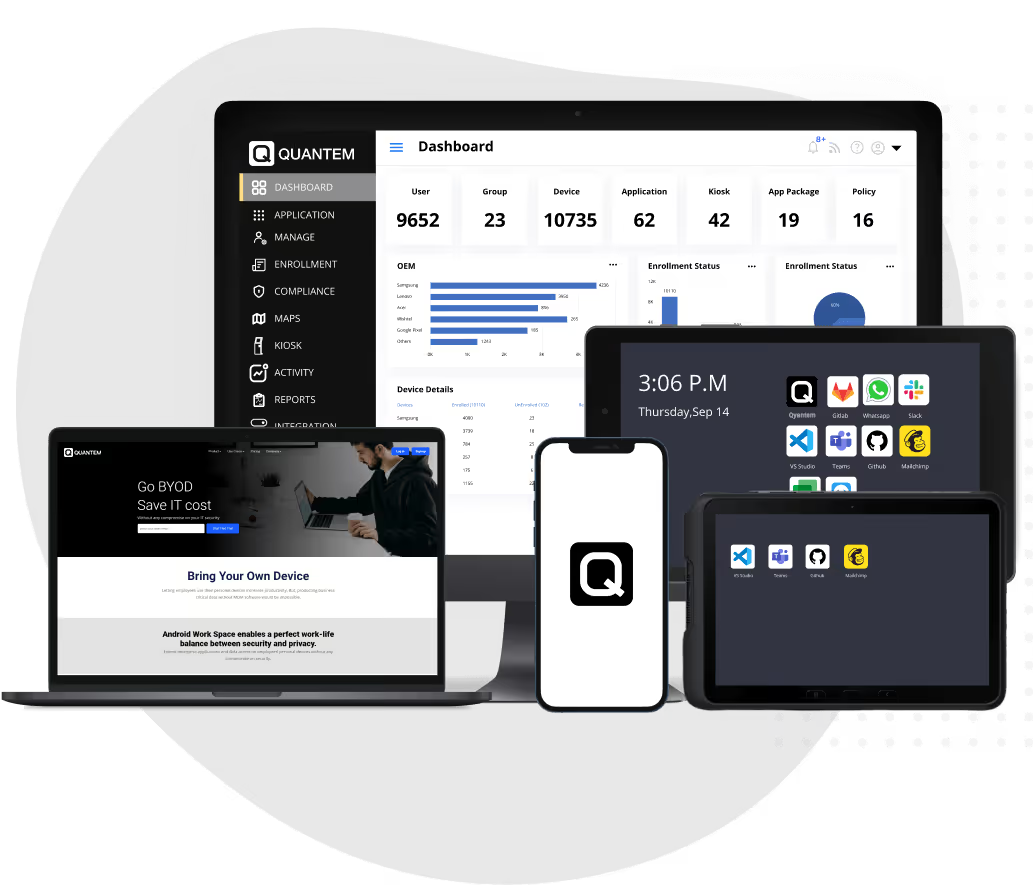
Managing custom Android devices requires an MDM solution that can work with different OS configurations and device requirements. Quantem helps businesses manage compatible AOSP-based devices, custom ROMs, and custom Android OS builds through a centralized management platform.
With Quantem, IT administrators can manage supported custom Android devices from a single dashboard. They can remotely configure device settings, enforce policies, distribute business applications, and monitor device status without manually accessing each endpoint.
Quantem also helps simplify ongoing device administration through capabilities such as:
- Centralized Device Management: Manage compatible custom Android devices across multiple locations from one console.
- Policy Enforcement: Apply supported device restrictions, configurations, and security policies based on business requirements.
- Application Management: Remotely distribute, update, and remove approved applications on managed devices.
- Remote Troubleshooting: Diagnose device issues and perform supported remote actions without requiring physical access.
- Lifecycle Management: Manage compatible devices from initial enrollment and deployment through ongoing maintenance and decommissioning.
Whether you are managing rugged handhelds in warehouses, POS terminals in retail stores, or dedicated Android devices in the field, Quantem helps simplify device administration and maintain control across your fleet.
Manage Custom Android Devices with Greater Control & Less Manual Effort
FAQ
1. What Does a Custom OS Do?
A custom OS modifies an existing operating system, such as Android, to meet specific hardware, software, or business requirements. It allows developers to customize the UI, remove unnecessary applications, configure system functions, and optimize device behavior for specific tasks. Installing a custom OS may also involve unlocking the device's bootloader to allow modified firmware to be loaded.
2. What is the Difference Between Custom ROMs and Enterprise-Grade Custom OS?
Custom ROMs are modified Android operating systems developed by independent developers, communities, or organizations, often to introduce additional features or customization options. Enterprise-grade custom OS builds are designed for business environments, with greater emphasis on operational stability, hardware compatibility, security maintenance, and support for dedicated workflows.
3. Can I Use Google Services on a Custom OS?
Google services availability depends on the custom OS build and whether it includes Google Mobile Services (GMS) certification and licensing. Some AOSP-based custom operating systems do not include Google Play Store, Google Play Services, or other proprietary Google applications. Businesses should verify GMS availability and application compatibility before choosing a custom OS.
4. Will I Still Get Software Updates with a Custom OS?
Software updates depend on the developer or organization maintaining the custom Android OS. Some builds receive regular security patches and feature updates, while others may have limited or no ongoing support. Before deploying a custom OS, businesses should verify its update schedule and long-term maintenance commitments.
5. Is MDM Compatibility Guaranteed for All Custom ROMs or OS Builds?
No. MDM compatibility is not guaranteed across all custom ROMs or Android OS builds. It depends on factors such as available management APIs, system permissions, Android version, and support for required device management services. Businesses should test their specific OS builds and device models with a third-party MDM solution before large-scale deployment.
6. How Do I Fix the "Custom OS Warning" on Android?
The "Custom OS" warning on Android typically appears when a device enters Download Mode or displays a warning before installing or loading unofficial software. If you encounter it unintentionally, restart the device using the manufacturer's recommended button combination and avoid proceeding with any installation. If the warning persists, consult the device manufacturer's support documentation.
7. Is Installing a Custom OS Legal?
Installing a custom OS is generally legal, provided the software is used and distributed in accordance with applicable licenses and intellectual property laws. However, modifying a device's firmware may affect its warranty, manufacturer support, or access to certain services. Businesses should review the phone manufacturer's terms and the custom OS licensing requirements before installation.
8. What Should Businesses Know About Custom Android OS Licensing?
Businesses should consider software licensing, intellectual property rights, and distribution requirements when developing or deploying a custom Android OS. Although AOSP is open source, individual components may have different licensing conditions, and proprietary services such as Google Mobile Services require separate licensing. Organizations should review the applicable licenses and permissions before distributing or commercializing a custom build.



Get the latest blogs directly delivered to your mail fly arrow