What is Samsung Knox? A Guide to Enterprise Device Management
Samsung devices are widely used in business environments, from employee smartphones to rugged tablets deployed across warehouses, retail stores, and field operations. But as organizations rely more heavily on mobile devices, protecting business data and maintaining device security become increasingly important.
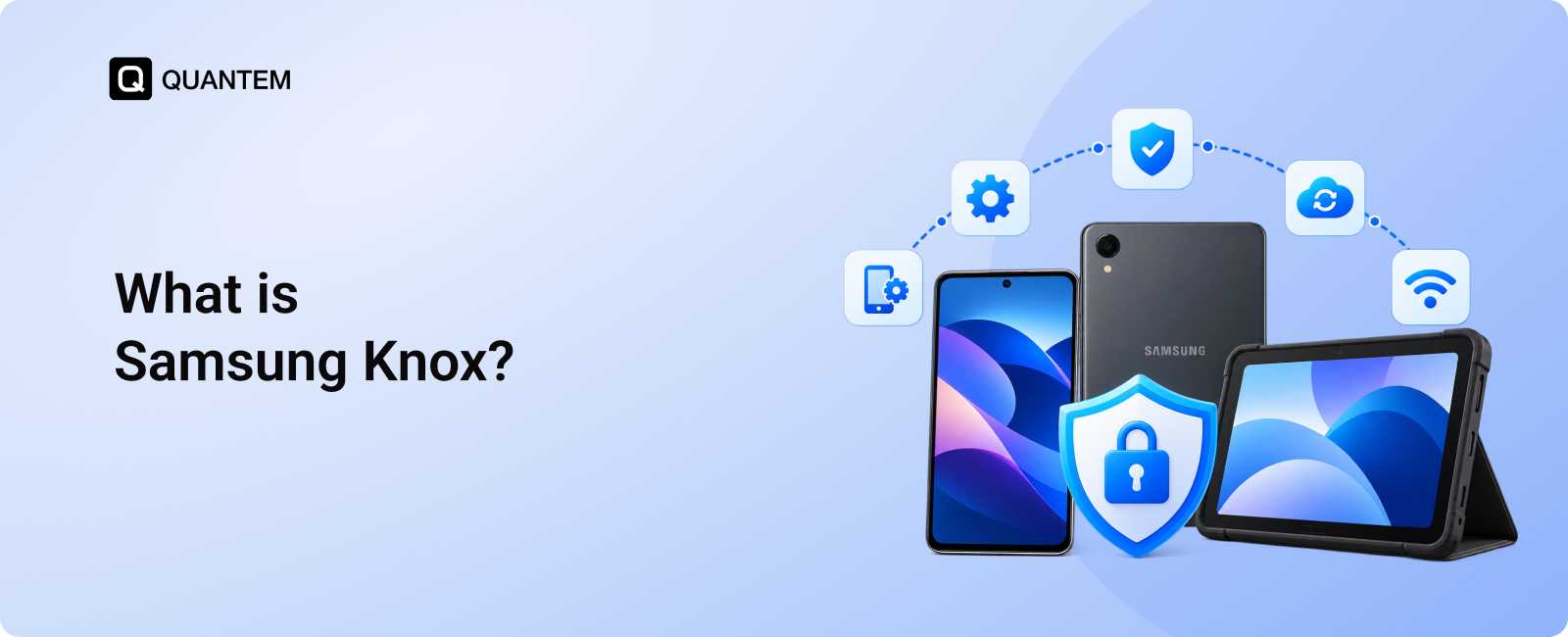
That's where Samsung Knox comes in. Built into supported Samsung devices, Knox provides hardware-backed and software-based security designed to help protect devices, safeguard sensitive information, and detect signs of tampering.
For enterprises, understanding Knox is important when choosing Samsung devices for business use. However, device security is only one part of the equation. IT teams also need a practical way to configure devices, enforce policies, distribute applications, and manage their entire fleet.
In this blog, we will explain what Samsung Knox is, how it works, its key security features, and how enterprises can combine Knox with a Mobile Device Management (MDM) solution to manage Samsung devices at scale.
What is Samsung Knox?
Samsung Knox is a built-in security platform that protects supported Samsung devices and their data through hardware-backed security, secure boot, data encryption, and safeguards against unauthorized access and tampering. It provides a security foundation for Samsung smartphones and tablets used by individuals and enterprises.
For businesses, Samsung Knox helps protect corporate data, verify device integrity, and support advanced security controls across compatible devices. IT teams can combine Knox with a Mobile Device Management (MDM) or Unified Endpoint Management (UEM) solution to enforce security policies, configure devices, and manage their Samsung fleet from a central console.
Samsung Knox Products and Their Enterprise Use Cases
Samsung offers several Knox products and services to help businesses secure, enroll, configure, and manage their devices. Each serves a different purpose, from built-in device protection to centralized management and firmware control.
These products serve different needs and may be offered separately or as part of a Knox package, depending on the product, region, and licensing. Samsung Knox provides the security foundation, while the right combination of Knox services and an MDM or UEM solution helps IT teams manage devices throughout their lifecycle.
Samsung Knox Security Features for Enterprise Devices
Samsung Knox offers enterprise security capabilities that go beyond basic screen locks and password protection. With supported devices and compatible management tools, IT teams can apply more precise security policies, check device integrity, and protect business data.
1. Firewall Policy Enhancement
Samsung Knox APIs allow IT administrators to apply advanced firewall policies on supported devices. Depending on the configuration, administrators can block specific IP addresses or define access rules for selected network destinations. This gives businesses greater control over network access on corporate devices, helping restrict connections that could expose sensitive company data.
2. DualDAR Encryption
DualDAR, short for Dual Data-at-Rest, adds a second layer of encryption to protect enterprise data stored on supported Samsung devices. The two encryption layers operate independently, strengthening data protection when a device is locked or in an unauthenticated state. For organizations handling sensitive business information, this additional protection can help reduce the risk of unauthorized access to stored data.
3. Separate Input Method Editors (IMEs)
Employees may prefer different keyboards or input methods on their personal and work profiles. Samsung Knox supports controls that help IT administrators keep input methods in the work environment separate from those used in the personal profile, where supported. This separation helps organizations manage potential data leakage risks without unnecessarily restricting employees' personal device preferences.
4. Knox Attestation
Knox attestation allows compatible management systems to remotely assess the integrity of supported Samsung devices. It can provide signals that help IT teams identify potential issues, such as signs of rooting, tampering, or unauthorized firmware. Administrators can use these signals to identify devices that may require investigation or additional security measures before they access corporate resources.
5. Knox Browser
Samsung Knox supports secure browsing capabilities through compatible browser solutions and management policies. IT administrators can configure settings such as a designated homepage, approved bookmarks, and website allowlists or blocklists, depending on the browser and available controls. These restrictions are useful for organizations that rely on browser-based business applications or want employees to access only approved websites on work devices.
6. Secure Firmware and Security Updates
Keeping device firmware current is an important part of enterprise security. Samsung's Knox ecosystem includes tools such as Knox E-FOTA that help IT administrators control firmware versions and schedule update deployments on supported devices. This helps businesses coordinate updates across their device fleets, test specific firmware versions before wider deployment, and reduce the operational disruption that unplanned updates can cause.
7. Security Center and Fleet Vulnerability Visibility
Enterprise security teams need visibility into device risks, not just a list of enrolled devices. Compatible Samsung Knox management and security tools can provide information about device health, vulnerabilities, security patch levels, and integrity-related signals.This information helps IT teams identify devices that need attention, prioritize remediation, and make more informed decisions about fleet security.
Note: The availability of these features depends on the Samsung device model, Android version, Knox services, licensing, and the organization's EMM or UEM integration. Not every feature is available on every Samsung device or through every management console.
Benefits of Samsung Knox for Enterprises
Samsung Knox gives businesses a security foundation for deploying Samsung devices across different teams and work environments. Its hardware-backed protections, enterprise controls, and integration options help IT teams reduce security risks while maintaining control over corporate devices.
1. Hardware-Backed Security for Sensitive Business Data
Samsung Knox combines hardware-based protections with software security mechanisms to help protect devices from tampering and unauthorized access. Features such as secure boot, device integrity checks, and data encryption help establish a stronger security baseline on supported Samsung devices.
For organizations in healthcare, finance, and government, these capabilities can support broader security requirements when combined with appropriate device configurations, access controls, and organizational policies. However, using Knox alone does not guarantee compliance with any particular regulation or security standard.
2. Granular Control Over Device Security
Businesses often have different security requirements for different roles. A field technician may need access to specific business apps, while a finance employee may require stricter network and data protection controls.
Samsung Knox exposes additional device controls through its enterprise APIs and compatible management solutions. Depending on device support and configuration, IT administrators can enforce restrictions, manage work and personal environments, configure VPN behavior, and assess device integrity remotely.
This level of control helps organizations tailor security policies to operational needs instead of applying the same restrictions to every device.
3. Control Over Device Settings and Hardware Features
Samsung Knox provides enterprise controls for supported device settings and hardware functions. Through compatible management tools, administrators may be able to restrict selected system settings, control hardware buttons, and configure Samsung DeX behavior.
These controls are particularly useful for devices assigned to specific business tasks. For example, a tablet used at a retail counter can be configured to limit unnecessary settings changes, while a device used in a field operation can be restricted to approved functions.
The available controls vary by device model, operating system version, and management integration.
4. Integration With Enterprise Management Solutions
Samsung Knox works with compatible Enterprise Mobility Management (EMM) and Unified Endpoint Management (UEM) solutions, allowing organizations to apply supported Samsung-specific policies through their existing device management workflows.
This integration helps IT teams combine Knox security capabilities with centralized enrollment, application deployment, configuration management, and compliance monitoring. It can also make it easier to manage Samsung devices alongside endpoints running other operating systems, depending on the chosen management platform.
For businesses deploying Samsung devices at scale, combining Knox with an appropriate MDM or UEM solution helps connect device-level security with day-to-day fleet administration.
Samsung Knox Suite vs. MDM: Understanding the Difference
Samsung Knox and Mobile Device Management (MDM) serve different purposes in enterprise mobility. Samsung Knox provides built-in security protections and Samsung-specific security capabilities, while an MDM solution helps IT teams configure, monitor, and manage devices from a central console.
Understanding how they differ helps businesses build a device management strategy that addresses both security and day-to-day IT operations.
When Should Your Business Consider Samsung Knox?
Samsung Knox is worth considering if your organization relies on Samsung smartphones or tablets and needs stronger protection for corporate data. Its built-in security features and enterprise controls can help businesses protect devices, reduce the risk of tampering, and establish a more secure mobile environment.
Samsung Knox is particularly relevant for organizations that:
- Handle sensitive business data: Use hardware-backed security and device integrity protections to strengthen data security on supported Samsung devices.
- Require Samsung-specific security controls: Apply advanced configurations through Knox capabilities and compatible management tools.
- Deploy Samsung devices at scale: Use Samsung's enterprise services to simplify device enrollment, firmware management, and deployment workflows.
- Operate in regulated industries: Support security policies and compliance efforts with appropriate device protections, configurations, and monitoring.
However, securing devices is only one part of enterprise mobility. Businesses must also provision devices, configure work environments, distribute applications, enforce policies, and monitor compliance throughout the device lifecycle.
Why Do Enterprises Need MDM for Samsung Knox Devices?
Samsung Knox provides a security foundation for supported Samsung devices, but enterprises need more than device-level protection to manage a growing fleet. While Samsung's Knox ecosystem offers tools for enrollment, security, and device management, businesses with mixed operating systems or more complex IT requirements may need a dedicated MDM solution to centralize their operations.
Knox helps protect device integrity and sensitive data through hardware-backed security and supported enterprise controls. An MDM solution complements these protections by handling fleet-wide tasks such as device enrollment, policy distribution, application management, update coordination, remote actions, compliance monitoring, and reporting. With a multi-platform MDM, IT teams can manage supported Samsung devices alongside Windows, Apple, and other endpoints from a central console.
Without centralized management, IT teams may have to rely on separate tools and manual processes to configure devices, troubleshoot issues, and maintain consistent policies. As the fleet grows, this fragmented approach can increase administrative effort and make it harder to maintain visibility across devices.
Can You Use Samsung Knox and MDM Together?
Yes. Samsung Knox and an MDM solution can work together to strengthen device security and simplify enterprise device management. Knox provides built-in security protections and Samsung-specific controls, while MDM helps IT teams configure devices, distribute applications, enforce policies, and monitor compliance from a central console.
For example, an organization can use Knox security features to help protect corporate data while using an MDM platform to enroll devices, configure kiosk mode, deploy business apps, apply security policies, and perform supported remote management actions.
Combining Samsung Knox with MDM helps enterprises connect device-level security with centralized fleet management. This approach is particularly useful for organizations that deploy Samsung devices across multiple teams, locations, or business operations.
Benefits of Using Samsung Knox and MDM for Enterprises
Combining Samsung Knox with an MDM solution helps businesses protect their Samsung devices while managing them efficiently at scale. Knox provides built-in security protections, while MDM centralizes device administration and policy enforcement. Here are some of the key benefits of using Samsung Knox and MDM for enterprises:
1. Centralized Device Management
IT administrators can enroll, configure, and monitor devices from a central dashboard. Grouping devices by department, location, or business function also makes it easier to apply the right configurations across a large fleet without managing each device individually.
2. Improved Compliance Readiness
An MDM solution helps organizations enforce security policies, monitor device compliance, and maintain records for audits. Combined with supported Knox security controls, these capabilities can help businesses meet internal security requirements and support compliance efforts for frameworks such as HIPAA and GDPR. Actual compliance depends on the organization's broader policies, processes, and safeguards.
3. Stronger, Layered Device Security
Samsung Knox provides hardware-backed and software-based protections to help safeguard device integrity and business data. MDM adds another layer through centralized security policies, access restrictions, and compliance monitoring. Together, they help organizations address risks across managed devices and their use in the workplace.
4. Simplified Application Management
IT teams can remotely deploy, configure, update, and remove business applications on supported devices. App allowlisting and blocklisting can also help restrict access to unapproved software. This is particularly useful for businesses that rely on dedicated apps for retail operations, healthcare workflows, or warehouse tasks.
5. Advanced Samsung-Specific Policy Control
Through compatible integrations with the Knox Service Plugin (KSP), MDM solutions can expose supported Samsung Knox Platform for Enterprise policies within their management console. This allows administrators to configure additional Samsung-specific restrictions and settings without relying entirely on separate configuration workflows. Availability depends on device compatibility, licensing, and MDM support.
6. Integration With Existing IT Systems
Samsung Knox APIs enable compatible management platforms and enterprise applications to interact with supported Samsung device capabilities. Depending on the integration, organizations can automate selected tasks and connect device management workflows with their existing IT systems, helping reduce manual administration and better align device management with business needs.
Manage Samsung Knox Devices Effortlessly With Quantem
Samsung Knox helps secure the hardware and operating system (OS) of supported Samsung devices through built-in security protections. However, enterprises also need a way to manage devices throughout their lifecycle, from enrollment and configuration to application deployment and security policy enforcement. Quantem provides a centralized MDM platform to help IT teams manage Android devices, including Samsung devices.
With Quantem, organizations can simplify device provisioning, configure kiosk deployments, monitor device status, enforce supported security policies, and gain visibility into their device fleet. Its analytics and multi-OS management capabilities also help IT teams streamline day-to-day administration across their managed devices.
By combining Samsung Knox's hardware and OS-level security with Quantem's device management capabilities, businesses can strengthen their device management strategy while maintaining centralized control over their Samsung fleet.
Simplify Samsung Knox Device Management with Quantem
1. Is Samsung Knox an MDM solution?
No. Samsung Knox is a security platform that provides built-in protections and enterprise security capabilities on supported Samsung devices. MDM software helps IT teams enroll, configure, monitor, and manage devices centrally. Samsung also offers Knox Manage, its own MDM solution.
2. Is Samsung Knox safe to use?
Yes. Samsung Knox is designed to protect supported devices and sensitive data through hardware-backed security, secure boot, encryption, and other security mechanisms. However, no security platform can eliminate every threat. Keeping devices updated and applying appropriate security policies remain important.
3. Do all Samsung phones have Knox?
No. Knox availability and capabilities vary by device model, product line, and software version. Many Samsung Galaxy devices include Knox security features, but not every device supports the same enterprise controls. Check Samsung's official documentation for your specific model.
4. Can Samsung Knox work with third-party MDM solutions?
Yes. Compatible third-party MDM and UEM solutions can integrate with supported Samsung Knox capabilities through available APIs and services, including the Knox Service Plugin where supported. This allows IT teams to apply Samsung-specific policies while managing devices through their existing console. Available features depend on device compatibility, licensing, and the MDM provider.
5. Is Samsung Knox free?
Basic Knox security protections are built into supported Samsung devices and do not require a separate purchase. However, certain enterprise services, management tools, and advanced capabilities may require a subscription or license. Pricing and availability depend on the product and region.
6. What is the difference between Samsung Knox and Knox Manage?
Samsung Knox is the broader security platform and enterprise ecosystem. Knox Manage is Samsung's mobile device management solution, designed to help administrators configure devices, enforce policies, manage applications, and oversee supported endpoints. In short, Knox provides the security foundation, while Knox Manage provides device management capabilities.
7. Does Samsung Knox protect against viruses?
Samsung Knox is not a standalone antivirus application. It provides security mechanisms designed to protect device integrity, safeguard data, and reduce exposure to certain threats. Organizations may still need endpoint protection, application controls, security monitoring, and other safeguards based on their risk requirements.
8. Can Samsung Knox be disabled?
Some Knox-related services or features may be configurable, but built-in security mechanisms are integrated into supported Samsung devices and are not all controlled through a single on/off switch. Options depend on the device, software version, and specific feature. Disabling or modifying certain protections may affect device security or enterprise management.



Get the latest blogs directly delivered to your mail fly arrow