What is Factory Reset Protection (FRP) on Android Devices?
Imagine your Android phone gets lost, and someone finds it, performs a factory reset, and tries to set it up as their own. Without the right protection, they could potentially reuse the device after wiping everything on it.
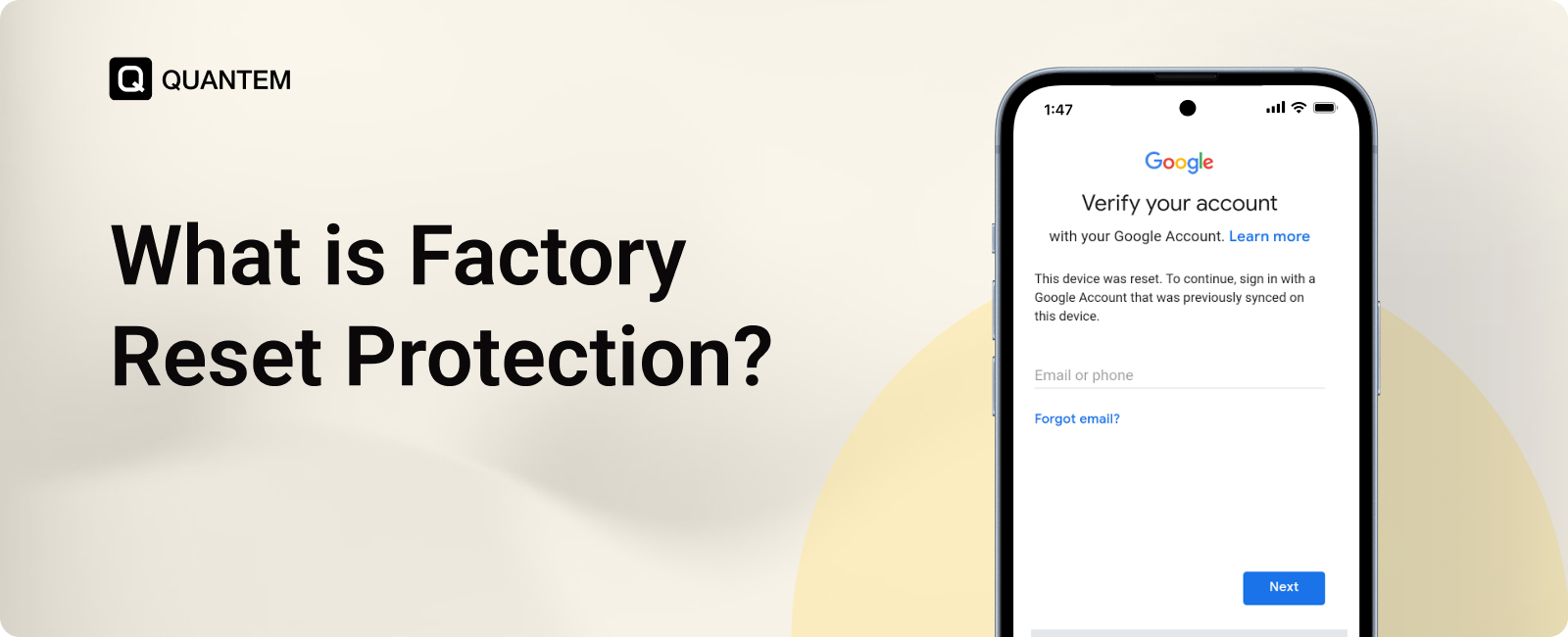
Factory Reset Protection (FRP) is an Android security feature designed to help prevent unauthorized use after a factory reset. When FRP is triggered, the device can require verification of a previously associated Google Account before setup can continue.
This makes FRP useful when you lose your phone, sell a device, send it for repair, or simply want an extra layer of protection against unauthorized reuse.
But how exactly does FRP work? What happens after a factory reset, and how can you enable or disable it?
In this blog, we will explain what Factory Reset Protection is, how FRP works, how to enable and disable it, its benefits, and how it can be managed across Android devices.
What is Factory Reset Protection (FRP)?
Factory Reset Protection (FRP) is an Android security feature that helps prevent unauthorized access to a device after an untrusted factory reset. When FRP is triggered, the device checks for an authorized Google Account before allowing the setup process to continue.
FRP was introduced with Android 5.1 Lollipop and is available on Android devices that support the feature. It is designed to protect the device even after its data has been erased through a factory reset. If someone resets a protected device without authorization, they cannot simply set it up with a new Google Account and start using it.
The feature is also commonly referred to as Android Factory Reset Protection, Google FRP, or FRP Lock. While the exact setup and management options can vary across Android versions and device manufacturers, the core purpose remains the same: verify ownership before a reset device can be activated again.
How Does Factory Reset Protection (FRP) Work?
Factory Reset Protection works by linking the Android device's reset protection to an authorized Google Account. Whenever someone reset the device, FRP checks whether the person setting up the device is authorized to use it.
If FRP is active, the setup process can require verification using a Google Account that was previously associated with the device. Without the required credentials, the device cannot be activated normally with a new account.
The process can be understood in three simple stages:
- A Google Account is added: A Google Account is associated with the Android device, establishing the account used for ownership verification.
- The device is factory reset: The device's data is erased through a factory reset.
- The device asks for verification: During setup, Android requires verification of the previously associated account before the device can be activated normally.
So, a factory reset does not necessarily remove FRP protection. The device's data can be erased, but the ownership check can remain in place until the required account is verified.
Why is Factory Reset Protection Important for Corporate-Owned Android Devices?
For corporate-owned Android devices, Factory Reset Protection is especially important because these devices remain company property even when they are assigned to employees, used by frontline teams, or deployed as kiosks and shared devices.
Without FRP, someone who gains physical access to a company device could factory reset it and attempt to set it up as a new device. This creates risks around device theft, unauthorized reuse, and loss of control over company-owned hardware.
FRP helps businesses maintain ownership protection after a factory reset:
- Protect company-owned devices: FRP can prevent a reset device from being activated by an unauthorized user.
- Discourage device theft: A stolen Android device becomes less useful when the person who resets it still needs to complete the required account verification.
- Protect devices used outside the office: Employees, field workers, and frontline teams may use company devices away from IT. FRP provides an additional layer of protection if one is lost or stolen.
- Secure dedicated devices: Corporate-owned kiosks, shared tablets, and other dedicated Android devices can remain protected against unauthorized reset and reuse.
Overall, FRP helps organizations retain control over their Android hardware even after the device has been wiped, making it an important part of corporate device security.
What Are the Risks of Not Using Factory Reset Protection?
For corporate-owned Android devices, skipping Factory Reset Protection (FRP) can make it easier for an unauthorized person to reset and reuse a company device. The risk isn't limited to the device itself. A lost or stolen device can also create security and operational problems for the organization.
1. Unauthorized Access to Reset Devices
Without FRP, someone who gains access to a company-owned Android device may be able to factory reset it and attempt to use it as their own. This makes it harder to maintain control over company hardware after it is lost or stolen.
2. Increased Risk of Device Theft
A device that can be easily reset and reused may be more attractive to someone who steals it. FRP adds a barrier by requiring account verification before the reset device can be activated again.
3. Loss of Company-Owned Hardware
If a reset device cannot be recovered or reused by the organization, the business may need to replace it. This can increase hardware costs, especially when multiple devices are deployed across employees, stores, or field locations.
4. Loss of Control Over Dedicated Devices
Corporate-owned Android devices are often used for specific purposes, such as kiosks, shared tablets, frontline devices, and digital signage. Without FRP, an unauthorized factory reset can remove the device from its intended setup and make it available for other uses.
5. Operational Disruption
A lost or reset device can interrupt the work it was supporting. Employees may lose access to a required device, while customer-facing or shared devices may stop performing their intended function until they are recovered and configured again
How to Enable Factory Reset Protection on Android?
Factory Reset Protection is generally enabled automatically when you add a Google Account to an Android device and set up a secure screen lock such as a PIN, pattern, or password. You don't normally need to find a separate “Turn on FRP” switch.
Add a Google Account
- Open Settings on your Android device.
- Go to Passwords & accounts, Accounts, or Users & accounts, depending on your device.
- Tap Add account.
- Select Google.
- Follow the on-screen instructions to sign in.
Set Up a Screen Lock
A secure screen lock adds another layer of protection to your device.
On Samsung devices:
- Open Settings.
- Tap Lock screen or Lock screen and AOD.
- Select Screen lock type.
- Choose a PIN, pattern, or password and complete the setup.
On Google Pixel and other Android devices:
- Open Settings.
- Go to Security & privacy > Device unlock > Screen lock. Menu names may vary by Android version.
- Enter your current screen lock if prompted.
- Choose a PIN, pattern, or password and follow the instructions.
Once the Google Account and screen lock are set up, FRP protection is associated with the device automatically.
How to Disable Factory Reset Protection on Android?
Factory Reset Protection does not have a dedicated on/off switch. If you are preparing an Android device to sell, trade in, give away, repair, or hand over to another person, you should remove the Google Account associated with the device before performing a factory reset.
Remove Your Google Account
- Open Settings on your Android device.
- Go to Passwords & accounts, Accounts, or Users & accounts, depending on your device.
- Select the Google Account associated with the device.
- Tap Remove account.
- Enter your PIN, pattern, or password if prompted.
- Once all Google Accounts have been removed, you can perform a factory reset without leaving the next user stuck at the FRP verification screen.
If you are resetting the phone from Settings, while you are still signed in, the reset is treated as an authorized action. However, removing your Google Account first is still recommended when you're handing the device to someone else because it helps the next user complete setup without being asked for your account credentials.
Why Do Enterprises Need an MDM Solution to Manage Factory Reset Protection?
Factory Reset Protection helps secure individual Android devices, but managing FRP across multiple corporate-owned devices can be challenging. An Android MDM solution brings Enterprise Factory Reset Protection (EFRP) under centralized management, allowing IT teams to define authorized accounts and apply FRP policies across multiple devices without configuring each one manually.
Here’s why enterprises use an MDM solution to manage FRP:
1. Prevent Device Lockouts After Offboarding
A corporate device can become difficult to reuse if it remains linked to an employee's Google Account after a reset. Enterprise FRP lets IT teams define authorized accounts for device activation, making it easier to recover the device and prepare it for its next user.
2. Protect Against Hard Resets
Even when factory reset is restricted in device settings, someone with physical access may attempt a reset through recovery mode. Enterprise FRP maintains the ownership check after the reset, making it harder for an unauthorized person to activate the device.
3. Manage FRP Across Multiple Devices
Configuring FRP individually becomes impractical when an organization manages hundreds or thousands of Android devices. An MDM solution lets administrators configure and apply FRP policies across multiple devices from a central platform.
4. Simplify Device Reassignment
Corporate devices often move between employees, departments, and locations. Centralized FRP management helps IT teams reset and prepare devices for their next user without relying on the previous employee's account credentials.
5. Maintain Ownership of Corporate Devices
FRP protects more than the data stored on a device. It also helps organizations maintain control over their physical hardware by reducing the risk of company-owned devices being reset, reused, or resold without authorization.
Consumer FRP vs. Enterprise FRP With MDM
Factory Reset Protection works differently for personal devices and corporate-owned Android devices. Consumer FRP is mainly tied to the individual owner's Google Account, while Enterprise FRP (EFRP) gives organizations more control over which accounts can activate a device after a factory reset. The table below highlights the key differences.
The key difference is who controls the protection. With consumer FRP, the device owner's account is central to the verification process. With Enterprise FRP, organizations can define authorized accounts and manage FRP policies across multiple corporate-owned devices, making device recovery and reassignment easier.
Why Quantem MDM Is the Best Way to Manage FRP on Enterprise Android Devices?
Factory Reset Protection helps protect Android devices after a factory reset, but managing FRP across a growing device fleet requires centralized control. Quantem MDM helps IT teams manage FRP policies across corporate-owned Android devices from a single dashboard.
With Quantem, administrators can simplify FRP management while maintaining control over devices throughout their lifecycle.
- Centralized FRP Management: Configure and manage FRP policies across multiple Android devices from one console.
- Authorized Account Management: Define the accounts permitted to activate devices after a factory reset.
- Device Reassignment: Prepare reset devices for new employees or locations without relying on the previous user's account.
- Kiosk and Dedicated Device Support: Protect Android devices used as kiosks, shared devices, and other dedicated-purpose devices.
- Remote Device Management: Manage device settings, applications, policies, and other controls alongside FRP from the same platform.
With Quantem MDM, organizations can combine FRP protection with centralized Android device management, making it easier to secure, recover, and manage corporate-owned devices at scale.
Keep your Android devices protected after a factory reset.
FAQs
1. What is Enhanced Factory Reset Protection on Android 15?
Enhanced Factory Reset Protection in Android 15 strengthens FRP by moving its enforcement deeper into the Android system, making it harder to bypass after a factory reset. Earlier versions relied more heavily on the Setup Wizard to enforce FRP, while Android 15 moved this enforcement deeper into the system. This makes FRP a stronger protection against unauthorized reuse of lost or stolen devices.
2. What happens when FRP is triggered?
When FRP is triggered after a factory reset, Android can ask for verification of a Google Account previously associated with the device. Without the required credentials, the device cannot be normally activated with a new account.
3. Is Factory Reset Protection available on all Android devices?
FRP was introduced with Android 5.1 Lollipop and is supported on Android devices that include the feature. However, the available settings and management options can vary by Android version and device manufacturer.
4. Can Factory Reset Protection be disabled?
FRP does not have a dedicated on/off switch. To prevent FRP from affecting the next user, you should remove the Google Account associated with the device before performing a factory reset, especially when selling, giving away, or handing over the device.
5. Is Factory Reset Protection important for corporate-owned Android devices?
Yes. FRP can help protect company-owned Android devices from unauthorized reuse after a reset. It is particularly useful for devices assigned to employees or used as kiosks, shared tablets, and other dedicated devices.
6. Can an MDM solution manage Factory Reset Protection?
Yes. An MDM solution can help organizations centrally manage Enterprise Factory Reset Protection (EFRP), define authorized accounts, and apply FRP policies across corporate-owned Android devices.
7. What is the difference between FRP and Enterprise FRP?
Consumer FRP is primarily associated with the individual mobile device owner's Google Account. Enterprise FRP (EFRP) allows organizations to define authorized accounts and manage FRP policies for corporate-owned Android devices, making device recovery and reassignment easier.
8. Is it Possible to Bypass FRP on Mobile Devices?
No. Factory Reset Protection is designed to prevent unauthorized users from bypassing ownership verification after a factory reset. However, various FRP bypass methods are shared online. These methods may stop working as Android security updates continue to improve and could also cause software issues or damage the device. The safest option is to verify the authorized Google Account associated with the device and follow the official recovery process.



Get the latest blogs directly delivered to your mail fly arrow

.png)