13 Essential Android MDM Alerts Every Business Should Use
Android devices power a wide range of business operations, from retail point-of-sale systems and warehouse scanners to employee smartphones and customer-facing kiosks. But deploying these devices is only half the job. IT teams also need to know when something goes wrong, whether a device goes offline, consumes unusually high amounts of data, or falls out of compliance with company policies.
Manually checking every device for potential issues isn't practical, especially when an organization manages hundreds or thousands of endpoints across multiple locations. A problem that goes unnoticed for hours can disrupt operations, expose sensitive business data, or leave employees without the tools they need to work.
This is where Android MDM alerts become valuable. A mobile device management (MDM) solution can notify IT administrators when specific device events, security risks, or policy violations require attention. Instead of relying entirely on routine checks, teams can respond to reported issues sooner and reduce unnecessary downtime.
From low-battery warnings and storage thresholds to unauthorized app installations and geofence breaches, the right alerts help businesses maintain better visibility into their Android device fleets. In this blog, we will cover 13 useful Android MDM alerts, explain when each one matters, and show how businesses can use them to simplify device monitoring and strengthen security.
What are Android MDM Alerts?
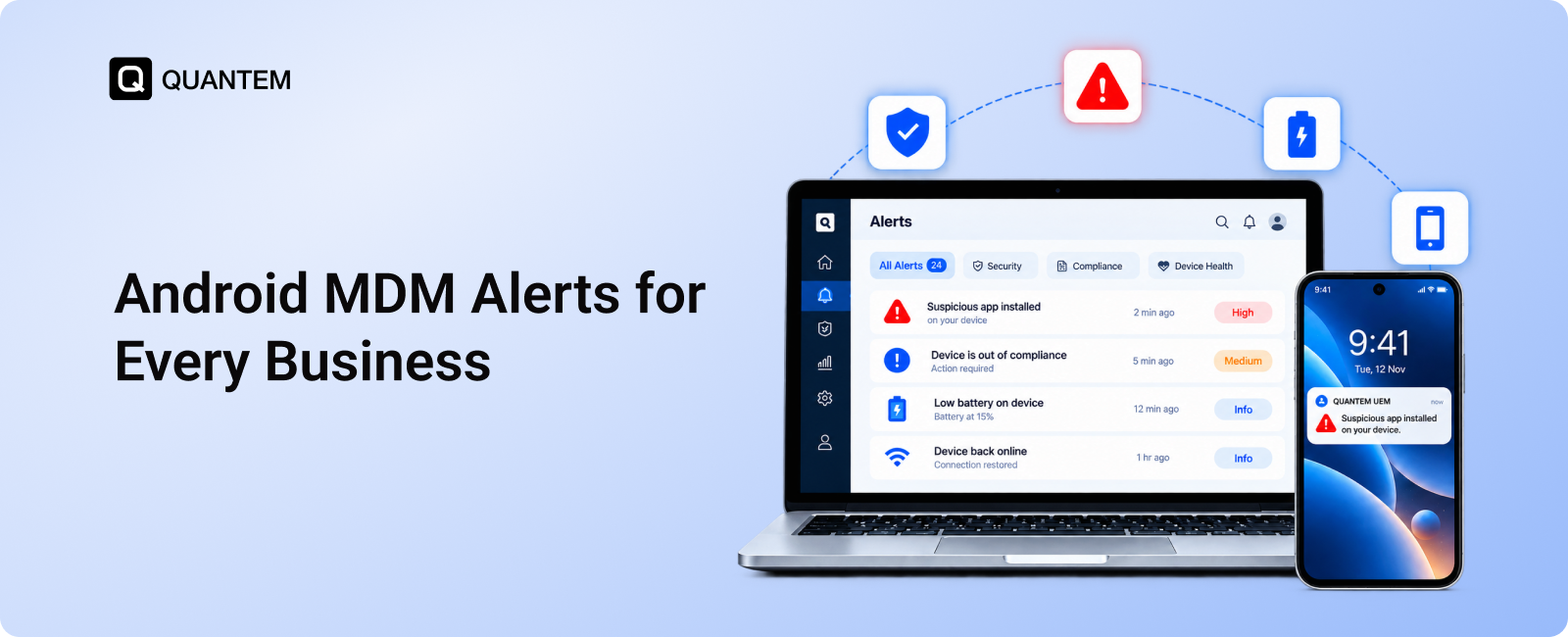
Android MDM alerts are automated notifications that inform IT administrators about important events, device status changes, security risks, or policy violations across managed Android devices. These alerts help teams identify issues that may require attention without having to inspect every device manually.
Through an MDM alert system, administrators can monitor specific conditions and receive notifications when configured thresholds or events are detected. For example, an alert might flag a device with critically low battery, unusually high data consumption, an unauthorized application, or a breach of a designated geofence.
Depending on the MDM platform, alerts may be delivered through the management dashboard, email, or other supported notification channels. Administrators can use this information to investigate issues, troubleshoot devices remotely, and take appropriate corrective action.
The goal of Android MDM alerts is to make device monitoring more proactive. By highlighting potential problems as they arise, they help IT teams maintain device availability, protect business data, and keep enterprise Android deployments running smoothly.
Why are Android MDM Alerts Important for Businesses?
Managing a large fleet of Android devices requires more than deploying applications and enforcing security policies. Devices can develop technical issues, lose connectivity, or fall out of compliance without warning. Without a reliable way to identify these events, IT administrators may not know a device needs attention until it affects business operations.
Android MDM alerts help bridge this gap by notifying administrators when specific device events or configured conditions require attention. Instead of relying solely on routine inspections, IT teams can use these notifications to identify issues across devices deployed in offices, warehouses, retail stores, and remote work environments.
For example, an Android kiosk may stop functioning during business hours, or a company-managed device may report a security policy violation. An alert can notify the relevant administrator, who can then investigate the issue and take appropriate action.
The type of notification and available response options depend on the MDM platform. By configuring alerts around their operational and security requirements, businesses can establish a more structured approach to monitoring Android devices.
What are the Benefits of Android MDM Alerts?
Android MDM alerts help businesses monitor device health, identify potential security risks, and manage large device fleets without depending entirely on manual checks. Here are the key benefits:
- Faster Issue Detection: Automated notifications help IT teams identify problems such as offline devices, low battery levels, and limited storage before they cause further disruption.
- Stronger Device Security: Alerts about unauthorized app installations, repeated failed login attempts, and policy violations help administrators investigate suspicious activity and respond promptly.
- Reduced Device Downtime: Early warnings allow support teams to address device issues before they interrupt business-critical activities, such as retail transactions, warehouse operations, or field service work.
- Simplified Compliance Monitoring: Device compliance alerts identify endpoints that fail to meet configured security requirements, helping administrators investigate violations and restore compliance.
- More Efficient IT Operations: Rather than repeatedly checking every device, IT teams can prioritize alerts that require attention and focus their resources on resolving issues.
- Better Fleet-Wide Visibility: A centralized MDM dashboard helps administrators monitor device events across departments, facilities, and remote locations from one place.
- Lower IT Support Costs: Automated alerts reduce repetitive monitoring tasks and help support teams allocate their time more effectively.
- Improved Employee Productivity: Addressing device issues promptly helps employees avoid unnecessary interruptions and continue their work with fewer technical obstacles.
By combining automated notifications with centralized device monitoring, businesses can identify issues sooner, prioritize corrective actions, and maintain better oversight of their Android device fleets.
13 Essential Android MDM Alerts for Businesses
Not every device event requires immediate intervention, but certain changes can signal technical problems, security risks, or interruptions to business operations. Configuring the right Android MDM alerts helps IT administrators focus on events that matter to their device fleet.
1. Device Inactivity Alerts
When an Android device stops showing activity, it may indicate a technical fault, an unexpected shutdown, or a device that is no longer being used. This is particularly important for unattended devices, such as digital kiosks, point-of-sale terminals, and information displays, where problems can go unnoticed.
Device inactivity alerts notify administrators when a device meets a configured inactivity condition. IT teams can then investigate whether the device is functioning as expected or requires troubleshooting.
For example, if a customer-facing kiosk becomes inactive during business hours, an alert can prompt the support team to check its status and take corrective action before the issue affects customers.
2. Data Usage Alerts
Unexpected increases in mobile data consumption can affect operating costs and may indicate unusual device or application activity. For organizations using cellular-connected Android devices, monitoring data consumption helps IT teams identify usage that exceeds expected limits.
Android data usage alerts can notify administrators when a device crosses a configured data threshold, where supported by the MDM solution. The team can then review usage patterns and investigate possible causes, such as large downloads, excessive application activity, or unexpected background data consumption.
For instance, a business that provides mobile devices to field employees can configure data usage thresholds to identify devices consuming substantially more data than expected. These alerts provide an early indication that further investigation may be needed.
3. SIM Card Removal or Replacement Alerts
Company-issued Android devices may rely on assigned SIM cards for cellular connectivity and business communication. If a SIM card is removed or replaced without authorization, the device may lose its expected connectivity or incur unexpected usage charges.
SIM card removal alerts notify administrators when a supported MDM solution detects a SIM-related change. IT teams can investigate whether the change was authorized and determine whether the device's connectivity or security requires attention.
For example, if a company-issued smartphone suddenly reports a different SIM card, an administrator can verify the change with the assigned employee and check whether the device is still being used according to company policy.
4. Battery Status Alerts
Low battery levels can interrupt business operations, especially when Android devices are used throughout a shift or operate as unattended kiosks. A device that runs out of power may become unavailable until someone physically checks and reconnects it.
Android battery alerts help administrators identify devices whose battery levels fall below a configured threshold, provided the MDM platform supports these notifications. This is useful for identifying devices that need charging or investigating possible power-related problems.
For example, a retail business can monitor battery levels on handheld devices used by store employees. If a device's battery drops below the required level during a shift, the relevant team can charge or replace it before it becomes unavailable.
5. Storage Capacity Alerts
Insufficient storage can affect application performance, prevent updates, and interfere with normal device operation. Business Android devices that store application data, download files, or run dedicated applications may gradually run out of available space.
Device storage alerts notify administrators when available storage falls below a defined threshold. This gives IT teams an opportunity to investigate storage consumption and take appropriate action, such as removing unnecessary files or reviewing application data.
For example, an Android device used for inventory management may struggle to download an application update when storage is nearly full. An alert can help administrators identify the issue before it disrupts warehouse operations.
6. Geofence Breach Alerts
Businesses that deploy Android devices across multiple locations may need to know when a device moves outside an authorized area. Geofence breach alerts help administrators monitor movement in relation to virtual boundaries configured around locations such as warehouses, retail stores, offices, or distribution centers.
When a managed device enters or exits a designated geofence, the MDM platform can notify administrators if the relevant alert is supported and configured. IT teams can then determine whether the movement is expected or requires investigation.
For example, a logistics company can establish a geofence around a warehouse and receive an alert when a monitored device moves beyond the designated boundary. This provides additional visibility into device movement without requiring staff to check each device's location manually.
7. Device Compliance Alerts
Managed Android devices must meet organizational requirements for security and configuration. A device may become noncompliant if it no longer satisfies a required policy, such as a passcode rule or another supported security setting.
Device compliance alerts notify administrators when a managed endpoint fails to meet a configured requirement. Depending on the MDM platform, administrators may be able to review the violation, investigate its cause, and take corrective action.
For example, if a company-issued device no longer meets the organization's required security configuration, an alert can prompt the IT team to assess the issue and restore compliance.
8. Unauthorized App Installation Alerts
Applications installed outside approved business channels can introduce security risks, create unnecessary distractions, or expose corporate information to untrusted services. Monitoring application changes helps organizations maintain control over the software available on managed Android devices.
Unauthorized app alerts can notify administrators when an application that violates the organization's app policy is detected, provided the MDM solution supports this capability. IT teams can review the application and determine whether it should be permitted or removed.
For instance, if an employee installs an unapproved application on a company-managed device, the alert can prompt an administrator to check the application against company policy and take the appropriate action.
9. Root Detection Alerts
Rooting an Android device removes certain operating system restrictions and can weaken security protections. A rooted device may expose business data to risks that would otherwise be limited by standard Android security controls.
Root detection alerts notify IT administrators when a managed device is identified as rooted by a supported detection mechanism. The team can investigate the device's status and decide whether additional restrictions or remediation are necessary.
For example, if a company-managed Android device is detected as rooted, the administrator can assess whether it still meets the organization's security requirements before allowing it to continue accessing business resources.
10. Security Incident Alerts
Security-related events can indicate that a managed Android device requires immediate attention. Depending on the MDM platform and its integrations, these events may include detected threats, suspicious activity, or security policy violations.
Android security alerts bring relevant events to the attention of IT administrators so they can investigate and respond according to the organization's incident response procedures. Available alerts vary by platform, and an MDM solution may rely on integrated security tools for certain threat detections.
For example, if a managed device generates a supported security warning, the IT team can investigate the event and determine whether the device needs additional restrictions, remote troubleshooting, or other protective action.
11. Device Location Change Alerts
Geofence alerts focus on movement across defined boundaries, while broader device location notifications can help administrators review changes in a device's reported location where the MDM platform supports them.
These notifications can be useful for organizations managing devices that travel between customer sites, delivery routes, or business facilities. Administrators can review the reported location and determine whether a change is consistent with the device's assigned use.
For example, if a company-owned device assigned to a field team reports an unexpected location, the administrator can review the available location information and follow up if needed.
12. Failed Login Attempt Alerts
Repeated unsuccessful login attempts may indicate that someone is trying to access a device without the correct credentials. Monitoring these events can help businesses identify potential access risks on managed Android endpoints.
Failed login alerts notify administrators when a supported device or management configuration detects a defined pattern of unsuccessful authentication attempts. The IT team can investigate the event and take appropriate steps based on company security policies.
For example, if a device records repeated failed unlock attempts, an administrator may review the incident and determine whether further security measures are needed. The exact detection and notification options depend on the Android version and MDM capabilities.
13. Device Broadcast Messages and Notifications
IT administrators sometimes need to communicate urgent information to many device users at once. Broadcast messaging can help distribute important notices, such as planned maintenance, changes to device usage procedures, or instructions related to a security incident.
Where supported, an MDM platform can send messages to a selected group of managed devices or users through a centralized console. This helps IT teams communicate consistently without contacting every employee individually.
For example, an organization preparing for a scheduled application update can send a message to affected users explaining when the update will take place and whether any action is required.
Broadcast messages are communication tools rather than device health alerts, but they complement an Android MDM alert system by helping administrators coordinate responses across a managed fleet.
Android MDM Alerts Across Different Industries
The alerts businesses need depend on how they deploy Android devices and the risks they face in daily operations. A retail store may prioritize point-of-sale (POS) terminals, while a logistics company may focus on warehouse scanners and location changes. Configuring alerts around these requirements helps IT teams monitor the events that matter most to their operations.
Healthcare
Healthcare organizations use Android devices for clinical workflows, patient-facing services, and administrative tasks. Battery status, device inactivity, unauthorized app installation, and compliance alerts can help IT teams identify issues that affect device availability or security. These notifications support timely intervention while helping organizations maintain their device management policies.
Retail
Retail businesses often deploy Android devices as kiosks, point-of-sale (POS) terminals, inventory scanners, and digital signage. Low-battery, storage capacity, device inactivity, and unauthorized app alerts can help identify problems that may interrupt store operations. Geofence alerts can also provide additional visibility into the movement of company-owned devices between designated locations.
Logistics and Transportation
Logistics companies rely on mobile devices to support delivery coordination, navigation, and communication across distributed teams. Data usage alerts can flag unexpected consumption, while geofence and location change notifications help administrators review device movement. Battery and device inactivity alerts are also useful for identifying devices that may become unavailable during a delivery shift.
Hospitality
Hotels, restaurants, and other hospitality businesses may use Android devices for check-in stations, payment processing, staff coordination, and guest services. Device inactivity, battery, storage, and compliance alerts help hospitality IT teams identify issues that could interrupt these workflows. Unauthorized app alerts can also help maintain control over applications installed on business devices.
Banking, Financial Services, and Insurance (BFSI)
BFSI organizations need to protect sensitive information and maintain strict controls over business devices. Device compliance, failed login, root detection, and unauthorized app alerts can help administrators identify potential security concerns. These notifications support timely investigation and help IT teams maintain device configurations aligned with organizational security requirements.
Strengthen Android Device Monitoring with Quantem MDM
Managing Android devices across multiple locations requires more than identifying problems after they occur. IT teams need a centralized way to monitor device status, detect potential issues, and respond when business devices require attention.
Quantem helps organizations manage Android devices through centralized device management and configurable workflows. Based on the deployment requirements, IT administrators can configure supported alerts to monitor device events and policy conditions across their fleet.
Quantem's remote cast and control feature complements device monitoring by helping IT administrators remotely view and troubleshoot supported Android devices. This can help teams investigate technical issues without requiring physical access to every device, reducing interruptions for employees and business operations.
Whether your organization deploys Android devices for frontline teams, retail operations, warehouse workflows, or customer-facing kiosks, Quantem MDM combines device monitoring with remote troubleshooting to help IT teams maintain better oversight of their device fleet.
Minimize Business Disruptions with Android MDM Alerts
1. What are MDM Alerts?
MDM alerts are automated notifications that inform IT administrators about important device events, security risks, or policy violations. They help businesses monitor managed Android devices and identify issues that may require investigation or corrective action.
2. What Types of Alerts can an Android MDM Solution Generate?
Depending on the platform, an Android MDM solution can generate alerts for device inactivity, low battery, storage limits, excessive data usage, SIM card changes, geofence breaches, compliance violations, unauthorized app installations, and failed login attempts.
3. How do MDM Alerts Help Improve Device Security?
MDM alerts notify administrators about potential security concerns, such as unauthorized applications, rooted devices, repeated failed login attempts, and policy violations. These notifications help IT teams investigate suspicious activity and take appropriate action to protect business data.
4. Can Businesses Receive Alerts When an Android Device Goes Offline?
Yes, MDM platforms that support device offline alerts can notify administrators when a managed Android device stops reporting its status or loses connectivity. This helps IT teams investigate connectivity problems and identify devices that may require troubleshooting.
5. Can Android MDM Alerts Monitor Battery and Storage Levels?
Yes, supported MDM solutions can generate alerts when a device's battery or available storage falls below configured thresholds. These notifications help administrators identify devices that may need charging, storage cleanup, or further technical investigation.
6. What are Geofence Alerts in Android Device Management?
Geofence alerts notify administrators when a managed Android device enters or leaves a predefined geographical boundary, provided the MDM platform supports this functionality. Businesses can use them to monitor device movement around warehouses, offices, retail stores, and other designated locations.
7. Can MDM Alerts Detect Unauthorized App Installations?
MDM solutions with supported application monitoring features can notify administrators when applications that violate company policies are detected. IT teams can review the application and determine whether it should be permitted, restricted, or removed.
8. How do Android MDM Alerts Help Reduce Device Downtime?
MDM alerts notify IT teams about potential problems, including low battery levels, limited storage, device inactivity, and connectivity issues. Early notifications help administrators investigate these problems and take corrective action before they cause prolonged operational disruptions.



Get the latest blogs directly delivered to your mail fly arrow