9 Reasons Enterprises Need an Android MDM Solution
Android devices have become essential to modern business operations. Employees use them to access company resources, frontline teams rely on them to complete daily tasks, and businesses deploy dedicated devices for everything from inventory management to customer-facing services. But as the number of devices grows, keeping them secure, configured, and ready for work becomes increasingly difficult.
Managing each device manually may work for a small team, but it quickly becomes impractical across multiple departments, locations, and remote work environments. IT administrators need a way to enforce security policies, distribute business applications, troubleshoot technical issues, and maintain consistent configurations without handling every device individually.
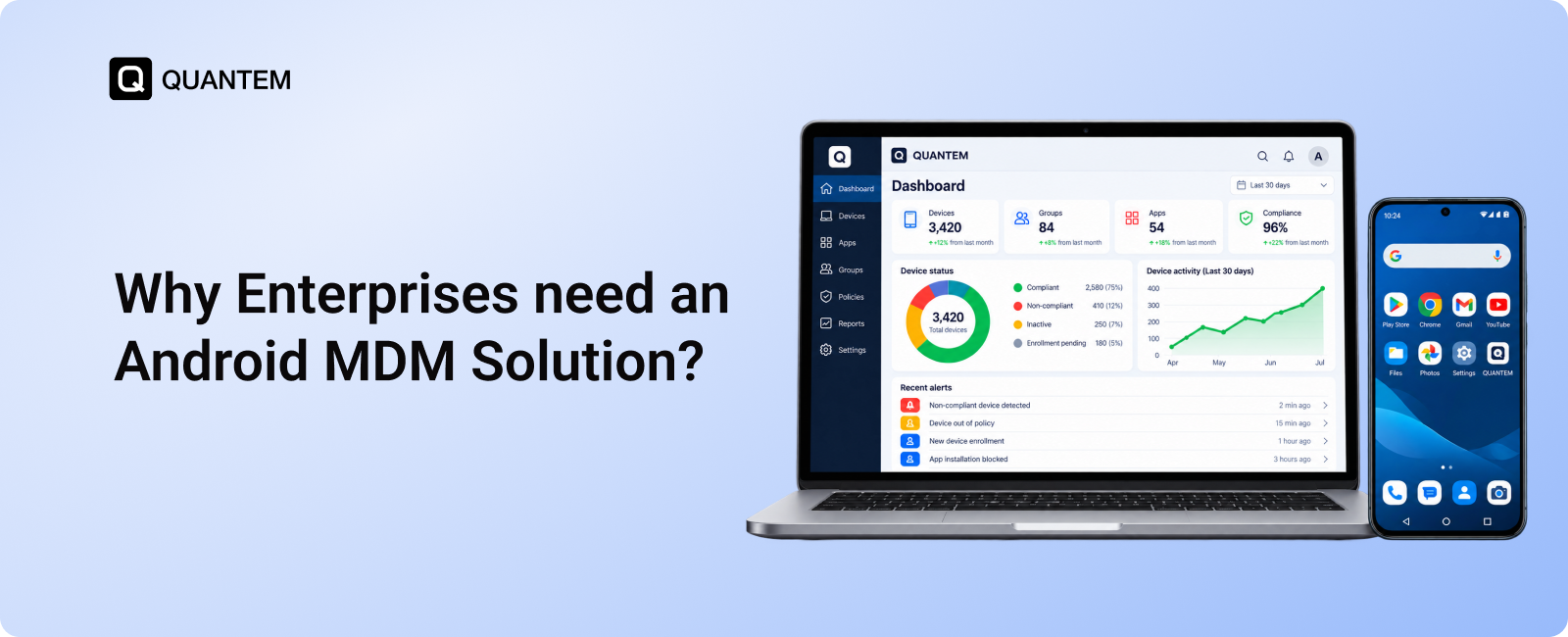
This is where a mobile device management solution becomes valuable. Android mobile device management enables businesses to manage their device fleets through a centralized platform, helping IT teams control access, automate routine tasks, and protect corporate data across managed endpoints.
Beyond security, the benefits of Android MDM extend to employee productivity, application management, device deployment, and day-to-day IT operations. In this blog we will explore nine reasons enterprises should consider Android MDM and explain how the right solution can support business growth without adding unnecessary management complexity.
1. Strengthen Enterprise Security and Protect Corporate Data
Enterprise Android devices often contain sensitive business information, including customer records, internal documents, employee communications, and access to corporate applications. If these devices are lost, stolen, or accessed by unauthorized users, the information they hold can become vulnerable and lead to data breaches. Managing security consistently across a large device fleet is therefore a priority for IT teams.
An Android MDM solution helps businesses enforce security policies across managed devices from a centralized dashboard. Instead of relying on individual employees to configure their devices correctly, administrators can apply supported security settings and access restrictions according to organizational requirements.
Key security capabilities include:
- Passcode Enforcement: Require appropriate screen locks and authentication settings on managed Android devices to help prevent unauthorized access.
- Application Restrictions: Control which applications can be installed or accessed, reducing exposure to unapproved or potentially risky software.
- Remote Lock and Wipe: Remotely lock a missing device or remove corporate data when necessary, helping protect sensitive information if a device is lost or compromised.
- Device Restrictions: Apply supported restrictions to device features and functions based on business security policies.
- Centralized Policy Enforcement: Apply consistent security configurations across relevant devices, making it easier to maintain organizational standards as the fleet grows.
For example, if an employee loses a company-issued Android phone, the IT team can use the MDM console to remotely lock the device and take further action based on company policy. This helps reduce the risk of unauthorized access to corporate resources.
With centralized Android device security management, enterprises can protect business data while maintaining consistent security controls across their managed Android fleet.
2. Automate Routine IT Tasks and Reduce Manual Work
Managing a growing fleet of Android devices involves repetitive tasks, from installing business applications to updating configurations and enforcing security policies. Handling these tasks individually can consume valuable IT resources and increase the chances of inconsistent settings across devices.
An Android MDM solution helps enterprises automate routine device management tasks through a centralized console. IT administrators can configure policies, distribute applications, and apply supported changes across multiple devices without having to handle each endpoint separately.
Here are some ways Android MDM automation helps streamline IT operations:
- Automated App Deployment: Distribute approved business applications to selected devices or groups without requiring employees to install them manually.
- Remote Policy Configuration: Apply device settings and security policies centrally to maintain consistency across the managed fleet.
- Simplified Updates: Manage application updates and supported device update settings to help keep business devices current.
- Bulk Device Management: Apply relevant configurations and administrative actions to multiple devices at once, reducing repetitive work.
- Remote Administrative Actions: Perform supported tasks, such as locking or wiping devices, without requiring physical access to each endpoint.
For example, when a company deploys 200 Android devices to a new team, IT administrators can use predefined configurations and application deployment policies to prepare devices more efficiently. This reduces the need to configure every device individually.
By automating repetitive tasks, enterprises can reduce administrative overhead, maintain consistent device configurations, and get more value from their enterprise mobility management software, allowing IT teams to focus on higher-priority technical and security requirements.
3. Improve Employee Productivity and Keep Work Moving
Employees rely on Android devices to access business applications, communicate with colleagues, update records, and complete daily tasks. When devices are misconfigured, essential apps are unavailable, or non-work activities interfere with business tasks, productivity can suffer.
Android MDM for enterprises helps IT teams configure devices for their intended business use. By providing employees with the right applications, settings, and access permissions, businesses can reduce common distractions and keep work processes running smoothly.
Here’s how Android mobile device management supports employee productivity:
- Business-Ready Device Configurations: Set up devices with the applications and settings employees need for their roles, reducing time spent preparing devices for work.
- Controlled App Access: Restrict access to non-essential or unauthorized applications where required, helping employees stay focused on business tasks.
- Consistent Device Settings: Apply role-based configurations across relevant devices so employees can follow familiar workflows across locations.
- Faster Issue Resolution: Let IT teams perform supported remote troubleshooting tasks, reducing the need to collect devices for every technical issue.
- Reliable Access to Work Apps: Manage business application deployment and updates to help employees access the tools they need.
For example, a retail business can configure Android devices with inventory management, billing, and communication apps for store employees. Instead of spending time setting up each device or searching for the right tools, employees can start their shifts with devices configured for their responsibilities.
With centralized Android device management, enterprises can reduce avoidable interruptions and help employees spend more time completing their work.
4. Manage BYOD Devices Without Compromising Business Data
Many enterprises allow employees to use their personal Android devices for work. This Bring Your Own Device (BYOD) approach can reduce hardware costs and give employees more flexibility. However, it also introduces challenges around data security, application access, and the separation of personal and corporate information.
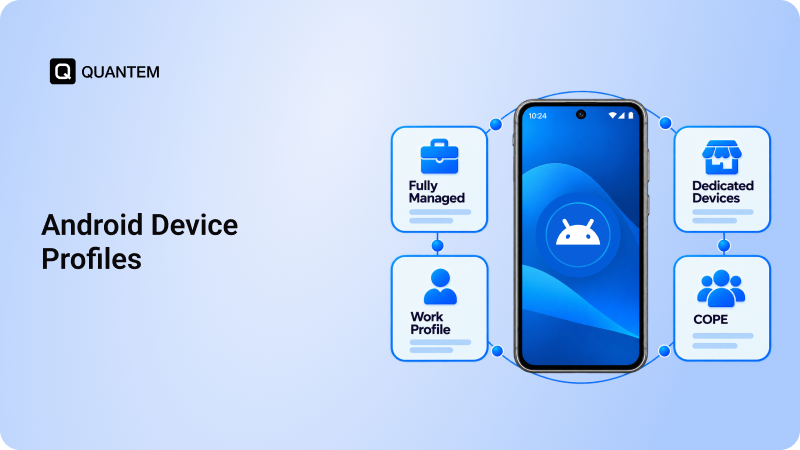
Android MDM for business helps IT teams establish clear management policies for personal devices that access company resources. Depending on the Android management mode and platform capabilities, administrators can manage the work environment without applying the same level of control to an employee’s personal activities.
Key benefits of Android BYOD management include:
- Work and Personal Data Separation: Use supported Android work profiles to keep corporate applications and data separate from personal apps and information.
- Controlled Business App Access: Manage approved work applications and their configurations to help protect company resources.
- Security Policy Enforcement: Apply relevant security requirements to the managed work environment, based on organizational policies and platform capabilities.
- Corporate Data Removal: Remove managed work data when an employee leaves the organization or no longer needs access, where supported.
- Flexible Device Management: Establish appropriate controls for employee-owned devices while respecting personal privacy.
For example, when an employee uses a personal Android phone to access company email and business applications, IT can manage the supported work environment without needing to manage the entire device in the same way as a company-owned endpoint.
With the right Android MDM solution, enterprises can support flexible work arrangements while maintaining better control over corporate data and access to business resources.
5. Turn Android Devices Into Dedicated Kiosk Devices
Many enterprises use Android devices for specific tasks rather than general-purpose computing. Retail stores use tablets for billing and product lookups, warehouses use handheld devices for inventory operations, and hospitality businesses use tablets for self-service check-ins or digital ordering. In these environments, unrestricted device access can lead to accidental changes, unauthorized app usage, and interruptions to business workflows.
An Android MDM solution enables enterprises to configure devices in kiosk mode, restricting access to a single application or a predefined set of approved applications. This helps keep devices focused on their intended purpose while limiting access to unrelated apps and device settings.
Key benefits of Android kiosk and dedicated device management include:
- Single-App Kiosk Mode: Restrict a device to one designated application, such as a digital signage app, self-service portal, or check-in application.
- Multi-App Kiosk Mode: Allow access to a selected group of business applications while restricting other apps and functions.
- Restricted Device Settings: Limit access to supported settings and device features that users do not need for their assigned tasks.
- Consistent Device Configurations: Apply kiosk policies across multiple devices to maintain a uniform experience across stores, facilities, or service locations.
- Centralized Remote Management: Manage supported kiosk configurations and perform administrative actions without handling every device individually.
For example, a restaurant can configure Android tablets to run only its digital ordering application. Customers can place orders without accessing unrelated apps or changing device settings.
By using Android kiosk management, enterprises can standardize task-specific device usage, reduce unwanted interactions, and keep dedicated Android devices aligned with operational requirements.
6. Simplify Application Management Across Android Devices
Enterprise Android devices often need multiple business applications to support daily operations. From inventory and point-of-sale tools to communication platforms and field service apps, employees depend on the right software being available when they need it. Managing application installations and updates manually across a large fleet can quickly become time-consuming.
Android application management through an MDM platform helps IT teams control which apps are available on managed devices and simplify their distribution. Administrators can deploy approved applications, manage app configurations where supported, and maintain better visibility into the software running across the device fleet.
Key application management capabilities include:
- Remote App Installation: Deploy required business applications to managed Android devices without relying on employees to install each app manually.
- Application Whitelisting: Restrict app access to approved applications where supported, helping reduce exposure to unauthorized software.
- App Update Management: Manage application updates to help ensure employees have access to current versions of business-critical apps.
- Application Configuration: Apply supported app settings centrally to reduce manual setup and maintain consistent configurations.
- App Visibility and Control: Review application information across managed devices to help IT teams identify software that may need attention.
For example, a logistics company can deploy navigation, delivery tracking, and proof-of-delivery applications to its drivers' Android devices. When an application requires an update, IT can manage the rollout centrally instead of depending on every driver to update it independently.
With centralized Android app management, enterprises can simplify software distribution, maintain better control over application usage, and reduce the administrative effort involved in managing business apps across their Android fleet.
7. Distribute and Protect Business Content on Android Devices
Employees often need access to business documents, product catalogs, training materials, work instructions, and other company resources on their Android devices. Managing how this content is distributed and accessed becomes more challenging as teams expand across departments and locations.
An Android MDM solution helps enterprises manage business content on supported devices, making it easier to distribute relevant resources while maintaining control over corporate information.
Here are some ways centralized content management can benefit enterprises:
- Centralized Content Distribution: Push business documents, guides, and other approved resources to managed Android devices without distributing files manually to each employee.
- Role-Based Content Access: Make relevant content available to specific device groups or employee roles, helping teams access the information they need.
- Consistent Information Access: Distribute updated versions of business resources to help employees work with current procedures, instructions, and reference materials.
- Controlled Content Availability: Apply supported content access restrictions to help protect sensitive business information on managed devices.
- Simplified Content Administration: Manage content distribution centrally instead of coordinating updates across multiple teams and locations.
For example, a field service company can distribute troubleshooting manuals and maintenance checklists to technicians' Android devices. When procedures change, administrators can update the available content so technicians can refer to the latest guidance while working on-site.
By centralizing Android content management, enterprises can make business information easier to distribute and access while helping maintain control over how corporate resources are used.
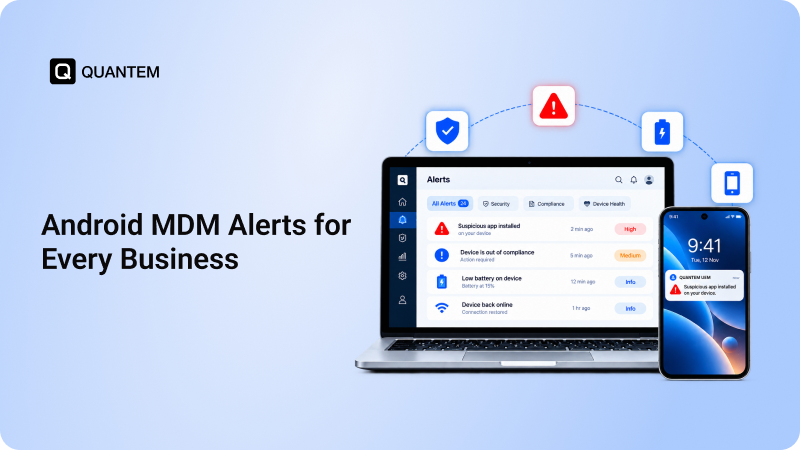
8. Detect Device Issues and Security Risks With Real-Time MDM Alerts
A device problem can quickly disrupt business operations if IT teams discover it too late. Low storage, compliance violations, security risks, or other device issues can affect employee productivity and leave enterprise devices exposed to potential threats. Without timely notifications, administrators may have to rely on manual checks to identify problems across a large Android fleet.
An Android MDM solution with alerting capabilities helps IT teams monitor important device events and respond when specific conditions require attention. Instead of checking every device individually, administrators can receive alerts based on configured rules and supported monitoring capabilities.
Common Android MDM alerts include:
- Device Compliance Alerts: Notify administrators when managed devices fail to meet configured security or management policies.
- Storage and Battery Alerts: Flag devices with low storage or battery levels that could affect their availability for business tasks.
- Unauthorized App Alerts: Help identify applications that violate organizational app policies, where supported.
- Security Incident Alerts: Highlight supported security events, such as root detection or other indicators that may require investigation.
- Connectivity and Device Status Alerts: Help IT teams identify reported device availability or connectivity issues, depending on platform capabilities.
For example, if a managed Android device falls out of compliance with company security policies, an alert can prompt the IT team to investigate and take corrective action. Addressing the issue early can help reduce security exposure and prevent further disruption.
By using Android MDM alerts, enterprises can improve device visibility, identify issues sooner, and respond more efficiently across their managed device fleets.
9. Troubleshoot Android Devices Remotely and Minimize Downtime
When an Android device stops working as expected, employees may lose access to essential applications and business resources. For enterprises with devices spread across multiple offices, stores, warehouses, or field locations, resolving these issues can take time if every problem requires physical access to the device.
Android remote management helps IT teams diagnose and address supported device issues through a centralized MDM console. Depending on the platform and device capabilities, administrators can investigate problems, perform remote actions, and help employees get back to work without requiring an on-site visit.
Key benefits of remote Android troubleshooting include:
- Remote Device Access: Use supported remote viewing or remote control capabilities to investigate issues on managed Android devices.
- Faster Technical Support: Help employees resolve common device or application problems without requiring them to visit the IT department.
- Remote Administrative Actions: Perform supported management tasks centrally to address configuration or operational issues.
- Reduced Travel and Service Costs: Limit unnecessary visits to remote locations when an issue can be resolved through remote management.
- Improved Device Availability: Address technical problems sooner to help reduce downtime and keep business operations moving.
For example, if a field technician experiences an issue with a business application, the IT team can use available remote troubleshooting tools to investigate the problem. Resolving it remotely may help the technician resume work without returning to the office.
By enabling remote troubleshooting, enterprises can simplify IT support, reduce avoidable delays, and keep geographically distributed Android devices operational.
How to Choose the Right Android MDM Solution for Your Enterprise?
Choosing an Android MDM solution involves more than comparing feature lists. Enterprises need a platform that fits their device fleet, security requirements, IT resources, and plans for growth. Evaluating a few key factors can help you select a solution that meets current needs without creating unnecessary management complexity.
- Device and OS Compatibility: Check whether the platform supports your Android devices, including smartphones, tablets, rugged handhelds, and dedicated kiosk devices. If your organization also manages Windows, Apple, or Linux endpoints, consider whether broader endpoint management support is necessary.
- Enrollment and Deployment: Evaluate how easily devices can be enrolled and configured at scale. The right solution should fit your deployment process, whether you manage a small number of devices or distribute devices across multiple locations.
- Security and Management Capabilities: Assess the availability of essential controls, including policy enforcement, application management, remote lock and wipe, kiosk mode, and remote troubleshooting. Confirm that each capability supports your device types and Android management modes.
- Support and Assistance: Review the provider's technical support options, documentation, onboarding assistance, and response commitments. Reliable support can make a difference when device issues affect business operations.
- Total Cost of Ownership: Look beyond the subscription price. Consider licensing, deployment, training, ongoing administration, and the resources required to maintain the platform.
- Scalability: Choose a solution that can accommodate additional or new devices, users, locations, and management requirements as your organization grows, without making routine administration increasingly difficult.
The best Android MDM platform should align with your operational needs and provide the right balance of security, control, usability, and cost. Prioritize the capabilities your teams genuinely need, and evaluate them against your existing workflows before making a decision.
Manage Your Enterprise Android Fleet With Quantem
Managing enterprise Android devices becomes more complex as your business expands. IT teams need a reliable way to enforce security policies, manage applications, configure devices, and resolve technical issues without adding to their daily workload.
Quantem MDM helps businesses manage their Android device fleets through a centralized platform. From applying device policies and managing business applications to monitoring device status and supporting remote troubleshooting, Quantem helps IT teams simplify routine management tasks and maintain greater control over their managed devices.
Whether you are deploying Android devices across retail stores, equipping field teams, or managing dedicated business devices, Quantem helps you establish consistent management practices as your fleet grows.
Ready to simplify Android device management for your enterprise? Explore Quantem MDM and see how centralized control can support your organization's security and operational needs.
Smarter Android Device Management for Growing Businesses with Quantem
1. What is Android MDM, and why do business need it?
Android Mobile Device Management (MDM) allows IT teams to manage and secure Android devices through a centralized platform. Enterprises use it to enforce security policies, distribute business applications, configure devices, and troubleshoot issues remotely.
2. What are the main benefits of Android MDM for businesses?
The key benefits of Android MDM include stronger device security, automated IT tasks, improved employee productivity, centralized application management, remote troubleshooting, and simplified device monitoring. It also helps businesses manage BYOD devices and dedicated Android devices.
3. How does Android MDM improve enterprise security?
Android MDM helps enterprises enforce passcode requirements, restrict unauthorized applications, apply security policies, and manage device restrictions. IT administrators can also remotely lock missing devices or wipe them when necessary to help protect corporate data.
4. Can Android MDM manage employee-owned devices?
Yes. Android MDM supports BYOD environments through compatible management modes, including Android work profiles. These help organizations manage corporate applications and data separately from employees' personal information while respecting their privacy.
5. Can Android MDM remotely install and update applications?
Yes. Depending on the MDM platform and device configuration, IT administrators can remotely distribute approved business applications, manage app updates, and apply supported app configurations. This reduces manual work and helps maintain access to essential business tools.
6. Can Android MDM turn devices into kiosks?
Yes. Android MDM can configure supported devices in single-app or multi-app kiosk mode. This restricts access to designated applications and limits access to other apps or settings, making it useful for retail terminals, digital signage, self-service kiosks, and dedicated business devices.
7. How does Android MDM help reduce IT workload?
Android MDM helps automate routine tasks such as application deployment, policy enforcement, and device configuration. Centralized management and remote troubleshooting also reduce repetitive work and the need for IT teams to access devices physically.
8. What should enterprises consider when choosing an Android MDM solution?
Enterprises should evaluate device compatibility, security features, application management, kiosk capabilities, enrollment options, remote troubleshooting, technical support, total cost of ownership, and scalability. The right solution should meet current business enterprise mobility management requirements while supporting future growth.



Get the latest blogs directly delivered to your mail fly arrow