5 Ways Healthcare Facilities Can Use Android Tablets as Kiosks
Healthcare facilities are increasingly using digital technology to simplify everyday tasks, improve patient experiences, and help medical staff work more efficiently. From patient registration to virtual consultations, technology can reduce administrative friction and make essential services easier to access.
Healthcare kiosks are one way to achieve this. By turning Android tablets into dedicated-purpose devices, hospitals, clinics, and other healthcare facilities can make specific services available without requiring staff to handle every interaction manually. Patients can use self-service kiosks to check in, while healthcare professionals can access approved applications and resources through managed tablets.
However, deploying tablets in a healthcare environment involves more than choosing the right hardware. Devices must remain focused on their intended purpose, unauthorized access to patient information must be prevented, and IT teams need a practical way to manage devices across multiple locations.
Android kiosk technology helps address these requirements by restricting devices to approved applications and functions. When combined with a suitable Mobile Device Management (MDM) solution, healthcare organizations can configure, secure, and manage their kiosk devices remotely.
In this article, we will explore five practical ways healthcare facilities can use Android tablets as kiosks, along with the benefits of healthcare kiosks and how to manage them securely.
What are Healthcare Kiosks?
Healthcare kiosks are dedicated digital stations that help patients, caregivers, and medical staff complete specific tasks within a healthcare facility. Depending on their purpose, these kiosks may support patient check-in, registration, access to healthcare information, virtual consultations, or communication with medical professionals.
Traditionally, many kiosks relied on specialized hardware. Android tablets offer another option, giving healthcare facilities a flexible way to deploy digital services without necessarily investing in purpose-built kiosk equipment for every use case.
For example, a clinic can place an Android tablet at its reception desk for patient check-in, while a hospital can use a tablet to provide access to approved patient information at the bedside. Assisted living facilities may also use tablets to help residents communicate with caregivers or participate in virtual consultations.
Android tablet kiosks for healthcare can be configured for different tasks using kiosk mode. Depending on the deployment, a device can be restricted to a single application or configured to allow access to a selected group of approved applications.
This helps prevent users from opening unrelated apps or changing device settings. With centralized kiosk management, IT administrators can also apply configurations and manage enrolled devices remotely, making it easier to maintain consistent usage policies across healthcare facilities.
5 Practical Ways Healthcare Industry Can Use Android Tablets as Kiosks
1. Simplify Patient Check-In and Registration
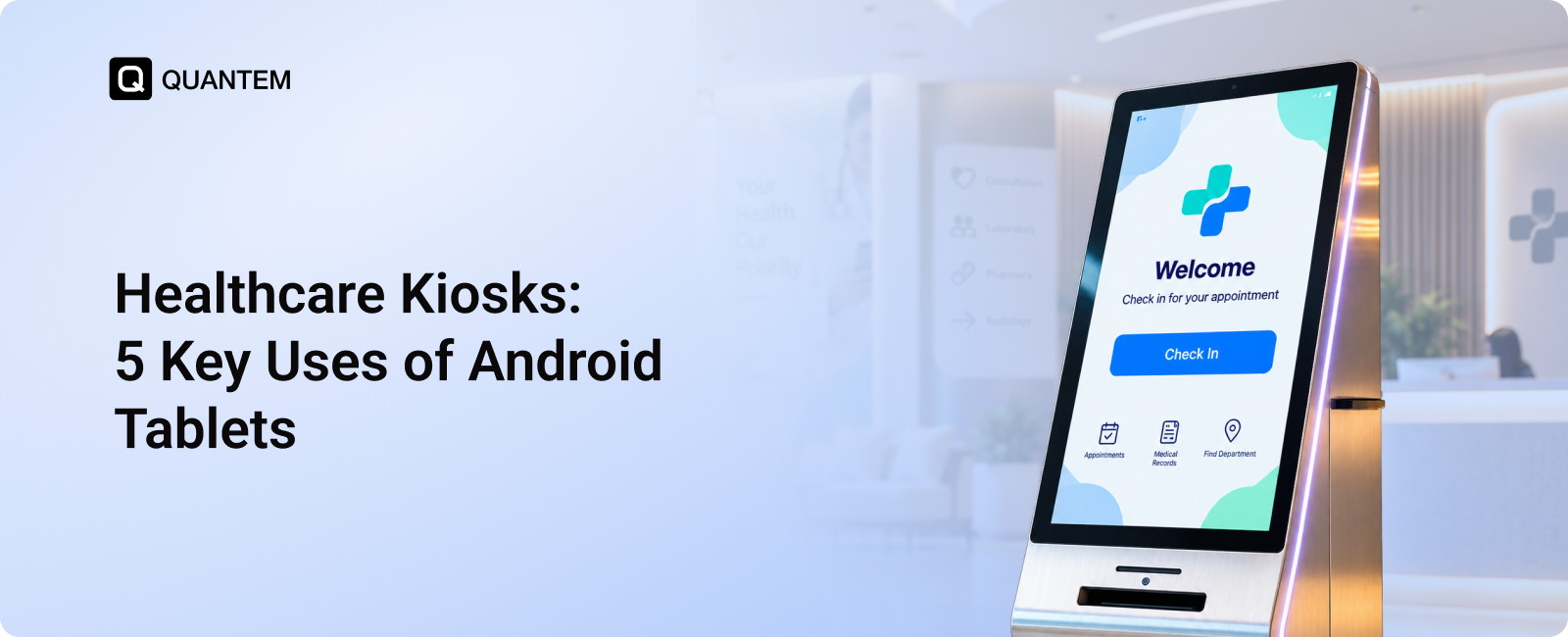
Patient registration is often one of the first interactions people have with a healthcare facility. Yet, completing forms, confirming appointment details, and updating personal information can create delays at reception, particularly during busy hours. Patient check-in kiosks offer a way to streamline these routine tasks while reducing the administrative burden on front-desk staff.
Healthcare facilities can set up Android tablets as self-service check-in stations, allowing patients to complete selected registration steps through an approved application.
Here are a few ways these kiosks can simplify the process:
- Digital Patient Registration: Patients can enter or confirm their personal details and appointment information through digital forms, reducing reliance on paper-based registration.
- Faster Appointment Check-In: A dedicated check-in application can help patients confirm their arrival without waiting for staff to complete every step manually.
- Access to Existing Records: When integrated with compatible healthcare systems, the application can retrieve relevant patient information from EHR and reduce repetitive data entry.
- Simplified Billing Workflows: Where supported by the facility's software and payment systems, kiosks can help patients complete billing or payment steps before leaving.
- Reduced Paperwork: Digital forms can help facilities minimize printed documents and organize registration information more efficiently.
For example, a busy outpatient clinic could place an Android tablet at reception so patients can confirm their appointments and complete required intake forms before seeing their healthcare provider. Reception staff would then have more time to assist patients who need additional support.
Android tablets can be configured to run a dedicated check-in application, keeping the interface simple and focused on the task. When connected to compatible healthcare systems, these healthcare self-service kiosks can help make registration more convenient for patients and improve the efficiency of front-desk operations.
2. Display Patient Information at the Bedside
Healthcare professionals need timely access to patient information to make informed decisions during rounds and routine care. However, relying on printed records, physical charts, and separate computer terminals can make it harder to review relevant information quickly, especially in busy hospital wards.
Bedside patient tablets offer another way to make approved digital resources accessible near the patient's bed. Hospitals can use Android tablets to provide authorized healthcare professionals with access to compatible applications containing patient records, treatment information, and clinical documentation.
Here are a few ways bedside tablets can support hospital workflows:
- Quick Access to Patient Records: Authorized staff can use compatible healthcare applications to review available patient information without searching through paper files.
- Convenient Access to Reports: Digital systems can make diagnostic reports, treatment notes, and other relevant information easier to retrieve during patient rounds.
- Medication and Treatment References: Healthcare professionals can consult approved applications for relevant treatment details and clinical documentation.
- Improved Patient Communication: Tablets can support patient education by displaying approved information about treatments, recovery instructions, and care plans.
- More Organized Clinical Workflows: Digital access can reduce dependence on printed documents and help staff work with information maintained in connected healthcare systems.
For example, during morning rounds, a physician could use an Android tablet to access a patient's available diagnostic reports and treatment history through the hospital's approved clinical application. This can make relevant information easier to review without carrying multiple paper files between rooms.
By making clinical resources accessible at the point of care, hospital bedside tablets can support more convenient information access for healthcare professionals. Their effectiveness depends on integration with the facility's clinical systems, appropriate access permissions, and workflows designed to protect sensitive patient information.
3. Support Telehealth and Remote Consultations
Not every healthcare appointment requires an in-person visit. Follow-up consultations, routine check-ins, and certain non-emergency discussions can often take place virtually. Telehealth gives patients another way to connect with healthcare professionals, particularly when traveling to a clinic is difficult or access to specialized care is limited.
Android tablets can serve as telehealth kiosks, giving patients access to virtual consultation applications in clinics, community healthcare centers, and assisted living facilities. With a suitable setup, patients can use these devices to connect with healthcare providers without needing to own a compatible device themselves.
Here are a few ways Android tablets can support remote consultations:
- Virtual Doctor Appointments: Patients can use approved video consultation applications to speak with healthcare professionals remotely.
- Follow-Up Consultations: Providers can conduct suitable follow-up appointments virtually, reducing the need for patients to travel for every visit.
- Access to Specialized Care: Healthcare facilities can help patients connect with specialists who may not be available at their local location.
- Consultations in Community Facilities: Clinics and community health centers can set up tablets in designated spaces for patients who need access to virtual healthcare services.
- Convenient Access for Vulnerable Patients: Older adults and patients with mobility challenges may benefit from virtual appointments when travel is difficult and remote consultation is clinically appropriate.
For example, a community health center could provide a dedicated Android tablet for patients who need a virtual follow-up with a specialist at another facility. The patient can join the appointment through an approved telehealth application, while the local healthcare team can assist with the setup if needed.
These telehealth tablets can help healthcare providers extend access to appropriate services beyond traditional consultation rooms. However, virtual consultations should be used when clinically suitable, with in-person assessment arranged whenever necessary.
With the right setup, Android tablet kiosks can make remote consultations more accessible while helping healthcare facilities support patients across different locations.
4. Equip Frontline Healthcare Workers With Essential Digital Tools
Healthcare professionals working outside traditional clinical settings often need quick access to patient information, care instructions, and communication tools. Nurses making home visits, community health workers conducting field assessments, and mobile care teams may work across multiple locations where access to a desktop computer is impractical.
Tablets for healthcare workers can provide a portable way to access approved digital resources while working in the field. Android tablets configured for specific clinical tasks can help frontline teams use the applications they need without navigating unrelated device functions.
Here are a few ways Android tablets can support frontline healthcare workers:
- Access to Patient Information: Authorized staff can retrieve relevant patient records through compatible healthcare applications while providing care in the field.
- Digital Documentation: Healthcare workers can use approved applications to record visit notes, update records, and complete required forms.
- Communication With Clinical Teams: Tablets can help frontline staff connect with colleagues and supervisors through approved communication tools.
- Access to Clinical Resources: Staff can consult digital care instructions, reference materials, and other resources relevant to their responsibilities.
- Support for Multiple Workflows: Android multi-app kiosk mode can provide access to a selected set of approved applications while restricting unrelated apps and functions.
For example, a home healthcare nurse visiting patients across a city could use a managed Android tablet to review authorized care information, document each visit, and communicate with the clinical team. Having these tools available on one device can make field workflows more convenient.
Android tablets can also be configured with multi-app kiosk mode when healthcare workers need access to several work applications but should not use the device for unrelated activities. This helps align device access with job responsibilities.
By equipping frontline teams with appropriately configured tablets, healthcare organizations can make essential digital tools more accessible and support more consistent workflows across locations.
5. Improve Communication and Access to Care in Senior Living Facilities
Assisted living communities and senior care facilities often need practical ways to help residents communicate with caregivers, access healthcare services, and stay connected with family members. For older adults with limited mobility, even routine interactions can become difficult when communication depends on reaching a staff member in person.
Android tablets configured as dedicated kiosks can help make these interactions more accessible. Facilities can place tablets in common areas or provide them to residents for approved communication and healthcare applications, depending on individual needs and the facility's setup.
Here are a few ways Android tablets can support senior care facilities:
- Virtual Healthcare Consultations: Residents can use approved telehealth applications to connect with healthcare professionals when a remote appointment is appropriate.
- Communication With Family: Video calling and messaging applications can help residents stay in touch with family members and friends.
- Access to Care Information: Tablets can provide access to approved health information, care instructions, and facility resources.
- Convenient Contact With Caregivers: Dedicated applications can help residents communicate with staff or request assistance where the facility has an appropriate system in place.
- Entertainment and Engagement: Tablets can provide access to music, reading materials, games, and other activities that support residents' daily routines.
For example, an assisted living facility could place an Android tablet in a resident's room with access to video calling and a telehealth application. The resident could use it to speak with family or attend a scheduled virtual consultation without needing to navigate a general-purpose device.
Facilities can configure tablets in single-app or multi-app kiosk mode, depending on the intended use. A tablet dedicated to video consultations may need access to only one application, while a resident-facing device may require several approved apps for communication and entertainment.
With thoughtful deployment, senior care tablets can make digital services easier to access, support communication, and help residents stay connected with caregivers, healthcare providers, and loved ones.
Why is Healthcare Kiosk Management Important?
Healthcare kiosks often handle sensitive information and provide access to applications used by patients, caregivers, and medical staff. Without proper management, these devices can be exposed to unauthorized access, misuse, and configuration issues. Managing them effectively is essential to maintaining security, availability, and consistent usage across healthcare facilities.
Here are the key reasons healthcare kiosk management matters:
- Protect Patient Data: Healthcare kiosks may provide access to patient records, registration details, or clinical applications. Restricting device access to approved applications and enforcing appropriate security policies can help reduce the risk of unauthorized access to sensitive information.
- Prevent Unauthorized Device Usage: Patients and visitors using self-service kiosks should not be able to access unrelated applications or change device settings. Kiosk mode helps keep tablets focused on their intended purpose.
- Maintain Consistent Configurations: Hospitals and clinics may deploy kiosks across multiple departments and locations. Centralized management helps IT teams apply consistent settings and usage policies across enrolled devices.
- Reduce Device Downtime: A kiosk that becomes unavailable can interrupt patient registration or other essential workflows. Remote management capabilities can help IT administrators investigate issues and perform supported troubleshooting actions without always visiting the device.
- Simplify Application Management: Healthcare facilities may use different applications for check-in, telehealth, patient communication, and other tasks. Centralized app management helps administrators deploy approved applications and manage updates more efficiently.
- Support Remote Administration: IT teams can manage and troubleshoot enrolled health kiosks via screening across reception areas, patient rooms, and other facility locations through a centralized console, reducing the need for manual device-by-device administration.
Effective healthcare kiosk management also requires clear policies for device access, physical placement, software updates, and the handling of sensitive information. Facilities should ensure that kiosk configurations align with their workflows and applicable privacy and security requirements.
A suitable Mobile Device Management (MDM) solution can help healthcare organizations manage these responsibilities more efficiently. By combining kiosk restrictions with centralized administration, facilities can keep Android tablets configured for their intended use while supporting secure and reliable healthcare services.
Simplify Healthcare Kiosk Management with Quantem MDM
Android tablets offer healthcare facilities a flexible and cost-effective way to deploy kiosks for patient check-in, virtual consultations, bedside information access, and other essential services. However, without proper device management, these tablets can become vulnerable to unauthorized access, misuse, and inconsistent configurations, potentially exposing sensitive patient information and disrupting daily operations.
Quantem MDM helps healthcare organizations manage Android kiosk devices from a centralized platform. IT teams can configure kiosk mode, restrict devices to approved applications, enforce supported security policies, and manage enrolled devices remotely. This helps healthcare facilities maintain greater control over device usage while reducing the administrative effort involved in managing kiosks across multiple locations.
With Quantem MDM, healthcare providers can make better use of Android tablets while keeping their kiosk deployments organized, secure, and aligned with their operational needs.
Secure Your Healthcare Kiosks With Quantem MDM
1. What are healthcare kiosks used for?
Healthcare kiosks help patients and healthcare professionals access selected digital services. Common uses include patient check-in, registration, bedside information access, wayfinding signages, telehealth consultations, and communication in senior care facilities.
2. How can Android tablets be used as healthcare kiosks?
Android tablets can be configured to run specific healthcare applications for tasks such as patient registration, virtual consultations, and access to approved healthcare resources. Using kiosk mode, facilities can restrict devices to a single application or a selected group of apps.
3. What are the benefits of healthcare self-service kiosks?
Healthcare self-service kiosks can simplify patient registration, reduce paperwork, improve access to digital services, and reduce the administrative workload associated with routine interactions. They can also help patients complete selected tasks with less assistance from reception staff.
4. How do healthcare kiosks help improve patient check-in?
Patient check-in kiosks allow patients to confirm appointments and complete digital registration forms through an approved application. When integrated with compatible healthcare systems, they can also help retrieve relevant patient information and reduce repetitive data entry.
5. Can Android tablets be used for telehealth consultations?
Yes. Android tablets can run compatible telehealth applications that allow patients to connect with healthcare professionals through virtual consultations. Healthcare facilities can deploy dedicated tablets in clinics, community health centers, or senior living facilities to make remote appointments more accessible.
6. How does kiosk mode help secure healthcare tablets?
Android kiosk mode restricts a tablet to a designated application or a selected group of approved apps. This helps prevent unauthorized access to unrelated applications and device settings. Additional security measures and appropriate access controls are important when devices handle sensitive patient information.
7. Why is healthcare kiosk management important?
Healthcare kiosk management helps organizations maintain consistent device configurations, control application access, protect sensitive information, and reduce device downtime. Centralized management also allows IT teams to configure and troubleshoot enrolled kiosks remotely.
8. How can Quantem MDM help manage healthcare kiosks?
Quantem MDM helps healthcare organizations manage enrolled Android kiosk devices through a centralized platform. IT teams can configure kiosk mode, restrict access to approved applications, enforce supported security policies, and manage devices remotely to simplify administration across healthcare facilities.



Get the latest blogs directly delivered to your mail fly arrow