How Android MDM Helps Schools and Universities Manage Learning Devices?
Android devices are changing how students learn, teachers deliver lessons, and educational institutions manage everyday academic activities. From digital textbooks and classroom apps to online assignments and virtual learning, tablets and smartphones have become useful tools across K–12 schools, colleges, and universities.
But putting devices in students' hands is only part of the equation. Schools must also ensure these devices remain secure, provide access to appropriate learning resources, and support classroom activities without unnecessary distractions. As device programs expand, manually configuring and maintaining every tablet becomes difficult for IT teams.
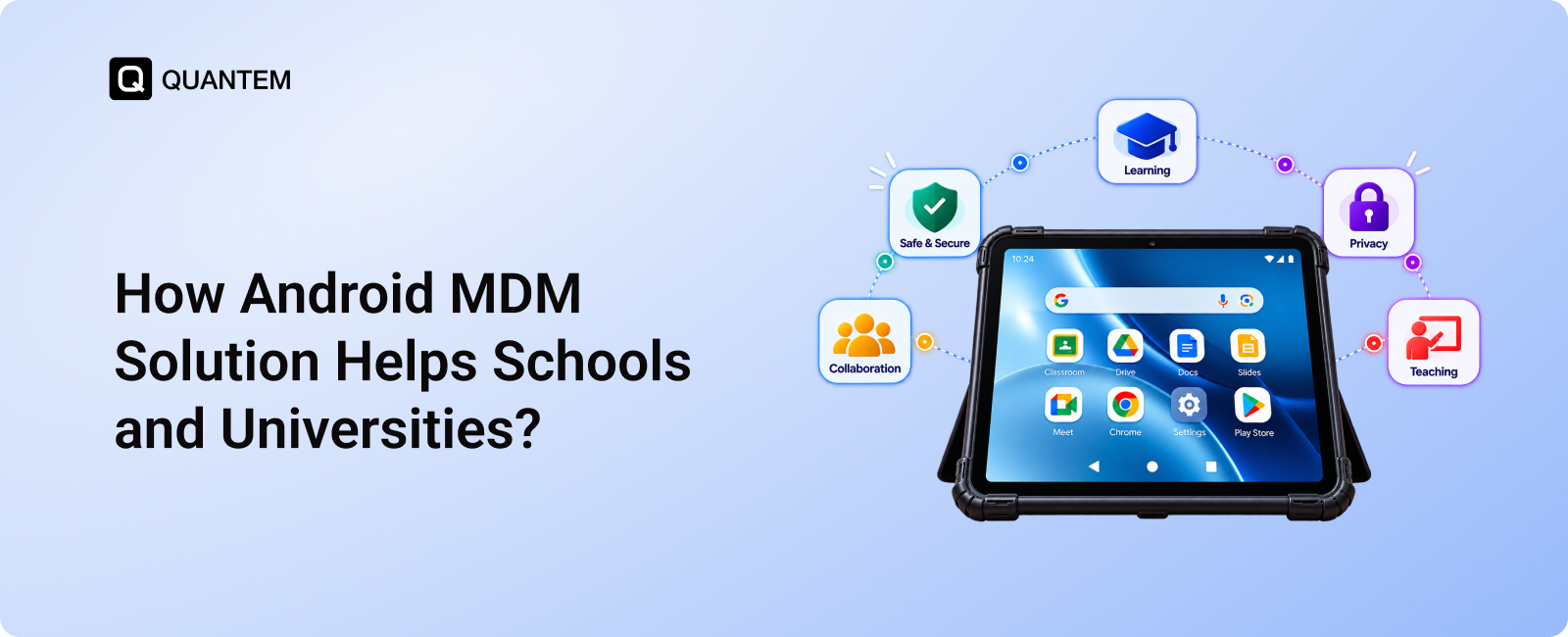
This is where Android MDM for schools becomes valuable. Mobile Device Management (MDM) allows educational institutions to configure, secure, and manage Android devices from a centralized platform. IT administrators can distribute educational apps, restrict access to unsuitable content, enforce device policies, and troubleshoot technical issues remotely.
Whether a school is rolling out tablets to an entire grade or a university is managing Android devices across multiple departments, the right MDM approach can simplify administration and support more consistent learning experiences. In this blog, we will explore how Android MDM solutions help schools and universities manage devices effectively, protect student data, and make technology work better for education.
Why Schools Prefer Android Tablets for Digital Learning?
Choosing the right devices is an important part of building a successful digital learning program. Schools and universities need devices that are affordable, easy for students to use, and compatible with educational applications. Android tablets meet many of these requirements, making them a practical choice for institutions introducing technology into classrooms.
1. Access to Educational Apps and Learning Resources
Android tablets provide access to a wide range of educational applications through Google Play, along with compatible Google services and cloud-based learning tools. Students can use these resources to read digital textbooks, complete assignments, practice new skills, and access classroom materials.
Teachers can also incorporate interactive learning apps into lessons, helping students engage with subjects beyond traditional textbooks. With an appropriate Android MDM solution, schools can manage approved educational applications and make relevant learning tools available on enrolled devices.
2. Affordable Devices for Large-Scale Deployments
Budget is a major consideration when schools purchase devices for entire classrooms or student populations. Android tablets are available across a broad range of price points, allowing educational institutions to select devices that fit their requirements and budgets.
This flexibility can make one-to-one device programs more accessible, where each student receives a dedicated learning device. Schools can also allocate more of their technology budgets to other priorities, such as educational software, connectivity, and device management.
Using Android MDM for schools alongside these devices helps institutions manage their investment more effectively by simplifying configuration, application deployment, and ongoing administration.
3. Practical Design and Flexible Device Management
Android tablets are portable and generally easy for students to carry between classrooms, libraries, and home. Their touchscreen interfaces support activities such as reading, taking notes, completing exercises, and participating in interactive lessons.
Android also supports different device configurations and management options, allowing institutions to adapt tablets to specific academic needs. With Android device management for schools, IT administrators can configure relevant settings, distribute learning apps, restrict selected device functions, and apply policies across enrolled devices.
For example, a school can configure tablets for classroom learning with access to approved educational apps, while a university department can prepare devices for specialized coursework or research activities.
These capabilities make Android tablets a flexible option for educational institutions. However, as the number of devices grows, schools need a reliable way to manage configurations, applications, and security policies centrally. This is where Android MDM becomes especially useful.
How Android MDM Solutions Help Schools and Universities Manage Devices?
Managing Android tablets across classrooms, departments, and campuses can become difficult when every device requires separate attention. An Android MDM solution gives educational institutions a centralized way to manage enrolled devices, apply usage policies, and support day-to-day learning activities.
Here are seven ways Android MDM for schools and universities can simplify device management.
1. Restrict Access to Distracting Apps and Websites
Students need access to educational resources, but unrestricted browsing and entertainment apps can distract them during lessons. Android MDM helps schools control how managed devices are used by applying website restrictions and application policies.
Administrators can use supported web filtering capabilities to block access to selected websites and allow students to access approved learning resources. They can also restrict unauthorized applications to help keep classroom devices focused on academic activities.
For example, a school can configure student tablets to limit access to entertainment websites during classroom sessions while keeping its learning portal and digital reference materials accessible.
2. Manage Educational Applications Remotely
Installing and maintaining educational apps on individual tablets can take considerable time, especially when hundreds of students use managed devices. Android MDM enables IT administrators to distribute approved applications and manage app access from a central console.
Schools can deploy learning tools, configure supported application settings, and restrict access to apps that aren't appropriate for the intended use. For specific activities, such as digital assessments or classroom exercises, administrators can also configure supported kiosk modes to limit device usage to one app or a selected group of apps.
This helps institutions maintain consistent app availability without depending on students to install and configure every application themselves.
3. Provide Remote Support for Student and Staff Devices
Technical issues can interrupt lessons and prevent students or teachers from accessing essential learning tools. When devices are spread across multiple classrooms or campuses, resolving every issue in person can put additional pressure on school IT teams.
Android MDM platforms provide centralized device administration and may offer remote support capabilities, depending on the solution and device configuration. Administrators can review available device information, apply supported settings, and use remote viewing or control tools where available to investigate technical problems.
This can help IT teams resolve issues more efficiently and reduce the need to collect devices for every troubleshooting request.
4. Distribute Learning Materials More Efficiently
Teachers regularly share lesson notes, presentations, reading materials, and other academic resources with students. Managing these resources digitally can reduce dependence on printed handouts and make it easier for students to access learning materials beyond the classroom.
With suitable content distribution tools and compatible cloud-based learning platforms, educational institutions can make resources available on managed Android devices. Teachers can use these platforms to share updated materials, while students can access assignments and reference documents through approved applications.
The exact content-sharing workflow depends on the institution's chosen learning platform and the capabilities of its MDM solution.
5. Protect Devices Against Loss and Unauthorized Access
School-owned tablets often move between classrooms, libraries, homes, and other learning environments. This makes device protection an important consideration for educational institutions.
Android MDM can help schools apply screen-lock policies, configure supported security restrictions, and locate enrolled devices when location reporting is available and enabled. Some solutions also support geofencing to notify administrators when devices cross configured geographic boundaries.
If a device is lost or stolen, administrators may be able to lock it remotely or remove its data, depending on the device's management mode and platform capabilities. These controls can help protect institutional information and reduce the risk of unauthorized access.
Schools should also establish clear policies for device tracking and data removal, particularly when personally owned devices are involved.
6. Monitor Device Health and Usage
A large fleet of learning devices requires regular attention to ensure tablets remain available for classroom activities. Limited storage, low battery levels, connectivity issues, and other device problems can interfere with learning if they go unnoticed.
Android MDM platforms can provide device information and reports that help IT administrators review available details, such as battery status, storage capacity, connectivity, and compliance with configured policies. Depending on the solution, administrators may also receive alerts when specific conditions require attention.
This visibility helps schools identify devices that need maintenance or intervention and prioritize support before problems affect more students.
7. Maintain a Centralized Inventory of Learning Devices
Educational institutions need an accurate record of the devices they manage, including which devices are enrolled, their current status, and where they are assigned. Maintaining these records manually becomes harder as device programs expand.
Android MDM helps IT teams maintain a centralized view of enrolled devices and review available information, such as device models, operating system versions, enrollment status, and compliance details. Administrators can use this information to organize device groups, review fleet status, and plan maintenance or replacement needs.
For schools and universities managing Android tablets across several buildings or departments, centralized inventory visibility can simplify administration and improve oversight of the device fleet.
Benefits of Android MDM for Students, Teachers, and IT Administrators
Android MDM offers more than centralized device control. When implemented effectively, it can help students access learning resources, give teachers more reliable classroom technology, and reduce the administrative workload for IT teams.
Benefits for Students
- Fewer Digital Distractions: App and website restrictions can help students stay focused on assigned learning activities.
- Easier Access to Learning Resources: Managed devices can provide access to approved educational apps, digital textbooks, and online learning platforms.
- More Flexible Learning: Students can use configured devices to access learning materials inside and outside the classroom, subject to institutional policies and internet availability.
Benefits for Teachers
- Smoother Classroom Activities: Devices configured with the required applications and settings can help teachers spend less time resolving basic technology issues.
- Simplified Resource Distribution: Digital learning platforms make it easier to share lesson materials, assignments, and reference documents.
- Better Use of Classroom Technology: App restrictions and kiosk configurations can help teachers prepare devices for specific lessons, exercises, or assessments.
Benefits for IT Administrators
- Centralized Device Administration: Manage enrolled Android tablets from a single console instead of configuring each device individually.
- Reduced Manual Work: Deploy applications, apply policies, and manage supported settings across device groups.
- Improved Device Visibility: Review available device information and identify endpoints that may need maintenance or troubleshooting.
- More Efficient Remote Support: Use supported remote management tools to investigate issues without always requiring physical access to a device.
Together, these benefits make Android device management for schools a practical way to support digital learning while keeping device administration manageable as an institution's technology program grows.
Empower Smarter, Safer Digital Learning With Quantem MDM
Managing Android tablets across classrooms and campuses requires more than restricting apps. Schools and universities need a reliable way to configure devices, manage educational applications, enforce usage policies, and maintain security as their device programs grow.
Quantem MDM helps educational institutions manage Android devices centrally, simplifying administration across large device fleets. IT teams can use Android device management capabilities to configure devices for their intended use, manage applications, apply supported security policies, and reduce the need for manual device-by-device administration.
Quantem also supports iOS, macOS, Windows, and Linux, making it a practical option for educational institutions that manage devices across multiple operating systems. Schools can centralize device administration while accommodating the different technology requirements of classrooms, departments, and campus facilities.
Whether you are managing student tablets in K–12 classrooms or Android devices used across university departments, Quantem helps simplify device management and support a more secure, organized digital learning environment.
Simplify School Device Management With Quantem
1. What Is the Purpose of MDM Software?
The purpose of Mobile Device Management (MDM) software is to help organizations manage, secure, and monitor their devices from a centralized platform. In schools and universities, MDM helps IT administrators manage student and staff devices, control app access, enforce security policies, distribute educational resources, and troubleshoot technical issues remotely. This helps educational institutions maintain better control over their devices while supporting secure and productive digital learning.
2. How does Android MDM help schools manage student tablets?
Android MDM allows schools to manage enrolled student tablets centrally. IT administrators can deploy educational applications, restrict access to selected apps and websites, configure device settings, and apply security policies across multiple devices without managing each tablet individually.
3. What are the main benefits of MDM in education?
The main benefits of MDM in education include centralized device management, improved device security, reduced classroom distractions, easier application distribution, and more efficient IT support. These capabilities help schools maintain better control over learning devices while supporting digital education.
4. Can schools restrict apps and websites on Android tablets?
Yes. Depending on the MDM platform and device configuration, schools can restrict selected applications and use supported web filtering capabilities to control access to websites. These controls help institutions limit distractions and direct students toward approved educational resources.
5. How does Android MDM protect school-owned devices?
Android MDM helps protect school-owned devices through supported security policies, device restrictions, and remote management actions. Depending on the platform and device configuration, administrators may also be able to locate devices, lock missing devices, or remotely wipe data when necessary.
6. Can universities use Android MDM to manage BYOD devices?
Yes. Universities can use supported Android management modes, including work profiles, to manage data on personally owned devices. This helps maintain separation between academic or business information and students' personal data, subject to the device configuration and management policies.
7. Can Android MDM manage devices across multiple school campuses?
Yes. Android MDM allows IT teams to manage enrolled devices across multiple classrooms, buildings, and campuses from a centralized console. Administrators can organize devices into groups, apply relevant policies, distribute applications, and review available device information remotely.
8. Does Android MDM help schools comply with FERPA?
Android MDM can help schools support their data security practices through access controls, device policies, and remote data protection capabilities. However, using MDM alone does not guarantee FERPA compliance. Institutions must also implement appropriate administrative, technical, and organizational safeguards to protect student education records.



Get the latest blogs directly delivered to your mail fly arrow