Mobile Device Management Best Practices for Organizations
Mobile devices are now central to how businesses work. Employees use smartphones, tablets, and laptops to access business applications, communicate, and handle company data from almost anywhere. As device fleets grow, keeping them secure, compliant, and properly managed becomes increasingly challenging.
A lost or compromised device, outdated software, or unauthorized application can expose sensitive information and disrupt business operations. In fact, a survey found that 54% of organizations had experienced a data breach related to mobile device misuse, with the most expensive incident costing more than $2.2 million.[1]
This is why mobile device management best practices are essential. A well-planned MDM strategy helps organizations strengthen device security, enforce policies, simplify administration, and maintain control over corporate endpoints.
In this blog, we will cover 10 practical MDM best practices to help organizations improve security, compliance, device management, and the overall value of their MDM investment.
11 Best Practices for Mobile Device Management (MDM)
A successful MDM implementation involves more than deploying an MDM solution and enrolling devices. Organizations need a practical approach that balances security, compliance, productivity, and user experience.
These 10 mobile device management best practices can help you build a stronger MDM strategy and manage your device fleet more effectively.
1. Define Your MDM Requirements Before Deployment
Before choosing an MDM solution or enrolling devices, determine what your organization actually needs to manage. Consider your device types, operating systems, departments, applications, and the level of control required for different users.
Start by evaluating:
- Devices and operating systems: Identify the platforms and device types your MDM solution must support.
- User requirements: Determine which teams need strict restrictions and which require greater flexibility.
- Business applications: List the applications employees need for their daily workflows.
- Security requirements: Define the security controls needed to protect corporate devices and data.
- Future growth: Consider whether the solution can accommodate additional users, devices, and platforms as your business expands.
For example, frontline employees may need restricted, purpose-specific devices, while executives may require broader access with fewer restrictions. Defining these requirements upfront helps create an MDM strategy that fits your environment rather than applying the same policies to every device.
It also makes MDM implementation more structured and reduces the need to redesign your management approach as your device fleet grows.
2. Automate Device Enrollment and Configuration
Manually setting up every device can quickly become a bottleneck, especially as your fleet grows. One of the key MDM enrollment best practices is to automate as much of the provisioning process as possible.
With automated enrollment, IT teams can:
- Register multiple devices at once instead of configuring each endpoint individually.
- Apply predefined settings automatically as soon as devices are enrolled.
- Remotely install required business apps based on the user's role or device type.
- Apply security policies from the beginning of the device lifecycle.
- Reduce configuration errors and ensure devices follow the same organizational standards.
Automation also makes onboarding and device replacement faster. Whether you are deploying a few dozen tablets or thousands of corporate smartphones, an effective MDM deployment minimizes manual IT involvement while keeping devices consistently configured.
3. Control Which Apps Can Be Used on Work Devices
Not every application belongs on a corporate device. Unapproved or potentially risky apps can introduce security threats, consume device resources, or create compliance issues. Using your MDM platform to control application access gives IT teams greater visibility into what gets installed across the fleet.
A practical approach includes:
- Create a list of trusted applications employees can install or use for work.
- Block applications that could introduce security or compliance risks.
- Regularly reassess approved and restricted apps as business requirements and security threats change.
- Make specific applications available only to the users or devices that need them.
This approach strengthens mobile application management while giving employees access to the tools they actually need. It also helps organizations maintain a cleaner, more controlled application environment across managed devices.
4. Enforce Strong Device Security Policies
An MDM solution gives IT teams centralized control over the security settings applied across managed devices. Instead of relying on employees to configure security features themselves, organizations can establish policies and enforce them consistently.
A strong security baseline should include:
- Require strong passwords or passcodes and enforce minimum complexity requirements.
- Enable automatic device locking after a defined period of inactivity.
- Enforce encryption to protect business data stored on the device.
- Restrict features such as USB file transfers, screenshots, or external storage when required.
- Apply security policies based on device ownership, user roles, and business requirements.
- Monitor devices for policy violations and take corrective action when necessary.
Regularly reviewing these policies also helps organizations adapt to changing security requirements and maintain consistent protection across the device fleet.
5. Keep Devices and Operating Systems Updated
Outdated operating systems and applications can leave devices exposed to known vulnerabilities and compatibility issues. Keeping the fleet updated should therefore be a regular part of your MDM strategy, rather than something handled only when problems arise.
IT teams can use MDM to:
- Set minimum OS versions that devices must meet.
- Push operating system and application updates remotely.
- Schedule updates during suitable maintenance windows to reduce disruption.
- Track devices that are running outdated software.
- Require critical updates when a security vulnerability needs immediate attention.
A consistent update policy helps reduce security gaps while keeping managed devices reliable and compatible with the applications employees depend on.
6. Separate Personal and Corporate Data
When employees use personal devices or organizations support mixed-use endpoints, keeping business information separate from personal content is essential. Containerization helps create an isolated environment for corporate apps and data while keeping personal information separate.
Organizations can use MDM to:
- Use containerization to isolate corporate apps and data from personal content.
- Prevent business data from being shared with unauthorized personal applications.
- Apply separate policies to corporate and personal information.
- Remove corporate data from a device without affecting the employee's personal content when required.
- Control how business information is copied, shared, or transferred between applications.
This approach is particularly valuable for BYOD environments, where organizations need to protect corporate information while respecting employee privacy and keeping personal data separate.
7. Monitor Device Compliance and Health
Managing devices effectively requires more than setting policies. IT teams also need visibility into whether those policies are being followed and whether devices remain healthy and available for work.
Use your MDM platform to:
- Monitor device compliance with organizational policies.
- Track device status, OS versions, and security settings from a central console.
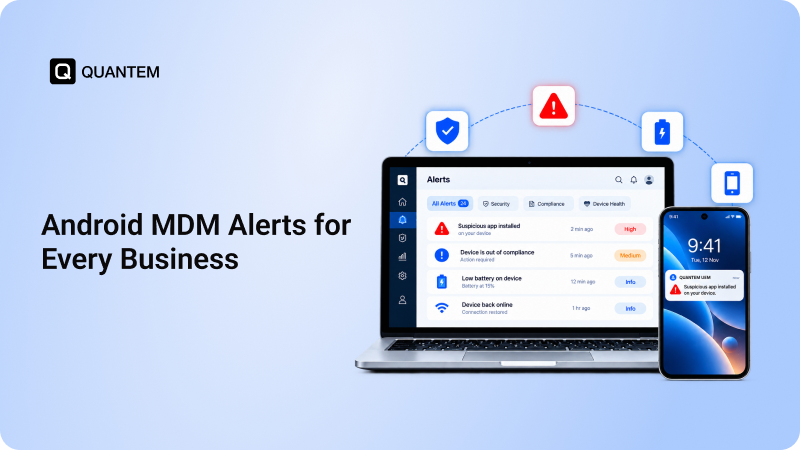
- Identify devices that fall out of compliance or require attention.
- Set automated actions or alerts for policy violations.
- Review device health regularly to identify issues before they affect users.
Continuous monitoring gives IT teams better visibility across the fleet and helps them respond quickly when a device becomes non-compliant or requires intervention.
8. Create Role-Based Device Policies
Different employees and device types often have different requirements, so applying one set of restrictions across the entire fleet may not be practical. Use MDM to create policies based on user roles, departments, device ownership, or business use cases.
For example:
- Create stricter restrictions for shared, kiosk, or frontline devices.
- Give employees access to only the applications and features required for their roles.
- Apply different security settings to corporate-owned and BYOD devices.
- Assign policies automatically when devices are added to specific groups.
- Review and adjust policies as user roles or business requirements change.
Role-based policies provide more control without unnecessarily restricting users, helping organizations maintain security while supporting different workflows across the device fleet.
9. Educate Employees on Security Practices
Even the strongest MDM security best practices can be undermined by unsafe employee behavior. Regular security awareness training helps employees understand common mobile threats and the role they play in protecting company data.
Organizations should:
- Train employees to recognize phishing messages, suspicious links, and social engineering attempts.
- Encourage users to install only trusted applications and avoid unverified sources.
- Explain the importance of strong passwords, device locks, and keeping devices updated.
- Establish a clear process for reporting lost devices, suspicious activity, or potential security incidents.
Regular training, combined with MDM controls, creates a stronger security posture by addressing both technical and human-related risks.
10. Prepare for Lost, Stolen, or Compromised Devices
Devices can be lost, stolen, or compromised despite having security policies in place. Your MDM strategy should include clear measures for responding to these situations quickly and limiting the potential exposure of corporate data.
IT teams should:
- Remotely lock devices that are lost or suspected to be compromised.
- Locate managed devices when the organization's policies and applicable permissions allow it.
- Remotely wipe corporate data or the entire device when necessary.
- Revoke access to business applications and resources when a device is no longer trusted.
- Maintain clear procedures for reporting and responding to lost or stolen devices.
Having these controls in place allows IT teams to respond quickly to device incidents and reduce the risk of unauthorized access to business information.
11. Review and Optimize Your MDM Strategy Regularly
MDM requirements can change as your organization grows, introduces new devices, or adopts new applications and workflows. Regularly reviewing your MDM setup helps ensure that policies remain effective without creating unnecessary restrictions for users.
Make MDM reviews a regular practice by:
- Reviewing device policies and restrictions to ensure they still match business requirements.
- Checking enrollment methods and configurations for new device deployments.
- Removing outdated applications, policies, and device groups that are no longer needed.
- Analyzing compliance and device data to identify recurring issues.
- Updating your MDM strategy as security requirements, operating systems, and business needs evolve.
A regular review keeps your MDM implementation aligned with the organization and helps you get more value from your device management investment over time.
Strengthen Your MDM Strategy with Quantem
Following MDM best practices is easier with a platform that brings device management, security, and support together. Quantem MDM helps organizations manage their mobile fleets from a centralized console while enforcing the policies and controls needed to keep devices secure and compliant.
Whether you manage a single operating system or a diverse device fleet, Quantem provides the tools, scalability, and centralized visibility needed to simplify day-to-day device management. Its user-friendly interface and flexible approach help IT teams manage devices efficiently as their organization grows.
References:
1. Imprivata
Ready to simplify mobile device management with Quantem?
1. What are Mobile Device Management best practices?
The key Mobile Device Management best practices include defining clear requirements, automating device enrollment, controlling applications, enforcing security policies, keeping devices updated, monitoring compliance, and regularly reviewing your MDM strategy.
2. Why is Mobile Device Management solution important for businesses?
Mobile Device Management (MDM) gives IT teams centralized control over company devices. It helps organizations enforce security policies, manage applications, protect business data, monitor compliance, and respond to device-related risks more efficiently.
3. What management features should I look for in an MDM tool?
Look for an MDM solution that supports your device platforms, offers automated enrollment, application and policy management, security controls, compliance monitoring, remote management, and scalability. The solution should also fit your organization's specific operational requirements.
4. How can mobile device management software improve mobile device security?
An MDM software can enforce security requirements such as strong passcodes, encryption, OS updates, application restrictions, and remote lock or wipe. These controls help reduce the risk of unauthorized access and protect corporate data across managed devices.
5. How does MDM software help with compliance?
MDM helps organizations apply consistent device policies and monitor whether endpoints meet those requirements. IT teams can identify non-compliant devices, take corrective action, and maintain greater visibility into the security posture of their mobile fleet.
6. Can MDM manage both company-owned and personal devices?
Yes. Modern MDM software can support different ownership models, including corporate-owned and BYOD devices. For personal devices, features such as work profiles can help separate business applications and data from an employee's personal content.
7. How often should an organization review its MDM policies?
MDM policies should be reviewed regularly and whenever there are significant changes to devices, applications, security requirements, or business operations. Periodic reviews help ensure the MDM strategy remains aligned with current organizational needs.
8. How do I choose the right MDM platform?
Choose an MDM platform that supports multiple operating systems, offers transparent pricing, and provides reliable customer support. Also check whether the provider offers free assistance and clear, comprehensive help documentation to make deployment and ongoing management easier.



Get the latest blogs directly delivered to your mail fly arrow