.png)
UEM vs. MDM: Everything Business Owners Need to Know
Managing a few company smartphones is very different from managing an environment filled with laptops, tablets, desktops, rugged devices, and other connected endpoints. As businesses adopt remote work and more cloud-based applications, IT teams need to manage a much wider range of devices.
This is where the UEM vs MDM discussion becomes important. Both approaches help organizations manage and secure devices, but they differ in the types of endpoints they cover and the level of management they provide.
In this blog, we will explain the difference between MDM vs UEM, compare their capabilities, and outline when each approach may make sense for an organization.
What is Mobile Device Management (MDM)?
Mobile Device Management (MDM) is a technology that helps organizations manage, secure, and monitor mobile devices used for work. It gives IT teams centralized control over devices such as smartphones and tablets without requiring administrators to configure each device manually.
An MDM solution can handle everyday management tasks such as device enrollment, security policy enforcement, application management, and remote actions. It can also help administrators configure services such as corporate email and Wi-Fi on managed devices.
Although MDM has expanded to support some additional device types and operating systems, its primary focus remains mobile device management. This makes it particularly relevant for organizations whose endpoint environment is centered around smartphones and tablets.
Key Capabilities of MDM
MDM brings essential mobile device management functions into a centralized platform, giving IT teams control over how smartphones and tablets are configured and managed. These capabilities help organizations maintain device security, manage applications, and keep mobile endpoints under centralized oversight.
- Device Enrollment and Provisioning: Register devices with the organization's management platform and apply required configurations.
- Security Policy Enforcement: Configure passcodes, device restrictions, and other security requirements.
- Remote Lock and Wipe: Lock or erase managed devices when they are lost, stolen, or need to be retired.
- Application Management: Install, update, and remove applications on managed mobile devices.
- Device Monitoring: Monitor the status and activity of managed mobile devices to maintain visibility across the device fleet.
- Email and Wi-Fi Configuration: Centrally configure connectivity and business services required by users.
Who Needs MDM?
MDM makes sense when an organization needs tighter control over its mobile fleet but does not need to manage every type of endpoint from the same platform. It can be particularly useful when smartphones and tablets are central to day-to-day operations and IT teams need a straightforward way to manage them remotely.
- Mobile-First Workforces: Organizations where employees primarily use smartphones and tablets to access business apps, email, and other work resources.
- Company-Owned Mobile Fleets: Businesses that issue mobile devices to employees and need centralized control over their configurations, applications, and security settings.
- Straightforward Security Requirements: Teams that need standard controls such as passcodes, device restrictions, remote lock, and remote wipe without a broader endpoint management strategy.
- Distributed Mobile Operations: Organizations with devices deployed across different offices, stores, branches, or field locations that need centralized device management.
- Basic Mobile Device Visibility: IT teams that need to monitor managed smartphones and tablets and maintain control over their status, applications, and configurations.
What is Unified Endpoint Management (UEM)?
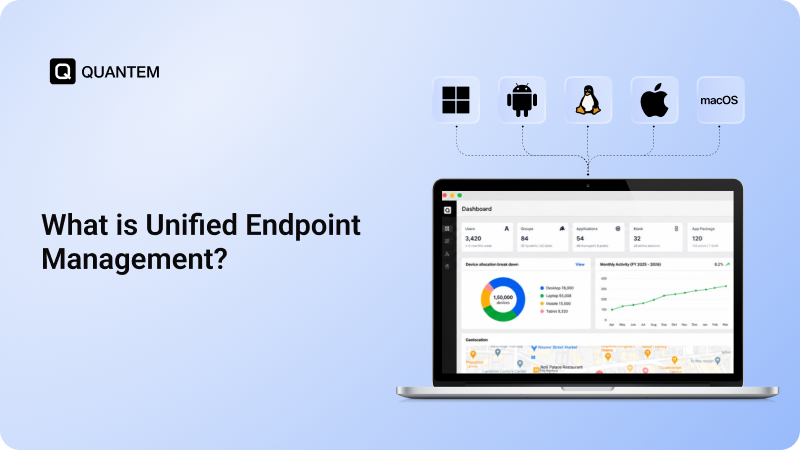
Unified Endpoint Management (UEM) takes the device management approach used by MDM and extends it across a broader endpoint environment. Instead of focusing mainly on smartphones and tablets, a UEM solution can bring mobile devices, laptops, desktops, rugged devices, wearables, virtual machines, and other supported endpoints under one management framework.
The goal is to give IT teams a centralized way to manage different endpoint types rather than relying on separate tools for each category. Depending on the UEM platform, administrators can manage policies, applications, security controls, updates, access, and endpoint activity from a unified console.
This broader scope is one of the key points to understand when comparing UEM vs MDM. MDM remains centered on mobile device management, while UEM expands management across a wider range of enterprise endpoints.
Key Capabilities of UEM
UEM expands endpoint management beyond the traditional mobile-device focus of MDM. Its broader scope allows organizations to bring device management, security, applications, updates, and endpoint controls into a more unified management framework.
- Broad Endpoint Management: Manage mobile devices alongside laptops, desktops, rugged devices, iOT, wearables, and other supported endpoints.
- Unified Policy Enforcement: Apply consistent security and configuration policies across different device types and operating systems.
- Identity and Access Controls: Connect endpoint management with access policies to help control how users and devices access organizational resources.
- Zero Trust and Conditional Access: Support security models that consider device state, encryption, user identity, and access conditions when determining whether resources should be accessible.
- Patch and OS Management: Manage operating system updates and patches across supported endpoints to keep devices current.
- Endpoint Security Posture Assessment: Evaluate the security state of managed endpoints and identify devices that may not meet organizational requirements.
- Application Lifecycle Management: Manage applications throughout their lifecycle, including deployment, updates, configuration, and removal.
These capabilities give UEM a broader management scope than traditional MDM, particularly for organizations managing both mobile and non-mobile endpoints.
Who Needs UEM?
UEM is particularly useful when an organization has moved beyond a mobile-only environment and needs to manage several types of endpoints from a central platform. It can also suit businesses looking to bring device management, security, applications, and endpoint controls into a more unified approach.
- Multiple Endpoint Types: Environments that include smartphones, tablets, laptops, desktops, rugged devices, wearables, or other supported endpoints.
- Multi-OS Environments: IT teams that need to manage devices running different operating systems through a centralized platform.
- Remote and Hybrid Workforces: Businesses where employees work from different locations and use a combination of corporate and personal devices to access business resources.
- Advanced Security Requirements: Organizations that need capabilities beyond basic mobile-device policies, such as patch management, conditional access, or endpoint security assessment.
- Multiple Management Tools: IT environments where separate platforms are used for different endpoint categories and a more centralized management approach is needed.
UEM vs. MDM: Feature Comparison
The difference between UEM vs MDM becomes clearer when looking at the scope of devices, security controls, application management, and automation each approach provides. While both help IT teams manage endpoints centrally, UEM is designed to cover a broader and more diverse endpoint environment.
UEM vs. MDM: What is the Real Difference?
The biggest difference between UEM and MDM is the problem each approach is designed to solve. MDM addresses the need to manage and secure mobile devices, while UEM takes a broader view of the workplace and brings different types of endpoints into one management strategy.
Think of MDM as a mobile-focused management approach. It works well when smartphones and tablets make up most of the organization's managed devices. IT teams can enroll those devices, configure security settings, manage applications, monitor device status, and take remote actions when needed.
UEM expands that model as the endpoint environment becomes more diverse. Instead of treating mobile devices, computers, rugged hardware, and other endpoints as separate management categories, UEM provides a broader framework for managing them through a centralized platform.
This difference can affect several areas of IT operations:
- The management scope changes: MDM is centered around mobile devices, while UEM is designed for a wider endpoint environment.
- The IT workflow becomes more unified: With MDM, mobile management may be the primary requirement. UEM brings different endpoint management tasks into a common administrative workflow.
- Security can extend across the endpoint estate: UEM can apply security and access controls across supported endpoint types instead of limiting management primarily to mobile devices.
- The approach to applications expands: MDM handles mobile application requirements, while UEM can extend application management across a broader collection of endpoints.
- Device lifecycle management becomes broader: UEM can help IT teams manage endpoints beyond enrollment and configuration, including updates, maintenance, monitoring, and retirement.
- Tool consolidation becomes more relevant: Organizations managing several endpoint categories may use multiple management tools. UEM can bring more of those management functions together under one platform.
MDM vs UEM: Which is the Right Solution for Your Organization?
The choice between UEM or MDM depends on the type of devices being managed, the organization's security requirements, and how its endpoint environment is expected to evolve. Neither approach is universally suited to every organization; the right fit depends on the management scope and business needs.
Choose MDM When:
- The Environment Is Primarily Mobile: Smartphones and tablets make up most of the organization's managed device fleet.
- Management Requirements are Straightforward: The organization mainly needs device enrollment, security policies, application management, monitoring, and remote device actions.
- A Mobile-Focused Management Approach is Sufficient: There is little need to manage desktops, laptops, rugged devices, wearables, or other endpoint types through the same platform.
- A Simpler Deployment is Preferred: IT teams want to manage a focused mobile environment without introducing broader endpoint management capabilities.
Choose UEM When:
- The Endpoint Environment is Diverse: The organization manages mobile devices alongside laptops, desktops, rugged devices, wearables, or other supported endpoints.
- Multiple Operating Systems Are in Use: IT teams need to manage different operating systems through a centralized platform.
- Broader Security and Management Controls are Required: The organization needs capabilities that extend beyond traditional mobile-device management.
- Endpoint Tools Need to Be Consolidated: IT teams want to reduce the number of separate platforms used to manage different endpoint categories.
- The Endpoint Environment is Expected to Grow: The organization needs a management framework that can accommodate additional device types and evolving endpoint requirements.
Why are More Businesses Turning to UEM?
The shift toward remote work, cloud applications, and diverse endpoint environments has made device management more complex. UEM brings broader endpoint management, security, and administration into a centralized framework.
Organizations today are turning to UEM because:
- UEM brings smartphones, tablets, laptops, desktops, rugged devices, and other supported endpoints into one management environment.
- Centralizing endpoint management reduces the need to switch between separate tools and management consoles.
- UEM helps apply security policies, manage updates, and maintain consistent controls across supported endpoints.
- A centralized platform gives IT teams a broader view of device status, applications, configurations, and endpoint activity.
- UEM provides a broader framework for managing new devices, operating systems, and evolving work environments as the organization grows.
Quantem UEM: Unified Management for Every Endpoint
The choice between UEM and MDM ultimately depends on an organization's endpoint environment and management requirements. While MDM continues to serve mobile-focused environments, UEM expands management across devices, operating systems, access, applications, and security through a centralized platform.
Quantem is an all-in-one UEM solution that centralizes endpoint management across Android, iOS, Windows, macOS, and Linux. IT teams can manage devices, applications, policies, security settings, and endpoint activity from a single console. This centralized approach can simplify administration while giving organizations greater visibility and control over their endpoint environment.
Manage All Your Endpoints With Quantem UEM
1. What is the difference between UEM and MDM?
MDM primarily focuses on managing and securing mobile devices such as smartphones and tablets. UEM takes a broader approach by extending endpoint management to devices such as laptops, desktops, rugged devices, wearables, and other supported endpoints.
2. Is UEM better than MDM?
Neither is universally better. MDM can meet the needs of organizations with a primarily mobile device environment, while UEM is designed for organizations managing a broader mix of endpoints and operating systems.
3. Should a business choose UEM or MDM for BYOD?
Both UEM and MDM can support BYOD environments. The appropriate choice depends on the organization's device mix, security requirements, data protection needs, and the level of management required for personal devices.
4. Are UEM and MDM secure for remote work?
Both can help secure devices used for remote work by enforcing security policies, managing applications, and providing remote management capabilities. UEM can extend these controls across a wider range of endpoint types.
5. How do UEM and MDM support compliance requirements?
Both can help organizations enforce device policies, monitor managed endpoints, and maintain security controls that support compliance requirements. The specific capabilities available depend on the platform and the organization's compliance requirements.
6. Can UEM manage desktops and laptops?
Yes. UEM extends endpoint management beyond mobile devices and can support desktops and laptops alongside smartphones, tablets, and other supported endpoints.
7. What is the Difference Between UEM and Enterprise Mobility Management (EMM)?
Enterprise Mobility Management (EMM) focuses primarily on managing mobile devices, applications, and corporate data through an enterprise mobility management solution. UEM expands this approach beyond mobile environments to manage a broader range of endpoints, helping organizations apply consistent controls and address security vulnerabilities across different device types.



Get the latest blogs directly delivered to your mail fly arrow