What is Enterprise Mobility Management (EMM)? A Guide for Business Mobile Workforce
The way employees work has changed. People are no longer tied to a single office or a company-issued desktop. They use smartphones, tablets, laptops, and other devices to access business apps, communicate with teams, and work with company data from almost anywhere.
That flexibility is useful for employees, but it also creates a bigger challenge for IT teams. How do you keep business data protected when employees are using different devices, working from different locations, and sometimes using their own phones for work?
Enterprise Mobility Management (EMM) helps solve this challenge. It gives organizations a structured way to manage mobile devices, applications, corporate content, and user access while supporting both company-owned and personal devices.
EMM brings capabilities such as Mobile Device Management (MDM), Mobile Application Management (MAM), Mobile Content Management (MCM), and identity and access controls into a broader mobility management strategy.
In this guide, we will explain what Enterprise Mobility Management is, how it works, its key components and features, the benefits it offers, and how businesses can implement an effective EMM strategy.
What is Enterprise Mobility Management (EMM)?
Enterprise Mobility Management (EMM) is a framework that helps organizations manage and secure the mobile devices, applications, data, and user access used for work. It gives IT teams centralized control over business mobility while allowing employees to access the resources they need from company-owned or personal devices.
EMM evolved from Mobile Device Management (MDM) as businesses began relying on mobile applications, cloud services, personal devices, and remote work. Instead of focusing only on the device itself, EMM expanded management to include applications, business content, and user access. Over time, these capabilities have continued to evolve toward Unified Endpoint Management (UEM), which extends centralized management beyond mobile devices to a broader range of endpoints.
What Are the Components of Enterprise Mobility Management?
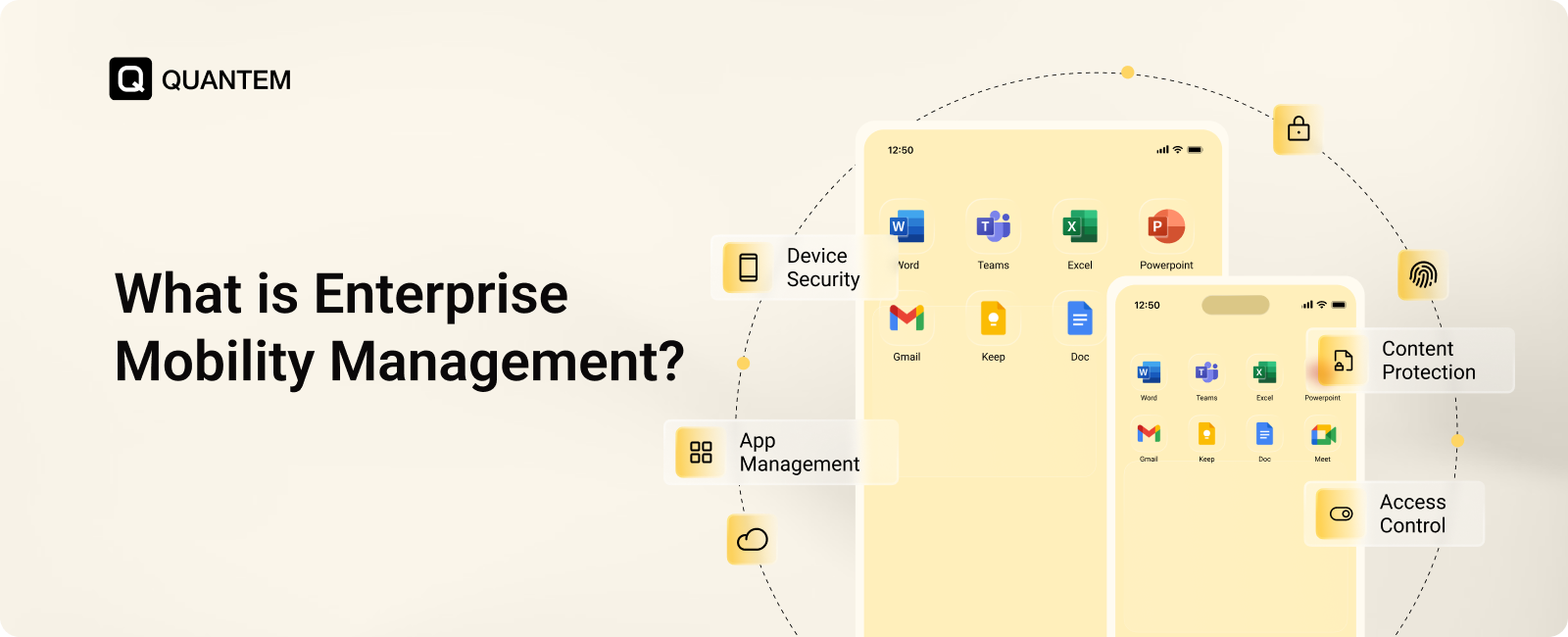
Enterprise Mobility Management brings together different technologies for managing devices, applications, business content, and user access. Each component handles a specific area of enterprise mobility, while together they give IT teams broader control over mobile technology.
1. Mobile Device Management (MDM)
Mobile Device Management (MDM) focuses on managing and securing the devices employees use for work. IT teams can enroll devices, configure settings, apply policies, manage apps, and take remote actions when needed.
With MDM, IT admins can:
- Enroll and provision corporate and BYOD devices.
- Configure device settings and security policies.
- Deploy and manage applications remotely.
- Lock or wipe devices when necessary.
2. Mobile Application Management (MAM)
Mobile Application Management (MAM) focuses on business applications rather than the entire device. It is especially useful for BYOD, where organizations need to protect business apps and data without managing an employee's personal apps.
With MAM, IT admins can:
- Deploy and manage approved business apps.
- Control access to corporate applications.
- Apply policies to protect business data.
- Manage app permissions and restrictions.
3. Mobile Content Management (MCM)
Mobile Content Management (MCM) manages how employees access and use business files and other corporate content on mobile devices. It helps keep company information accessible while giving IT teams control over how it is handled.
With MCM, IT admins can:
- Distribute business files and content remotely.
- Control which apps can access corporate content.
- Restrict how business files are shared or stored.
- Update or remove corporate content remotely.
3. Identity and Access Management (IAM)
Identity and Access Management (IAM) controls who can access business applications, systems, and data. It adds an identity layer to EMM by using authentication and access policies to ensure only authorized users can access corporate resources.
With IAM, IT admins can:
- Manage user authentication and access permissions.
- Enable Single Sign-On (SSO).
- Enforce Multi-Factor Authentication (MFA).
- Control access based on user roles and policies.
Together, MDM, MAM, MCM, and IAM cover the key areas of enterprise mobility management, from devices and applications to content and user access. Modern UEM platforms bring many of these capabilities together while extending management to other endpoints.
Key Features of an Enterprise Mobility Management (EMM) Solution
A strong Enterprise Mobility Management solution gives IT teams control over the devices, applications, data, and users involved in mobile work. The exact capabilities vary between platforms, but these are some of the key features to look for:
- Device Enrollment and Provisioning: EMM makes it easier to bring new devices under management and prepare them for work. IT teams can enroll corporate-owned and BYOD devices, apply the required settings, and get users ready without configuring every device manually.
- Application Management: IT teams can manage the full lifecycle of business applications from a central console. This includes deploying required apps, keeping them updated, controlling access, and applying app-specific policies where supported.
- Policy and Configuration Management: Administrators can create policies for device security and usage, then apply them across managed devices. These policies can cover areas such as passcodes, Wi-Fi, VPN, cameras, screenshots, and other device restrictions.
- Data Separation and Containerization: EMM can help separate business information from personal data, particularly on BYOD devices. This allows employees to use their personal devices while giving organizations greater control over corporate apps and data without managing the entire personal device.
- Secure Content Distribution: IT teams can distribute business files, documents, and other content to managed devices through controlled channels. Access rules can help ensure corporate content is available to the right users and devices.
- Remote Support and Management: Administrators can remotely monitor devices, troubleshoot supported issues, and take actions such as locking or wiping a device. This reduces the need for physical access when a device needs attention.
- Device Monitoring and Reporting: Centralized dashboards provide visibility into device status, application activity, and policy compliance. Reports and alerts can help IT teams identify issues and respond before they become larger problems.
- Cloud-Based Scalability: Cloud-based EMM allows IT teams to manage devices from different locations without maintaining complex on-premises infrastructure. It also makes it easier to add devices and users as the organization grows.
Why is Enterprise Mobility Management Important for Businesses?
As mobile devices become a regular part of how employees work, IT teams need a reliable way to manage them without creating unnecessary restrictions for users. Enterprise Mobility Management helps businesses balance mobility, productivity, security, and control from a central platform.
For IT teams, EMM reduces the effort involved in managing smartphones, tablets, applications, and corporate data across different users and locations. Administrators can apply policies, manage applications, support devices remotely, and maintain visibility without handling every device individually.
For businesses, this can mean better protection of corporate data, easier device management, faster onboarding, and more consistent security practices across company-owned and BYOD devices. EMM also gives organizations a way to support mobile and hybrid work without losing control over how business resources are accessed.
As the number of mobile devices and applications grows, having a centralized approach to enterprise mobility management can help organizations scale their mobility programs without adding the same level of manual effort.
Does Enterprise Mobility Management Help With Compliance?
Yes. Enterprise Mobility Management can help organizations enforce security and data protection policies across mobile devices, applications, and users. This is particularly useful when employees access business resources from personal devices or work outside the corporate network.
With EMM, IT teams can apply controls such as device security policies, application restrictions, remote lock and wipe, and access controls. These measures help organizations reduce the risk of unauthorized access and keep mobile devices aligned with internal security requirements.
EMM can also provide audit logs, device reports, and compliance information that give IT teams better visibility into device activity and policy adherence. This information can support compliance efforts for organizations subject to requirements such as HIPAA, GDPR, PCI-DSS, and SOX, depending on the controls and configuration used.
Importantly, EMM itself does not make an organization automatically compliant. Compliance depends on the applicable regulations, organizational policies, and how the EMM platform is configured and used.
What IT Challenges Does Enterprise Mobility Management Solve?
As businesses rely more heavily on mobile devices, IT teams face challenges that go beyond simply keeping devices operational. Employees may use different platforms, work from different locations, and access company resources from both personal and corporate-owned devices.
Enterprise Mobility Management helps address these challenges by bringing device, application, data, and access controls into a more centralized approach.
1. Managing BYOD and Multiple Mobile Platforms
Employees may use a mix of Android and iOS devices, including their own personal phones. EMM helps IT teams enroll these devices, apply appropriate policies, and protect business data without unnecessarily interfering with personal use.
2. Maintaining Mobile Security Policies
Keeping mobile devices aligned with security requirements can be difficult when employees work from different locations. EMM allows IT teams to apply controls such as passcode requirements, application restrictions, device policies, and remote security actions across managed devices.
3. Managing a Growing Device Fleet
As the number of employees and mobile devices increases, manual management quickly becomes difficult. EMM helps automate enrollment, provisioning, application deployment, and policy application so IT teams can manage more devices without increasing the same level of administrative effort.
4. Protecting Corporate Data on Personal Devices
BYOD creates a difficult balance between employee privacy and business security. EMM can help separate business applications and data from personal information, giving organizations greater control over corporate resources without requiring full control of an employee's personal device.
5. Supporting Employees Without Physical Access
Mobile devices may be used at home, in the field, or across different offices. EMM gives IT teams remote management and support capabilities, allowing them to troubleshoot supported issues, apply updates, and take security actions without requiring the device to be physically brought to IT.
Key Business Benefits of Implementing EMM
Enterprise Mobility Management can help businesses improve how they deploy, manage, secure, and support mobile devices while reducing the operational effort required from IT teams.
1. Enable Flexible Mobile and BYOD Work
EMM allows employees to securely access business applications and data from personal devices or company-owned devices. This gives organizations the flexibility to support remote and hybrid work while keeping business information under appropriate controls.
2. Simplify IT Operations
IT teams can manage device settings, applications, policies, and content from a centralized platform instead of relying on separate processes. This reduces repetitive administrative work and makes day-to-day mobile management easier.
3. Reduce IT Support Workload
Remote management capabilities allow IT teams to handle many device and application issues without physical access. This reduces help desk effort and the need for on-site support as the number of managed devices grows.
4. Improve Visibility Into Mobile Devices
Centralized dashboards give IT teams visibility into device status, applications, compliance, and other aspects of the mobile fleet. This makes it easier to identify issues and make informed management decisions.
5. Strengthen Mobile Security
EMM helps protect mobile endpoints through application policies, security configurations, remote lock and wipe, and access controls. IT teams can respond quickly when a device is lost, stolen, or presents a security concern.
6. Improve Policy and Compliance Management
IT teams can apply security and usage policies consistently across managed devices and monitor whether devices meet those requirements. Reports, alerts, and audit information can also support internal governance and compliance activities.
7. Respond Faster to Security Threats
When a new vulnerability or security concern emerges, IT teams can centrally update policies, applications, or device configurations. This allows organizations to respond faster instead of relying on users to make changes manually.
8. Minimize the Impact of Mobile Security Incidents
Features such as remote lock, remote wipe, application controls, and data protection measures can help limit the impact of lost or compromised devices. A faster response can reduce the risk of unauthorized access to corporate information.
9. Reduce Mobile-Related Downtime
Remote support, application management, and centralized updates help IT teams address device problems without waiting for physical access. Faster resolution means employees can return to work sooner and face fewer interruptions.
10. Extend Device Lifecycles
Device monitoring and remote troubleshooting can help IT teams identify problems earlier and maintain devices more effectively. Resolving issues remotely can also reduce unnecessary hardware replacements and help organizations get more value from existing devices.
11. Reduce IT Costs
Centralized management can reduce the need for manual configuration, on-site support, and multiple standalone management tools. Cloud-based EMM can also reduce infrastructure requirements while allowing IT teams to manage more devices with existing resources.
12. Scale With Business Growth
As organizations add employees, devices, and locations, EMM makes it easier to enroll new devices and apply existing policies and configurations. This allows IT teams to expand their mobile fleet without rebuilding their management processes from scratch.
Best Practices to Implement an Enterprise Mobility Management (EMM) Solution
Implementing an Enterprise Mobility Management solution requires more than simply deploying a management platform. IT teams need clear goals, well-defined policies, and a rollout plan that works for both employees and the business.
1. Start With a Scalable Cloud-Based Platform
A cloud-based EMM platform makes it easier to manage devices across different locations and networks. It also simplifies deployment, remote administration, and platform updates as your mobile workforce grows.
2. Set Clear Goals for Your EMM Program
Start by identifying what you want EMM to accomplish. This could include securing BYOD devices, protecting corporate data, controlling business applications, improving device management, or supporting remote employees. Clear goals help determine the right policies and configurations.
3. Test Before a Full-Scale Rollout
Test the EMM solution with a small group of users and different device types before rolling it out across the organization. A pilot can help identify configuration issues, test policies, and uncover potential user experience problems before a wider deployment.
4. Standardize Your Mobile Policies
Define standard rules for device security, application usage, data access, and compliance across supported platforms. Consistent policies make management easier and reduce the risk of configuration gaps between devices.
5. Connect EMM With Your Existing Tools
Connect your EMM platform with identity providers, enterprise applications, email services, and relevant security tools. These integrations can simplify authentication and help coordinate device, application, and access controls.
6. Prepare Your IT Team for EMM
Make sure administrators understand how to enroll devices, manage policies, deploy applications, provide remote support, and generate reports. Clear documentation also gives IT teams a consistent process for handling everyday management tasks.
7. Monitor Performance and Refine Your Strategy
EMM should be reviewed continuously rather than treated as a one-time deployment. Monitor device health, application usage, policy compliance, and security events, then adjust configurations and policies as business requirements change.
Choose Quantem as Your Enterprise Mobility Management Provider
Choosing an Enterprise Mobility Management provider means finding a platform that can support your mobility strategy without adding unnecessary complexity. Quantem brings device, application, content, policy, and remote management capabilities together in one centralized platform.
Quantem supports a broad range of devices, including smartphones, tablets, laptops, desktops, rugged devices, POS systems, and digital signage across Android, iOS, macOS, Windows, and Linux.
With Quantem, organizations can:
- Manage devices centrally: Configure, monitor, and manage supported devices from a single console.
- Support diverse workforces: Manage corporate-owned and BYOD devices while maintaining appropriate control over business data.
- Manage applications and content: Distribute business applications and content remotely and keep them updated across managed devices.
- Secure dedicated devices: Use Kiosk Mode to configure supported Android devices for single-app or multi-app workflows.
- Provide remote assistance: Use Remote Cast and Control to troubleshoot supported devices without requiring physical access.
- Maintain device health: Manage patches, updates, and policies to help keep devices current and compliant.
Why Choose Quantem?
- Simpler deployment: Streamline enrollment and device configuration with automated provisioning and centralized policies.
- One platform for multiple operating systems: Manage supported Android, iOS, macOS, Windows, and Linux devices from one console.
- Built to scale: Manage growing device fleets without adding the same level of manual administrative work.
- Lower IT overhead: Reduce repetitive tasks and the need for physical device support.
- Dedicated support: Get assistance when you need help deploying or managing your mobility program.
Whether you are moving from another MDM or UEM platform or starting your mobility management program from scratch, Quantem provides a centralized foundation for managing your organization's devices.
Ready to simplify enterprise mobility management?
FAQs
1. What Is the Purpose of EMM?
The purpose of Enterprise Mobility Management (EMM) is to help organizations manage and secure the mobile devices, applications, corporate data, and user access used for work. It gives IT teams centralized control while supporting mobile, remote, and BYOD work.
2. How Does Enterprise Mobility Management Work?
EMM works by bringing device, application, content, and identity management capabilities into a centralized management platform. IT teams can enroll devices, apply policies, manage business applications and content, control access, and remotely support or secure devices.
3. What Is the Difference Between Mobility Solutions Like EMM and MDM?
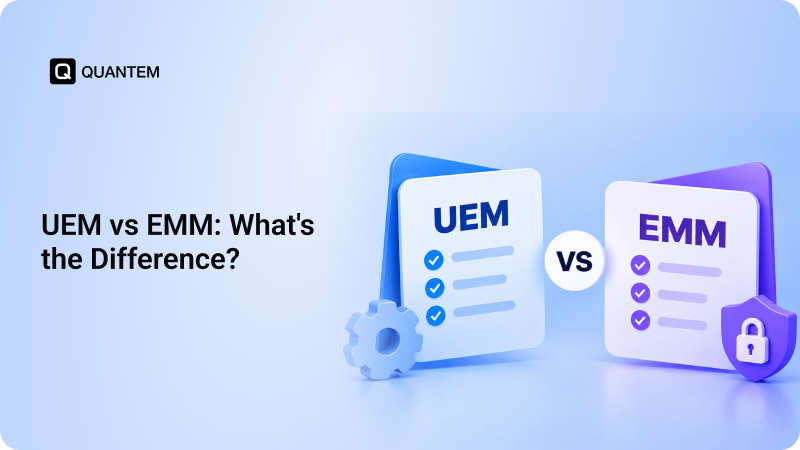
EMM vs MDM comes down to scope. MDM primarily focuses on managing and securing the device itself, while EMM expands beyond device management to include applications, corporate content, and identity and access controls.
4. What Is the Difference Between Enterprise Mobility Management (EMM) and Unified Endpoint Management (UEM)?
EMM vs UEM is mainly about the range of devices being managed. EMM focuses primarily on mobile devices, applications, data, and access, while UEM extends centralized management to a broader range of endpoints, including computers and other business devices.
5. What Are the Future Trends in Enterprise Mobility Management?
The evolution of EMM is moving toward broader endpoint management, stronger automation, cloud-based administration, and tighter integration with security and identity tools. This progression from MDM to EMM to UEM reflects how organizations now manage a wider range of devices and work scenarios.
6. How Does EMM Help With Compliance and Data Security?
EMM helps organizations apply security policies across managed devices and control how employees access business applications and data. Features such as application controls, remote lock and wipe, access policies, sensitive data encryption, monitoring, and audit information can support an organization's broader security and compliance efforts.
7. Is EMM Suitable for BYOD Environments?
Yes. EMM for Bring Your Own Device (BYOD) can help organizations protect business applications and data on employee-owned devices without requiring complete control over the user's personal information. Capabilities such as application-level policies and data separation can help create a clearer boundary between work and personal use.
8. What Types of Devices Can You Manage Using EMM?
EMM primarily focuses on mobile devices such as Android and iOS smartphones and tablets. Modern platforms can also extend management to laptops, desktops, rugged devices, and other endpoints as EMM capabilities evolve toward UEM.



Get the latest blogs directly delivered to your mail fly arrow

.png)