What is MDM Containerization? A Guide for BYOD Device Management
Bring Your Own Device (BYOD) has become a practical choice for many organizations. Employees can use their own devices for work while businesses avoid provisioning and maintaining a device for every user.
But there is a catch.
A personal smartphone or tablet used for work can contain everything from corporate emails and documents to personal photos, messages, and apps. Without proper separation, managing business data can quickly become a privacy and security concern.
This is where MDM containerization comes in. It creates a dedicated work environment on a personal device, keeping corporate apps and data separate from personal content. IT teams can manage the work environment while employees continue using the rest of their device as usual.
In this blog, let's explore what MDM containerization is, how it works on Android and iOS, why it matters for BYOD security, and how it helps organizations protect corporate data while respecting employee privacy.
What is MDM Containerization?
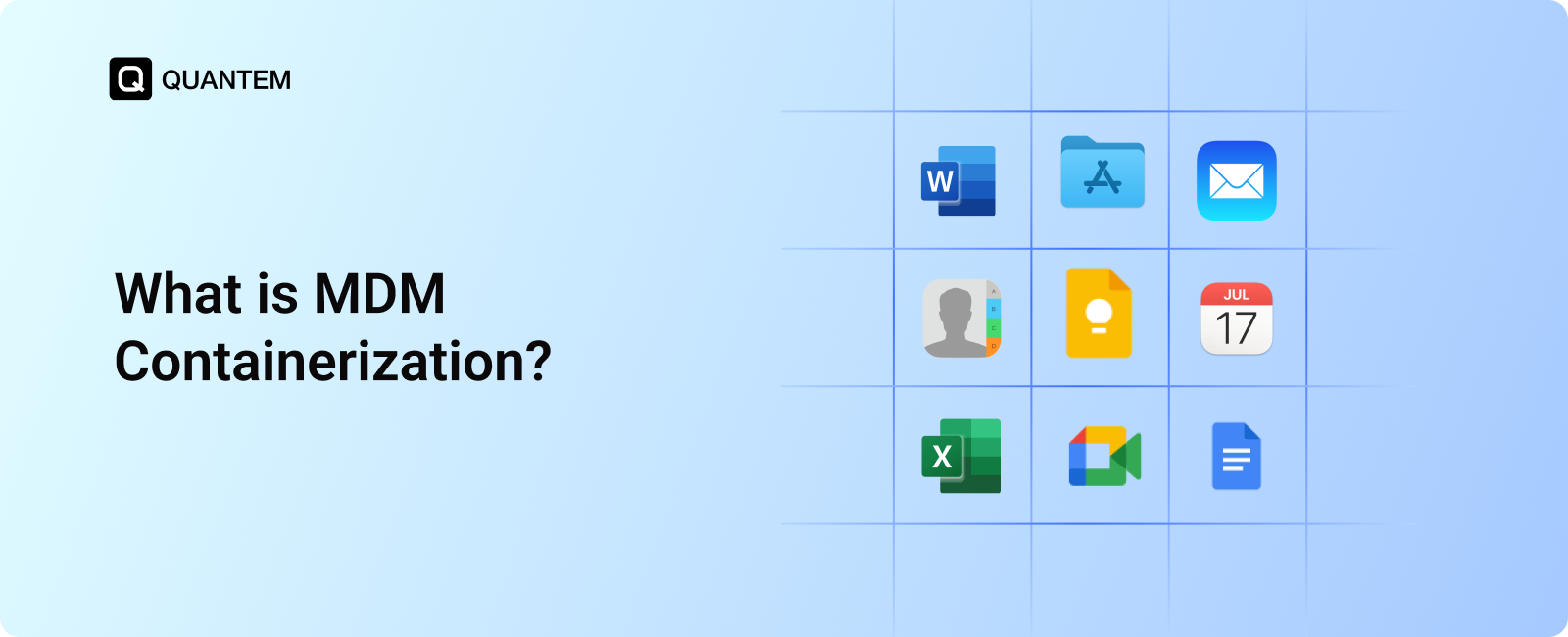
MDM containerization is a mobile device management approach that creates a separate, secure workspace for business apps and data on a device. It allows organizations to manage corporate information without taking control of the user's entire device.
Think of it as having two distinct spaces on the same device:
- Work space: Contains business apps, files, emails, and other corporate resources.
- Personal space: Contains the user's personal apps, photos, messages, and files.
The work environment, often called a container, is managed through an MDM solution. IT teams can apply security policies, control business apps, and manage corporate data within this environment.
The personal side remains outside the organization's management, giving employees privacy while allowing businesses to maintain control over their data.
This separation makes MDM containerization particularly useful for BYOD environments, where employees need to access corporate resources from their personal devices.
Why is Containerization Important in BYOD?
BYOD gives employees the flexibility to use their own devices, but it also creates a clear challenge: how can businesses protect corporate data without managing an employee's entire personal device?
BYOD containerization addresses this by creating a clear boundary between work and personal information. This helps organizations strengthen BYOD security while giving employees more control over their personal data.
Key reasons containerization matters include:
- Keeps corporate apps and data within a controlled work environment.
- Reduces the risk of business information mixing with personal content.
- Allows IT teams to manage work data without accessing personal files and apps.
- Supports selective data removal when an employee leaves or a device is compromised.
- Gives employees greater confidence that their personal information remains private.
This balance between data security and employee privacy makes containerization an important approach for organizations supporting BYOD.
How Does MDM Containerization Work on Android and iOS?
MDM containerization works differently across Android and iOS, but the goal is the same: separate business data from personal data while giving IT teams control over the work environment.
Here's a detailed comparison:
Android Containerization
On Android devices, containerization is commonly implemented through Android Work Profile. It creates a dedicated work space on the employee's device where organizations can manage business apps, accounts, and data.
IT teams can apply security policies and manage work applications without controlling the user's personal apps and files. This makes Android Work Profile a practical option for BYOD containerization.
How it works:
- The device is enrolled into the MDM solution.
- A Work Profile is created on the device.
- Work apps are deployed into the profile and appear with a distinct work badge.
- IT admins can manage, monitor, apply updates, or wipe the work profile.
- Personal apps, files, and data remain outside IT management.
- Security policies such as app restrictions, password requirements, encryption, VPN setting, and other network controls are enforced within the work profile.
iOS Containerization
On iOS devices, organizations can use managed apps and data separation capabilities to keep corporate information distinct from personal content. IT teams can manage business applications, apply security controls, and remove corporate data without requiring full control over the employee's personal device.
This approach helps organizations maintain BYOD security while giving employees greater privacy over their personal information.
How it works:
- The device is enrolled into the MDM solution.
- Work apps are deployed as managed apps through MDM.
- Business data is restricted to flow between managed apps.
- Controls such as Open In management can prevent corporate data from being shared with personal apps.
- IT admins can remotely remove managed apps and corporate data.
- Policies can control actions such as copy-paste, file sharing, and backups within managed apps.
How Does MDM Containerization Improve BYOD Security?
Containerization is not just about separating work and personal data. It also controls how corporate information is stored, accessed, and shared on personal devices. By keeping business data within a managed environment, organizations can reduce unnecessary exposure while allowing employees to use their devices normally.
Here's how MDM containerization helps strengthen BYOD security:
1. Data Separation and Isolation
Corporate apps and sensitive data remain within a controlled work environment, separate from personal apps and storage. This reduces the risk of business information being accidentally shared with personal applications or services.
2. Protection Against Data Breaches
Isolation limits access to corporate data. Even if a personal application is compromised, it cannot freely access information managed within the work environment. This helps reduce the potential impact of security threats.
3. Preservation of User Privacy
IT teams manage the work environment rather than the employee's entire device. Personal apps, files, photos, and other private content remain outside the organization's management.
4. Selective Wipe Capabilities
If a device is lost, compromised, or an employee leaves the organization, IT admins can remove the corporate work environment without deleting personal data. This helps protect business information while minimizing disruption for employees.
5. Policy Enforcement Inside the Container
IT teams can enforce security controls within the managed environment, including password requirements, app restrictions, access controls, and content-sharing policies. These controls help protect corporate data without unnecessarily restricting personal device usage.
6. Support for Compliance Requirements
By isolating and controlling corporate data, containerization can help organizations apply consistent data protection and security controls. This can support compliance with applicable data protection and industry requirements.
7. Improved Productivity and Focus
Keeping work applications and resources within a dedicated environment creates a clearer separation between work and personal use. Employees can access the tools they need without mixing corporate information with personal applications.
This balance of security, privacy, and usability makes containerization particularly valuable for organizations using BYOD.
What are the Benefits of MDM Containerization for Businesses and Employees?
MDM containerization creates a balance between business security and employee privacy. Organizations can protect corporate data without taking complete control of personal devices, while employees can continue using their devices as they normally would.
Benefits for Businesses
- Protect corporate data: Keeps business apps and information within a controlled environment.
- Reduce data leakage: Limits the movement of corporate information into personal apps and services.
- Simplify device management: Gives IT teams centralized control over the work environment.
- Support compliance: Helps organizations apply consistent security controls to corporate data and support requirements such as GDPR, HIPAA, SOC 2, CCPA, and ISO 27001.
- Simplify offboarding: Allows IT teams to remove corporate data without wiping the entire device.
Benefits for Employees
- Protect personal privacy: Personal apps, files, photos, and messages remain outside IT management.
- Use familiar devices: Employees can access work resources from their own smartphones or tablets.
- Keep personal data intact: Removing corporate data does not require deleting personal content.
- Separate work and personal use: A clear boundary makes it easier to keep business and personal information apart.
This makes MDM containerization particularly useful for organizations that want stronger BYOD security without creating unnecessary restrictions and user experience complications for employees.
Why is MDM Important for Enabling Containerization in BYOD Management?
Containerization is essential for BYOD, but native OS capabilities alone can be difficult to manage at scale.
On Android devices, Android Work Profile provides the work container. While it can be configured on individual devices, doing this manually becomes impractical when an organization needs to manage hundreds or thousands of devices.
An MDM solution removes this limitation by allowing organizations to deploy and manage work environments remotely while applying consistent policies across devices.
On iOS, containerization relies on managed apps and data controls. MDM provides the management layer needed to define how corporate data is accessed, shared, and secured across managed applications.
With an MDM solution, IT admins can:
- Create and configure work environments remotely.
- Enforce policies consistently across devices.
- Manage apps and corporate data from a central dashboard.
- Perform selective wipes when corporate data needs to be removed.
In enterprise environments, MDM makes containerization scalable, consistent, and easier to manage.
Challenges of Implementing Containerization in MDM
While MDM containerization offers a practical approach to BYOD security, organizations may still face a few challenges when implementing it.
- Platform differences: Android and iOS use different approaches to separate and manage corporate data, which can make cross-platform management more complex.
- User adoption: Employees may be hesitant to use work profiles or managed apps on their personal devices if the purpose and privacy controls are not clearly communicated.
- Policy complexity: Organizations need to define appropriate rules for data access, app usage, sharing, and security without unnecessarily restricting personal use.
- Limited control: Containerization intentionally limits IT control to the work environment, so it may not provide the same level of device-wide management as fully managed devices.
- Management overhead: Large BYOD deployments require centralized tools and well-defined processes to consistently manage policies, applications, and corporate data.
Best Practices for Implementing MDM Containerization
A successful containerization strategy requires more than separating work and personal data. Organizations also need clear policies and ongoing management practices to keep corporate information secure while maintaining a good employee experience.
1. Define Clear Work and Personal Data Boundaries
Clearly identify which applications, data, and resources belong to the organization and which remain personal. This helps prevent accidental data sharing while making the scope of IT management clear to employees.
2. Choose the Right Containerization Approach
Use the containerization method supported by each operating system. Android Work Profile provides a dedicated work environment, while iOS uses managed apps and User Enrollment to separate corporate data from personal information.
3. Apply Granular Security Policies
Configure policies around the organization's actual security requirements. Controls for passwords, application access, data sharing, and other actions should protect corporate information without unnecessarily restricting personal device usage.
4. Use Selective Wipe for BYOD Devices
Avoid full device wipes when only corporate data needs to be removed. Selective wiping allows IT teams to remove the work profile or managed corporate data while leaving personal information intact. This can be used when an employee leaves the organization or the device is lost or stolen.
5. Communicate Privacy Policies Clearly
Employees should understand what the organization can manage and what remains private. Clear communication can improve trust and make BYOD enrollment easier.
6. Review and Update Policies Regularly
Regularly review containerization policies as business requirements, applications, threats, and operating systems change. This helps keep security controls effective without creating unnecessary friction for users.
Following these practices helps organizations maintain a secure, manageable, and employee-friendly BYOD environment while keeping corporate data protected.
How to Choose the Right Mobile Device Management Solution for BYOD Containerization?
Not every MDM solution handles BYOD containerization in the same way. The right choice depends on the devices your employees use, the level of security you need, and how easily your IT team can manage the deployment.
When evaluating an MDM solution for MDM containerization, look for:
1. Multi-OS Support
Choose a platform that supports both Android and iOS so you can manage containerization consistently across different employee devices.
2. Easy Enrollment
The solution should offer straightforward enrollment options that make it easy for employees to get their devices configured without lengthy setup processes.
3. Strong Containerization
Look for clear separation between personal and corporate data, with controls over corporate apps, files, and access to business resources.
4. Granular Policy Management
IT teams should be able to apply policies based on users, groups, roles, or device types rather than relying on one-size-fits-all settings.
5. Remote Management
Administrators should be able to manage work environments, update policies, and remove corporate data without needing physical access to the device.
6. Reliable Support and Documentation
Good help documentation, onboarding resources, and responsive support can make deployment and day-to-day management much smoother.
7. Scalability
The platform should continue to work effectively as the number of BYOD devices grows without creating additional management complexity.
8. User-Friendly Console
A clean, intuitive dashboard helps IT teams manage devices and policies efficiently while reducing the learning curve.
Before making a final decision, test the solution through a demo or free trial. The best MDM platform should secure corporate data, respect employee privacy, and fit naturally into your existing BYOD strategy.
How Does Quantem Support Containerization for BYOD Device Management?
Quantem MDM helps organizations secure and manage corporate data on employee-owned Android and iOS devices without taking full control of the personal side of the device.
With centralized management, IT teams can:
- Manage Android Work Profiles and iOS managed apps.
- Apply security policies to protect corporate data.
- Control access to business applications and resources.
- Manage corporate data without accessing personal information.
- Perform selective wipes when corporate data needs to be removed.
This gives organizations a centralized way to manage BYOD containerization across Android and iOS while maintaining a balance between corporate security and employee privacy.
Enhance BYOD Security with Quantem’s MDM Containerization
Personal devices can be useful for work, but corporate data shouldn't have to share the same space as personal information. Quantem MDM helps organizations create that separation across Android and iOS, giving employees access to the resources they need while keeping business data under IT control.
From configuring work environments to enforcing security policies and removing corporate data when needed, Quantem gives IT teams a simpler way to manage BYOD containerization without taking over the employee's personal device.
The result is a BYOD experience where employees can work on their own devices while organizations maintain control over the information that matters.
Strengthen Your BYOD Security with Quantem
1. Can MDM containerization work without a work profile?
The implementation depends on the operating system. Android commonly uses a dedicated Work Profile, while iOS can use managed apps and User Enrollment to protect corporate data without creating a traditional visible container.
2. Does MDM containerization require employees to install separate work apps on personal devices?
Not necessarily. The required setup depends on the organization's MDM configuration and the operating system. Work applications can be deployed and managed through the MDM platform as part of the enrollment process.
3. Can employees use personal apps alongside containerized work apps?
Yes. Containerization is designed to allow employees to continue using their personal apps while keeping corporate applications and data within the managed work environment.
4. What happens to the work container when an employee leaves?
The organization can remove the corporate work environment or the managed corporate data from the employee's device. Personal apps and sensitive information can remain intact on a BYOD device.
5. Can containerized work data be backed up to personal cloud services?
Organizations can configure policies to restrict corporate data from being transferred to or backed up through unauthorized personal services. The exact controls depend on the operating system and MDM configuration.
6. Does MDM containerization affect device performance?
Generally, containerization is designed to run alongside the device's normal personal environment. However, the impact can vary depending on the number of managed applications, security policies, and device capabilities.
7. Can MDM containerization be used for contractors and temporary workers?
Yes. Containerization can be useful for contractors and temporary workers who need access to corporate applications or data from personal devices. Their access can be managed without requiring the organization to take full control of their devices.
8. What happens if a BYOD device is replaced?
The user can enroll the replacement device into the organization's MDM environment and receive the required work applications and policies. Company data can then be managed on the new device without transferring personal information.
9. Can I Encrypt Business Data with MDM Containerization?
Yes. MDM containerization can help protect business data by keeping corporate information within a managed environment and applying security controls such as encryption, access restrictions, and data-sharing policies. The specific encryption capabilities depend on the operating system and MDM solution.



Get the latest blogs directly delivered to your mail fly arrow