UEM vs. EMM: Key Differences Explained
Managing endpoints is no longer as simple as keeping track of company-issued smartphones. Businesses now rely on laptops, tablets, rugged devices, IoT endpoints, and personal devices across offices, remote locations, and distributed teams.
As the number and variety of endpoints grow, IT teams need a consistent way to enroll devices, manage applications, apply policies, monitor devices, and control access to business resources. Managing these tasks through separate systems can make endpoint administration more complex and create gaps in visibility.
A study cited in the provided outline found that 68% of companies experienced endpoint attacks that compromised sensitive data, with 28% involving stolen or hacked devices.[1]
This raises an important question: should organizations rely on Enterprise Mobility Management (EMM), or is Unified Endpoint Management (UEM) a better fit for today's broader endpoint environment?
While both approaches help organizations manage devices, applications, and corporate resources, their scope is different. This guide explains UEM vs EMM, the key differences between them, how they evolved, and when each approach makes sense.
What is Enterprise Mobility Management (EMM)?
Enterprise Mobility Management (EMM) is an approach to managing and securing mobile devices, applications, data, and user access in the workplace. It builds on Mobile Device Management (MDM) by adding controls for apps, corporate content, and identity, giving IT teams broader control over mobile work environments.
Key Components of EMM
EMM brings several mobile management capabilities together to help organizations secure devices while supporting employees who work from smartphones and tablets.
- Mobile Device Management (MDM): Enrolls mobile devices, applies security policies, configures settings, and enables remote actions such as locking or wiping a device.
- Mobile Application Management (MAM): Controls business applications, including app deployment, configuration, updates, and access to corporate data.
- Mobile Content Management (MCM): Helps control how employees access, store, and share business documents and other corporate content from mobile devices.
- Identity and Access Management: Connects mobile access to user identities, authentication, and permissions so employees can access the resources they are authorized to use.
- Automation and Policy Management: Automates tasks such as device enrollment, provisioning, application access, and policy assignment based on users, groups, or organizational requirements.
Together, these capabilities make EMM broader than traditional MDM.
What is Unified Endpoint Management (UEM)?
Unified Endpoint Management (UEM) extends device management beyond smartphones and tablets to cover a broader range of endpoints from a centralized platform. It helps IT teams manage devices, applications, security policies, and endpoint activity across different operating systems and device types.
Unlike EMM, which is primarily centered on mobile environments, UEM is designed for organizations managing a mix of mobile and traditional endpoints. This broader approach can give IT teams a consistent way to manage diverse devices without relying on separate management tools for each endpoint category.
Key Capabilities of UEM
A UEM platform brings several endpoint management functions together, helping IT teams maintain consistent control as their device environment becomes more diverse.
- Multi-Endpoint Management: Manage smartphones, tablets, laptops, desktops, rugged devices, kiosks, and other supported endpoints from a centralized platform.
- Multi-OS Management: Apply management policies across operating systems such as Android, iOS, Windows, macOS, and Linux, depending on platform support.
- Centralized Policy Enforcement: Configure security settings, device restrictions, application policies, and other controls from one management console.
- Application Management: Deploy, configure, update, and remove applications across supported endpoints while maintaining consistent application policies.
- Endpoint Monitoring: Track device status, configurations, applications, and other endpoint information to give IT teams broader visibility.
- Security and Compliance Controls: Enforce device and security policies across managed endpoints and help organizations maintain consistent controls.
- Remote Endpoint Management: Perform remote actions such as troubleshooting, locking, wiping, or reconfiguring supported devices without requiring physical access.
UEM vs. EMM: What is the Difference?
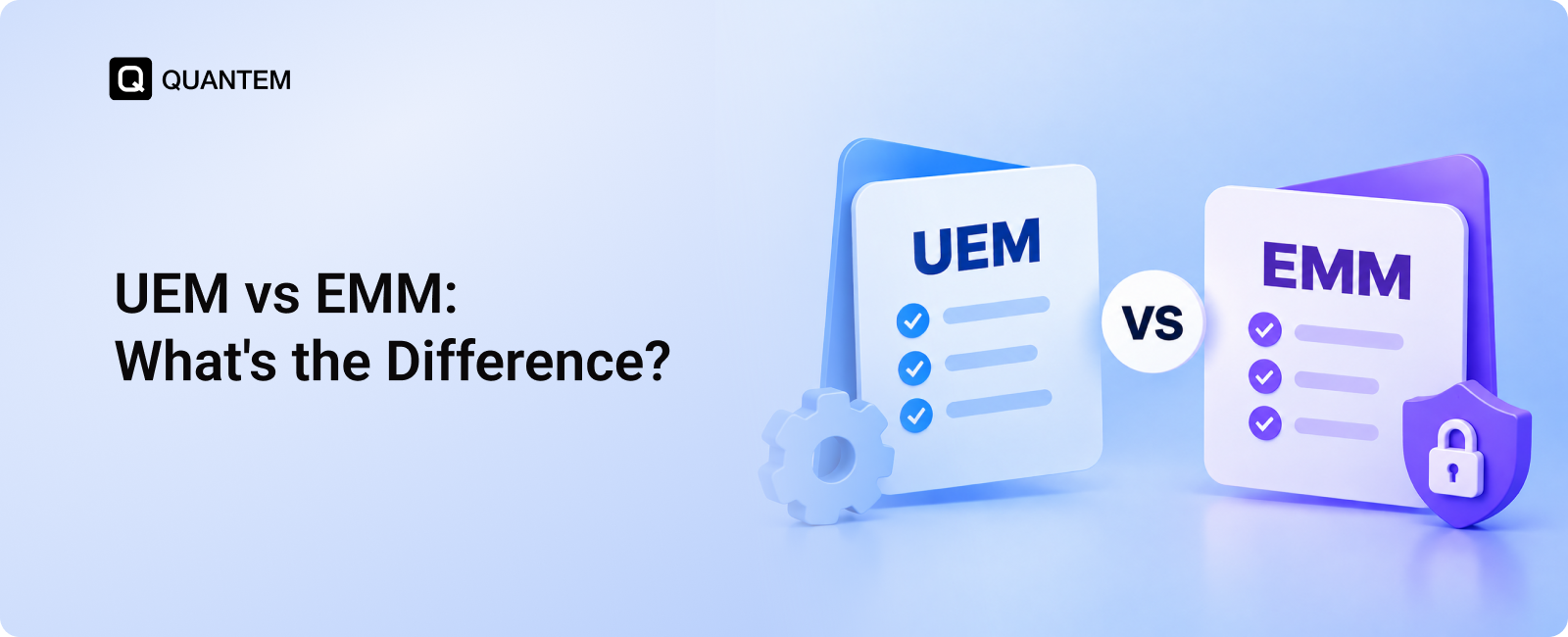
UEM and EMM share many core capabilities, but they are designed for different management scopes. EMM focuses primarily on mobile devices and the applications, content, and access associated with them, while UEM extends those capabilities to a broader range of enterprise endpoints.
The key difference between EMM vs UEM is therefore the breadth of management. EMM is well suited to organizations where mobile devices are the primary endpoints, while UEM is designed for environments where IT needs to manage mobile and traditional endpoints through a unified approach.
From MDM to EMM to UEM: How Endpoint Management Evolved
The way organizations manage devices has changed as workplace technology has expanded. What began with basic mobile device controls gradually grew to include mobile applications, corporate content, identity, and eventually a much wider range of endpoints.
MDM: Managing the Device
Mobile Device Management (MDM) emerged to help IT teams control and secure smartphones and tablets. It gave administrators a centralized way to enroll devices, configure settings, enforce security policies, and perform remote actions.
As mobile devices became more common in the workplace, simply managing the hardware was no longer enough.
EMM: Managing the Mobile Environment
Enterprise Mobility Management (EMM) expanded on MDM by adding capabilities for mobile applications, corporate content, and user access. This became especially important as BYOD programs grew and employees began using personal devices to access business resources.
EMM brought device, application, content, and identity management closer together, giving organizations more control over the broader mobile work environment.
UEM: Managing the Entire Endpoint Environment
As organizations began relying on laptops, desktops, rugged devices, IoT endpoints, and other connected hardware alongside mobile devices, the need for broader endpoint management grew.
Unified Endpoint Management (UEM) extends the EMM approach to these additional endpoints, allowing IT teams to manage different device types and operating systems through a centralized platform.
MDM → EMM → UEM
The progression can be summarized simply: MDM manages the mobile device, EMM expands management across the mobile environment, and UEM extends that management across the broader endpoint ecosystem.
When is EMM the Right Choice?
EMM can be a good fit when mobile devices are central to how employees work and IT teams need to secure business apps, data, and access without managing a broader range of endpoints. It is particularly useful when organizations need stronger mobile controls while supporting both company-owned and personal devices.
Consider EMM when:
- BYOD is Common: EMM can protect corporate apps and data on personal devices while keeping personal information separate from business resources.
- Employees Rely on Mobile Devices: Sales teams, field workers, and other mobile-first employees can access the applications and resources they need while IT maintains appropriate controls.
- Your Environment is Primarily Mobile: If smartphones and tablets make up most of your managed devices, EMM can provide the mobile-focused capabilities you need without a broader endpoint management platform.
- Mobile Data Security is a Priority: EMM can combine application, content, identity, and device controls to protect business information accessed from mobile devices.
- You Need Flexible Mobile Management: Organizations can use different levels of control for corporate-owned and employee-owned devices, making EMM suitable for mixed ownership models.
EMM may become less suitable as the endpoint environment expands to include laptops, desktops, and other non-mobile devices that need to be managed under the same policies. In that situation, UEM can provide broader endpoint coverage through a unified management approach.
When is UEM the Right Choice?
UEM becomes more valuable when an organization needs to manage different types of endpoints without maintaining separate management systems for each one. It brings devices, applications, policies, and security controls together through a centralized platform, making it easier to maintain consistent management across a diverse environment.
Consider UEM when:
- You Manage Multiple Endpoint Types: UEM can bring smartphones, tablets, laptops, desktops, rugged devices, and other supported endpoints into one management environment.
- Business Uses Multiple Operating Systems: Organizations running Android, iOS, Windows, macOS, Linux, or other supported platforms can manage them through a unified approach.
- You Have Remote or Hybrid Teams: UEM lets IT teams manage and secure endpoints regardless of where employees work, reducing the need for physical access to devices.
- Security Requirements are Broader: UEM can apply security policies, manage updates, monitor endpoint status, and maintain consistent controls across different device types.
- You Want to Consolidate Management Tools: If IT teams rely on separate platforms for mobile and desktop management, UEM can bring many of these functions into a centralized console.
- Endpoint Environment is Growing: UEM provides a broader management framework that can accommodate new device types and operating systems as business requirements change.
For organizations with a diverse endpoint environment, UEM can provide the broader management scope that EMM may not cover. The right choice ultimately depends on the types of devices you manage, your security requirements, and how complex your endpoint environment is.
Simplify Endpoint Management with Quantem UEM
As endpoint environments become more diverse, managing different devices and operating systems through separate tools can add unnecessary complexity for IT teams. A UEM platform brings these management tasks together, providing centralized visibility and control across the endpoint environment.
Quantem UEM helps IT teams manage Android, iOS, Windows, macOS, and Linux devices from a centralized platform. It supports device enrollment, application management, policy enforcement, endpoint monitoring, remote management, and security controls across supported endpoints.
With Quantem, IT teams can:
- Manage Multiple Endpoints: Manage smartphones, tablets, laptops, desktops, rugged devices, kiosks, and other supported endpoints across your workspace from one platform.
- Automate Device Enrollment: Use enrollment methods such as zero-touch, QR code, and bulk enrollment to simplify device provisioning.
- Enforce Policies Centrally: Apply security settings, configurations, restrictions, encryption policies, and organizational policies across managed devices.
- Manage Applications: Deploy, configure, update, restrict, and remove applications across supported operating systems.
- Monitor Devices Remotely: Maintain visibility into device status and identify endpoints that may require attention.
- Secure Business Data: Apply device and application controls to protect corporate data across managed and BYOD environments.
References:
Manage Every Endpoint From One Platform
1. What is the main difference between UEM and EMM?
The main difference is their management scope. EMM focuses primarily on mobile devices, applications, content, and user access, while UEM extends endpoint management to mobile devices, laptops, desktops, rugged devices, and other supported endpoints.
2. Is UEM better than EMM?
Neither is universally better. EMM can be a practical choice for mobile-focused environments, while UEM is better suited to organizations managing multiple endpoint types and operating systems from a centralized platform.
3. What is the difference between UEM, EMM, and MDM?
MDM focuses mainly on managing mobile devices, while EMM expands mobile management to include applications, content, and identity. UEM takes the broader approach by extending these management capabilities across a wider range of enterprise endpoints.
4. Can UEM manage mobile devices?
Yes. UEM includes mobile device management capabilities and can manage smartphones and tablets alongside other supported endpoints. This allows organizations to manage mobile and traditional endpoints through a centralized platform.
5. Is EMM outdated?
Not necessarily. EMM remains useful for organizations with mobile-focused management needs, although many modern UEM platforms now incorporate EMM capabilities as part of a broader endpoint management solution.
6. What industries need UEM?
UEM can benefit industries that manage a mix of endpoint types, including healthcare, education, retail, logistics, hospitality, and financial services. It is particularly useful when organizations need consistent policies, security controls, and visibility across diverse devices.



Get the latest blogs directly delivered to your mail fly arrow

.png)