What is MDM? Mobile Device Management Explained
The way enterprises work has changed. Smartphones, tablets, laptops, and other devices are now part of everyday work, whether employees are in the office, working remotely, or using their own devices. This flexibility gives businesses more ways to work, but it also creates more devices for IT teams to manage.
Keeping those devices configured, updated, and protected becomes difficult when everything is handled manually. Mobile Device Management (MDM) gives IT teams a centralized way to manage devices, applications, corporate data, and security policies across their device fleet.
From enrolling new devices and pushing applications to enforcing security policies and remotely troubleshooting issues, MDM helps organizations manage devices without requiring physical access to each one. It can support corporate-owned devices as well as BYOD deployments where employees use their personal devices for work.
In this blog, we will explain what Mobile Device Management is, how it works, its key features and benefits, supported management modes, common use cases, and how businesses can implement Mobile Device Management.
What is Mobile Device Management (MDM)?
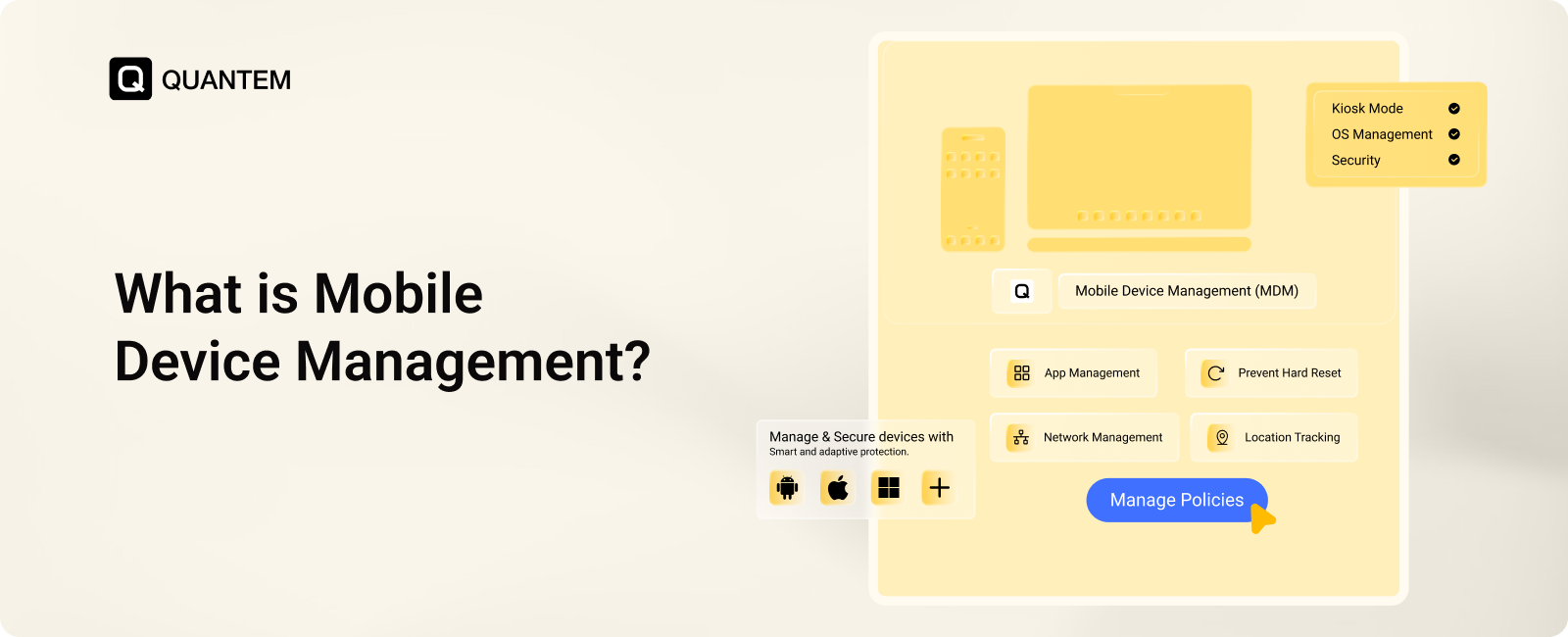
Mobile Device Management (MDM) is an industry term for managing and securing mobile devices such as smartphones, tablets, and laptops from a central platform. It uses the native management frameworks built into operating systems such as Android, iOS, macOS, and Windows to give IT administrators remote control over enrolled devices.
At a high level, MDM allows organizations to configure devices, enforce security policies, manage applications, monitor device status, and perform administrative tasks remotely. This gives IT teams a consistent and scalable way to manage devices without manually handling each one.
In simple terms, MDM allows businesses to manage their devices from a central location, regardless of where those devices or users are located.
Who Needs Mobile Device Management (MDM)?
MDM is useful for businesses that rely on smartphones, tablets, laptops, or other mobile devices for everyday operations. As the number and variety of devices grow, manually configuring and securing each one becomes harder for IT teams.
MDM can be especially valuable for:
- Remote and Hybrid Teams: Manage and secure employee devices without requiring them to bring devices into the office.
- BYOD Programs: Protect corporate data on employee-owned devices while keeping personal information separate.
- Regulated Industries: Enforce security policies such as passwords, encryption, and access controls to support compliance requirements.
- Retail and Shared Devices: Lock tablets, POS devices, scanners, and other shared hardware to approved applications and functions.
- Growing Businesses: Centrally manage an expanding device fleet instead of manually configuring every new device.
Why Mobile Device Management is Important?
As enterprises manage more devices across offices, remote teams, and different operating systems, keeping everything secure and properly configured becomes harder to do manually. MDM gives IT teams centralized control to manage devices, enforce security policies, protect corporate data, and automate routine management tasks.
Key reasons why MDM is important include:
1. Automated IT Administration
MDM lets IT teams configure devices, deploy applications, and apply policies from a central console. This reduces repetitive manual work and makes it easier to manage large device fleets.
2. Security Policy Enforcement
IT teams can apply consistent security settings across managed devices, regardless of where they are being used. This helps ensure devices follow the organization's security requirements.
3. Data Protection
MDM allows administrators to remotely lock or wipe lost and stolen devices. This helps prevent unauthorized users from accessing corporate information stored on those devices.
4. Compliance Support
Organizations can use MDM to enforce requirements such as strong passwords, encryption, and device restrictions. These controls can help businesses maintain device-level security standards and support regulatory requirements.
5. Application Control
MDM gives IT teams control over which applications can be installed, updated, or used on managed devices. This helps prevent unauthorized applications from creating security or productivity risks.
6. BYOD Data Separation
MDM can separate corporate data from personal information on employee-owned devices. This allows employees to use their personal devices for work while helping organizations protect business applications and data.
6. Cost and Time Efficiency
Automating device configuration, application deployment, updates, and routine management reduces the amount of manual work required from IT teams. This can lower operational effort while making device management more consistent as the organization grows.
Key Components of Mobile Device Management Software
MDM software brings several device management capabilities together to give IT teams visibility and control over their device fleet. These components work together to manage devices, applications, security, identities, and user access from a central platform.
1. Mobile Management
It manages the device lifecycle from provisioning and configuration to ongoing support. IT teams can ensure devices receive the required operating system settings, applications, and policies before they are assigned to users.
2. Device Tracking
Device tracking helps IT teams monitor the location and status of managed devices. It can also help identify lost or stolen devices and provide information needed for troubleshooting and recovery.
3. Device Security
Device security includes controls such as encryption, access policies, application restrictions, patching, and other safeguards. Together, these controls help protect devices and the corporate data stored or accessed through them.
4. Application Security
Application security focuses on controlling how applications access and handle corporate information. IT teams can manage application permissions, restrict unauthorized apps, and apply controls around data sharing and transfers.
5. Identity Management
Identity management helps verify users before they access business applications and resources. MDM can work with technologies such as MFA, SSO, identity federation, and SCIM to support controlled access.
6. Access Management
Access management determines what users are allowed to do on managed devices and applications. IT teams can apply access rules based on factors such as user roles and conditions while maintaining activity records.
How Does Mobile Device Management (MDM) Work?
MDM works by creating a connection between IT administrators and enrolled devices through a centralized management platform. Once a device is enrolled, administrators can remotely configure settings, deploy applications, apply security policies, and monitor its status without needing to handle the device physically.
The process generally follows this flow:
Enroll → Configure → Deploy → Enforce → Monitor
Step 1. Enroll the Device
The first step is connecting the device to the MDM platform. Depending on the operating system and enrollment method, this can happen through a QR code, enrollment link, or automated provisioning program.
Step 2. Connect the Device to MDM
After enrollment, the device communicates with the MDM platform through the management capabilities provided by its operating system. This creates the channel through which the platform can send configurations and receive device information.
Step 3. Configure Device Policies
IT administrators create the required policies from the MDM console. These can include settings for Wi-Fi, applications, passwords, security restrictions, VPN, and other device configurations.
Step 4. Apply and Enforce Policies
Once policies are assigned, the MDM platform sends the required configurations to enrolled devices. The device applies these settings according to the management capabilities of its operating system, helping maintain consistent configurations across the fleet.
Step 5. Monitor Device Status
After deployment, administrators can continue monitoring managed devices from the MDM console. They can review device status and compliance information and take corrective action when a device no longer meets the organization's requirements.
What Device Management Modes Does Mobile Device Management Support?
MDM can support different device management modes based on who owns the device and how it will be used. The level of control can range from managing only business data on a personal device to fully controlling a company-owned device.
1. BYOD (Bring Your Own Device)
With BYOD, employees use their personal smartphones or tablets for work. MDM can manage the work profile and corporate data while keeping the employee's personal information separate.
2. Corporate-Owned Fully Managed
Fully managed devices are owned by the organization and give IT administrators broad control over device settings, applications, security policies, and restrictions. This mode is suitable when devices are intended primarily for business use.
3. Corporate-Owned Personally Enabled (COPE)
COPE allows employees to use company-owned devices for both work and personal activities. IT maintains control over corporate applications and data while employees can still use the device for approved personal purposes.
4. Dedicated or Kiosk Mode
Dedicated devices are configured for a specific business function rather than general-purpose use. IT can restrict them to one or more approved applications, making this mode useful for POS systems, digital signage, self-service kiosks, and warehouse devices.
Key Features of Mobile Device Management
MDM software combines device, application, security, and remote management capabilities in one platform. These features help IT teams manage different types of devices while maintaining control over how they are configured and used.
- Zero-Touch Enrollment: Zero-touch enrollment automates device setup from the moment a supported device is turned on. IT teams can have required policies, configurations, and applications applied without manually setting up every device.
- Multi-Device and OS Support: MDM can manage different device types and operating systems from a central platform. Depending on the solution, this can include smartphones, tablets, laptops, desktops, rugged devices, POS systems, and other business hardware.
- BYOD Management: MDM can create a separate work space for business applications and data on employee-owned devices. This helps IT protect corporate information while keeping personal data outside the scope of business management.
- Kiosk Mode: Kiosk mode restricts a device to one or more approved applications or functions. This is useful for devices used as POS terminals, digital signage, self-service kiosks, or dedicated business tools.
- Remote Troubleshooting: IT teams can diagnose and resolve device issues remotely using tools such as remote commands, remote viewing, and remote control. This reduces the need to physically access devices when troubleshooting is required.
- Rugged Device Management: MDM can help manage rugged devices used in industries such as logistics, manufacturing, and construction. Administrators can manage device configurations and monitor hardware-related information on supported devices.
- Application and Content Management: IT teams can remotely distribute, update, or block applications across managed devices. MDM can also help deliver and manage corporate content without requiring users to manually download or update business files.
- Browser Management: Administrators can control browser settings and restrict access to unwanted or non-business websites. These controls can help create a safer and more focused browsing experience on managed devices.
- Device Encryption: MDM can enforce or manage device encryption capabilities provided by the operating system. This helps protect corporate information if a device is lost, stolen, or accessed by an unauthorized person.
- Remote Wipe: If a device is lost, stolen, compromised, or retired, administrators can remotely remove data from the device. This helps reduce the risk of unauthorized access to corporate information.
Business Benefits of Using Mobile Device Management
Mobile Device Management helps organizations manage growing device fleets while improving security, reducing manual IT work, and keeping employees productive. By bringing device administration into one platform, MDM makes routine management easier and gives IT teams greater control over corporate devices.
Here are some of the key business benefits of using mobile device management:
- Stronger Device and Data Security: MDM lets IT teams enforce security controls such as encryption, remote lock and wipe, device restrictions, and integrity checks. These controls help reduce unauthorized access and protect business information stored on managed devices.
- Better Data Loss Prevention: Organizations can restrict actions such as unauthorized file transfers, copying, sharing, and screenshots on supported devices. This helps reduce the chances of sensitive corporate information leaving managed applications or devices.
- Greater Device Visibility: An MDM platform gives IT administrators visibility into their managed device fleet from a centralized dashboard. They can review device status, identify issues, and take action without having to inspect devices individually.
- Centralized Management: Instead of using separate tools or manually configuring devices, administrators can manage devices, applications, policies, updates, and security settings from one place. This makes day-to-day device administration more consistent and manageable.
- Easier Scaling: As an organization adds employees and devices, MDM allows IT teams to apply existing policies and configurations to new devices. This makes it easier to expand device management without increasing manual administrative work at the same pace.
- Automated Updates: IT teams can remotely deploy operating system, application, and security updates to managed devices. Automating these tasks helps keep devices current without requiring users to install every update themselves.
- Remote Device Management: MDM allows administrators to manage devices even when employees are working remotely or devices are located across different offices. IT teams can perform supported actions remotely, helping resolve issues and respond to security events faster.
- Simplified Onboarding and Offboarding: Devices can be configured with required policies, applications, and settings before or during employee onboarding. When an employee leaves, IT can remove access and take appropriate actions on the assigned device remotely.
- Easier BYOD Management: MDM can separate business applications and data from an employee's personal information on supported BYOD deployments. This gives organizations greater control over corporate data without requiring full control over the employee's personal device.
- Support for Regulatory Requirements: MDM can help organizations enforce device-level controls required by internal policies and regulatory frameworks. Features such as encryption, password policies, access controls, and remote wipe can support requirements related to data protection and compliance.
- Reduced IT Costs and Effort: Automating repetitive device management tasks reduces the time IT teams spend on manual configuration and support. It can also help minimize downtime and human errors associated with managing devices individually.
- Improved Workforce Productivity: Preconfigured devices, automated updates, remote troubleshooting, and usage restrictions can reduce unnecessary interruptions. Employees can spend less time dealing with device issues and more time using their devices for work.
What Are the Industry Use Cases of Mobile Device Management (MDM)?
MDM is used across industries because organizations rely on smartphones, tablets, rugged devices, POS systems, and other connected hardware for everyday operations. The way MDM is used depends on the devices, data, and operational needs of each industry.
Education
Schools and educational institutions can use MDM to manage student and faculty devices from a central platform. IT teams can control applications, restrict distracting websites, and configure devices to support a focused learning experience.
Healthcare
Healthcare organizations can use MDM to manage mobile devices used by clinicians and other staff while protecting sensitive health information. Features such as encryption, remote wipe, and secure data management can help support device security and compliance requirements.
Retail
Retail businesses can manage devices such as mobile POS systems, self-service terminals, tablets, and digital signage. Kiosk capabilities can restrict devices to approved applications, while remote management helps IT teams maintain devices across multiple locations.
Banking, Financial Services, and Insurance (BFSI)
BFSI organizations handle sensitive financial and customer information across many devices. MDM can help enforce security policies, monitor devices, restrict certain hardware capabilities, and protect corporate data.
Logistics & Transportation
Logistics teams can use MDM to manage rugged devices used by drivers, warehouse workers, and field teams. IT can maintain device configurations, monitor devices, and support operations across geographically distributed locations.
Nonprofit Organizations (NPOs)
Nonprofits can use MDM to provision and manage devices used by employees and volunteers across different locations. Centralized management can help protect donor and organizational data while reducing the IT effort required to manage devices with limited resources.
Best Practices to Implement Mobile Device Management
Implementing MDM is not just about enrolling devices and applying security policies. Organizations should first understand their device fleet, define what they want MDM to achieve, and then gradually introduce policies and management controls.
1. Define Your MDM Objectives
Start by identifying why your organization needs MDM. Your goals could include improving device security, managing applications, supporting BYOD, simplifying remote management, or meeting compliance requirements.
2. Create a Device Inventory
Identify which devices need to be managed and organize them based on factors such as operating system, ownership, department, or business function. This gives IT teams a clear picture of the fleet before deployment.
3. Choose the Right MDM Solution
Compare MDM platforms based on supported operating systems, required features, device ownership models, integrations, usability, support, and budget. The solution should match both your current requirements and expected device growth.
4. Run a Pilot
Before deploying MDM across the entire organization, test it with a small group of users and devices. This helps identify configuration issues and lets IT teams verify that policies and features work as expected.
5. Configure MDM Policies
Set up policies for security, applications, device usage, web access, user permissions, and compliance. Keep these policies aligned with the organization's requirements and review them regularly.
6. Enroll Your Devices
Once the policies are ready, enroll devices using the appropriate method for each platform. Options can include QR code enrollment and automated programs such as Android Zero-Touch, Apple Automated Device Enrollment, or Windows Autopilot.
7. Monitor and Manage Devices
After deployment, continuously monitor device status, compliance, applications, and updates. IT teams should also review security configurations and take action when devices become compromised or fall outside organizational policies.
How to Choose the Right MDM Software for Your Organization?
The best MDM software is not necessarily the one with the longest feature list. It should fit the devices your organization uses, the way those devices are deployed, the level of control IT needs, and the organization's budget.
The right MDM solution should meet your needs today and tomorrow. Here are the key questions to ask before choosing an MDM solution:
1. Does it Support Your Device Ecosystem?
Start with the operating systems and device types your IT team needs to manage. If your organization uses multiple platforms, make sure the MDM can manage devices across Android, iOS, macOS, Windows, Linux, and other required platforms from a single console.
2. Can it Handle Your Ownership Models?
Device ownership can vary across an organization. Check whether the MDM supports corporate-owned, BYOD, and COPE deployments and can manage smartphones, tablets, laptops, rugged devices, kiosks, and other hardware your teams rely on.
3. Does it Provide the Security Controls You Need?
Look at the security controls available for protecting devices and corporate data. Important capabilities may include encryption, password policies, application restrictions, remote lock and wipe, device monitoring, and compliance controls.
4. How Easy is it to Deploy and Manage?
A good MDM should make everyday administration straightforward rather than add another layer of complexity. Look for simple enrollment, automated provisioning, centralized policy management, application deployment, and remote troubleshooting capabilities.
5. Will it Scale With Your Business?
Your device management requirements may change as your organization grows. Consider whether the MDM can handle a larger device fleet and integrate with the identity providers, business applications, provisioning tools, and other IT systems you already use.
6. What Do You Get for the Price?
Don't compare MDM platforms based on license cost alone. Look at the features included, additional charges, support options, product documentation, implementation assistance, and whether the provider offers a free trial or demo before you commit.
Choose Quantem for Your Mobile Device Management Needs
Managing a growing device fleet becomes easier when IT teams have one place to configure, monitor, and secure their devices. Quantem MDM provides a centralized platform for managing corporate-owned and employee-owned devices while giving IT teams the controls they need for everyday device administration.
With Quantem, IT teams can manage device policies, applications, security settings, and compliance from a single console. This reduces manual work and helps maintain consistent management across the organization's device fleet.
Quantem supports:
- Multi-OS Support: Manage devices across supported operating systems from one platform.
- Diverse Device Management: Manage smartphones, tablets, rugged devices, kiosks, and other business devices.
- Automated Enrollment: Simplify large-scale deployment with zero-touch and bulk enrollment options.
- Remote Device Management: Configure, monitor, troubleshoot, and manage devices without requiring physical access.
- Centralized Visibility: Get a consolidated view of managed devices, their status, and applied policies.
- Enterprise Integrations: Connect MDM with existing IT systems to support broader device management workflows.
- Easy MDM Migration: Move from an existing MDM platform to Quantem with less disruption.
Whether you are introducing MDM for the first time or moving from another platform, Quantem provides complete assistance and support to help you manage, secure, and maintain your organization's devices.
Ready to simplify mobile device management?
Frequently Asked Questions
1. What Are the Different Types of Device Management?
Device management covers different approaches for managing and securing business devices. MDM focuses on smartphones, tablets, and other mobile devices, while UEM extends management to additional endpoints such as desktops and laptops.
2. How Does MDM Support Remote Work?
MDM allows IT teams to configure, secure, monitor, and troubleshoot managed devices remotely. Employees can continue working from different locations while administrators maintain control without requiring physical access to the devices.
3. Who Are MDM Providers?
MDM providers offer software platforms that help organizations enroll, configure, monitor, secure, and manage mobile devices. Businesses can choose a provider based on supported operating systems, features, integrations, scalability, and support.
4. What is the Difference Between MDM and Unified Endpoint Management (UEM)?
MDM primarily manages mobile devices such as smartphones and tablets, while UEM provides broader management across multiple endpoint types. UEM can extend device management to desktops, laptops, and other supported endpoints from a centralized platform.
5. How Do MDM Solutions Integrate With Existing IT Infrastructure?
MDM solutions can integrate with existing business and IT systems to support device enrollment, identity, application management, security, and administrative workflows. The available integrations depend on the MDM platform and the systems an organization already uses.
6. What Should Be Considered When Choosing an MDM Tool?
Consider factors such as supported operating systems, device ownership models, enrollment options, security controls, application management, remote management capabilities, integrations, scalability, ease of use, and vendor support.
7. What Are the Potential Challenges of Implementing an Mobile Device Management Solution?
Common challenges can include selecting the right policies, enrolling existing devices, supporting different operating systems, handling BYOD privacy concerns, and adapting users to new management controls. A phased rollout and pilot deployment can help organizations address these challenges before expanding MDM across the entire device fleet.
8. What is the Difference Between Enterprise Mobility Management and Mobile Device Management?
Mobile Device Management (MDM) focuses primarily on managing and securing devices, while Enterprise Mobility Management (EMM) covers a broader set of capabilities for managing devices, applications, content, and mobile access. In simple terms, MDM is focused on the device, while EMM extends management to the applications and data users access through those devices



Get the latest blogs directly delivered to your mail fly arrow

.png)