Introduction
Managing device fleets across dozens of bank branches is harder than it sounds. Banco do Brasil proved the scale of the challenge when it migrated over 30,000 branch devices in four months using automated provisioning — and that's a single institution. Across the US banking system, the FDIC tracked 68,632 total branches in 2024, each running tablets, teller terminals, kiosks, and staff mobile devices — all requiring secure configuration and ongoing management.
Without proper enrollment tooling, adding even 50 new devices across branch locations means IT staff manually configuring each one — which creates inconsistent security policies, opens compliance gaps, and burns hours of IT time before a single device ever reaches a customer.
Device enrollment tools solve this by automating provisioning, policy enforcement, and monitoring from the moment a device powers on. The right tool means branches stay compliant, deployments scale without adding headcount, and IT teams spend less time on setup and more time on the work that matters. What follows covers the top five tools built or adapted for digital banking environments in 2026 — with a clear breakdown of what each does best and where it falls short.
TL;DR
- Device enrollment tools automate setup, security, and ongoing management — cutting manual IT provisioning at branch scale
- Banks rely on them to maintain PCI-DSS, SOC-2, and GDPR compliance across branch and remote fleets
- Evaluate tools on zero-touch enrollment, kiosk mode, compliance certs, BYOD separation, and per-device cost
- The five tools covered span large bank infrastructure to cost-conscious regional banks and fintechs
- Quantem delivers enterprise-grade enrollment and compliance features at $1–$3/device/month, well under the $3–$10+ typical MDM range
What Is Device Enrollment in Digital Banking?
Device enrollment is the process by which a bank-issued or employee device gets registered, configured, and secured within the institution's IT management system. Enrollment workflows typically include:
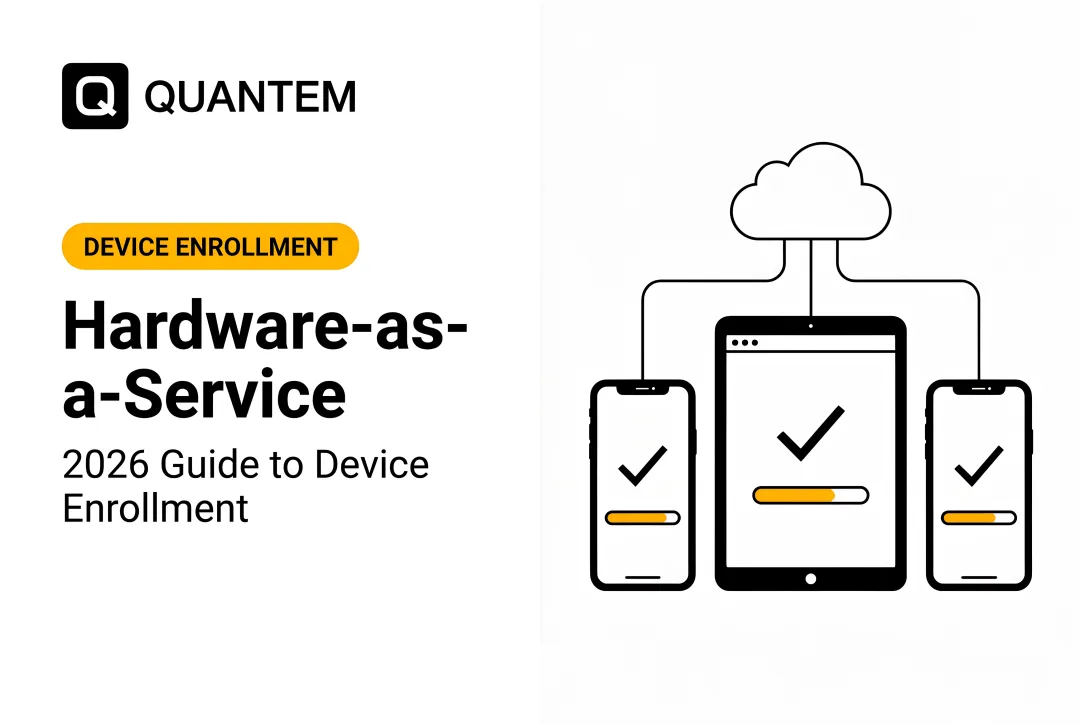
- Zero-touch enrollment — device configures itself automatically on first boot via a pre-assigned enterprise configuration
- QR code enrollment — IT staff or end users scan a code to initiate provisioning
- Android Enterprise / Knox Mobile Enrollment — Google and Samsung's frameworks for managing fully corporate-owned or BYOD Android devices
- Windows Autopilot — Microsoft's equivalent for Windows workstations and tablets
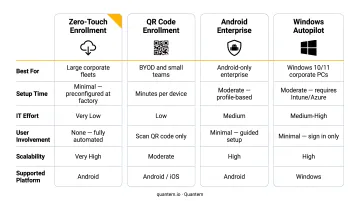
Banks deploy devices across teller stations, customer-facing kiosks, loan officer tablets, and remote banking apps. Every unmanaged device in that chain is a live security and compliance exposure — enrollment closes that gap from the moment a device powers on.
Google's Android Enterprise framework allows organizations to deploy thousands of devices across locations remotely — with no IT technician touching each unit. That capability is exactly what branch-scale banking IT requires.
Each tool in this guide is assessed on the criteria that actually move the needle for banking IT: how fast enrollment scales, how well it handles kiosk lockdown, and whether it can sustain a multi-branch compliance posture without heavy manual overhead.
Top Device Enrollment Tools for Digital Banking in 2026
Selection criteria: Tools were evaluated on zero-touch enrollment capability, financial-sector compliance support (SOC-2, PCI-DSS, GDPR), kiosk/dedicated device mode, platform breadth (Android and Windows), pricing transparency, and suitability for branch-scale deployments.
Quantem
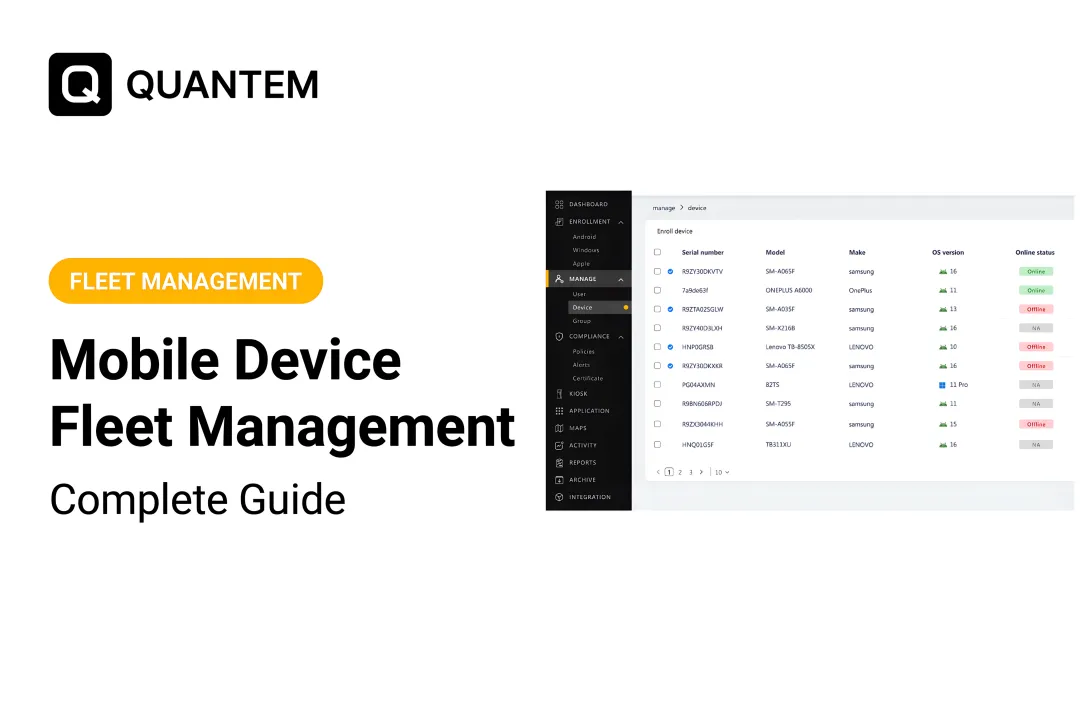
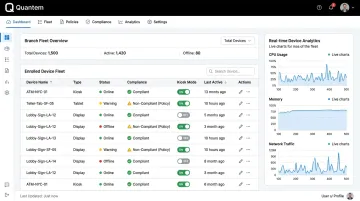
Quantem is a cloud-native MDM/EMM platform built for organizations that need full device lifecycle management without the cost and complexity of legacy enterprise tools. It supports Android and Windows devices — the two dominant platforms in bank teller stations, customer kiosks, and field banking environments.
What sets Quantem apart for banking deployments:
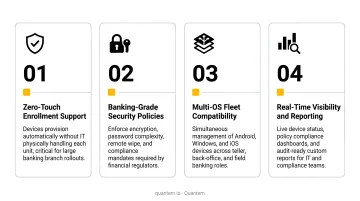
- Zero-touch enrollment included across all plans (not a paid add-on)
- Native kiosk mode for customer-facing terminals, available across all tiers
- SOC-2, GDPR, and CCPA certifications for compliance-grade deployments
- BYOD work profile separation to isolate bank apps and data from personal content
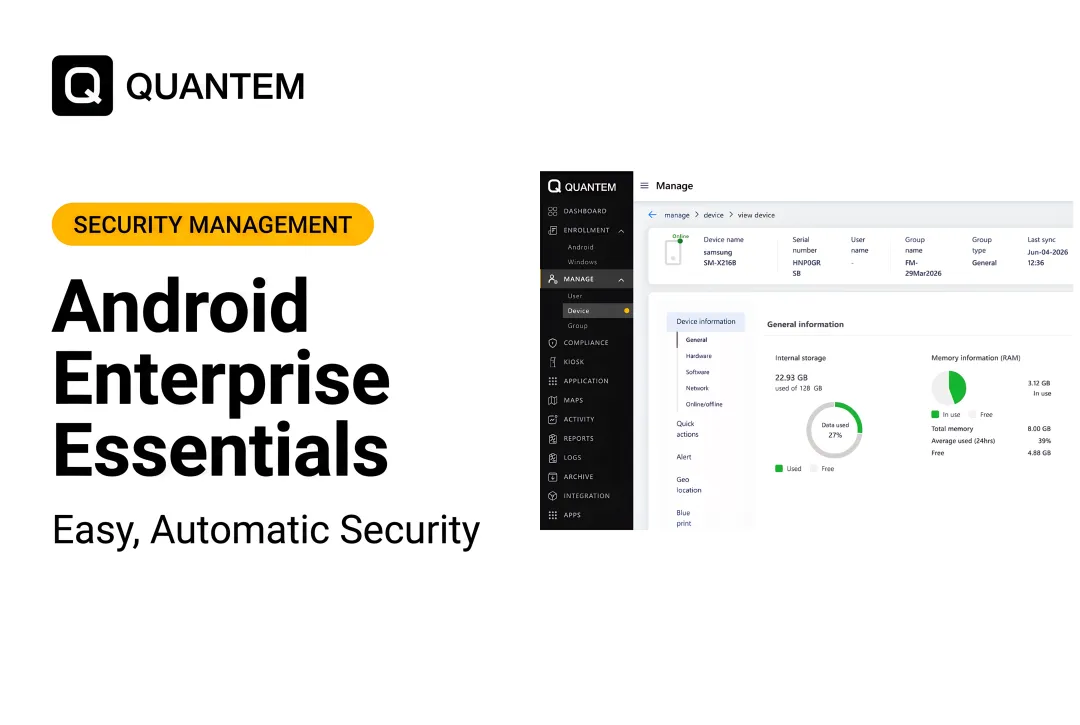
- Real-time device analytics with location tracking, online/offline status monitoring, and event feeds with up to 30-day retention on Enterprise plans
- Pricing 50–70% below market average, making enterprise-grade enrollment accessible to regional banks and credit unions
| Category | Details |
|---|---|
| Key Features | Zero-touch enrollment, kiosk mode, BYOD work profile separation, geofencing, real-time device analytics, private app management with version control, toggle-based policy controls |
| Pricing | $1–$3/device/month (billed yearly); 21-day free trial, no credit card required |
| Best For | Regional banks, fintechs, credit unions, and digital-first banking teams deploying Android kiosks, teller tablets, or mixed BYOD/COPE device fleets |
VMware Workspace ONE (Omnissa)
Workspace ONE, now operated under the Omnissa brand following KKR's acquisition of Broadcom's end-user computing division, is one of the most widely deployed UEM platforms in enterprise financial services.
It supports iOS, Android, Windows, and macOS at scale, with deep integration into existing enterprise identity infrastructure — including Microsoft Entra ID (formerly Azure AD) and Okta. Omnissa's financial services positioning covers NIST and GLBA standards, with conditional access controls that suit institutions running complex identity governance requirements.
| Category | Details |
|---|---|
| Key Features | Unified endpoint management, zero-touch enrollment (Apple DEP, Android Zero-Touch, Windows Autopilot), conditional access, digital experience monitoring, app lifecycle management |
| Pricing | Subscription tiers from Mobile Essentials to Platinum; contact Omnissa for pricing — no public per-device rate published |
| Best For | Large commercial banks with multi-OS environments, existing VMware infrastructure, and dedicated enterprise IT teams |
Microsoft Intune
For banks already running Windows-heavy environments, Microsoft Intune is the path of least resistance. It sits natively within the Microsoft 365 / Azure ecosystem, pairing directly with Microsoft Defender for endpoint security and Azure Active Directory for identity management.
Nationwide Building Society deployed Intune alongside Windows 365 and reported 27% total cost of ownership savings across its device estate — a concrete benchmark for large financial institutions evaluating the Microsoft stack.
Intune's value is highest when bundled with existing Microsoft licensing: Plan 1 is included in Microsoft 365 E3 ($36/user/month), E5 ($57/user/month), and Business Premium ($22/user/month).
| Category | Details |
|---|---|
| Key Features | Windows Autopilot zero-touch enrollment, Android Enterprise support, app protection policies, Microsoft Defender integration, compliance reporting, role-based access control |
| Pricing | Intune Plan 1 standalone: $8/user/month; Plan 2: $4/user/month add-on; Intune Suite: $10/user/month — or included in Microsoft 365 bundles |
| Best For | Banks and credit unions running Microsoft 365 environments that need unified Windows workstation and mobile device management under one licensing umbrella |
IBM MaaS360
IBM MaaS360 is an AI-powered UEM platform with deep roots in regulated industries, including banking and financial services. It delivers MDM, mobile application management (MAM), identity, and threat management from a single console — backed by IBM's Watson AI engine for risk assessments.
One documented outcome on IBM's platform: tablet policy compliance reached 100%, up from 50% with a prior MDM solution, while monthly data charges dropped 64%. For institutions with strict audit requirements and large IBM security infrastructure investments, MaaS360 integrates tightly across that ecosystem.
| Category | Details |
|---|---|
| Key Features | AI-powered threat analysis, zero-touch enrollment, app management, identity-aware access, compliance dashboards, containerization for BYOD, IBM Security portfolio integration |
| Pricing | Four tiers: Essentials, Deluxe, Premier, Enterprise — contact IBM for current per-device rates |
| Best For | Mid-to-large banks prioritizing AI-driven security analytics, audit-readiness, and tight integration with IBM enterprise security infrastructure |
SOTI MobiControl
SOTI MobiControl is purpose-built for managing rugged, dedicated, and kiosk-mode devices — a critical capability for banks deploying customer-facing terminals, ATM-adjacent devices, and specialized branch hardware. Its kiosk mode replaces the standard device home screen with a controlled interface giving access only to authorized applications and websites.
MobiControl's strongest differentiator is its native support for Android AOSP devices and non-standard form factors common in banking kiosk deployments. Remote troubleshooting tools let IT teams diagnose and resolve branch device issues without dispatching field technicians.
| Category | Details |
|---|---|
| Key Features | Kiosk/lockdown mode for dedicated devices, remote control and diagnostics, Android Enterprise and AOSP support, zero-touch enrollment, location tracking, content management |
| Pricing | Quote-based for enterprise; no public per-device rate published — contact SOTI directly |
| Best For | Banks and fintechs deploying dedicated customer-facing kiosks, branch terminals, rugged field devices, and ATM-adjacent hardware requiring specialized lockdown and remote management |
How We Chose the Best Device Enrollment Tools
Tools were assessed on their ability to address the operational realities of banking IT — not general enterprise mobility. General-purpose MDM evaluations miss banking-specific requirements entirely.
The four factors weighted most heavily:
- Enrollment automation — zero-touch and QR-code workflows that reduce IT touch time per device at branch scale
- Compliance posture — SOC-2, GDPR, and PCI-DSS support with audit-ready reporting; PCI DSS v4.0.1 (effective March 31, 2025) raises the bar specifically on patch management and authentication controls for cardholder data environments
- Kiosk and dedicated device mode — non-negotiable for customer-facing banking terminals; many platforms treat this as a premium add-on
- Total cost of ownership — per-device pricing, hidden fees, and migration costs that can make enterprise MDM cost-prohibitive for regional banks
The most common mistake banking IT teams make: selecting an MDM based on brand recognition rather than banking-specific requirements. That leads to paying for features irrelevant to the environment — such as macOS fleet management for an Android-kiosk bank — while lacking kiosk mode or financial compliance reporting in base pricing tiers.
A regional bank with 200 branch tablets and a three-person IT team has different requirements than a large commercial bank running 30,000 Windows endpoints. The right tool is determined by device mix, compliance obligations, and IT capacity — so start there, not with vendor brand recognition.
Conclusion
Device enrollment now sits at the center of digital banking operations — directly affecting branch uptime, audit readiness, and the reliability customers experience at every touchpoint.
Prioritize tools that fit your actual device mix (Android kiosks, Windows workstations, or BYOD mobile) and compliance obligations, rather than defaulting to whichever vendor has the biggest marketing budget.
Teams evaluating enrollment tools for their banking device fleet can explore Quantem's 21-day free trial (no credit card required) to test zero-touch enrollment, kiosk mode, and compliance-grade policy management starting at $1 per device per month. Visit quantem.io or reach out at sales@quantem.io.
Frequently Asked Questions
What is digital enrollment in banking?
Digital enrollment in banking is the automated process of registering, configuring, and securing bank-issued devices within an MDM system. The term also applies to customer-facing account onboarding, though this article focuses specifically on the IT device management side.
What are examples of digital banking tools?
Digital banking tools span two categories: consumer-facing tools (mobile apps, digital wallets, online portals) and IT-side tools (MDM platforms, identity management, endpoint security). The IT-side category — device enrollment and management — is the focus here.
What is zero-touch enrollment and why does it matter for banks?
Zero-touch enrollment allows a bank device to automatically configure itself and enroll into the MDM system the moment it powers on — with no IT technician manually setting it up. For branch rollouts at scale, this eliminates hours of provisioning time per deployment cycle and ensures consistent policy enforcement from the first boot.
How do device enrollment tools support banking compliance?
Enrollment tools enforce security policies — encryption, screen lock, app allowlisting — from the moment a device is provisioned. They generate audit logs for compliance reporting and support frameworks like PCI-DSS, SOC-2, and GDPR by controlling what data can be accessed and stored on each managed device.
What is the difference between MDM and device enrollment?
Device enrollment is the initial step within MDM — the process of registering a device and applying baseline configurations. MDM (Mobile Device Management) is the broader, ongoing function of monitoring, updating, and securing enrolled devices throughout their lifecycle.
Can device enrollment tools support BYOD in banking environments?
Most modern MDM platforms support BYOD through work profile separation, isolating bank apps and data in a secure container on a personal device without accessing personal content. Bank staff using personal phones for work email, authentication apps, or internal tools rely on this separation to keep corporate data secure.