Top Android MDM Features for Businesses
Android devices are widely used across modern workplaces because they offer flexibility, affordability, and support for a wide range of business use cases. From employee smartphones and tablets to rugged devices, digital signage, kiosks, and POS systems, organizations rely on Android devices to support everyday operations.
However, managing a growing Android fleet is not as simple as handing out devices and installing a few business apps. IT teams need visibility into device status, control over configurations, the ability to deploy applications remotely, and policies to protect corporate data.
This is where an Android Mobile Device Management (MDM) solution becomes essential.
The right platform can help IT teams enroll, configure, monitor, secure, and support Android devices from a centralized dashboard. But with many MDM solutions offering different capabilities, knowing which features actually matter can make the selection process difficult.
In this blog, let's explore the top Android MDM features for businesses, including device enrollment, app management, remote troubleshooting, kiosk mode, policy management, location tracking, and more.
Top 16 Features of Android MDM for Modern Businesses
1. Support for AOSP Device Management
Not every Android device runs Google Mobile Services (GMS). Some devices run on the Android Open Source Project (AOSP), which is the open-source version of Android and does not include Google services by default.
These devices are commonly used in industries that rely on specialized hardware, such as:
- Retail
- Logistics and transportation
- Manufacturing
- Warehousing
- Healthcare
- Digital signage
- Rugged device deployments
A modern Android MDM solution should support both GMS and AOSP device management. This allows organizations to manage a wider range of Android devices instead of being limited to devices that support standard Android Enterprise management.
AOSP support is particularly important for businesses using customized or purpose-built Android hardware. IT teams should be able to enroll, configure, apply policies, deploy applications, and monitor these devices from the same centralized platform.
2. Diverse Android Device Enrollment Options
Rolling out devices manually becomes increasingly difficult as the fleet grows. Setting up hundreds of Android devices individually takes time and can result in inconsistent configurations.
One of the most important Android MDM features is the ability to support multiple device enrollment and provisioning methods.
Common options include:
- Zero-touch enrollment: Automatically enroll and configure supported corporate devices when they are first powered on.
- EMM token enrollment: Enroll Android devices using Android Enterprise enrollment tokens.
- QR code enrollment: Scan a QR code during setup to enroll the device and apply required configurations.
- Bulk enrollment: Add and manage multiple devices at once by uploading a CSV file containing IMEI or serial numbers, reducing repetitive administrative work.
- Ownership-based enrollment: Support different management models, including BYOD, COPE, and fully managed devices.
- Samsung Knox Mobile Enrollment (KME): Streamline the deployment of Samsung devices with automated enrollment.
These Android device enrollment options help IT teams provision devices faster while ensuring that applications, policies, and configurations are applied consistently from the beginning.
3. BYOD Containerization
Bring Your Own Device (BYOD) programs give employees the flexibility to use their personal Android devices for work. However, allowing corporate applications and data on personally owned devices creates management and privacy challenges.
An effective Android MDM solution should provide containerization to separate work and personal data.
This creates a distinct work and personal space on the device. Business applications and corporate data remain within the managed work environment, while employees retain control over their personal applications and content.
Containerization can help organizations:
- Separate corporate and personal data.
- Apply policies only to business applications.
- Protect sensitive corporate information.
- Restrict unauthorized data sharing.
- Remove work data when an employee leaves.
- Support BYOD without taking control of the entire personal device.
This makes containerization an important Android device management feature for organizations with BYOD environments.
4. Android Kiosk Mode and Device Lockdown
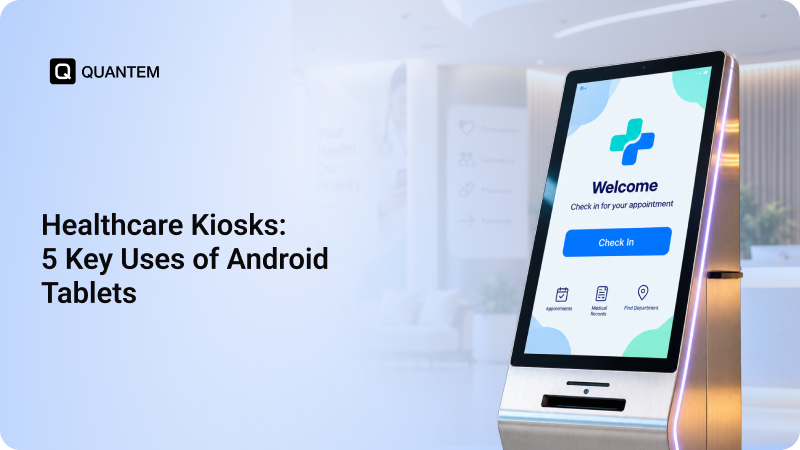
Many businesses deploy Android devices for a specific purpose. A tablet used for customer check-in, a digital signage screen, or a warehouse scanner does not need unrestricted access to every application and device setting.
Android Kiosk Mode allows IT teams to lock devices to specific applications and functions.
There are two common options:
Single-app kiosk mode restricts the device to one approved application. This is useful for self-service kiosks, digital displays, and dedicated business applications.
Multi-app kiosk mode allows users to access a predefined list of approved applications while restricting everything else. This is useful for frontline employees who need access to several work applications.
Android device lockdown can also help IT teams restrict:
- Non-business applications
- Device settings
- System functions
- Browser access
- Unauthorized websites
This helps organizations convert standard Android devices into dedicated devices designed for specific workflows.
5. Automated Workflows
Managing a large Android fleet often involves repetitive tasks. Manually performing these tasks for every device increases administrative work and creates opportunities for human error.
Automation helps IT teams simplify routine Android device management.
With automated workflows, administrators can schedule or trigger actions based on specific events or conditions. For example, IT teams can automate policy deployment, configuration changes, alerts, and other routine device actions.
Automation helps organizations:
- Reduce repetitive manual work.
- Maintain consistent configurations.
- Respond to policy violations faster.
- Simplify routine administration.
- Improve operational efficiency.
As Android fleets continue to grow, automated device management becomes increasingly important for maintaining consistency at scale.
6. Remote Troubleshooting and Support
Devices are not always located near the IT team. Employees may work remotely, field teams may operate across different regions, and customer-facing devices may be deployed across hundreds of locations.
This makes Android remote management and troubleshooting essential.
A good Android MDM solution should allow administrators to remotely monitor device status, identify problems, and troubleshoot devices without requiring physical access.
Depending on the platform, remote support capabilities may include:
- Remote Cast
- Remote Control
- Device screen viewing
- Device status monitoring
- Configuration changes
- Remote commands
These capabilities can help IT teams resolve issues faster and reduce the time and cost associated with on-site support.
7. Android App Management and Distribution
Applications are central to how business Android devices are used. Employees may need communication tools, productivity apps, inventory software, CRM platforms, or industry-specific applications.
Centralized Android app management allows IT teams to manage these applications from one dashboard.
Administrators should be able to:
- Deploy applications remotely
- Install and uninstall apps
- Push application updates
- Configure managed applications
- Restrict unauthorized applications
- Create approved app lists
- Distribute private or enterprise applications
With Android Enterprise and Managed Google Play, IT teams can also distribute approved business applications more efficiently across managed devices.
Centralized application management ensures users have access to the apps they need while giving IT teams greater control over what is installed on corporate devices.
8. Content Management
Applications are not the only resources organizations need to distribute. Employees and devices may also require access to documents, presentations, videos, images, and other business content.
Content management allows IT teams to distribute and manage business files remotely.
For example, organizations can use centralized content management to share:
- Documents
- Presentations
- Training materials
- Videos
- Images
- Digital signage content
This can be particularly useful for distributed teams and customer-facing devices where content needs to remain current across multiple locations.
9. Android OS Update Management and Alerts
Keeping Android devices updated is important for device stability and security. However, installing updates immediately across every device may interrupt employees or business operations.
Android OS update management gives IT teams more control over how and when updates are deployed.
Administrators can schedule updates during suitable maintenance windows or low-activity periods to reduce disruption.
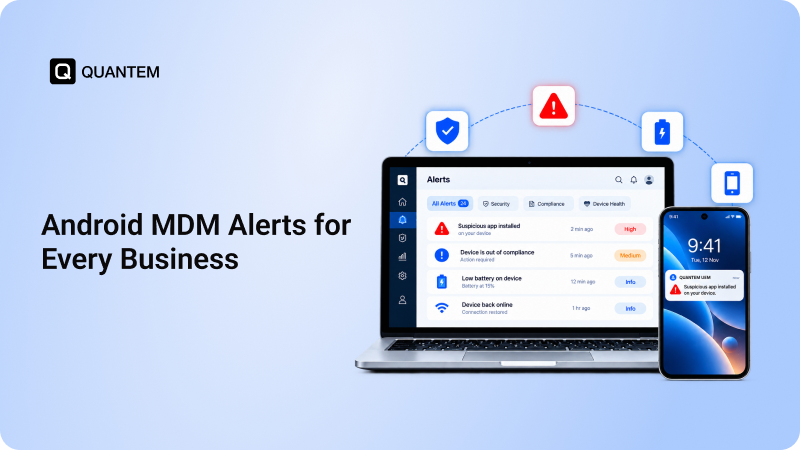
MDM platforms can also support alerts and notifications related to:
- Pending updates
- Device issues
- Maintenance tasks
- Policy violations
- Compliance requirements
Centralized update management helps IT teams maintain greater consistency across the Android fleet without manually checking every device.
10. Analytics and Reporting
Managing devices effectively requires more than the ability to apply policies. IT teams also need visibility into how devices are performing and whether they are meeting organizational requirements.
Analytics and reporting provide insights into areas such as:
- Device health
- Device inventory
- Application usage
- Device compliance
- Policy status
- Operational trends
These reports can help administrators identify devices that need attention and make more informed decisions about their Android environment.
Reporting is also useful for organizations that need to maintain records of device configurations and management activities.
11. Granular Policy Management
Every organization has different device management requirements. A field device may require strict restrictions, while an employee-owned device may only need management of business applications.
This is why Android policy management should provide granular control.
IT teams may need policies for:
- Password and passcode requirements
- Device settings
- USB access
- Bluetooth access
- Camera usage
- Screenshot restrictions
- Application access
- Network configurations
- Time-based usage
Granular policies allow organizations to apply the right level of control based on the device, user, ownership type, or business use case.
12. Browser Management and Web Filtering
Unrestricted web access can affect both productivity and device security. Employees may access inappropriate websites, while business devices may be exposed to malicious or unauthorized content.
Browser management allows IT teams to control how managed Android devices access the web.
Depending on the platform, administrators can:
- Configure browser settings
- Allow approved websites
- Block specific websites
- Restrict non-business browsing
- Apply web filtering policies
This is especially useful for dedicated and customer-facing devices where unrestricted browsing is unnecessary.
13. Broadcast Messages and Alerts
Communication becomes difficult when devices are distributed across multiple locations.
Broadcast messaging allows administrators to send important information directly to managed Android devices.
Organizations can use this feature for:
- Operational announcements
- Emergency notifications
- Maintenance updates
- Important business messages
- Policy reminders
This provides a centralized way to communicate with users and devices without relying entirely on separate communication channels.
14. Location Tracking and Geofencing
For businesses managing mobile or field-based devices, knowing where devices are located can be important for both operations and asset management.
Android device tracking allows IT teams to view the location of managed devices when supported and appropriately configured.
Geofencing adds another layer of control by allowing organizations to define virtual geographic boundaries.
These capabilities can help businesses:
- Track corporate devices
- Improve asset visibility
- Monitor field deployments
- Identify misplaced devices
- Apply location-based policies
Location features should always be configured according to organizational requirements and applicable privacy policies.
15. Factory Reset Protection
A factory reset can remove device configurations and potentially interfere with the management of corporate devices.
Factory Reset Protection (FRP) helps organizations maintain control over managed Android devices by preventing unauthorized users from simply resetting and reactivating a device for other use.
This can be particularly useful for:
- Corporate-owned devices
- Dedicated devices
- Shared devices
- Field devices
- Devices deployed across remote locations
Factory Reset Protection adds another layer of control for organizations managing valuable Android assets.
16. Remote Lock and Wipe
Lost or stolen devices can expose corporate applications and data if they are not properly secured.
Android remote lock allows administrators to secure a device remotely and prevent unauthorized access.
If a device cannot be recovered or corporate data needs to be removed, Android remote wipe allows IT teams to erase data based on the management requirements and device ownership model.
These capabilities are especially important for organizations managing:
- Employee devices
- Field devices
- Shared devices
- Corporate smartphones
- Tablets containing business data
Remote actions allow IT teams to respond quickly without needing physical access to the device.
How to Choose the Right Android MDM Solution?
Not every organization needs the same Android device management capabilities. A retail business managing customer-facing tablets may prioritize kiosk mode, while a logistics company may require location tracking and remote troubleshooting.
When comparing Android MDM solutions, consider the following:
- Essential Android MDM features: Look for device enrollment, policy management, app management, remote support, monitoring, and remote actions.
- Device and OS compatibility: Ensure the platform supports the Android devices used across your organization, including specialized hardware where required.
- Scalability: The solution should be able to support a growing device fleet without increasing administrative complexity.
- Security controls: Evaluate available policies, restrictions, remote lock and wipe, and other device control features.
- Compliance support: Look for reporting and policy capabilities that can support organizational requirements and frameworks such as HIPAA, GDPR, or SOX where relevant.
- Ease of use: Administrators should be able to configure and manage devices without an unnecessarily complicated interface.
- Support and documentation: Consider the quality of customer support, help documentation, training, and deployment assistance.
- Migration support: If you are moving from another MDM platform, check whether the vendor can help simplify the transition.
- Pricing transparency: Understand the pricing structure and check for unexpected or hidden costs.
The best approach is to map your business requirements against the available features of Android MDM. This makes it easier to identify which capabilities are essential and avoid paying for functionality your organization does not need.
Simplify Android Device Management With Quantem MDM
Managing Android devices becomes more complex as the device fleet grows. IT teams need a centralized way to enroll devices, configure settings, manage applications, apply policies, and support users across different locations.
Quantem MDM provides a centralized platform for managing business Android devices throughout their lifecycle.
With Quantem, IT teams can:
- Enroll and provision devices at scale: Use zero-touch enrollment, QR code enrollment, and other provisioning methods to set up devices faster.
- Manage GMS and AOSP devices: Manage a wide range of Android devices, including devices with and without Google Mobile Services.
- Deploy and manage applications: Distribute, update, and manage business apps using Android Enterprise and Managed Google Play.
- Apply policies and restrictions: Configure device settings and enforce policies based on organizational requirements.
- Configure kiosk mode: Lock devices into single-app or multi-app mode for dedicated business use cases.
- Monitor device status: Maintain centralized visibility into device information and status across the Android fleet.
- Troubleshoot devices remotely: Use Remote Cast and Control to view and troubleshoot devices without physical access.
- Track devices and configure geofences: Monitor device locations and apply location-based controls where required.
- Automate device actions: Schedule workflows and device actions to reduce repetitive administrative tasks.
- Manage Android OS updates: Control and schedule operating system updates across managed devices.
- Remotely lock and wipe devices: Secure lost, stolen, or compromised devices and remove data when necessary.
By bringing these Android MDM capabilities together in one platform, Quantem helps IT teams reduce manual administration, maintain consistent device configurations, and manage Android devices more efficiently at scale.
Looking for Modern Android Device Management?
1. What Features Should an Android MDM Have?
An Android MDM should include essential capabilities such as device enrollment, device provisioning, app management, security policy management, remote monitoring, remote troubleshooting, device restrictions, kiosk mode, location tracking, reporting, and remote lock and wipe.
2. Which Android MDM Features Are Most Important for Businesses?
The most important features depend on the organization, but device enrollment, centralized policy management, app management, remote support, device monitoring, security controls, and remote actions are generally essential for managing Android devices at scale.
3. How Do I Compare Android Mobile Device Management Software?
Compare Android MDM solutions based on device and AOSP support, enrollment methods, app management, policy controls, remote troubleshooting, reporting, scalability, pricing, customer support, and ease of use. Create a checklist based on your organization's requirements to compare platforms effectively.
4. What Android MDM Capabilities Help Manage and Monitor Devices?
Key capabilities include centralized device inventory, policy management, application management, seamless device monitoring, analytics, reporting, remote troubleshooting, location tracking, and remote actions such as lock and wipe.
5. What Are AOSP Devices?
AOSP devices run on the Android Open Source Project, an open-source version of Android that may not include Google Mobile Services. These devices can require specialized AOSP device management capabilities because standard Android Enterprise functionality may not always apply in the same way.
6. Do All Android MDM Software Support AOSP Device Management?
No. AOSP support varies between MDM providers. Organizations using specialized or non-GMS Android devices should confirm that the MDM platform supports AOSP device types before selecting a solution.
7. What Are the Key Features of Android MDM for Educational Institutions?
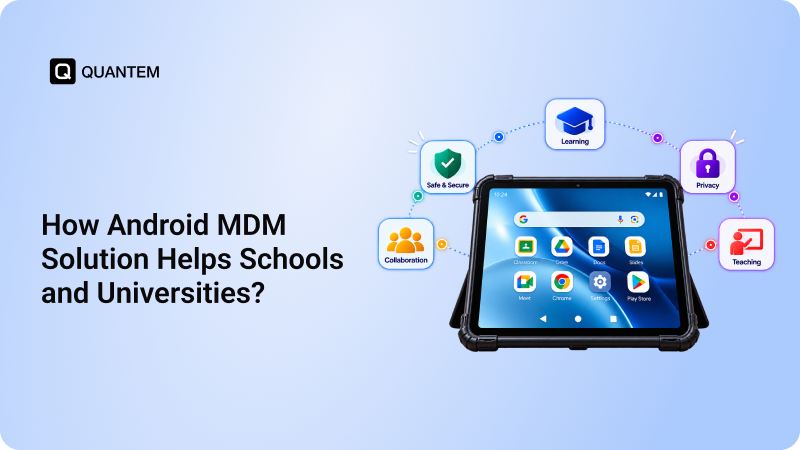
Android MDM for educational institutions should include bulk enrollment, shared device management, app and content management, kiosk mode, browser management, device restrictions, and remote troubleshooting. These features help IT teams manage student and staff devices while maintaining consistent configurations.



Get the latest blogs directly delivered to your mail fly arrow