What is Android Device Management and Why Does it Matter?
Android has moved far beyond being just a platform for personal smartphones. Its widespread adoption has made it a key platform for businesses worldwide, with an estimated 3.9 billion active users across more than 190 countries and a mobile operating system market share of nearly 70%.[1]
As businesses use Android phones, tablets, rugged devices, kiosks, and other endpoints across different locations, managing them individually becomes increasingly difficult. IT teams need a way to configure, monitor, update, and manage these devices without relying on manual intervention.
This is where Android device management comes in. It gives enterprises a centralized way to enroll, configure, monitor, and manage Android devices remotely while applying the policies required for business use.
In this blog, we will explore what Android device management is, how it works, its key features, and benefits.
What is Android Device Management?
Android device management is the centralized process of monitoring, controlling, and securing Android devices within an organization. It is an industry term for managing Android devices used by enterprises through a dedicated management framework or platform, providing IT teams with a structured way to oversee devices across the organization.
In simple terms, Android device management refers to the process of centrally managing an organization's Android device fleet rather than handling each device individually. It is designed to support the administration of Android devices at scale while maintaining a consistent management approach across the enterprise.
What is Android Device Management Used For?
Android device management helps enterprises manage their Android fleet consistently across different users, teams, and locations. It gives IT teams a centralized approach to handling devices without relying on individual, manual management.
For example, employee devices can be prepared with the required business settings, while dedicated devices used in retail, logistics, or field operations can be managed according to their specific requirements.
It is commonly used to:
- Apply consistent device policies.
- Control applications and device functions.
- Monitor device status.
- Provide remote support.
- Maintain organizational requirements.
In short, Android device management helps enterprises keep their Android devices organized, controlled, and aligned with business needs.
How Does Android Device Management Work?
Modern Android device management works through a coordinated process between the Mobile Device Management (MDM) platform, Google’s management services, and the Android operating system. This creates a standardized way for enterprises to manage Android devices from a central location.
The process can be understood in three stages:
- MDM Platform: IT administrators define the required device policies, applications, and configurations through the MDM console. These instructions are then passed to Google’s management infrastructure.
- Android Management API (AMAPI): Google’s Android Management API acts as the communication layer between the MDM platform and Android devices. It provides standardized APIs that allow the management platform to communicate with supported Android devices.
- Android Device Policy: The instructions are delivered to Android Device Policy, a device management component that runs on the Android device. It receives the defined policies and applies them locally according to the organization's configuration.
This model allows enterprises to manage Android devices from a centralized MDM platform while using Google's standardized management framework across different manufacturers and device types.
Why is Android Device Management Essential for Businesses?
An Android fleet can quickly become difficult to manage when devices are spread across departments, offices, stores, or field locations. Without centralized management, even routine device administration can become inconsistent and place additional pressure on IT teams.
For enterprises, Android device management creates a structured way to keep devices aligned with business requirements. Its importance becomes clearer across five key areas:
- Visibility: Enterprise IT teams need to know what is happening across their Android fleet without checking devices individually. Centralized device information helps them understand the state of their endpoints and quickly spot devices that may require attention.
- Security: A business Android device can provide access to corporate resources and information, so leaving it unmanaged can create unnecessary exposure. Device management allows enterprises to establish appropriate controls and respond remotely when a device is lost, stolen, or compromised.
- Productivity: Device-related problems and inconsistent configurations can interrupt employees' work. By keeping Android devices prepared and aligned with their intended business purpose, IT teams can reduce unnecessary disruptions and help employees stay focused on their responsibilities.
- Compliance: Different organizations may have specific rules governing how company devices should be configured and used. Centralized management makes it easier to apply those requirements across the fleet and identify devices that fall outside the organization's defined standards.
- Cost-efficiency: As the number of Android devices increases, manual management requires more IT time and resources. Centralized and remote administration reduces repetitive work, limits the need for physical intervention, and makes it easier to manage a larger fleet without proportionally increasing administrative effort.
What Are the Different Android Device Management Modes?
Android supports different management modes to accommodate the way enterprises deploy and use their devices. The right mode depends largely on device ownership, how the device will be used, and the level of control the organization needs.
The main Android device management modes include:
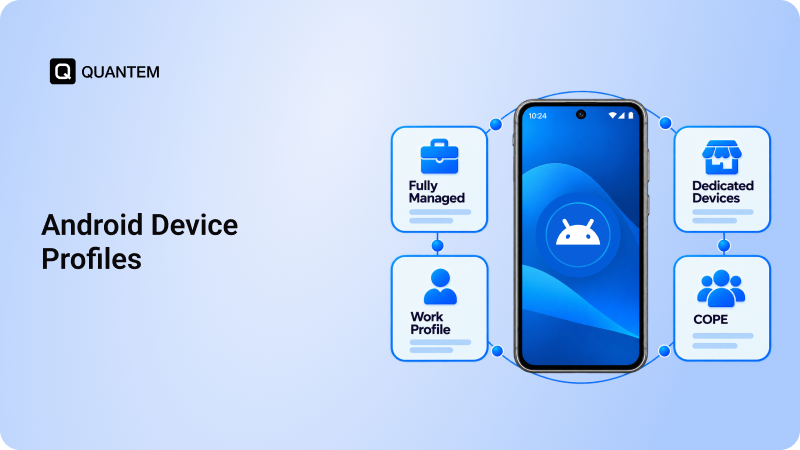
- Bring Your Own Device (BYOD): Employees use their personal devices for work-related activities. A separate work environment helps keep corporate apps and data distinct from the employee's personal information.
- Corporate-Owned, Personally Enabled (COPE): The organization provides and owns the Android device, while allowing employees some personal use. This gives IT teams control over the business environment while still providing employees with flexibility for personal activities.
- Corporate-Owned, Business-Only (COBO): The organization owns the device and dedicates it entirely to business use. IT teams have greater control over the device, making this mode suitable when personal use is not required.
- Corporate-Owned, Single-Use (COSU): These devices are assigned to a specific business purpose rather than general employee use. They are commonly deployed for scenarios such as kiosks, digital signage, self-service terminals, or devices running a dedicated application.
These management modes give enterprises the flexibility to match Android device management with the ownership model and purpose of each deployment, rather than applying the same approach to every device.
Key Features of Android Device Management
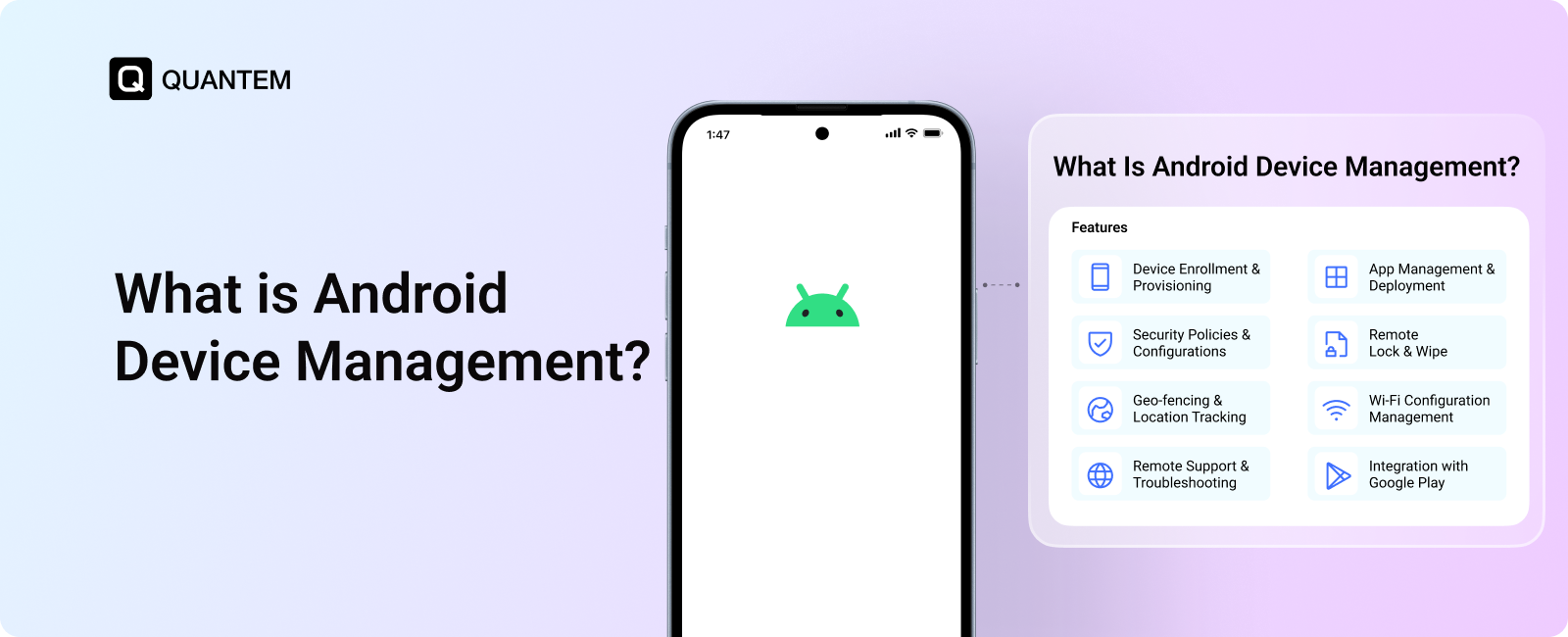
Android device management brings together the capabilities enterprises need to manage their Android fleet from a central platform. While the exact feature set can vary between solutions, these are some of the core capabilities businesses commonly look for:
1. Device Enrollment
Android devices can be brought under management using different enrollment methods based on the organization's deployment requirements. Common options include Zero-touch, EMM, QR code, email, CSV, and Samsung KME, among others.
2. Device Configuration
IT administrators can remotely establish settings such as Wi-Fi, email, VPN, and device branding. This helps maintain a consistent configuration across managed devices and reduces the need for manual setup.
3. Application and Content Management
Organizations can centrally distribute, update, and remove applications across their Android fleet. Content management enables IT admins to manage files and documents on the devices so employees have access to the information and resources required for their work.
4. Security Policy Enforcement
Enterprises can establish device-level security requirements and apply them across managed Android endpoints. These may include password rules, encryption requirements, and access controls designed to protect corporate information.
5. Time-Based Restrictions
Some business environments require device functions or applications to be available only during defined periods. Time-based restrictions allow organizations to set usage rules around specific hours, helping align device usage with operational requirements.
6. Android Kiosk Mode
Kiosk mode limits an Android device to a designated application or selected group of applications. This makes it useful for dedicated deployments such as digital signage, interactive displays, self-service terminals, and purpose-built business devices.
7. Browser Management
Organizations can control web access on managed Android devices by defining which websites or categories of content users can access. This helps enterprises establish browsing policies that align with their business and usage requirements.
8. Automated Workflows
Automated workflows can handle repetitive device management tasks based on predefined conditions or policies. This reduces manual effort while helping IT teams maintain consistent configurations, updates, and compliance requirements across the fleet.
9. Geofencing and Location Tracking
Geofencing creates virtual geographic boundaries that can be associated with specific device actions or policies. Location tracking can also provide visibility into device whereabouts, which can be useful for field operations, asset management, and other location-dependent deployments.
10. OS and Update Management
Keeping Android devices current is an important part of ongoing fleet management. Remote Over-the-Air (OTA) update management allows IT teams to control the timing of supported OS updates, helping organizations maintain device stability while keeping software up to date.
11. Data Loss Prevention (DLP)
Data loss prevention helps organizations reduce the risk of corporate information being accessed or shared inappropriately. Android device management can support DLP policies through controls such as restricting data movement and remotely locking or wiping a managed device when necessary.
12. Factory Reset Protection
Factory Reset Protection (FRP) helps prevent an Android device from being reused by an unauthorized person after it has been reset. For enterprise-owned devices, FRP can help ensure that resetting a device does not remove the ownership verification required for authorized use.
Benefits of Using Android Device Management
Android device management is not just about managing devices. It also helps enterprises improve operational efficiency, strengthen device security, simplify IT support, and maintain greater control over their Android fleet as it grows.
Here are some of the key benefits of using Android device management:
- Centralized Control: IT teams can manage Android devices from a single platform, regardless of where they are deployed. This makes it easier to maintain configurations, policies, and device settings consistently across the fleet.
- Enhanced Security: Enterprises can apply security requirements such as password policies, authentication controls, and encryption across managed devices. If a device is lost or stolen, administrators can also take remote action to protect corporate information.
- Employee Privacy Assurance: Android management can keep personal and corporate environments separate on supported deployments. This allows employees to use their personal apps and content without giving IT teams visibility into their private activity.
- Increased Efficiency: Centralized provisioning and application management can reduce the manual effort involved in preparing and maintaining devices. This helps IT teams support faster onboarding and keeps employees equipped with the resources they need.
- Customizable Policies: Organizations can tailor device policies according to factors such as user roles, departments, or device types. This allows different groups to have management settings that match their specific business requirements.
- Remote Troubleshooting: IT teams can diagnose and address many device issues without physically handling the endpoint. This reduces on-site intervention, limits downtime, and can be particularly valuable for customer-facing devices such as kiosks and digital signage.
- Extended Device Lifespan: Ongoing management of software updates and device health can help organizations get more value from their Android hardware. Keeping devices properly maintained can also reduce unnecessary replacements and premature device retirement.
Effortless Android Device Management Starts with Quantem MDM
Managing an Android fleet becomes considerably easier when device administration, policies, applications, and support are handled from one place. Quantem MDM brings these requirements together in a centralized platform built for enterprise Android deployments.
Whether devices are assigned to employees, shared between users, or deployed for specific business functions, Quantem helps IT teams maintain a consistent management experience across the fleet.
Here’s what enterprises can do with Quantem:
- Centralized Management: Get a unified view of managed Android devices through one administrative console. IT teams can manage configurations, applications, and policies without switching between different tools.
- Flexible Device Onboarding: Quantem supports multiple enrollment options, including QR code, out-of-the-box setup, zero-touch enrollment, EMM, email, CSV, and Samsung KME. It also supports Android ownership models such as COPE and BYOD, giving organizations flexibility when deploying different types of devices.
- Manage OS & App Updates: Quantem enables IT teams to manage Over-the-Air (OTA) updates for Android OS and applications remotely. Administrators can view available updates and control when they are deployed across the device fleet, without physically accessing each device.
- Automated Workflows: Reduce repetitive administrative work by creating workflows for routine device management activities. This helps IT teams handle recurring tasks more consistently as the fleet expands.
- Improved Security: Establish security controls across managed Android devices, including encryption, policy enforcement, real-time location tracking, geofencing, remote lock and wipe, and remote FRP management.
- Enhanced Productivity: Prepare devices with the applications and configurations employees need before they begin working. Browser controls can also be used to restrict access to websites that are unrelated to business activities.
- Groups and Subgroups: Structure the device fleet around departments, teams, locations, or specific business functions. This makes it easier to assign the appropriate applications, policies, and restrictions to each group.
- Real-Time Monitoring and Reporting: Access device information and analytics to understand fleet performance, compliance, and security status. This gives IT teams the information needed to identify issues and respond before they become larger operational problems.
- Remote Troubleshooting: Address device issues remotely instead of depending on physical access. IT teams can investigate problems and provide support while devices remain in their assigned locations.
- Shared Android Device Management: Support environments where multiple users work from the same Android device. Group-based access helps ensure users receive the applications and settings relevant to their assigned role.
- Broadcast Messages: Communicate directly with managed Android devices by sending announcements, emergency alerts, or operational messages from the central console. Delivery and acknowledgment status can also be monitored.
- Complimentary Premium 24/7 Support: Get ongoing assistance from a dedicated support team for implementation, configuration, and day-to-day device management.
With Quantem MDM, enterprises can bring Android device administration, monitoring, policy management, and support together through a single platform.
References:
1. bankmycell
Looking for a Reliable Android Device Management Solution?
1. What is Android Enterprise?
Android Enterprise is a set of Google tools and APIs designed to support the management of Android devices in business environments. It provides the framework for managing different enterprise deployment scenarios, including work profiles and fully managed devices.
2. What is the difference between Mobile Device Management (MDM) and Enterprise Mobility Management (EMM)?
MDM primarily deals with managing and securing devices, while EMM covers a broader set of mobility requirements, including applications, content, and user access. In other words, MDM is one component of the wider EMM approach.
3. What is Android Mobile Device Management software?
Android Mobile Device Management (MDM) software is a platform that enables enterprises to centrally manage, monitor, and secure Android devices. It provides IT teams with a unified system for administering an organization's Android device fleet.
4. What is the difference between Android Device Management and Android Device Manager?
Android Device Management refers to the broader process of centrally managing, monitoring, and securing Android devices across an organization. Android Device Manager generally refers to a specific tool or service used to locate, lock, or manage an individual Android device rather than manage an enterprise-wide device fleet.
5. How do you set up Android device management?
Start by selecting an MDM solution that supports your Android devices and enroll the devices using an available enrollment method, such as QR code, token, or zero-touch enrollment. Once enrolled, IT teams can configure the required policies, applications, and settings through the management console.
6. How do you enroll corporate Android devices?
Corporate Android devices can be enrolled using methods such as QR code enrollment, Zero-touch enrollment, and out-of-box setup. The appropriate method depends on the device type, deployment requirements, and enrollment workflow used by the organization.
7. What is a fully managed device?
A fully managed device is an Android device that is owned and managed by an organization for business use. The enterprise has control over the device's configuration, applications, policies, and other managed settings.
8. How does Android MDM software handle app distribution and updates?
Android MDM software allows IT teams to centrally distribute, update, and remove applications across managed Android devices. Administrators can push apps from Google Play, private APKs, or managed Google Play stores directly to enrolled devices and manage updates remotely, reducing manual app maintenance.
9. How do you choose the right Android MDM solution?
Consider whether the solution supports your Android device types, enrollment requirements, management needs, and business use cases. Other important factors include scalability, security controls, and management capabilities such as app management, remote support, integrations, managed google play, pricing, and customer support.



Get the latest blogs directly delivered to your mail fly arrow