Introduction
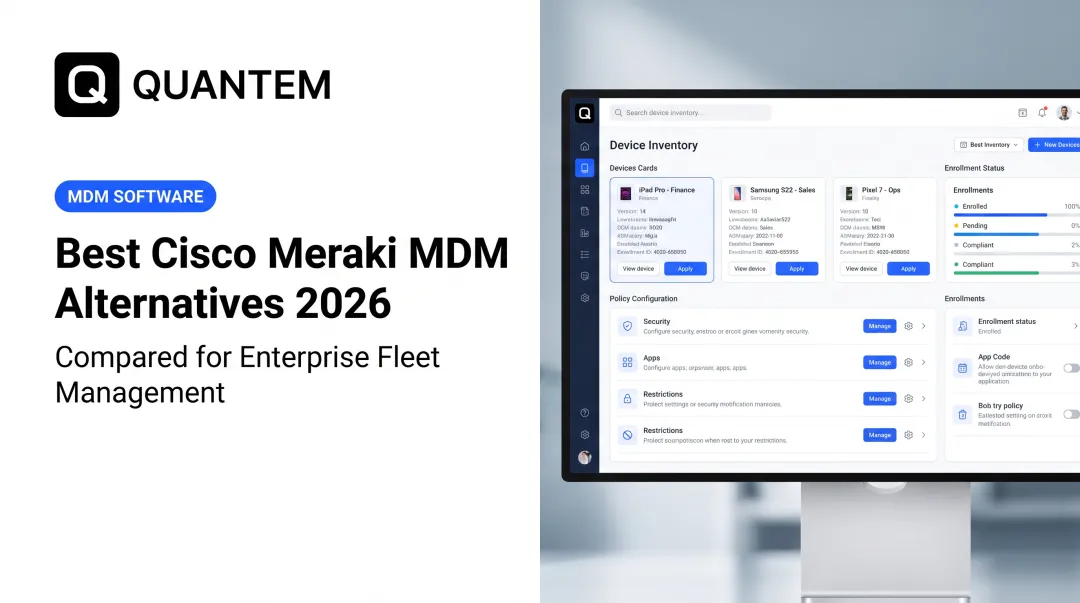
Cisco officially announced the End-of-Sale for Meraki Systems Manager (SM) on December 3, 2025. The last day to purchase new licenses is June 3, 2026, and all support ends June 3, 2029. For IT administrators managing device fleets across healthcare, retail, logistics, and enterprise environments, that timeline leaves less room than most IT teams expect.
The real planning deadline isn't 2029 - it's now. Organizations that start migrating before mid-2026 can run phased, low-risk transitions with time to pilot, test, and validate. Those that wait until 2028 or 2029 face rushed cutovers under deadline pressure, with fewer vendor options and support contracts already expired.
This guide walks you through everything you need to plan a successful migration:
- What the Meraki SM End-of-Sale actually means for your fleet
- The real risks of staying put past 2026
- A step-by-step migration process
- What to evaluate when choosing a replacement MDM platform
Key Takeaways
- Cisco announced Meraki SM End-of-Sale on December 3, 2025; the last purchase date is June 3, 2026, and support ends June 3, 2029
- Running an EOL MDM after 2029 creates unpatched security vulnerabilities, compliance audit failures, and OS compatibility gaps
- Migration follows three phases: audit your environment, select a replacement and map policies, then enroll devices and decommission Meraki
- Prioritize platforms offering zero-touch enrollment, cross-platform support, transparent pricing, and SOC-2/GDPR/CCPA compliance
- Start before June 2026 to migrate on your schedule, not under deadline pressure
What Is the Meraki Systems Manager End-of-Sale?
Meraki Systems Manager is Cisco's cloud-based MDM platform. Its End-of-Sale doesn't mean the product stops working immediately - it means Cisco has closed the purchase window and set a fixed support expiration date.
Here are the three dates every IT team needs to plan around:
| Milestone | Date | What It Means |
|---|---|---|
| EOL Announcement | December 3, 2025 | Migration planning window has started |
| Last Day to Purchase | June 3, 2026 | No new 1-year or 3-year licenses after this date |
| End of Support | June 3, 2029 | All patches, updates, and technical assistance stop |
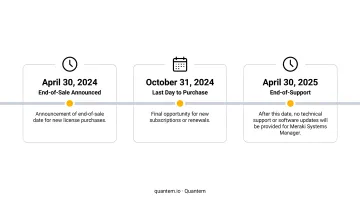
5-year licenses have already been discontinued. Cisco's officially recommended replacement is Ivanti Neurons for MDM, available through the SolutionsPlus program - though organizations are free to evaluate any MDM platform that fits their fleet size, OS mix, and budget.
Your current environment keeps running until 2029, but you can't expand it after June 2026. That gives IT teams roughly 18 months to evaluate, migrate, and fully transition before the purchase window closes.
Why Staying on Meraki SM Is Not an Option
The Security Exposure Problem
Once End-of-Support arrives in June 2029, any newly discovered vulnerabilities in Meraki SM will go unpatched permanently. Attackers actively target EOL software because the exposure window never closes and no patch will ever arrive.
CISA classifies unsupported or end-of-life software as a dangerous bad practice that significantly elevates risk for critical infrastructure. According to the Verizon 2025 Data Breach Investigations Report, exploitation of vulnerabilities accounted for 20% of breaches as an initial access vector - a figure that makes an unpatchable MDM agent a liability, not a manageable risk.
Compliance Framework Risks
HIPAA, GDPR, and PCI DSS don't name Meraki SM specifically, but they all require actively managed security controls:
- HIPAA requires risk analysis, risk management, and technical safeguards for electronic protected health information
- GDPR Article 32 requires appropriate technical measures based on current state-of-the-art standards
- PCI DSS v4.0.1 requires organizations to identify vulnerabilities and install applicable security patches across system components
Running an unsupported MDM can become audit evidence of unmanaged risk. HHS has previously settled a HIPAA enforcement action specifically titled "HIPAA Settlement Underscores the Vulnerability of Unpatched and Unsupported Software" - a clear signal that regulators treat EOL software as a compliance failure, not just a technical issue.
OS Compatibility and Feature Stagnation
Post-2029, as Apple, Google, and Microsoft continue releasing new OS versions, an unsupported Meraki agent will gradually lose the ability to communicate with newer devices. This process is already underway: Apple has deprecated certain MDM-based software update workflows, and Google has replaced legacy Device Admin management with Android Enterprise.
MDM platforms that don't track these changes leave devices partially managed or completely unmanageable.
Beyond security, Meraki SM has been in effective maintenance mode since early 2024. No new features, no AI-driven controls, no improvements - while every competing platform continues to advance.
The Cost of Waiting
Delayed migrations consistently cost more than planned ones. When a compliance audit or system failure forces the move, there's no phased approach - just emergency triage.
Teams that wait typically lose:
- Pilot time to test configurations before full rollout
- Device refresh alignment to reduce dual-enrollment overhead
- User communication windows that reduce helpdesk volume
- Rollback options if the first deployment approach needs adjustment
Teams that start now control the timeline. Teams that wait inherit someone else's emergency.
How to Migrate from Meraki SM: A Step-by-Step Guide
A successful Meraki migration follows three sequential phases. The quality of Phase 1 determines how smooth Phases 2 and 3 will be.
Step 1: Audit Your Current Meraki Environment
Before touching a single device, document everything:
- Catalog every managed device: OS version, model, ownership type (corporate vs. BYOD), and Meraki license expiration dates - this prevents mid-migration gaps and missed devices
- Map all restrictions, security settings, compliance rules, kiosk configurations, and deployed apps; note which translate directly to the new platform and which need rebuilding
- Capture your Apple Business Manager (ADE/DEP) setup and Android Zero-Touch Enrollment configurations before making any changes
Keep this audit accessible throughout - it drives every decision in Phases 2 and 3.
Step 2: Select a Replacement MDM and Plan Your Rollout
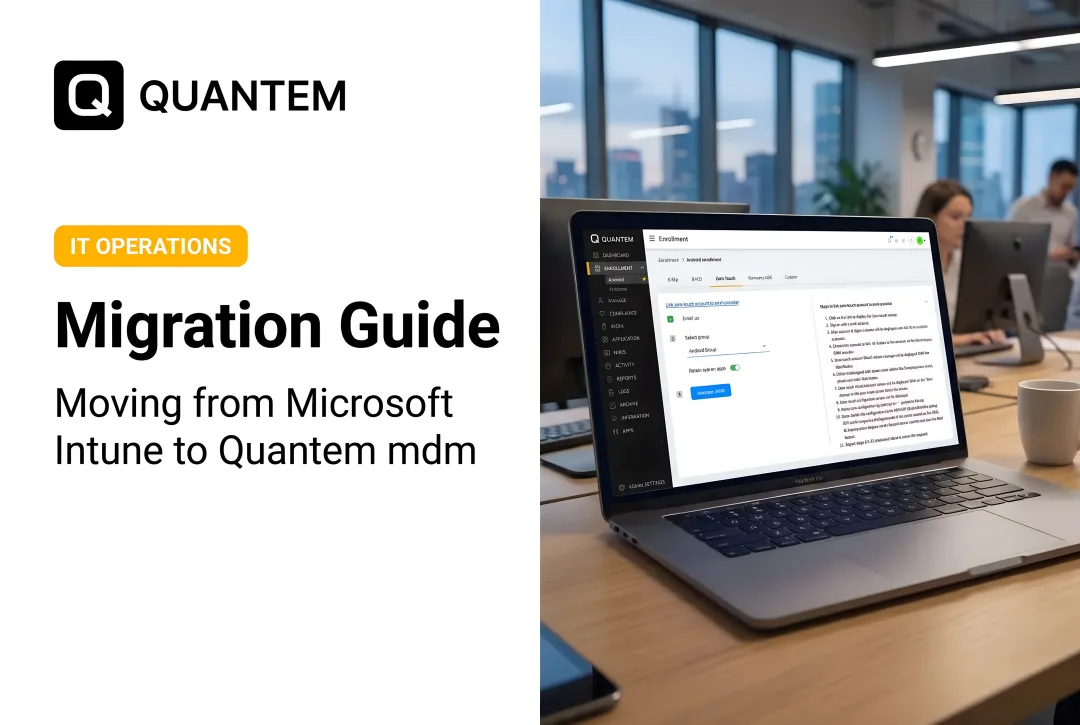
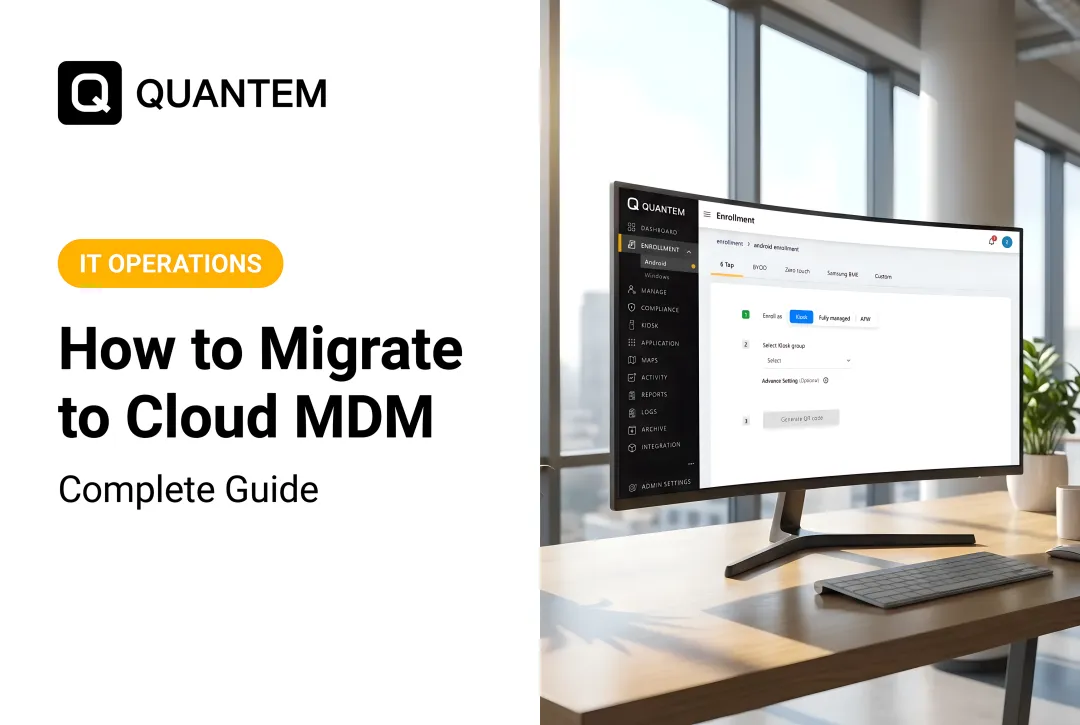
Once you've selected a new platform (see evaluation criteria below), configure zero-touch enrollment before moving any production devices:
- Verify Apple Business Manager status - confirm your organization's ADE/DEP setup and ensure the new MDM can be added as an MDM server in ABM
- Set up Android Zero-Touch - create a new zero-touch configuration with the replacement platform's device policy controller
- Run a pilot group first - start with IT-owned devices or one department to validate policy mapping and enrollment workflows before expanding to the full fleet
Run the pilot before touching production devices - configuration errors caught at small scale are far easier to fix than the same errors spread across hundreds of devices.
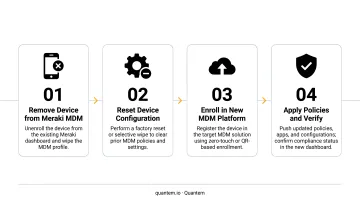
Step 3: Disenroll from Meraki and Enroll in the New Platform
Sequencing is everything here. Transfer ADE/DEP tokens and Android Zero-Touch configurations to your new MDM before removing them from Meraki. Deleting or reassigning tokens prematurely breaks automated enrollment continuity and can force factory resets and manual re-enrollment across your fleet.
The decommission sequence:
- Issue the Retire or Unenroll command in the Meraki dashboard to strip the MDM profile from devices
- Enroll devices in the new MDM using zero-touch or manual enrollment, depending on device type
- Immediately apply the policies mapped in Phase 1 - validate encryption status, app restrictions, compliance baselines, and kiosk configurations
- Deactivate remaining Meraki licenses once device enrollment is confirmed to avoid unnecessary billing
What to Look for in a Meraki MDM Replacement
Not every MDM platform is a like-for-like Meraki replacement. Evaluate candidates on these criteria:
Cross-Platform Support Without Network Dependency
Meraki SM's tight integration with Cisco networking was both a feature and a constraint. Your replacement should manage Android, iOS, and Windows devices from a single console without requiring specific network hardware. It should work in any environment.
Zero-Touch Enrollment as a Standard Feature
Confirm that Apple ADE/DEP and Android Zero-Touch support are included at your pricing tier, not gated behind enterprise-only plans. This matters at rollout and every time you onboard new devices.
Transparent, Predictable Pricing
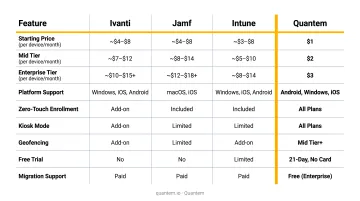
Public MDM pricing ranges considerably. Here's where the market currently sits:
| Platform | Pricing |
|---|---|
| Ivanti Neurons for MDM | ~$4/device/month |
| Jamf (mobile devices) | $5.75/device/month (billed annually) |
| Jamf (Mac) | $12.50/device/month |
| Microsoft Intune Plan 1 | $8/user/month |
| Quantem | $1–$3/device/month (billed annually) |
The market trends toward $4–$12.50+ per device depending on platform and features.
Quantem sits at the low end of that range at $1–$3/device/month, with zero-touch enrollment and kiosk mode included across all plans - no premium gating. Enterprise plan customers also get free migration support, and any plan can be tested with a 21-day free trial (no credit card required).
Compliance Certifications for Regulated Industries
At minimum, confirm the platform holds SOC-2, GDPR, and CCPA certifications. For healthcare, education, and enterprise environments with audit obligations, this isn't negotiable. Quantem holds all three.
Built-In Kiosk Mode and BYOD Work Profile Separation
For retail, logistics, healthcare, and field services, kiosk lockdown and secure BYOD work profiles are operational requirements. Verify these are included across plans - not reserved for top-tier licenses only.
Common Mistakes to Avoid During Your Meraki Migration
Treating June 2029 as the real deadline. The actual planning deadline is June 2026 - the last date to purchase licenses. Teams that delay until 2028 face time pressure, fewer vendor options, and no room to course-correct.
Deleting enrollment tokens before transferring them. Losing continuity in Apple Business Manager or Android Zero-Touch configurations can require factory resets and manual re-enrollment across entire device fleets. Treat token transfer sequencing as a non-negotiable step in your migration plan.
Migrating all devices at once. Bulk migrations without a pilot phase consistently surface policy mismatches, app compatibility issues, and enrollment failures at scale. Organizations that skip phased rollouts end up with more downtime and longer recovery windows than those that stage rollouts deliberately.
When you start determines how much control you keep. Beginning before mid-2026 gives your team time to pilot, adjust, and migrate on your terms - waiting until 2028 or later removes that flexibility entirely.
Frequently Asked Questions
What is replacing Meraki Systems Manager?
Cisco's officially recommended replacement is Ivanti Neurons for MDM, available through the SolutionsPlus program. Organizations are free to evaluate other MDM/UEM platforms based on fleet size, OS mix, and budget. Ivanti is the Cisco-preferred path, not the only viable one.
How much does Meraki MDM cost?
Based on reseller pricing, Meraki SM has historically run approximately $40/device for a 1-year license and $80/device for a 3-year license. Five-year licenses have been discontinued. Comparable MDM platforms now offer similar or greater functionality at a fraction of that cost - Quantem, for example, starts at $1/device/month with no hidden fees.
When is Meraki Systems Manager being discontinued?
Two dates matter: June 3, 2026 is the last day to purchase new licenses. June 3, 2029 is the Last Day of Support, when all patches, updates, and technical assistance permanently end.
Will my existing Meraki SM licenses still work after the End-of-Sale date?
Yes. Existing licenses remain valid and supported through their term and through June 3, 2029. End-of-Sale only means no new licenses can be purchased after June 3, 2026. Current deployments continue functioning until the End-of-Support date.
What happens to my device data after Meraki SM reaches End-of-Support?
Review Cisco's Meraki Offer Disclosure on the Cisco Trust Portal for data handling details. Migrate all device data and policy configurations to your new MDM platform well before June 2029 to avoid any risk of data loss.
How long does a Meraki MDM migration typically take?
A phased migration for a mid-sized organization (a few hundred devices) typically takes 4–8 weeks from audit to full enrollment. Larger enterprise fleets with multiple OS types may require 3–6 months of planning and staged rollout.