Introduction
Many organizations struggle with bottlenecks at reception desks, inconsistent visitor records, and manual check-in processes that waste staff time and create security gaps.
Research from IFMA documents a case where electronic visitor management cut administrative work time by 40% across 30 offices. Walk-in check-in times often fall under 30 seconds with modern systems.
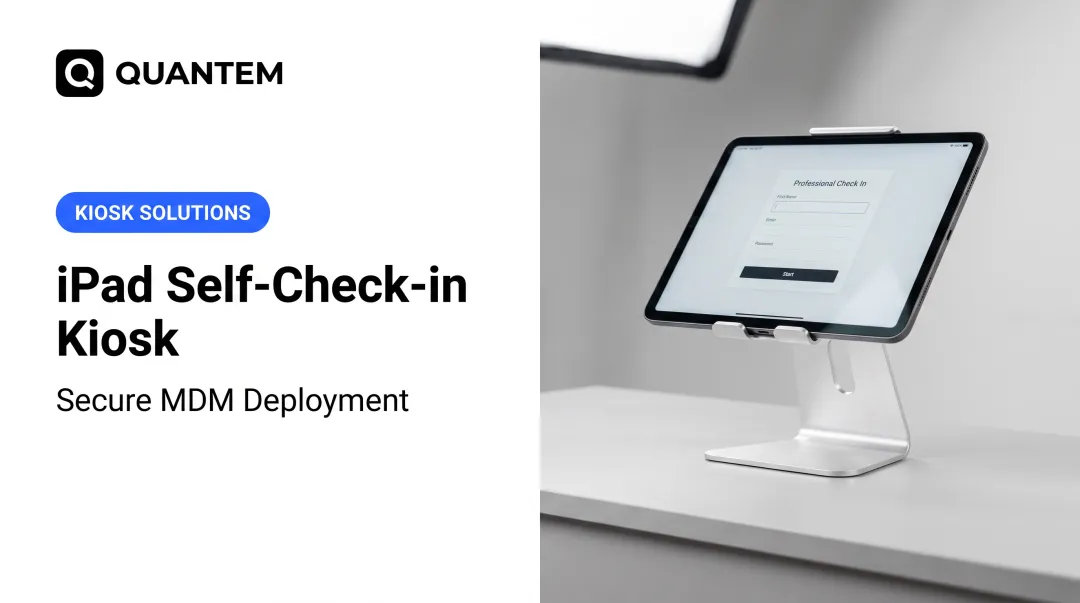
Visitor management self check-in kiosks automate guest registration on touchscreen stations. Visitors complete identity capture, photos, and digital signatures step by step, without front desk involvement.
This guide explains how these systems work, what hardware and software you need, and how to select, deploy, and manage kiosk devices across multiple locations.
Key Takeaways
- Self check-in kiosks pair visitor software with secured tablets to automate guest registration
- A full setup needs a touchscreen, visitor app, badge printer, optional ID scanner, and MDM to lock the device
- Pre-registration cuts admin time by ~40% and brings check-in under 30 seconds
- Enclosures run $199–$2,099; visitor software typically costs $50–$362 per location monthly
What Is a Visitor Management Self Check-In Kiosk?
Visitor management self check-in kiosks are automated, self-service stations where guests register on arrival without front desk staff. Each unit is typically a tablet or touchscreen in a secure enclosure, running visitor management software that walks guests through registration step by step.
Organizations deploy them in healthcare facilities, corporate offices, schools, government buildings, and manufacturing plants to speed up entry, tighten security, and cut front-desk workload. The Security Industry Association frames visitor management as systems that track who comes and goes—especially useful in high-volume environments.
Most kiosks combine a few core functions in one flow:
- Scan IDs (such as a driver's license) for identity verification
- Capture a visitor photo for the on-site record
- Print a temporary security badge
- Notify the host by email, SMS, or chat when the guest checks in
That last step removes manual message relay at the desk.
How Visitor Self Check-In Kiosks Work
Standard Check-In Workflow
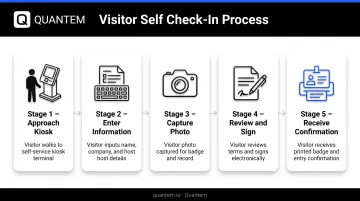
The typical visitor experience follows this sequence:
- Approach kiosk - Visitor walks up to the touchscreen station near the building entrance
- Enter information - Guest inputs their name, company, and visit purpose through the interface
- Capture photo - System activates the built-in camera to take a visitor photo for the badge
- Review and sign - Visitor reads and electronically signs NDAs, safety waivers, or compliance documents
- Receive confirmation - Kiosk prints a badge with name, photo, timestamp, and host information
Host Notification System
Once check-in completes, the system automatically notifies the host that their visitor has arrived. Notification methods typically include:
- Mobile app alerts
- Microsoft Teams
- Slack messages
Reception staff no longer need to manually call or message employees.
Pre-Registration and Fast Check-In
Many systems support pre-registration where expected visitors receive a QR code or link in advance. On arrival, guests scan the QR code at the kiosk to finish check-in in seconds. Vendor documentation reports pre-registered check-in times around 10 seconds, compared with walk-in times under 30 seconds.
Identity Verification Integration
Kiosks can integrate identity verification tools including:
- Driver's license scanners - Automatically populate visitor information from government IDs
- Passport readers - Verify international visitor identity and capture required fields
- Barcode/QR scanners - Enable quick check-in for pre-registered guests
Envoy's ID scanning supports analysis of documents from 230+ countries in 48 languages, capturing fields including name, document type, expiry date, and issuing country.
Visitor Badge Printing
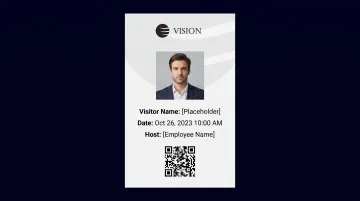
After check-in, visitors receive a printed badge to wear on premises. These badges typically include:
- Visitor name and photo
- Date and timestamp
- Host employee name
- Company logo
- Expiration indicator
The badge helps staff quickly identify authorized guests. Envoy's expiring badge stock displays a red VOID marking after 24 hours to prevent reuse.
Essential Components of a Check-In Kiosk System
Visitor Management Software
Visitor management software provides the application layer that delivers the user interface, collects and stores visitor data, sends notifications, and generates reports. This is the app visitors interact with during check-in.
Key software features include:
- Customizable check-in workflows for different visitor types (contractor, vendor, guest, interview candidate)
- Digital waiver and NDA signing with electronic signature capture
- Visitor pre-registration portals and QR code generation
- Automated host notifications through multiple channels
- Visitor logs, occupancy reports, and compliance analytics
- Watchlist and block-list screening against security databases
Evaluation criteria:
When selecting visitor management software, prioritize ease of use for both visitors and administrators.
Privacy rules apply at the kiosk. CCPA notice requirements mandate disclosure of personal information categories collected and their purposes at the point of collection. GDPR Article 5 likewise requires lawful, fair, and transparent processing when EU data subjects are involved.
Organizations should verify that vendors provide evidence of security controls, such as SOC 2 Type 2 attestation reports, rather than unsubstantiated claims. Confirm integration with existing access control systems, calendars, and employee directories as well.
Kiosk Hardware & Enclosure
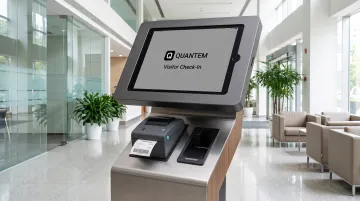
Kiosk hardware typically includes a consumer tablet (iPad, Android, or Windows device) secured within a durable enclosure designed to prevent theft, tampering, and damage.
Enclosure form factors include:
- Countertop mounts - Compact units for reception desks with existing space
- Wall-mounted options - Space-saving installations near entry doors
- Freestanding floor units - Self-contained stations for lobbies and high-traffic areas
Bouncepad visitor management enclosures range from $199 desk/wall mounts to $295-$365 floor stands. Complete bundled systems like the Teamgo T-Print 15 Kiosk at $2,099 include the tablet, enclosure, and integrated printer.
Important hardware considerations:
- ADA compliance - Access Board guidelines call for 30 x 48 in. clear floor space, a 15–48 in. reach range, and controls operable with one hand at no more than 5 lbf
- Cable management - Hidden, protected power cords to prevent trips and tampering
- Lockable access - Keyed enclosures for maintenance and tablet security
- Stability - Weighted bases or secure mounting to prevent tipping
Badge Printer
Thermal label printers integrate with kiosks to print visitor badges on-demand with visitor name, photo, date/time, and host information. These printers connect via Wi-Fi or Bluetooth, eliminating cable clutter.
Brother QL-series printers like the QL-820NWB ($239.99) print up to 110 labels per minute with Bluetooth wireless connectivity. Entry-level models like the QL-800 at $124.99 offer USB connectivity at lower cost.
Badge printing benefits:
- Security teams quickly identify authorized visitors
- Visual confirmation that guests completed check-in
- Expiration timestamps prevent badge reuse on future dates
- Professional first impression for visitors
Badge stock costs vary by type: Envoy pricing shows white standard badges at $25/300, custom-branded badges at $40/300, and expiring-indicator stock at $292/1,000.
ID Scanner & Camera
ID capture speeds check-in and strengthens identity verification at the door.
Barcode and QR code scanners let pre-registered visitors check in by scanning a code from their phone or email invitation. Walk-up visitors benefit from driver's license or passport scanners that capture data, auto-fill fields, and verify identity in one step.
That cuts manual entry errors and shortens the line. OCR Solutions documents driver's license and passport OCR extraction paired with visitor photo capture.
Built-in or external cameras capture photos for badges and security records. Advanced systems can support facial recognition for returning visitors.
Privacy considerations:
Organizations should understand data handling practices before enabling ID scan. Envoy's ID scanning uses Veriff for verification, with ID images stored by Veriff (not in Envoy's database) under a one-year retention agreement. Verification typically takes 1-2 minutes.
Kiosk Management & Device Security Software
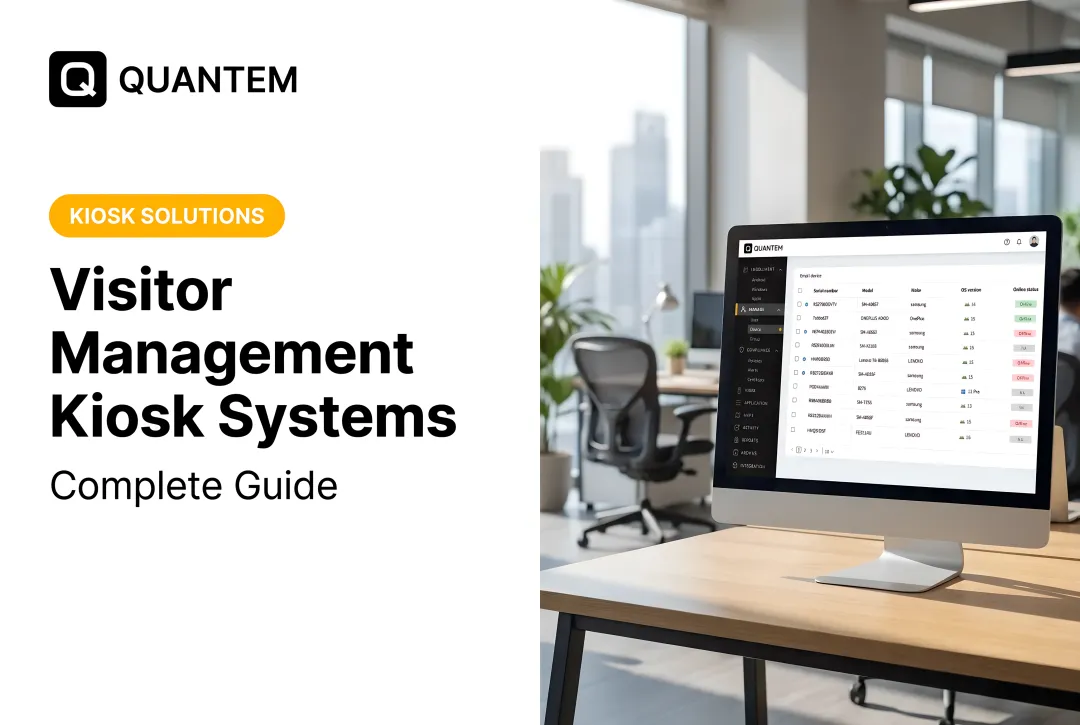
Beyond visitor management software, organizations need mobile device management (MDM) or kiosk management software to lock down the tablet device itself. MDM solutions prevent visitors from accessing other apps, changing device settings, browsing the web, or tampering with the kiosk.
What MDM provides:
- Restricts tablets to single-app kiosk mode so only the visitor app runs
- Configures settings, apps, and security policies remotely without touching each device
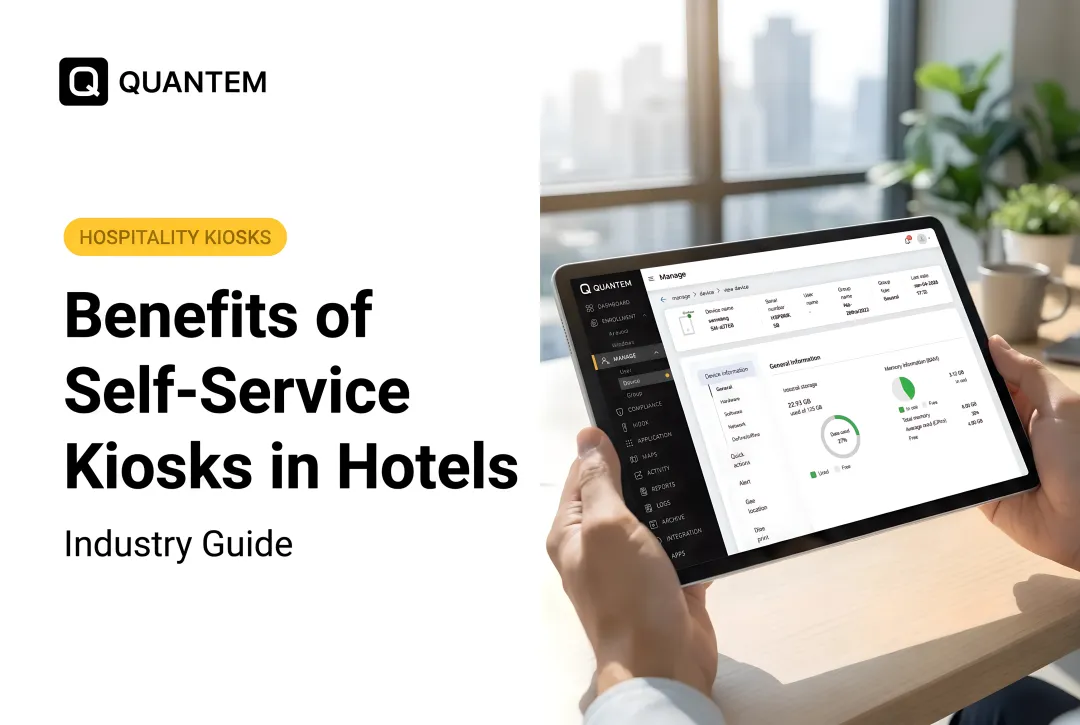
- Monitors fleet health, battery, connectivity, and alerts from one dashboard
- Enforces remote wipe, USB transfer limits, camera controls, and factory-reset prevention
- Ships new tablets ready for zero-touch provisioning at each location
Platforms like Quantem lock tablets into single-app mode, hide navigation controls, and push the visitor check-in app with the right policies when each device powers on. Zero-touch provisioning scales from 10 to 10,000 devices without staging each unit by hand.
For multi-location rollouts, centralized MDM covers remote troubleshooting, scheduled updates, and device-health alerts so IT is not driving site to site. That keeps kiosks consistent and harder to tamper with across every lobby.
Connectivity & Integration
Check-in kiosks need reliable Wi-Fi or ethernet to sync with cloud dashboards, send real-time notifications, and update visitor logs. Envoy's allowlist documentation notes that strict firewalls may require service domain allowlisting, though no universal bandwidth or offline threshold is specified.
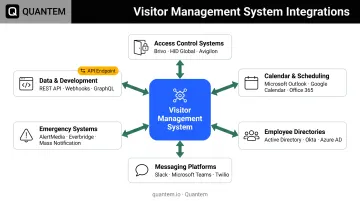
Common integration points include:
| Integration Type | Examples | Purpose |
|---|---|---|
| Access control | SALTO, Gallagher, Avigilon, Genetec, Brivo, Paxton, LenelS2 | Automatically unlock doors for authorized visitors |
| Calendar & scheduling | Microsoft Outlook, Google Calendar | Sync expected visitor appointments |
| Employee directories | Active Directory, Azure AD, Google Workspace | Validate hosts and send notifications |
| Messaging platforms | Microsoft Teams, Slack, email | Notify hosts of visitor arrival |
| Emergency systems | Evacuation tracking, mass notification | Track on-site occupancy during emergencies |
| Data & development | REST APIs, webhooks, SCIM | Custom integrations and data export |
Integration documentation confirms these capabilities across leading visitor management platforms.
Benefits of Implementing Self Check-In Kiosks
Streamlined Visitor Experience and Reduced Wait Times
Self-service kiosks eliminate reception desk bottlenecks by allowing multiple visitors to check in simultaneously during peak arrival times. Pre-registration and QR code check-in enable expected visitors to complete the process in under 30 seconds, so the first impression stays fast and consistent.
Visitors appreciate the control and privacy of self-service check-in, especially when signing confidential documents like NDAs. The automated workflow removes the awkwardness of waiting for busy reception staff and provides a consistent, professional experience regardless of arrival time or front desk staffing levels.
Reduced Front Desk Staffing Requirements
Automating repetitive check-in tasks frees reception staff to focus on high-value activities like greeting VIP guests, handling complex inquiries, and managing unexpected situations. IFMA's case documentation shows Technicolor achieved 40% less administrative work time after implementing electronic visitor management across 30 offices.
Organizations can reduce front desk staffing during low-traffic periods or extend coverage hours without adding headcount by deploying self-service kiosks. In facilities with multiple entry points, kiosks provide staffed-level check-in capability at secondary entrances without assigning dedicated personnel.
Enhanced Security and Compliance
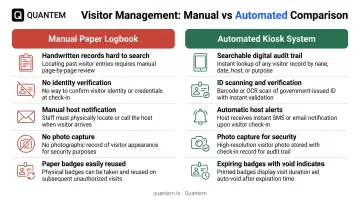
Kiosks create a digital audit trail of all visitors including entry and exit times, host information, and signed legal documents. This supports compliance requirements and security investigations with searchable, timestamped records that paper logbooks cannot provide.
Security controls include:
- Automated identity verification through ID scanning
- Visitor photo capture for visual identification
- Watchlist and blocklist screening against security databases
- Real-time host notifications confirming visitor arrival
- Printed badges with expiration indicators
- Integration with access control systems for door permissions
During evacuations, the same systems give instant visibility into who is on-site—live roll calls, multi-responder check-off, push alerts, and offline visitor lists—so security teams can account for people faster than paper logs allow.
Key Considerations for Implementation
Strategic Kiosk Placement and Signage
Position kiosks in high-visibility locations near building entrances where they are immediately visible to arriving guests. Avigilon recommends making kiosks visible, covering every access point, and placing them in camera-covered positions to reduce bypass attempts and support investigations.
Clear signage and visual cues should direct visitors to check in, with adequate space to avoid creating new bottlenecks. Ensure kiosks don't block doorways or create congestion in high-traffic areas.
Accessibility requirements:
- Preserve 30 x 48 inch clear floor space for wheelchair approach
- Position touchscreens within 15-48 inch unobstructed reach range
- Ensure controls require one hand with no tight grasp and maximum 5 lbf force
- Provide adequate maneuvering space around the kiosk
Device Deployment and Configuration at Scale
Organizations deploying multiple kiosks across locations face significant IT overhead if each device requires manual on-site configuration. Zero-touch provisioning lets IT teams pre-configure kiosk settings, install required apps, and enforce security policies remotely so tablets arrive ready to use.
Quantem's zero-touch provisioning enables IT to create device groups by location. Each new tablet automatically receives the correct visitor check-in application, controls, and policies when it powers on. Devices lock into single-app kiosk mode with remote restrictions on:
- Wi-Fi configuration
- Camera access
- USB file transfer
- Notifications
- Factory reset
As deployments grow, centralized device management keeps the fleet consistent. IT teams can monitor device health, push software updates, troubleshoot issues remotely, and maintain configurations from one dashboard without travel or on-site support visits.
Staff Training and Change Management
Train front desk staff, security personnel, and employees on the new workflow. Staff should know how to:
- Assist visitors who need help with the kiosk
- Retrieve visitor logs and reports
- Print replacement badges when needed
- Respond to system alerts and notifications
- Handle exceptions and troubleshoot basic issues
Communicate the change to employees in advance. Explain how they will be notified when visitors arrive and what hosts are expected to do.
Plan a short transition period where staff stay available to guide visitors through self-check-in until adoption stabilizes.
Choosing the Right Visitor Check-In Solution
Evaluating Visitor Management Software
Prioritize ease of use for both visitors and administrators. Interfaces should require minimal instruction, with customizable workflows that match your check-in needs by visitor type, location, and security level.
What to evaluate:
- Verify SOC 2 attestation, GDPR data-processing agreements, and CCPA notices—not unsubstantiated vendor claims
- Confirm integrations with access control, employee directories, calendars, and messaging tools
- Validate support for your badge printers, ID scanners, and tablet hardware
- Clarify licensing (per-location, per-user, or per-check-in); Envoy Premium is $362/location/month annually, The Receptionist $630–$1,890/site/year
- Assess onboarding help, documentation quality, and support responsiveness
Request demos and trial periods so real visitors can test the flow before you commit.
Selecting Kiosk Hardware
Hardware selection depends on available space, budget, required peripherals, and aesthetic preferences. Options range from basic $199 countertop tablet enclosures to $2,099 fully-branded freestanding kiosks with integrated printers.
Compare options on:
- Tamper-resistant enclosures, cable management, port lockdown, and tip resistance
- Desk, wall, or floor mounting that fits your space and traffic patterns
- ADA height, reach, and operability requirements
- Badge printer, ID scanner, and camera compatibility
- Branding panels, colors, and logo placement
- Warranty coverage, lead times, and replacement-part availability
Confirm the enclosure works with your chosen visitor management software before you buy.
Planning for Device Management and IT Support
Software and hardware are only part of the setup. You also need a plan for the tablets: keep them locked in kiosk mode, block access to settings, watch device health, and fix issues without a trip on-site.
Mobile device management (MDM) gives IT centralized control over every kiosk, no matter the location, and cuts routine desk-side support.
Look for MDM that offers:
- Zero-touch provisioning, automated configuration, and remote setup
- A central dashboard with device groups, policy enforcement, and remote troubleshooting
- Kiosk lockdown, remote wipe, USB control, factory-reset prevention, and app restrictions
- API access, SSO, and fit with your existing IT stack
- Clear per-device licensing, support costs, and no surprise fees
Quantem provides kiosk management at $1–$3 per device per month (plan tier, billed yearly), with kiosk mode included on every plan. Zero-touch provisioning, remote monitoring, device-health alerts, and centralized app deployment help IT run large kiosk fleets without on-site visits. A 21-day full-access trial needs no credit card, so you can evaluate before committing.
Frequently Asked Questions
What is a check-in kiosk?
A check-in kiosk is a self-service station consisting of a tablet or touchscreen device running specialized software that allows visitors to sign themselves in upon arrival at a facility without front desk assistance.
How does a check-in kiosk work?
Visitors enter their details on the touchscreen, capture a photo if required, sign documents digitally, and receive a printed badge. The system then notifies the host by email, SMS, or collaboration tools.
What is a kiosk system?
A kiosk system is the full setup: visitor check-in software, tablet or touchscreen hardware, enclosure and mounts, peripherals like printers and scanners, and device management software that locks the tablet into kiosk mode.
How much does a kiosk usually cost?
Countertop tablet enclosures start around $199–$415; freestanding kiosks with printers range $2,099–$2,500. Visitor management software typically runs $50–$362 per location per month. Also budget for tablets ($300–$800), badge supplies ($25–$292 per batch), and MDM licensing ($1–$3 per device monthly).
What's the difference between visitor management software and kiosk management software?
Visitor management software runs the check-in workflow: registration, document signing, and badge printing. Kiosk management software (MDM) locks the tablet into kiosk mode, blocks other apps and settings, and supports remote monitoring and multi-location fleet control.
Can visitor check-in kiosks integrate with existing access control systems?
Most modern visitor platforms integrate with access control systems such as SALTO, Gallagher, Avigilon, Genetec, Brivo, and Paxton. After check-in, authorized visitors can receive door credentials or remote unlocks, depending on each system’s APIs.