What is kiosk check-in and how does it work?
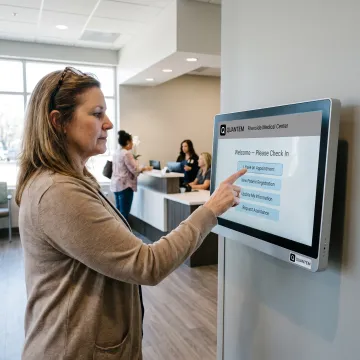
Kiosk check-in lets a visitor complete arrival tasks on a dedicated touchscreen instead of relying entirely on front-desk staff. A patient can typically identify themselves, confirm appointment details, review required information, and follow the next on-screen instruction. With Quantem, the device can be locked to the approved check-in app or selected workflow apps, helping keep the experience focused and consistent.
What is a kiosk in healthcare?
A healthcare kiosk is a patient-facing device used for a defined task, such as appointment check-in, registration, wayfinding, therapy tracking, surveys, or information display. It is commonly configured in single-app mode for one workflow or multi-app mode for several approved services. Healthcare teams use device management to control apps, settings, policies, and updates across kiosk fleets remotely.
What is the process of checking in at a medical facility?
A typical medical-facility check-in process begins when a patient arrives and verifies their identity. They may confirm contact details, appointment information, forms, insurance-related details, or required notices, then receive instructions to wait or proceed to the next step. The exact workflow varies by facility and its check-in application. A dedicated kiosk keeps the process available in a consistent, guided interface.
How does kiosk mode protect a patient check-in device?
Kiosk mode restricts a device to approved functionality, reducing the opportunity for users to open unapproved apps or change device settings. Quantem supports single-app kiosks for a dedicated check-in application and multi-app kiosks for controlled access to several applications. Administrators can push policies remotely, block unauthorized apps, and remotely wipe a lost or stolen device to help protect organizational data.
Can healthcare teams manage kiosks across multiple facilities?
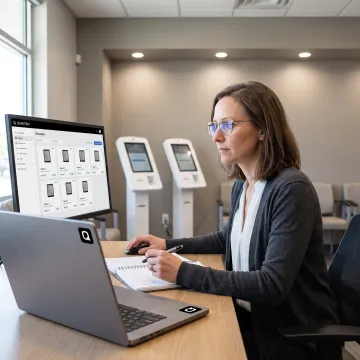
Yes. Quantem’s healthcare device management is designed for organizations operating devices across multiple sites, including hospital networks, diagnostic chains, rehabilitation centers, and specialty clinics. Teams can manage endpoints from a single console and assign device groups by ward, role, or location. This makes it easier to apply different rules for front desks, pharmacies, ICUs, or other operational areas.
How are new self-check-in kiosks deployed?
New devices can be enrolled through QR code enrollment, Samsung Knox Mobile Enrollment, or Android zero-touch enrollment where supported. These methods allow administrators to apply approved policies and profiles during setup rather than manually configuring each device. Quantem includes QR code enrollment across plans, while Samsung Knox and Android zero-touch enrollment are available with Professional and Enterprise plans.
Can we update check-in apps remotely?
Yes. Quantem provides centralized application management for approved apps and packages. Administrators can push applications, block unauthorized ones, and manage private app versions based on plan capabilities. Combined with remote policy controls, this lets teams keep patient check-in devices aligned with current workflows without needing to individually handle every kiosk at each facility.
Is support available when we need help with kiosk management?
Quantem includes email support and 24/7 chat support in all plans, along with a free consultation and demo. Enterprise customers also receive a dedicated account manager. Organizations moving from an existing MDM solution can access free migration support with the Enterprise plan, while Professional-plan customers can add migration support as needed.